- Award score
- 4.7Rating
- 100,000,000+installs
- Free
App information
Screenshots
 Analysis byAppsAward
Our review of Melon Sandbox
I find Melon Sandbox easiest to understand as a digital toy box rather than a simulation with a fixed goal. You create small scenes, put characters and objects together, then see what happens. That open-ended approach is the draw: a few minutes can turn into a quick experiment, or into a longer session spent adjusting a scene until it behaves the way you imagined.
It is a free simulation game from playducky.com, with a Teen content rating. Its scale is hard to miss: it has a 4.7 average from around 1.4 million ratings and more than 100 million installs. Those figures tell me it has broad appeal, but they do not mean every player will enjoy its loose, player-directed style. If you want levels, clear objectives, or a steady story, this is probably not the game I would choose first.
When the sandbox feels harder than it looks
The main early friction is not learning a complicated rulebook; it is deciding what to do. A blank or loosely structured sandbox gives you freedom, but it also leaves you responsible for making the fun. Players who expect a tutorial to lead into a campaign may wonder whether they have missed something. In my view, it helps to begin with one simple idea—a scene, a test, or a small visual gag—instead of trying to build an elaborate setup immediately.
That distinction matters because the game’s satisfaction comes from cause and effect. You place things, change the arrangement, and observe the result. When an experiment does not work, there may be no obvious “correct” answer to reveal. I treat an unexpected result as a reason to simplify the scene and test one change at a time. That makes it easier to tell whether the issue is the setup or simply an outcome I did not anticipate.
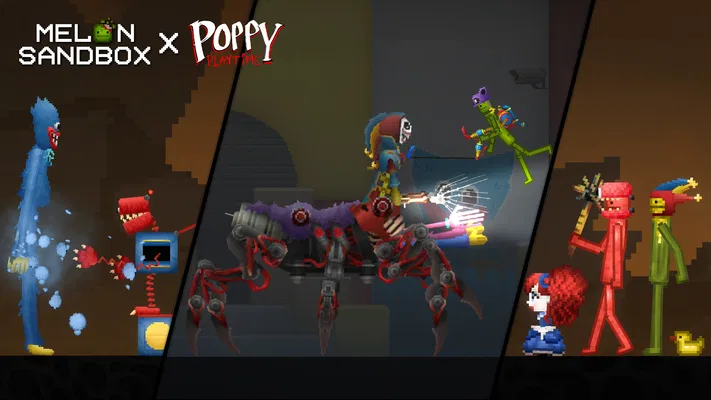
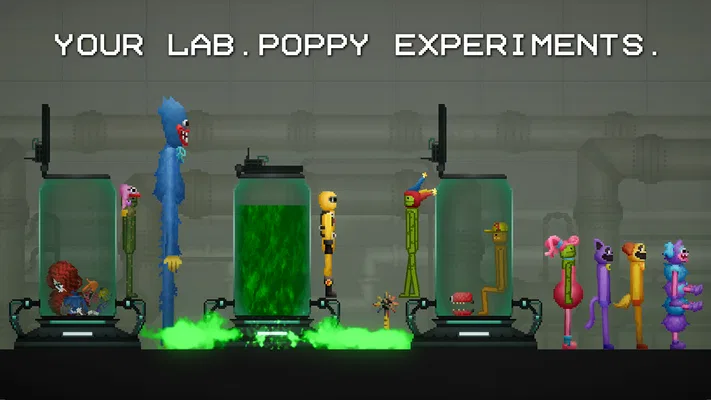
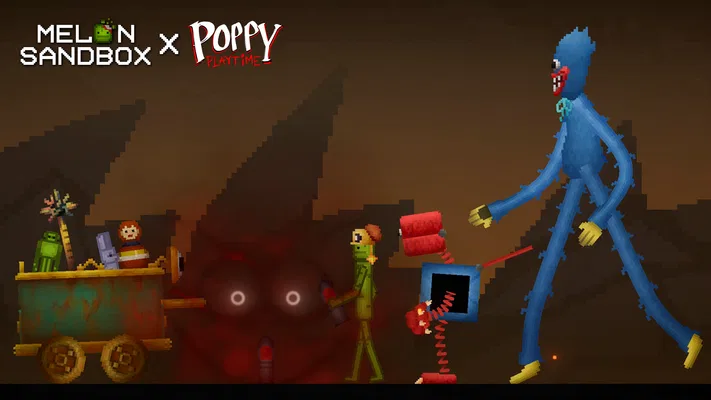
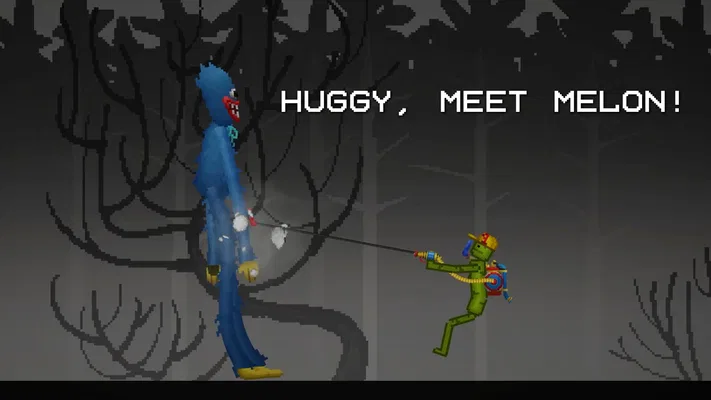
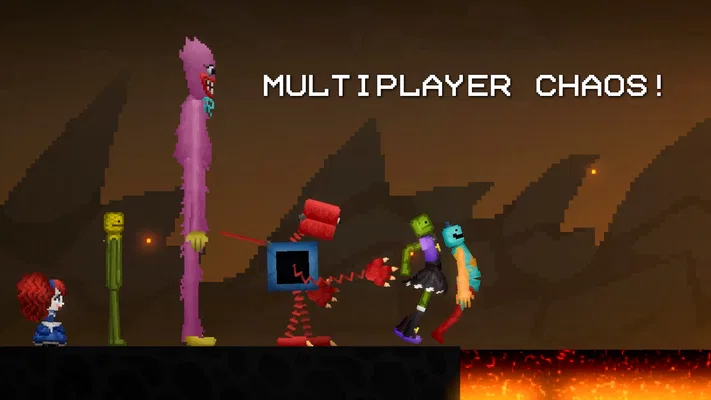
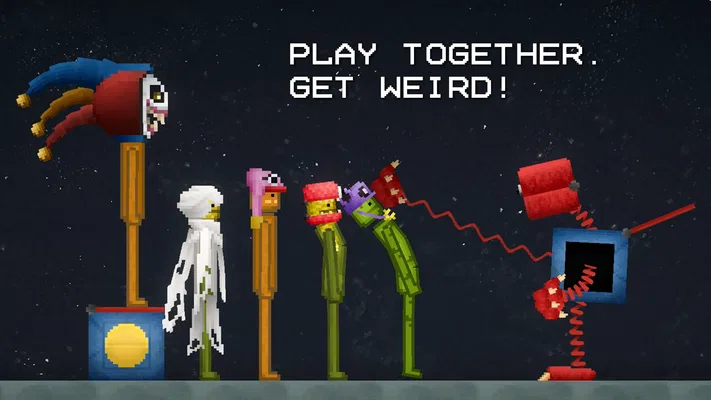
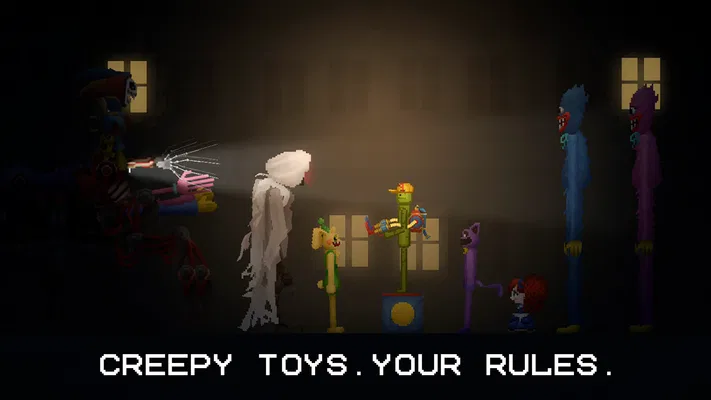
The game’s seasonal collaboration also gives players a more specific starting point. Its Halloween tie-in with Poppy Playtime brings exclusive mods into the picture, which can be appealing if you already enjoy playful, spooky character material. I would approach that content as an optional creative prompt rather than assuming it changes the game into a conventional horror adventure. The core appeal remains experimenting in a sandbox.
Start small, then build complexity
A useful first-session routine is to make one change, observe what it does, and only then add another object or character. This sounds basic, but it is especially helpful in a physics-style toy environment: if several things are introduced at once, it becomes harder to understand why the scene behaved as it did. Keeping the first experiment small gives you a clearer baseline and makes later tinkering more satisfying.
I also recommend setting a tiny goal before opening the game. For example, decide that you are going to create one amusing scene or test one interaction, then stop when you have done it. That prevents the open-ended format from feeling aimless. If the idea catches your attention, you can expand it; if not, you still get a complete little play session rather than a long stretch of random tapping.
Another practical trade-off is that creative freedom can turn into fiddly work. A scene that looks simple in your head may take repeated adjustments to feel right. I would not judge the game by whether the first arrangement works perfectly. The more useful question is whether changing the setup and seeing a different result feels enjoyable to you. If that process feels like busywork, a mission-based game will likely be a better fit.
Check the basics before troubleshooting
Before spending time diagnosing a problem, I would check that the device meets the stated minimum operating-system requirement: version 7.1. If the game is unavailable or behaves poorly on an older device, compatibility is a sensible first thing to consider. Keeping the app updated is another straightforward check; the current version is 38.666, so a very old installation may not behave like a current one.
Storage and a stable device environment are worth checking in ordinary ways, too. If a game closes unexpectedly, freeing some space, closing other demanding apps, and restarting the device are reasonable first steps. These are general troubleshooting habits, not a promise that they will solve every issue. I would make one change at a time so it is clear whether anything helped, rather than altering several settings and losing track of the cause.
It is also worth being deliberate about purchases. The game is free to download, but it offers in-app items priced from $0.49 to $259.99 per item. I would treat optional spending as something to review before confirming a purchase, especially if a child is using the device. The Teen rating is a useful audience signal, but it is still sensible for families to make their own decision about whether the game’s content and open-ended play suit the person who will use it.
Recover a session without making the problem worse
If a scene stops responding as expected, I would first pause the experiment mentally and retrace the last change. Remove or undo the newest element if that is possible in the current situation, then test the simpler arrangement again. This is a better diagnostic habit than repeatedly adding more objects in the hope that the scene will correct itself. It also helps separate a confusing setup from an app or device issue.
When the whole app feels sluggish or closes, I would avoid immediately rebuilding a complicated scene. First, restart the game and see whether a simple fresh session behaves normally. If it does, the earlier setup may have been the source of the trouble; if the same problem continues, restart the device and check for an available app update. This sequence keeps the effort modest and avoids turning a small interruption into a lengthy troubleshooting project.
For anyone who enjoys making scenes, a useful habit is to pause before experimenting with a major change and think about what you would want to recreate if the session is interrupted. I am not claiming the game has a particular backup or recovery feature; this is simply a way to reduce frustration in any creative activity. Keep experiments compact until you know how reliably your device handles the session, then make more ambitious setups when you have time.
Know when the cause may be outside the game
Not every awkward session points to a fault in Melon Sandbox. A device that is low on space, running many apps, or having a broader performance problem can make other games feel unstable as well. If the issue appears beyond this one title, I would check the device itself before repeatedly reinstalling or changing the game. That distinction saves time and helps avoid unnecessary changes to an installation that may be fine.
Network problems can also matter for app-store tasks such as downloading or updating, even when the actual play experience is not what prompted the check. If an update stalls, I would confirm the connection and try again later before assuming the game is broken. For problems limited to a particular session, by contrast, simplifying the scene and restarting the app are more relevant first moves than changing network settings.
It is sensible to be cautious about advice from unofficial sources, particularly suggestions to install modified files to “fix” a problem. The Halloween collaboration already includes exclusive mods as part of the game’s own offering; that is not a reason to take risks with downloads from unknown places. When a fix requires steps you do not understand or asks you to bypass normal device safeguards, I would stop and use the app store’s standard update or support route instead.
How it compares with more structured simulations
Compared with simulation games built around missions, schedules, or a clear progression track, this one gives less direction and more room to improvise. That is a strength when I want to play with an idea rather than complete a checklist. It is a weakness when I want the game to tell me what to do next. Players who prefer a defined objective and a sense of gradual achievement may be happier with a management or life simulation that gives them regular goals.
It also differs from a conventional creative editor. The fun here is not only arranging a polished result; it is watching a setup play out and changing it when the outcome is surprising. That makes it more playful and less like a tool for carefully producing a finished design. If your priority is precise drawing, detailed building plans, or a guided creative workflow, a dedicated editor is likely a better match.
The strongest use case I see is a short, low-pressure break: you have a spare moment, want to make one odd scene, and are happy to experiment without needing a win screen. It can also suit friends or family members who enjoy taking turns suggesting what to try, as long as the Teen rating and content are appropriate for everyone involved. It is less suitable for someone seeking a quiet, predictable game or a tightly paced single-player story.
Who should make room for it
I would recommend giving it a try if you like open-ended experimentation and do not mind learning by changing things yourself. The broad audience is reflected in its reach, but the best fit is still personal: people who enjoy playful cause-and-effect will likely get more from it than players who need a map, mission list, or narrative hook. Its free entry point makes trying the basic experience straightforward, while the in-app purchase range is a reason to keep spending choices intentional.
The game was released on December 23, 2022, and its current version is 38.666. I mention that mainly as useful context when checking whether an installation is current, not as a reason to expect that every device will run identically. Performance can vary with the device and the complexity of what you are trying to do, so I would build up from simple experiments rather than treating a demanding scene as the best first test.
My practical verdict
For me, the appeal of Melon Sandbox is that it lets a small idea become a playable experiment without demanding a long commitment. I like it most when I arrive with a simple plan, make one change at a time, and accept that the result may be different from what I expected. Its lack of structure is not a flaw for everyone, but it is the key trade-off a new player should understand before downloading.
Choose it if you enjoy tinkering, humorous setups, and a game that leaves the next move to you. Skip it if you mainly want guided objectives, a polished story arc, or a simulation that explains every system before asking you to act. For a casual creative break, I think it is an easy game to explore; for a player who dislikes trial and error, a more structured alternative will be more satisfying. The best way to judge it is to start with one modest scene and see whether the process of experimenting—not just the final result—is fun for you.
Pros
- Creative tools let you build custom scenes and experiments.
- A wide range of objects encourages inventive gameplay.
- Physics interactions make creations feel dynamic.
- The open-ended sandbox offers freedom without fixed goals.
- Community-made content can add fresh ideas and replay value.
Cons
- The lack of objectives may feel directionless to some players.
- Controls can take time to master on a touchscreen.
- Complex scenes may run less smoothly on older devices.
- Some content or features may require an internet connection.
- Frequent updates can change features or affect compatibility.
Best Simulation Game 2026
Our verdict
Melon Sandbox x Poppy Playtime™ : Halloween collaboration with exclusive mods!
Frequently Asked Questions
What is Melon Sandbox, and what can you do in the game?
Melon Sandbox is a physics-based sandbox game centered on experimenting with characters, objects, weapons, vehicles, and other interactive items. Rather than following a traditional story or completing a fixed set of missions, players can build scenes and see how their creations behave. It is designed for open-ended play, so the experience depends largely on what you choose to place, combine, and test.
Is Melon Sandbox suitable for children?
Melon Sandbox includes cartoon-style characters but also lets players stage combat and use weapons, so its content may not suit every child or family. The appropriate age can depend on the store rating in your region and your household’s preferences. Before downloading, check the current rating, content description, and available parental controls, and consider playing together so you can decide whether its themes are appropriate.
Can you play Melon Sandbox offline?
Many sandbox activities can generally be enjoyed without a continuous internet connection, but features that rely on online services may behave differently or be unavailable offline. Requirements can also change with app updates, device settings, and the version installed. If offline play is important, check the game’s current store listing and try launching it without a connection before relying on it during travel.
Is Melon Sandbox free, and does it include ads or in-app purchases?
The game may be available to download at no upfront cost, but that does not necessarily mean every feature or item is free. Advertising, optional purchases, or other monetization can vary by platform, country, and version. Review the Google Play or App Store listing for the latest details before installing, and use your device’s purchase restrictions if you want to prevent accidental spending.
What should I check before downloading Melon Sandbox on my phone or tablet?
Check that your device meets the operating-system and hardware requirements shown on its official store page, and make sure enough storage is available for the installation and later updates. The game’s physics and busy scenes may run differently across devices, especially older ones. Also review the latest content rating, privacy information, permissions, and purchase details, since these can change as the app is updated.

Download Melon Sandbox
Similar games
View all 9.3
Kick & Break The Ragdoll Games
Simulation
 9.0
Annoying Uncle Punch Game®
Simulation
 9.2
Solar Smash
Simulation
 6.8
Keyboard Escape: +1 Speed ASMR
Simulation


