
- Award score
- 4.7Rating
- 100,000,000+installs
- Free
App information
- Version
- 0.3.85
- Updated
- Requires
- 6.0
- Price
- Free, in-app purchases
- Developer
- Real Freestyle Soccer
- Content rating
- Everyone
Screenshots

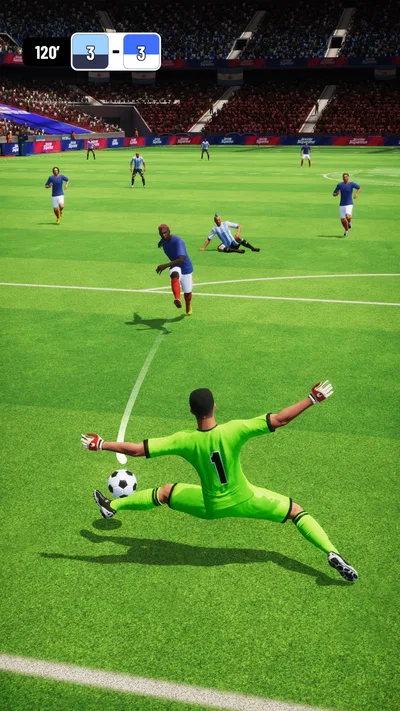
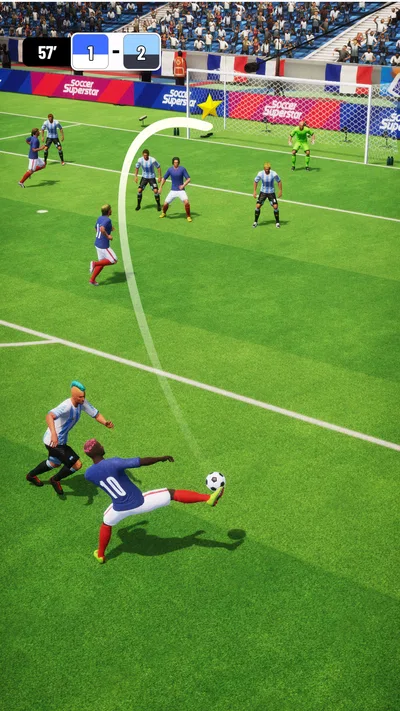
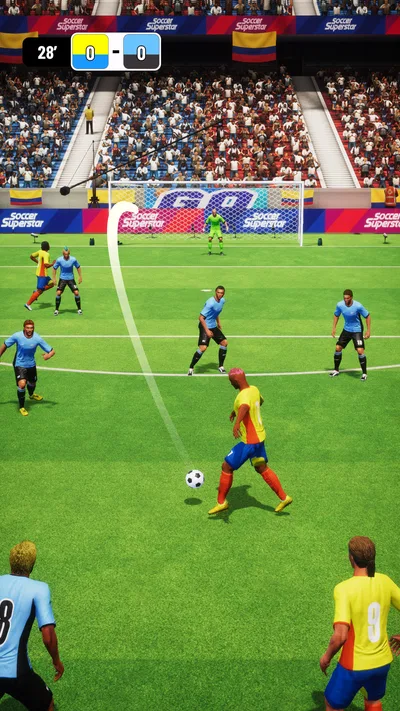
 Analysis byAppsAward
Our review of Soccer Superstar
When a game is going to be played on a shared phone or tablet, the best choice is often one that makes sense quickly and doesn’t demand a complicated group plan. Soccer Superstar has a straightforward appeal: kick the ball, score goals, and work toward becoming a soccer star. I find that simple premise useful in a household where different people may pick up the same device at different times. It gives everyone a familiar sport to enjoy, while its large progression goal offers a reason to return.
A soccer game that can fit shared-device play
Soccer Superstar is a free sports game from Real Freestyle Soccer. Its store description invites players to score goals and climb 5,000 levels, making progression a central part of the pitch. That’s an easy idea to explain to someone who hasn’t played before: take your shot, try to beat the challenge, and keep moving forward. I like that the basic goal doesn’t require a household to agree on a long session or a complicated set of rules before playing.
On a shared device, that kind of clear premise matters. One person can play for a while, hand the phone over, and let someone else have a turn without needing to coordinate a team or arrange a match with friends. The game’s soccer theme is also instantly recognizable, so it can appeal to players who follow the sport as well as people who simply enjoy aiming for a goal. It’s a focused concept rather than a broad collection of unrelated activities.
The game has a 4.7 average from around 3.6 million ratings, and it has passed 100 million installs. Those figures suggest broad appeal, though they don’t tell me whether every household will enjoy the same pace or style of play. I’d treat them as a sign that Soccer Superstar has reached a large audience, not as a guarantee that it will suit every player.
Short turns, clear goals
For shared use, I’d look first at how naturally the game can fit between other activities. A goal-focused soccer game can work well when somebody has a few minutes to spare, because the objective is easy to understand and the next challenge gives a clear point to continue. The appeal isn’t that every session has to become a major event; it’s that the game offers a recognizable activity that can be picked up when someone feels like playing.
That also makes it easier for different ages or experience levels to approach the same game on their own terms. A younger player might care most about scoring, while an older one might be more interested in making progress through the levels. I wouldn’t assume that everyone in a household will play in exactly the same way. The useful point is that the central soccer goal is simple enough to explain, while the long progression gives more dedicated players something to work toward.
Because it is a game rather than a live household activity, coordination can stay low-key. People can agree to take turns, leave the device available, or simply play whenever it is free. That flexibility is particularly handy in homes where a phone or tablet is shared across different routines. A game that depends on everyone being present at once would be less convenient in that setting; Soccer Superstar’s core premise is easy to enjoy individually.
Setting expectations before play
The game is free to download, with in-app purchases ranging from $0.99 to $24.99 per item. For a shared device, that’s worth discussing before someone starts playing. I’d make sure everyone understands that optional purchases can be part of the app experience and establish who is allowed to make them. That is a practical household conversation, not a claim about specific account settings or purchase controls.
Clear boundaries can help avoid awkward surprises. For example, a parent or device owner can explain whether purchases need approval, whether the device is only for playing without spending, or whether a purchase should be discussed first. The precise arrangement will depend on the household and its device settings. The important thing is not to leave younger players guessing about whether a button or offer involves real money.
It’s also useful to agree on how turns work if several people want the game. A simple rule—such as handing over the device when a session is done—can prevent small disputes without making play feel over-managed. I wouldn’t build a complicated schedule around a casual soccer game unless the household actually needs one. A little clarity is usually enough to make shared use comfortable.
Keeping progress and turns understandable
When several people use one device, the question of whose progress is whose can come up naturally. I’d talk about that before the first session: is the game being treated as one shared activity, or does each person expect a separate experience? It’s better to set that expectation than to assume the app will organize household identities in a particular way. No special account arrangement needs to be presumed for the game to work as a casual shared-device choice.
For families who prefer a common challenge, the long level climb can give everyone a simple shared reference point. One player can try a level, then another can take a turn and see how far they get. That approach can make the game feel collaborative even when only one person is holding the device at a time. If people would rather keep their play separate, the household can decide how to manage that based on the device and the way they use it.
Coordination doesn’t have to mean coaching every attempt. I’d let players find their own rhythm and offer help only when they ask for it. With a familiar sport and a clear goal, someone can usually understand the basic appeal without a long explanation. That keeps the game approachable for occasional players and leaves more enthusiastic soccer fans free to focus on improving their own results.
Age, content, and trust
Soccer Superstar is rated for Everyone, which makes its general audience positioning clear. That can be reassuring for households looking for a sports game suitable for a broad age range. Still, an age rating isn’t a substitute for a parent’s judgment. I’d consider the individual child, the device rules already in place, and the family’s comfort with in-app purchases when deciding whether it belongs on a shared device.
Trust is easier to maintain when the expectations are simple and consistent. Younger players should know whether they can play independently, when they should hand the device back, and what to do if they encounter a purchase prompt. Older players can help model those boundaries by following the same agreement. That kind of coordination comes from the people sharing the device; I wouldn’t assume the game itself provides household-specific supervision features.
It’s also worth remembering that a large popularity figure and a broad age rating don’t tell a parent everything about a child’s personal preferences. Some players love soccer-themed challenges, while others may lose interest quickly. I’d introduce the game as an option rather than a must-have, then see whether its goal-scoring loop and level progression hold the player’s attention. That keeps expectations realistic and avoids turning a casual game into a source of pressure.
What the progression adds
The promise of 5,000 levels gives Soccer Superstar a substantial long-term target. For a household, that can be a conversation starter: players can compare how far they’ve reached, celebrate a difficult goal, or encourage someone who is still working through a challenge. It gives the game a sense of direction beyond a single score, which may appeal to people who enjoy seeing steady progress.
At the same time, I’d avoid treating the level count as a reason to rush. A big progression target is most useful when it makes the game feel inviting, not when it becomes another chore. Shared-device players can take turns casually, and nobody needs to keep pace with somebody else. That makes the game easier to fit around school, work, meals, and the many other reasons a household might need the device.
The game first released on September 28, 2020, and its current version is 0.3.85. It requires Android 6.0 or later. Those details can help a device owner check basic compatibility before deciding whether to install it. The game is also free to download, so trying the core experience doesn’t require an upfront purchase, while the in-app purchase range is something to keep in mind when setting household rules.
My household verdict
As a shared-device option, Soccer Superstar has an appealingly simple foundation: soccer, goals, and a long path of levels to explore. I like that the main idea is easy to pass along to another player, and that people can enjoy it individually without organizing a whole group around the screen. Its broad age rating and familiar sports theme make it a reasonable game to consider for a household with different kinds of players.
The best fit will be a home that is comfortable with casual turn-taking and can set clear expectations about purchases. I’d be upfront about the available in-app spending, decide how the device is shared, and avoid assuming that each person’s progress or account boundaries are handled in a particular way. With those basics agreed, the game can sit comfortably among the quick entertainment options on a family phone or tablet.
Overall, Soccer Superstar is a solid choice for people who want a straightforward soccer game for Android with an easy-to-understand goal and plenty of progression to aim for. It won’t automatically solve household questions about turns or spending, but those are simple to address with a conversation before play. If your family enjoys scoring goals and wants a game that can be picked up one player at a time, this one is worth considering.
Pros
- Easy swipe controls make shooting and passing intuitive.
- Quick matches work well for short play sessions.
- Offline play lets you enjoy matches without a connection.
- Level-based challenges provide steady goals to pursue.
- Simple visuals keep the action clear on small screens.
Cons
- Later levels can feel noticeably more difficult.
- Energy limits may interrupt longer play sessions.
- Ads can appear between levels.
- The gameplay focuses more on set plays than full matches.
- Repeated challenge patterns may become predictable.
Best Sports Game 2026
Our verdict
Kick into action! Score goals & climb 5000 levels to become a soccer super star!
Frequently Asked Questions
What is Soccer Superstar, and how do you play it?
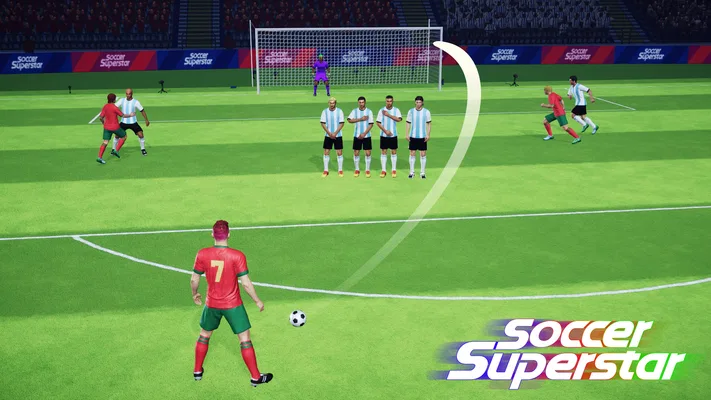
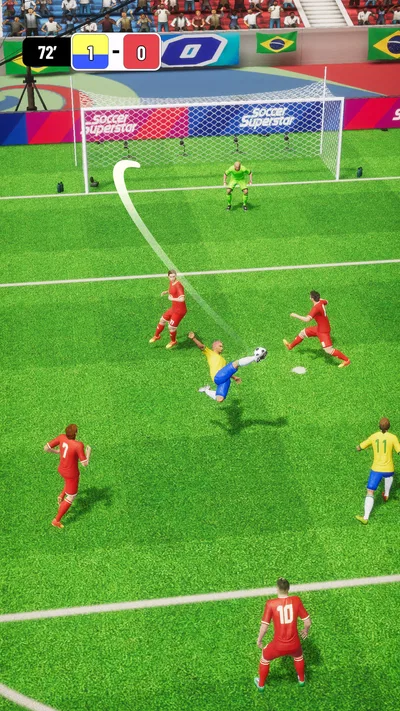
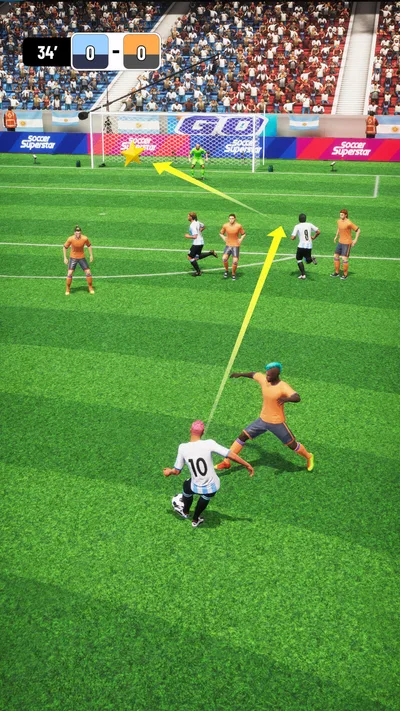
Soccer Superstar is a mobile soccer game focused on guiding shots and passes through short, level-based challenges. Instead of controlling every player in a full match, you draw or swipe a path to send the ball toward a teammate or goal while accounting for defenders and obstacles. Its simple controls make it easy to pick up, though later stages ask for more careful aim and timing.
Can you play Soccer Superstar offline?
Soccer Superstar is generally designed for single-player play, and many of its core levels can be played without an active internet connection. However, features such as advertisements, optional rewards, updates, or other online services may require connectivity, and availability can vary by version or device. If offline access matters to you, try launching the game in airplane mode before relying on it during travel.
Is Soccer Superstar free to download, and does it include in-app purchases?
The game is typically free to download, but the exact price and available purchase options can differ between the Google Play Store and Apple App Store, as well as by region. It may include advertisements and optional in-app purchases, so check the store listing for current details before installing. You can usually play without paying, though purchases or ads may affect the pace of progression.
Is Soccer Superstar suitable for children?
Soccer Superstar uses accessible soccer-themed gameplay and is generally easy for younger players to understand, since its main challenge is aiming passes and shots. Still, parents should review the current app-store age rating and privacy information for their region. If the game displays advertisements or offers purchases, consider using device-level parental controls to manage ad exposure and prevent unintended spending.
What should you know about Soccer Superstar before downloading it?
The game is best suited to players who enjoy quick, puzzle-like soccer challenges rather than realistic, full-length matches or detailed team management. Its swipe-based controls are straightforward, but some levels may require retries to find the right path around defenders. Before downloading, check that your device meets the store-listed requirements, review recent user feedback, and confirm the app's permissions and monetization details.




