
- Award score
- 4.9Rating
- 100,000,000+installs
- Free
App information
- Version
- 1.290.0
- Updated
- Requires
- 8.0
- Price
- Free, in-app purchases
- Developer
- PlaySimple Games
- Content rating
- Everyone
Screenshots
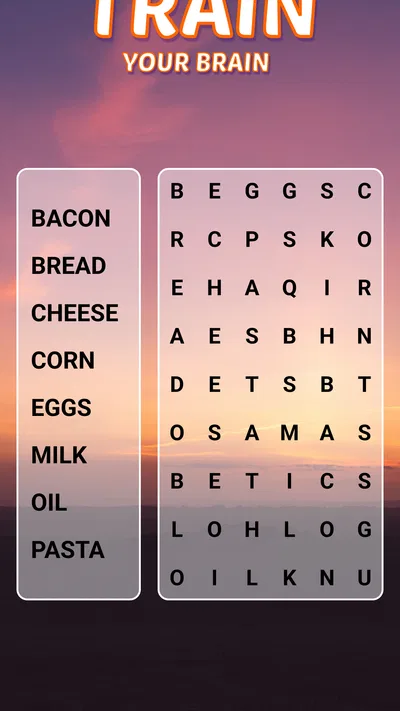
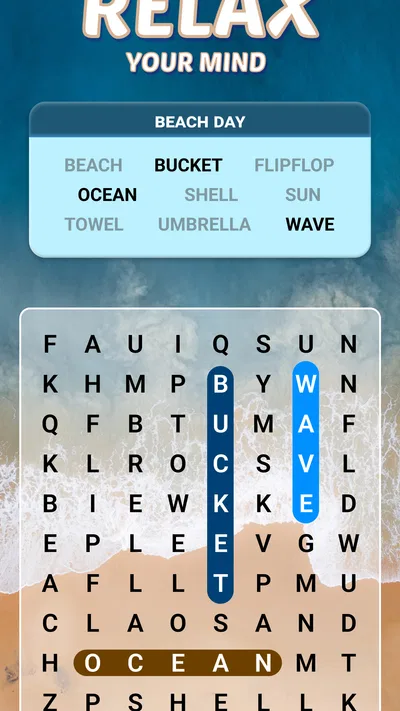
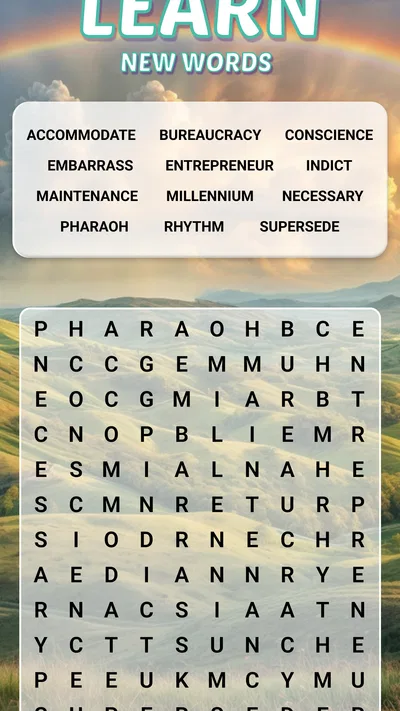
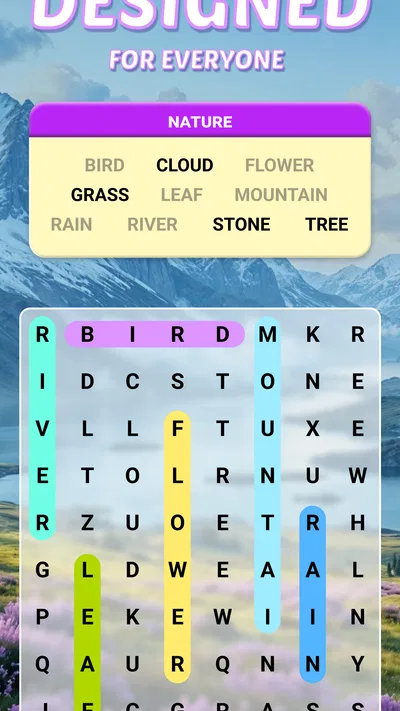
 Analysis byAppsAward
Our review of Word Search Explorer
I usually know within a few sessions whether a word-search game is going to become a pleasant little habit or just another icon I forget about. Word Search Explorer makes a calm first impression: it is a word game from PlaySimple Games, built around finding words in letter grids, with a visual style and approach that make it easy to settle into. I found it most appealing when I wanted something focused but undemanding, rather than a game that expects a long session or constant attention.
Why the first few sessions feel easy
The basic pleasure is familiar: scan a grid, spot a word, and trace it out. That simplicity helps newcomers get started without needing to learn a complicated set of rules. The game is listed in the word category, and the central activity stays true to that promise. If you enjoy ordinary paper word searches, the core idea will feel recognizable, while the screen makes it convenient to pick up for a short break.
Its presentation is aimed particularly at older players, and I can see the practical appeal. A word search is naturally less dependent on quick reactions than many mobile games, and the uncluttered task gives your attention one clear job. That does not mean it is only for seniors; anyone who likes searching for words can enjoy it. Still, players who want large, high-contrast visuals or a deliberately gentle pace are likely to find the intended audience especially relevant.
Articles related to Word Search Explorer
The game carries an Everyone age rating, so it can suit a broad household. I would not mistake that for a promise that every player will enjoy the same level of challenge. A child looking for action or a competitive player seeking deep strategy may find the basic word-search format too quiet. Its strength is exactly that it does not ask you to master a sprawling system before you can enjoy a round.
A useful fit for small pockets of time
One everyday use case is the waiting room or a quiet stretch before bed. I can imagine opening a puzzle while waiting for an appointment, completing a little of it, and returning to whatever I was doing without needing to remember a complicated story or manage a team. That makes it a better match for interrupted attention than games built around timed matches, elaborate quests, or ongoing competition.
For a first-week test, I would try it in two different moods: once when I have only a few minutes, and once when I want to settle in longer. That tells you more than judging it by a single puzzle. Word searches can feel soothing when your mind wants a simple target, but repetitive when you are looking for a stronger sense of progression. Notice which feeling wins for you before deciding whether it deserves a regular place on your phone.
What keeps it useful after the novelty
The first few grids benefit from the basic satisfaction of spotting words. Over time, that novelty matters less, and the question becomes whether the routine itself feels rewarding. For me, the lasting appeal is practical rather than dramatic: this is the kind of game I would reach for when I want a small mental reset, not when I want a major gaming commitment. That narrow role can still be valuable if it matches the way you actually use your phone.
Word Search Explorer has reached over 100 million installs and has a 4.9 average from around 1.3 million ratings, with about 23,000 written reviews. Those figures suggest that the format has broad appeal, though popularity alone cannot tell you whether its pace or presentation suits you. I would use them as a sign that it is an established choice in the category, not as a substitute for trying a few puzzles yourself.
A useful habit is to treat it as a planned short break rather than an endless feed. For example, I might open it after lunch, complete a puzzle or spend a brief stretch searching, then close it before it turns into background tapping. This approach keeps the game’s calm focus intact and makes it easier to tell whether I am still enjoying the word-finding or simply continuing out of habit.
Compared with a paper puzzle book, the app is easier to carry and ready whenever you have your phone, but paper avoids screen fatigue and does not compete with notifications. Compared with crossword games, this is a more visual search task and generally asks less of your vocabulary knowledge or clue-solving patience. If you specifically want to build crossword-solving skills, a crossword app is the better tool. If you want a straightforward letter hunt, this is the more direct option.
Keeping the habit without making it a chore
My practical advice is to use the game in situations where a word search naturally fits: a short wait, a quiet break, or a low-energy moment when a more demanding game would feel like work. Avoid turning it into an obligation to play every day. A gentle puzzle loses some of its appeal if you feel you must keep up a streak or reach a target, and the value here is having an easy activity available when you want one.
Another useful choice is to notice what kind of attention you have before opening it. If you are tired but still want something to focus on, looking for words can feel manageable. If you are mentally restless and want novelty, competition, or a clear narrative goal, a word search may not hold your interest for long. Choosing by mood makes the game more satisfying and prevents a mismatch from feeling like a flaw in the app.
The game is free to download, with in-app purchases ranging from $0.99 to $49.99 per item. That is worth keeping in mind if you are considering spending money: decide what you want from the experience before making a purchase, and do not assume that paying is necessary to enjoy the basic word-search idea. If you prefer games with no in-app purchase options at all, this may not be your ideal choice.
What may wear thin
The main limitation is built into the genre. Once you have spent plenty of time scanning letter grids, the core action can start to feel samey, especially if you want puzzles that steadily change their rules or demand new tactics. Word Search Explorer is a poor fit for someone who needs a strong story, intense challenge, or frequent mechanical surprises to stay engaged. Its accessible format is also what limits its depth.
There is a trade-off in choosing a screen-based puzzle over a printed one. A phone is convenient, but extended close-up play can be tiring, particularly for anyone who already spends much of the day looking at a screen. Since the game is designed with older players in mind, comfort and readability matter; I would try it in your usual lighting and hold the device at a comfortable distance before settling into longer sessions.
In-app purchases are another point to consider over the long term. The game is free, but optional spending can make a casual pastime feel less simple if you dislike purchase prompts or prefer to keep mobile gaming entirely cost-free. I would set a personal spending boundary in advance. If you want a word game with no temptation to buy anything, a paper collection or a suitable alternative without in-app purchases may be a better match.
There is also a difference between relaxing repetition and monotonous repetition. If you enjoy scanning carefully and get satisfaction from finding each word, the familiar loop may remain comforting. If you quickly ask, “What changes next?” you may lose interest once the basic puzzle stops feeling new. That is not a reason to avoid it; it is a good reason to treat it as a small leisure activity rather than expecting it to become your main game.
Does it earn a lasting place?
Version 1.290.0 is the current version, and the game first appeared on November 19, 2021. Its free entry point makes it easy to try, while its established audience shows that this is not an obscure experiment. Those details help frame it as a mature, widely played word game, but they do not change the personal decision: the best test is whether you enjoy the simple act of searching when the first-week curiosity has passed.
I would recommend Word Search Explorer to someone who wants a low-pressure word puzzle for short breaks, especially if visual word finding sounds more appealing than clues, timers, or competition. It can also suit an older player who values a straightforward activity, though I would still check that the screen presentation feels comfortable in practice. The game is less convincing for people who need constant novelty, deep strategy, or a completely purchase-free environment.
For lasting value, I would keep it only if it fills a clear space in your routine: a calm alternative to scrolling, a way to occupy a brief wait, or a familiar puzzle for winding down. If it starts to feel like the same grid-search repeated without much pleasure, there is no need to force the habit. My recommendation is to try it for the kind of short, quiet sessions it handles best, then let your own enjoyment decide whether it stays.
Pros
- A large word library keeps puzzles varied across themed levels.
- Simple controls make it easy to select words with a finger.
- Hints help when a puzzle becomes difficult.
- A relaxing pace suits short play sessions.
- The rules are easy for new word-search players to learn.
Cons
- Later levels may feel repetitive for experienced players.
- Small letters can be hard to read on compact screens.
- Hints may reduce the challenge of finding words unaided.
- Some puzzles require careful scanning to spot hidden words.
- Progress can feel slow for players seeking a fast-paced game.
Best Word Game 2026
Our verdict
Play this visually-pleasing word game specially designed for seniors!
Frequently Asked Questions
What is Word Search Explorer?
Word Search Explorer is a word puzzle game in which you find hidden words in a grid of letters. It typically organizes puzzles around themes or categories, giving you a new set of words to discover as you progress. The simple rules make it easy to start, while larger or more challenging grids can provide a more demanding experience. Exact features may vary by version.
How do you play Word Search Explorer?
Read the target words shown for a puzzle, then scan the letter grid and swipe or drag across the letters that spell each word. Words may appear in different directions, so check the puzzle carefully rather than searching only from left to right. Completing the listed words finishes the level. If you get stuck, available hints or other assistance can depend on the version you install.
Is Word Search Explorer free to download and play?
The game may be available to download without an upfront purchase, but that does not necessarily mean every part of it is free. Some editions include advertisements, optional in-app purchases, or paid items such as hints. Check the current Google Play or App Store listing for the price, purchase options, and regional availability before downloading, since these details can change over time.
Can I play Word Search Explorer offline?
Some word-search puzzles may work without an internet connection once the game is installed, but offline access can vary between versions. Ads, purchases, cloud saves, daily challenges, or other online features may require connectivity. If offline play matters to you, try opening a puzzle after disconnecting from Wi-Fi and mobile data, and review the app-store description for any stated connection requirements.
Is Word Search Explorer suitable for children, and what should I check before installing it?
Word-search gameplay is generally straightforward and can suit players who enjoy vocabulary puzzles, but age suitability depends on the specific edition, its content, and its privacy practices. Before installing, check the store’s age rating, permission requests, advertising and in-app purchase details, and privacy information. For a child’s device, parental controls can help manage purchases and restrict access to unsuitable content.