- Award score
- 4.6Rating
- 10,000,000+installs
- Free
App information
- Version
- 13.8.0
- Updated
- Requires
- 7.0
- Price
- Free, in-app purchases
- Developer
- Fanatee, Inc.
- Content rating
- Everyone
Screenshots
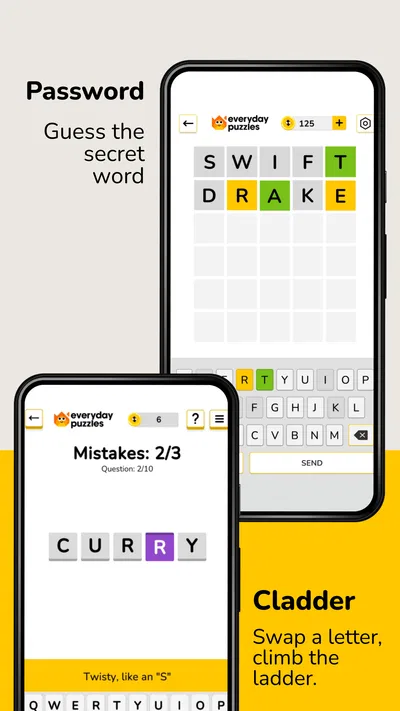
 Analysis byAppsAward
Our review of Everyday Puzzles: Mini Games
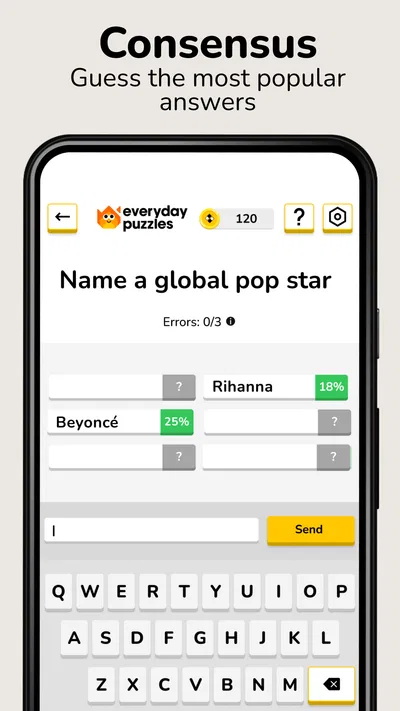
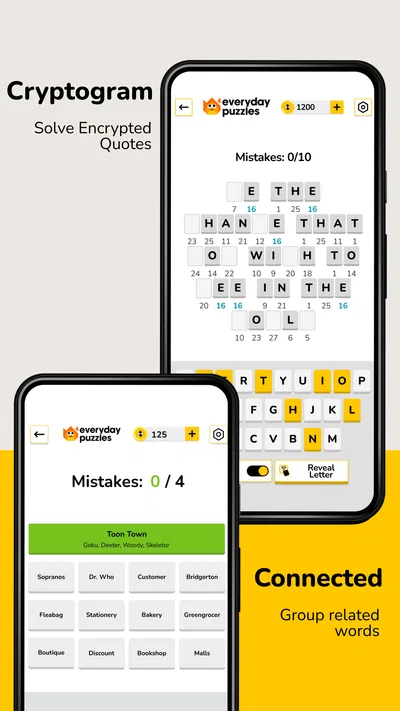
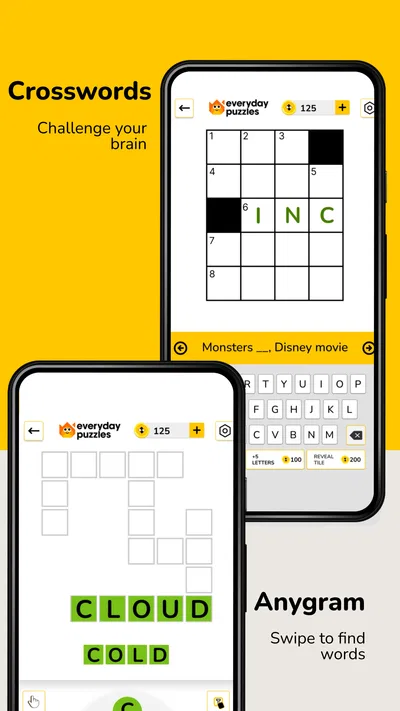
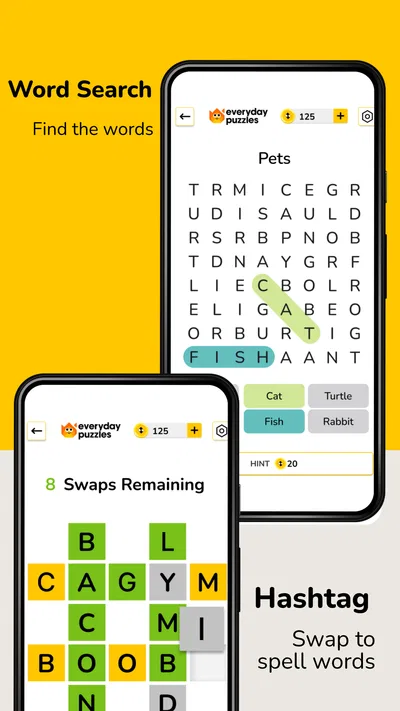
I like the idea behind Everyday Puzzles: Mini Games: instead of asking me to commit to one kind of word puzzle, it gives me several familiar formats to choose from. That makes it a useful option when I want a quick mental break but don’t know whether I’m in the mood to search for words, solve a crossword, or play Hashtag. It is a trivia game from Fanatee, Inc., and its appeal is variety rather than a single deep puzzle system.
What the free access gives you
The game is free to download, so you can try its puzzle formats without paying up front. That matters if you’re unsure whether a mix of word games suits you better than a dedicated crossword or word-search app. There are in-app purchases, with items priced from $0.99 to $49.99, so “free” describes the starting point, not a promise that every optional purchase costs nothing.
I’d treat the purchase range as a reason to decide at your own pace, not as a reason to buy immediately. The practical question is whether the free experience gives you enough of the formats you actually enjoy. If you only want a casual puzzle now and then, start without spending and see whether you return to it. If you’re considering a purchase, check what that particular item offers in the game before confirming it; prices alone don’t tell you which option, if any, is worthwhile.
The game is rated Everyone, which makes it broadly suitable for casual play across age groups. It was released on January 19, 2022, and the current version is 13.8.0. On Android, the stated minimum operating system is 7.0. Those details are useful when deciding whether it fits an older device, while the free entry point makes a trial less of a commitment than a paid game.
Where the value comes from
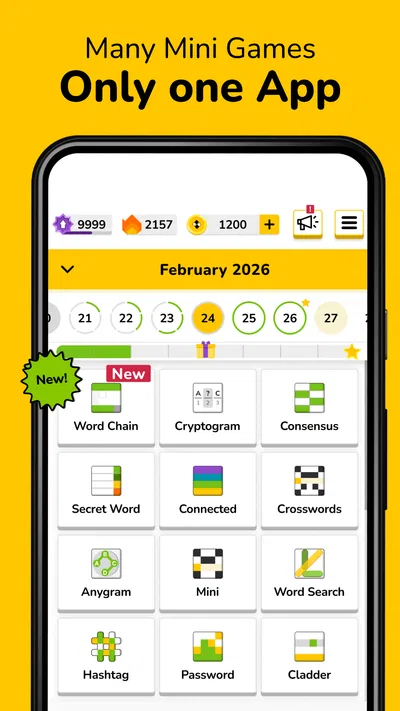
The main value is having several word-puzzle styles in one place. A crossword asks you to work from clues and intersecting answers; a word search is more about spotting patterns in a grid; Hashtag offers a different kind of word challenge. Switching among them can help keep a short session from feeling repetitive, especially if one format stalls and you’d rather change tasks than abandon the game.
That variety also gives the app a practical advantage over installing separate, narrowly focused puzzle games. You can use one game for different moods: a word search when you want something visual and low-pressure, a crossword when you’re ready to think through clues, or Hashtag when you want a change of pace. I wouldn’t assume that every mode will suit every player equally. The benefit is choice, not a guarantee that all the formats will become favorites.
Its audience figures suggest that it has found a broad puzzle-playing community: it has over 10 million installs, a 4.6 average rating, and around 95,000 ratings. Those numbers are useful context, but they don’t tell me whether the game’s specific mix fits your habits. I’d use the variety as the reason to try it, then judge it by which mode you actually return to.
How I’d fit it into an ordinary day
For a realistic everyday use, imagine waiting for a friend or taking a short break between tasks. You have a few minutes, but not enough time to settle into a long game. In that situation, being able to pick a word-search puzzle rather than committing to a longer-feeling crossword is the useful part. If you have more attention to spare, you can switch to clues or another format instead of opening a different app.
A small habit that helps is to choose the puzzle type before you start, based on the attention you have available. When you’re tired, a visual search may feel more approachable than parsing clues. When you want a more deliberate challenge, the crossword format is a better fit. This is not a claim that one mode is easier for everyone; it’s a way to use the variety intentionally instead of tapping around and hoping the game matches your mood.
Another useful approach is to notice which format you enjoy after a few sessions, rather than judging the whole game by your first puzzle. A mixed collection can make one mode seem like the main attraction at first, while another becomes the reason you keep it installed. If you find yourself using only one format, compare that experience with a dedicated app for that puzzle type before deciding whether the all-in-one convenience is enough.
What the mix does well—and where it can fall short
Having several formats in one game is convenient, but it can also mean that players who want depth in just one type of puzzle would be better served elsewhere. A crossword enthusiast who wants a focused crossword experience may prefer a dedicated crossword game. The same goes for someone who only wants word searches and values a large, specialized collection. The strongest reason to choose this game is flexibility, not specialization.
There is also a trade-off in how you spend your attention. Switching between different puzzle styles is refreshing, but it asks you to adjust to different ways of thinking. If you want a consistent routine—one familiar format, the same kind of challenge each time—the variety may feel less satisfying than a single-purpose app. I’d skip it if the extra modes sound like clutter rather than choice.
The purchase range deserves a little care as well. A free download can be a sensible way to test the game, but the highest listed in-app purchase is $49.99. That does not mean you need to spend that amount to enjoy the game, and the range does not by itself establish what each purchase contains. I’d avoid treating a larger purchase as automatically better value; decide only after checking the item and whether it addresses something you genuinely want.
One limitation of judging a multi-mode puzzle game is that your enjoyment depends on the particular mode you choose. A frustrating crossword session doesn’t necessarily mean the word search will feel the same, but it does mean you may need to sample more than one format before deciding. Conversely, if none of the available styles matches your taste, having multiple options won’t solve that basic mismatch.
Who is likely to get the most from it?
I’d recommend trying it if you enjoy word games but don’t want to maintain a separate app for every format. It suits people who like to alternate between visual searching and clue-based solving, as well as casual players who want a choice of short activities. Its Everyone age rating makes it a reasonable option to consider for family-friendly puzzle time, though individual preferences still matter: a child who dislikes reading clues, for example, may not enjoy the same mode as an adult who likes crosswords.
It may also work well for someone who is still figuring out what kind of word puzzle they prefer. Rather than installing a crossword game first and later discovering that word searches are more appealing, you can sample several styles in one game. That makes the no-upfront-cost entry useful: you can test your own interest before deciding whether to keep playing or spend anything.
I’d be less enthusiastic about it for players who want a highly focused challenge in one format, or who prefer games with a very different kind of gameplay. It is specifically a word-puzzle collection, not a broad collection of unrelated trivia activities. If your ideal game depends on detailed competition, a story, or a particular advanced crossword style, choose an option built around that preference instead.
A practical way to decide whether it’s worth keeping
After installing, try each of the formats that appeal to you rather than forming an opinion from the first one you open. Pay attention to which mode you choose when you have only a brief break and which one you seek out when you have more time. That simple distinction tells you whether the variety is genuinely useful or whether you would be happier with a dedicated puzzle app.
It’s also worth separating convenience from value. One app for several word games can save you from switching between separate titles, but that convenience only matters if you use more than one format. If you repeatedly return to just one, a specialized alternative may be a better match even if this game remains a perfectly serviceable way to play casually.
With 2.8K written reviews alongside its wider rating base, there is plenty of public feedback to consult if you want another perspective before downloading. I’d still give more weight to your own trial than to a general impression: puzzle preferences are personal, and one player’s favorite format can be another player’s least enjoyable one. The free starting point makes that test straightforward, while optional purchases are a separate decision.
My verdict
Everyday Puzzles: Mini Games is worth trying if you want a free entry into a small range of word-puzzle styles and value being able to change format without changing apps. Its appeal is clearest during short breaks and for players whose interests move between crosswords, word searches, and Hashtag. The game has a strong audience, but that alone is no substitute for finding out which mode works for you.
I’d start with the free access, sample the formats, and spend only if a specific in-app item feels worthwhile after you understand it. Skip it if you want a deep, dedicated experience in one puzzle type or if word games aren’t what you’re looking for. For a casual player who enjoys switching between different kinds of word challenges, it’s a sensible, low-commitment option; for a specialist, a focused alternative is likely the better buy.
Pros
- Quick rounds make it easy to play during short breaks.
- A mix of puzzle types keeps sessions from feeling repetitive.
- Simple controls are approachable for casual players.
- Daily challenges provide a reason to return regularly.
- Most puzzles can be enjoyed without advanced gaming skills.
Cons
- Some puzzles may feel too easy for experienced players.
- Repeated formats can become predictable over time.
- Progress may depend on completing puzzles consistently.
- Small screen layouts can make certain puzzles harder to solve.
- Hints or extra content may require in-app purchases.
Best Trivia Game 2026
Our verdict
Many Word Games in 1 App! Play your favorites: Hashtag, Crossword & Word Search
Frequently Asked Questions
What is Everyday Puzzles: Mini Games?
Everyday Puzzles: Mini Games is a casual puzzle game built around short challenges that can fit into a spare moment. It brings together bite-sized activities rather than asking you to commit to one long level or story. The exact puzzles and available modes may depend on the version you download, so check the store listing and in-game descriptions to confirm what is included.
Is Everyday Puzzles: Mini Games free to download and play?
The app may be available to download at no upfront cost, but that does not necessarily mean every feature is free. Games in this category can include advertising, optional purchases, or features unlocked through progression. Before downloading, review the current Google Play or App Store listing for pricing and in-app purchase details. If a child will play, consider setting purchase restrictions on the device.
Can I play Everyday Puzzles: Mini Games offline?
Offline access can vary by game version and by feature. Some individual puzzles may work without a connection after the app has been installed, while ads, updates, cloud saves, or online challenges may require internet access. If playing offline matters to you, check the app’s store information and test a puzzle with connectivity turned off. Avoid assuming that every mode will remain available offline.
Is Everyday Puzzles: Mini Games suitable for children?
Short, simple puzzles may appeal to younger players, but suitability depends on the content, difficulty, advertisements, and purchase options in the version available in your region. Check the age rating and privacy information on the app store before installing, and supervise younger children, especially if the game displays ads or offers in-app purchases. Device-level parental controls can help limit spending and access.
What should I check before downloading Everyday Puzzles: Mini Games?
First confirm that the app is offered for your device and operating-system version, since availability and requirements can change. Then review the latest user ratings, update history, permissions, privacy disclosures, and any advertised costs. Make sure your device has enough storage and that you are downloading the intended title from an official store. These checks can help you understand compatibility and the app’s current features.




