
Award score
- Award score
- 4.9Rating
- 100,000,000+installs
- Free
App information
Screenshots
 Analysis byAppsAward
Our review of YouVersion Bible App + Audio
I’d recommend YouVersion Bible App + Audio to anyone who wants Scripture to be a regular part of the day rather than something they open only when they have a specific passage in mind. Its strongest idea is simple: it brings reading, listening, study and devotional material together, so it is easy to move from a quick daily reading into a longer session. That convenience is useful, though the breadth of material can make the experience feel busy if you prefer a quiet, single-purpose Bible reader.
A practical companion for everyday reading
In my experience, the app works best as a flexible reading companion. You can open it for a short passage, listen when reading is inconvenient, or use a devotional to give a day’s reading a little structure. Those options matter in ordinary situations: a few minutes before work, a walk when you would rather listen than look at a screen, or a quiet moment at home when you want to read more slowly.
YouVersion Bible App + Audio is a free Books & Reference app from Life.Church. The store gives it a 4.9 average from around 9.3 million ratings, and it has over 100 million installs. That level of use suggests it has become a familiar choice for many readers, but popularity alone does not make it the right fit. What matters more is whether its mix of tools suits the way you want to engage with the Bible.
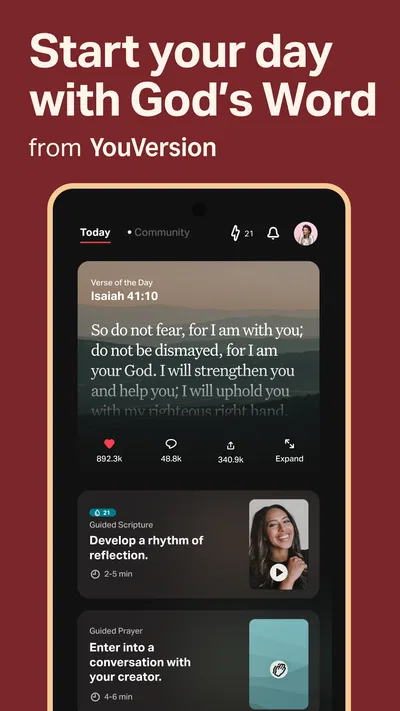
The app’s daily emphasis is a particular strength. A Verse of the Day can offer an easy starting point when you are not following a larger reading plan, while devotionals can help turn a passage into a focused reflection. I find that distinction useful: the verse is a quick touchpoint, whereas a devotional gives you a more guided reason to stay with the text. Neither needs to replace reading a full chapter or book.
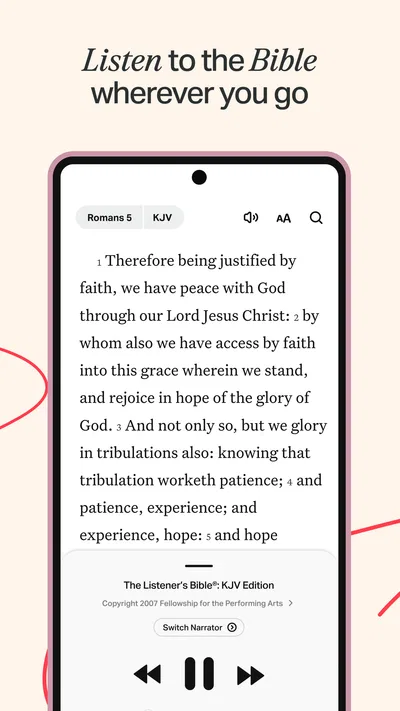
Audio adds another practical route into the text. If your attention is better when you listen, or your hands are occupied, it can make a reading habit easier to maintain. I would treat audio as a complement rather than a universal substitute: careful study often benefits from looking at the passage, rereading a sentence and noticing how a section fits together. The app’s value is that you can choose the mode that suits the moment instead of being locked into one.
What makes the reading experience useful
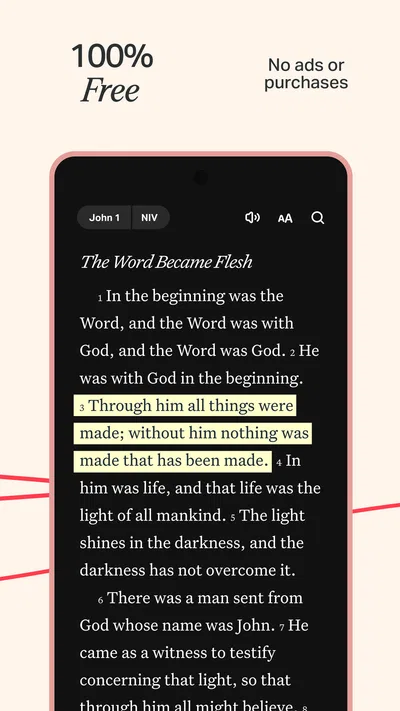
A detail worth considering is how you move between quick use and deliberate study. If you open the app for the daily verse, it is easy to stop there; if you want a more substantial session, use that prompt as a doorway into the surrounding passage. Reading the verses before and after helps keep a memorable line in context, especially when a short excerpt could otherwise seem to stand on its own. This small habit makes the app more useful than treating it as a feed of inspirational snippets.
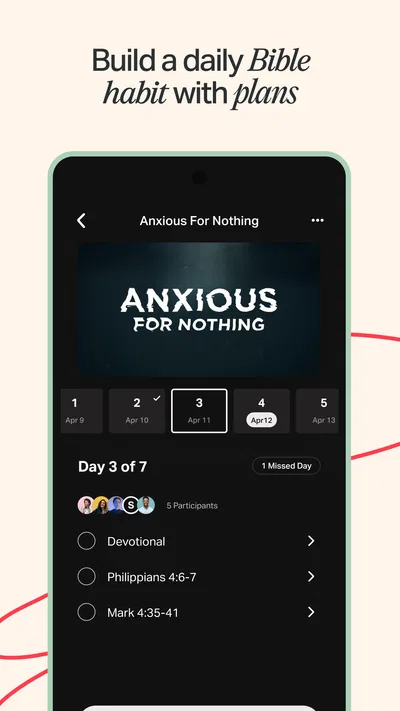
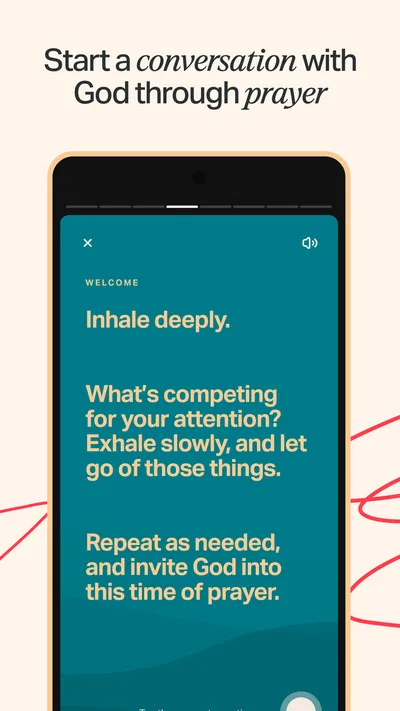
Devotionals can also serve different purposes. Some readers want a brief reflection to anchor a morning routine, while others want a longer sequence that gives them a reason to return over several days. I would choose one that matches the time and focus I genuinely have, rather than collecting several plans and feeling behind on all of them. A reading tool is most helpful when it supports a sustainable routine, not when it turns that routine into another checklist.
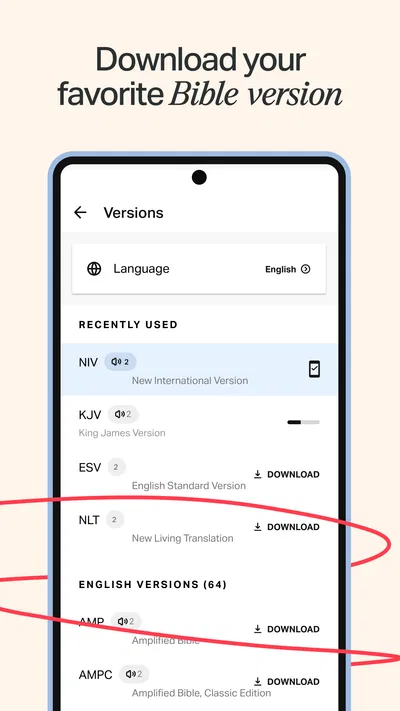
Offline access is especially valuable for people who cannot count on a stable connection wherever they read. The practical approach is to prepare the material you expect to need while connected, then check that it is available before relying on it away from a network. That makes the app more dependable for travel or a spotty connection, while avoiding the assumption that every resource will automatically be ready offline.
One useful workflow is to separate listening from close reading. I might listen to a passage during a walk, then revisit it later on screen and read a little around the part that stood out. That gives audio a clear purpose without asking it to do every job. It is also a good way to turn a spare moment into a starting point for a more attentive session.
Where the breadth can become friction
The same range that makes the app convenient can make it feel crowded. A person who only wants to open a Bible, find a chapter and read may not need daily prompts, devotionals and study options competing for attention. If you are easily pulled away by additional content, a simpler reader may make it easier to focus. YouVersion is at its best when you welcome those extra routes into reading; it is less compelling if you want the interface to stay out of the way.
There is also a difference between access to study material and a complete study method. Devotional reflections can help you think about a passage, but they should not be mistaken for an exhaustive explanation of every difficult or disputed point. When a passage raises a serious interpretive question, I would use the app to find and reread the text, then consult trusted teaching or reference material suited to that question. The app can support study, but the user still has to decide how much context and perspective a topic deserves.
Audio is convenient, but listening can encourage a more passive kind of attention. I would not rely on it alone when I need to compare wording, trace an argument or remember the details of a passage. Listening first and reading afterward is a better compromise for me: the first pass helps establish the flow, and the second lets me slow down. That trade-off is worth knowing if you are choosing the app mainly for audio.
Another point is choice. When an app offers several ways to approach Scripture, it can be tempting to switch methods constantly instead of building a habit. I would start with one modest routine, such as a daily passage or a devotional that fits the time available, and add other tools only when they answer a real need. This keeps the app’s variety from becoming its own distraction.
Who will get the most from it
I think the app is especially well suited to people who want one place for several kinds of Bible engagement: reading, listening, a daily prompt and guided reflection. It can also help someone returning to a regular routine, because a short daily starting point is less intimidating than deciding from scratch what to read each time. Families or individuals with different habits may appreciate having both text and audio available, though each person should still choose the format and pace that works for them.
For a realistic example, imagine a busy weekday morning. You have time for a brief reading but not a long study session, so you begin with the daily verse and continue into its surrounding passage. Later, while walking, you listen to a section you meant to revisit. In the evening, a devotional offers a more reflective way to return to the subject. That sequence uses the app’s different modes to fit real gaps in the day, rather than demanding one uninterrupted block of time.
It is less suitable for someone who wants a minimalist interface, has no interest in guided material, or prefers to keep Bible reading separate from daily prompts. It may also not be enough on its own for a reader whose main goal is in-depth academic research or comparing interpretations across a broad range of specialist references. In those cases, a focused study resource may be a better primary tool, with YouVersion remaining useful for reading or listening.
Compared with a basic digital Bible reader, YouVersion offers a more guided and varied experience. Compared with a dedicated devotional resource, it gives more room to move back to the biblical text itself. That middle ground is its clearest advantage, but it also explains why it is not the cleanest choice for every preference. If I wanted only quick chapter lookup, I would choose simplicity; if I wanted a daily reading companion with several ways to engage, this would be a stronger fit.
Setup, age guidance and version
The app is free, which makes it easy to try without making a purchase decision first. It is rated Teen, so it is sensible for parents and guardians to review the app’s content and decide whether it suits a younger reader. That rating is worth keeping in mind when choosing an app for shared family use, even if the intended activity is simply reading Scripture.
The current version is 11.34.1+7098322, and it requires Android 7.0 or later. Those details are useful if you are checking whether an older Android device can install it. Because the app includes more than a basic text reader, I would also take a moment after installation to settle on the reading or listening routine I actually want; otherwise, the number of available paths can make a simple first session feel less focused.
For a new user, my practical advice is to begin with one feature rather than trying everything at once. Pick a reading plan or a daily passage, decide whether audio genuinely helps, and use offline access when you know you will be without a dependable connection. If you find yourself skipping the extra prompts, there is no need to make them part of your routine. The app should adapt to your reading habits, not the other way around.
My verdict
YouVersion Bible App + Audio is a strong choice for readers who want Scripture to fit into different parts of the day. Its combination of text, audio, daily reading and devotionals makes it more adaptable than a plain digital Bible, and offline access adds practical value when a connection is unreliable. I especially like the option to use audio for a first pass and return to the text for closer attention.
Its main drawback is the same quality that makes it appealing: there is a lot to choose from, and some readers will prefer fewer prompts and a more restrained reading space. It is not a substitute for specialist research, and audio alone is not always the best way to study closely. Still, for someone looking for a free, flexible Bible app that can support both quick daily contact and longer reflection, I would recommend giving it a try. Start with one simple routine, keep the surrounding passage in view, and let the extra tools earn their place in your day.
Pros
- Offers a wide selection of Bible translations in one app.
- Audio playback makes it easier to listen while on the move.
- Reading plans help users build a regular Bible study habit.
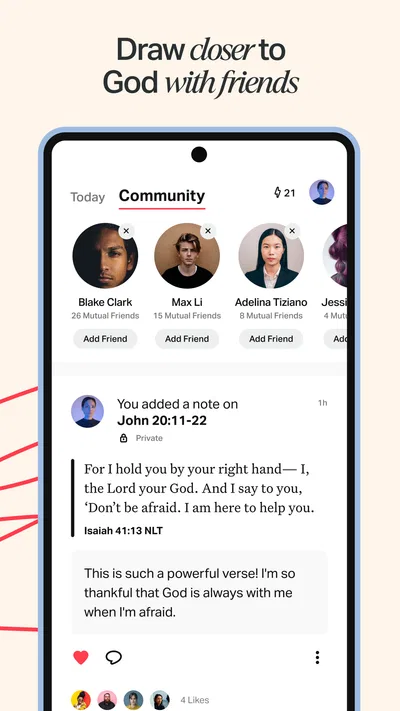
- Verse images are easy to share with friends.
- Many features are available without a paid subscription.
Cons
- Some audio versions require an internet connection.
- Downloaded translations and audio can take up storage space.
- The number of plans can make it hard to choose where to start.
- Audio narration quality varies between translations.
- An account is needed to sync notes and reading progress.
Best Books & Reference App 2026
Our verdict
Daily Bible App with Audio, Verse of the Day, Offline, Bible Study + Devotionals
Frequently Asked Questions
What is YouVersion Bible App + Audio?
YouVersion Bible App + Audio is a Bible-reading app that provides access to Bible translations in digital form, along with audio recordings for supported versions. It also includes features such as reading plans, verse sharing, bookmarks, notes, and daily Scripture content. The available translations and tools can vary by language and region, so it is worth checking the app’s listings and settings to see which options are offered for you.
Can I listen to the Bible offline with YouVersion Bible App + Audio?
Audio playback generally requires an internet connection unless the relevant audio content is available for offline use in your version of the app. Offline availability can differ by Bible translation, device, and region, and some content may need to be downloaded in advance. If you plan to listen while traveling or without reliable data, check the download options for your chosen translation and test playback before going offline.
Is YouVersion Bible App + Audio free to use?
The app is generally offered as a free way to read and listen to many Bible translations, and its core features include tools such as plans, bookmarks, and notes. Availability of particular translations, audio recordings, or other content may differ, and internet or mobile-data charges can still apply when streaming or downloading. Review the current app-store listing and any in-app notices for up-to-date details about access and costs.
Does YouVersion Bible App + Audio work in different languages?
YouVersion offers Bible content in many languages, but the specific translations, audio recordings, and study resources available depend on the language and region you select. Some translations may be text-only, while others include audio. You can browse the Bible versions in the app to find suitable options, and it is sensible to confirm that your preferred language and translation are available before relying on the app for regular reading.
What permissions or personal information does YouVersion Bible App + Audio use?
The app may request permissions or use device features for functions such as notifications, audio playback, downloads, or sharing, while optional account features can help sync plans, notes, and reading progress across devices. Exact data practices and permission requirements can change with app updates and platform settings. Before installing, review the current privacy policy and app-store disclosures, and adjust permissions or account settings to match your preferences.

Download YouVersion Bible App + Audio
Similar apps
View all 9.7
Bible Offline-KJV Holy Bible
Books & Reference
 9.7
Bible For Women-Holy Bible KJV
Books & Reference
 9.7
Bible Chat - Holy Bible Study
Books & Reference
 8.6
OOC: The Playable Anime
Books & Reference


