
Best Video Players & Editors App 2026
CapCut - Video Editor
Bytedance Pte. Ltd.· Video Players & Editors
Award score
- Award score
- 3.5Rating
- 1,000,000,000+installs
- Free
App information
- Version
- 19.9.0
- Updated
- Requires
- 6.0
- Price
- Free, in-app purchases
- Developer
- Bytedance Pte. Ltd.
- Content rating
- Teen
Screenshots
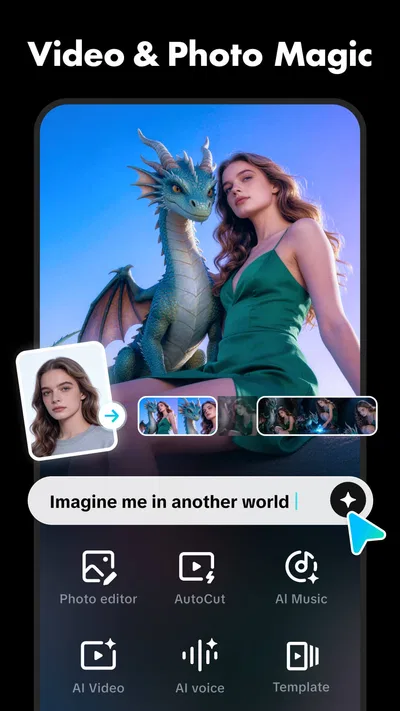
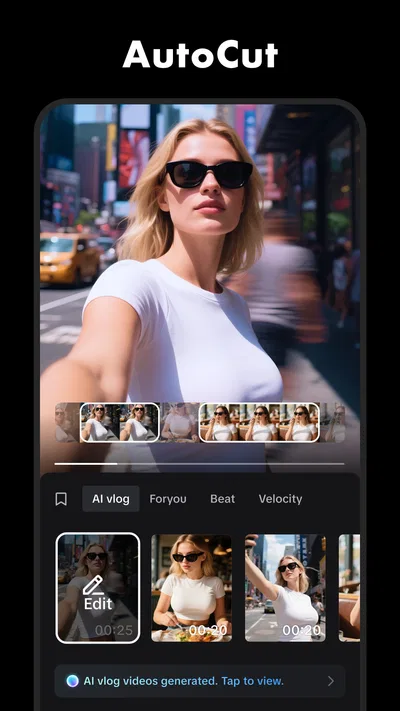
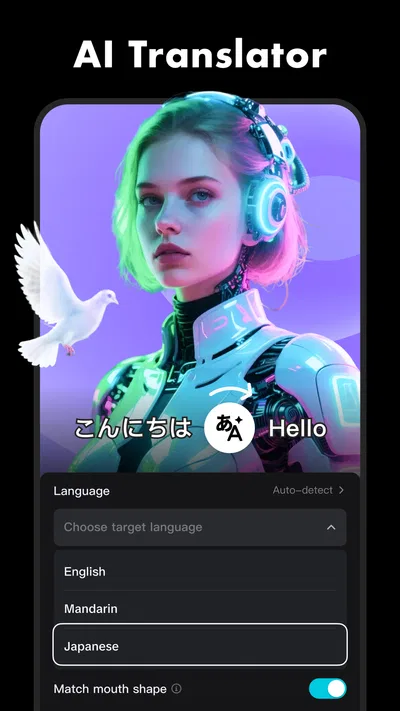

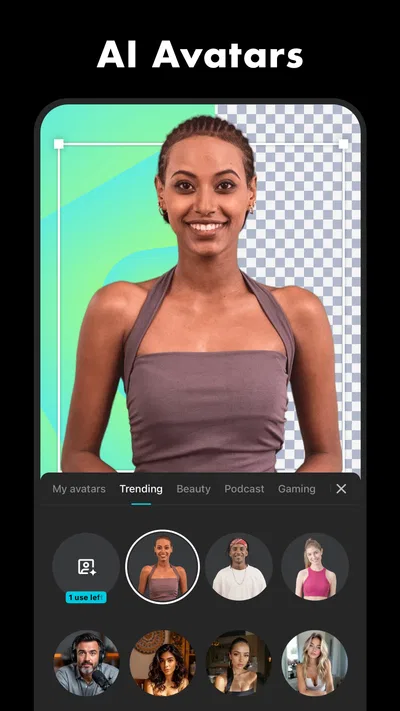
 Analysis byAppsAward
Our review of CapCut - Video Editor
I find CapCut most useful when I want to turn a handful of phone clips into something shareable without moving to a desktop editor. It is a video-editing app from Bytedance Pte. Ltd., and its free starting point makes it easy to try for a quick social post, a family montage, or a simple how-to video. The important distinction is that “free” describes access to the app, not necessarily every paid item available inside it.
What you can do before spending
CapCut sits in the video players and editors category, but its appeal is less about watching video and more about shaping clips into a finished piece. I would reach for it when footage needs trimming, arranging, and a little polish before sharing. For casual editing, being able to do that in one app is more convenient than sending clips through several separate tools.
The app is free to install, which gives newcomers room to explore before deciding whether it suits their workflow. There are also in-app purchases, with listed item prices ranging from $0.49 to $900.00. That is a broad range, so I would not treat the presence of purchases as proof that editing requires a payment. Instead, check the price shown for a specific item before buying and decide whether it solves a real problem for you.
That distinction matters in practice. If you only need occasional edits, you can start by seeing how far the free experience takes you. If you encounter a paid item, pause and ask whether it is essential to the result you want or simply an optional extra. I would avoid committing money just because an item appears while browsing; the value depends on your own editing needs, not on the fact that it is offered in the app.
CapCut’s scale suggests that many people have made that initial trial. It has more than one billion installs and an average rating of 3.5 from around 13 million ratings. Those figures say it is widely used, but they do not guarantee that every person will like its interface or find it the right fit. I read the rating as a reason to approach it with realistic expectations: popular and accessible, but not automatically perfect for every workflow.
Value comes from finishing the whole edit in one place
The strongest practical value is convenience. A short video often needs several small decisions rather than sophisticated post-production: where to begin, which moment to keep, and how to make the ending feel deliberate. Doing those jobs in a single mobile editor can save the back-and-forth of capturing a clip in one place and trying to assemble it elsewhere.
For example, imagine filming a friend’s birthday at home. You might have a few short clips of people arriving, a candle being lit, and the cake being cut. Rather than sharing every raw clip, you can make a compact sequence that focuses on the moments you want people to remember. The useful part is not merely that the footage becomes shorter; it is that you can make a coherent version for a group chat or a social post without first learning a desktop editing setup.
A second useful workflow is making a small batch of related videos. If you are recording several demonstrations for a hobby, you can treat each edit as part of the same routine: select the relevant moments, arrange them clearly, and check the result before sharing. I find this kind of repeatable process more valuable than chasing elaborate effects. A clean, understandable edit is often more useful than one packed with visual flourishes.
One tip I would follow is to make a rough cut before spending time on presentation. First decide what the video is actually about and remove moments that do not help. Then review the beginning and ending in particular: a viewer should quickly understand why the clip is worth watching, and the final moment should not feel accidental. This order saves time because it prevents polishing footage you later decide to remove.
Another useful habit is to watch the completed edit through once without touching the controls. During editing, it is easy to focus on individual clips and miss how the sequence feels as a whole. A full playback can reveal a jump that seems jarring, a pause that drags, or an ending that arrives too soon. That final check is especially worthwhile when the video will be sent to someone who has not seen the original footage.
Where the experience can become frustrating
Mobile editing is convenient, but a phone screen is not the most comfortable place to make precise decisions over a long session. When I am working with many clips, reviewing and rearranging them on a small display can take more attention than the edit itself. CapCut is therefore easier to recommend for short, focused projects than for a large production where detailed control and a broad view of the timeline matter most.
There is also a difference between a quick social video and a project that needs a carefully controlled, repeatable finishing process. If you are editing for professional delivery, handling a complicated sequence, or need a particular desktop workflow, a dedicated computer editor may be a better fit. CapCut’s convenience should not be mistaken for a reason to use it for every job.
Paid items create another point to watch. The listed range stretches from very low-cost items to a much higher maximum, so it is sensible to inspect each purchase individually rather than assuming all extras offer similar value. I would use the app for the edit first, identify the exact feature or item I feel I need, and only then consider whether its displayed price is worthwhile. If you are comfortable with the free experience, there is no need to buy something simply to justify having installed it.
Expectations matter, too. An average rating of 3.5 means the huge audience has not translated into universal approval. That is not a verdict on any particular complaint, but it is a reminder that a popular editor can still be a poor match for an individual. If you find mobile controls tiring, want a quieter and more limited tool, or prefer to do all serious work on a computer, popularity alone is not a persuasive reason to switch.
Who is likely to get the most from it
I would recommend trying CapCut if you regularly record short videos on your phone and want to edit them before sharing. It makes sense for casual creators, students preparing a simple visual project, families assembling event clips, and anyone who wants to learn basic editing through practical use. Its free access lowers the barrier to testing that workflow, while in-app purchases let you judge optional spending separately.
It can also suit someone who has been putting off editing because the usual alternatives feel like too much setup. A desktop program may offer a more comfortable workspace for complex work, but it can be unnecessary if the goal is simply to make a short clip clearer and more watchable. Conversely, if you already enjoy editing on a computer and depend on a carefully established process, moving to a phone app may add friction rather than remove it.
CapCut is rated for teens, so that age guidance is worth keeping in mind when deciding who should use it. For a younger user, I would also make the purchase distinction explicit: the app is free to install, but purchases are available inside it. That is a practical conversation to have before handing over a device, particularly when a store displays individual items with different prices.
People asking whether they can begin without paying can: the app itself is free, and the sensible approach is to explore the editing workflow before considering any purchase. People wondering whether it replaces a desktop editor should judge by project size and precision. For a quick phone-first video, it may be more convenient; for intricate work or a long timeline, a desktop alternative is likely more comfortable.
How it compares with familiar editing choices
Compared with a basic trimming tool, CapCut is aimed at turning footage into a composed video rather than merely cutting off the beginning or end. That broader purpose can be useful when a clip needs a clear sequence and a finished feel. A basic editor may still be preferable if you only need one simple cut and want as little decision-making as possible.
Compared with desktop video editors, the trade is straightforward: CapCut favors editing on the device where the footage is already handy, while a computer generally offers a larger workspace for lengthy or intricate projects. I would choose based on where the work happens. A quick edit made while the footage is fresh is a strong case for mobile; a project that demands extended attention is a stronger case for a desktop tool.
Other mobile editors may suit people who want a simpler or more restrained experience, so I would not assume that one app is best for everyone. The useful comparison is not a checklist of features but the effort required to finish your particular video. Try a representative project—a short montage, a tutorial, or a single event recap—and see whether the controls help you work naturally or slow you down.
My verdict on the value
The best reason to try CapCut is that you can test a phone-based editing routine without paying to install it. Its value is strongest when you make short videos often enough to appreciate having capture and editing close together, but not so complex that you need a desktop workspace. I would start with one ordinary project, complete it without buying anything, and then decide whether a paid item would meaningfully improve your own results.
CapCut was released on April 10, 2020, and its current version is 19.9.0. It requires Android 6.0 or later, so device compatibility is worth checking before installing. Those details matter less than the practical test: can you make the kind of video you actually need without fighting the controls or spending more than you intended?
My recommendation is a measured yes for casual creators who want an accessible mobile editor and are willing to judge purchases individually. I would skip it in favor of a simpler trimming app for one-off cuts, or a desktop editor for demanding, detailed work. With more than 125,000 written reviews alongside its enormous audience, there is plenty of public experience to consider, but your own first short edit is the clearest test of whether the app earns a place in your routine.
CapCut is not a universal answer to video editing, and I would not treat its popularity as a reason to buy extras. For the right person, it is a practical way to turn phone footage into a finished clip; for everyone else, the free starting point makes it reasonable to try and equally reasonable to move on.
Pros
- Beginner-friendly tools make everyday edits quick to learn.
- Keyframe controls allow precise animation of clips and effects.
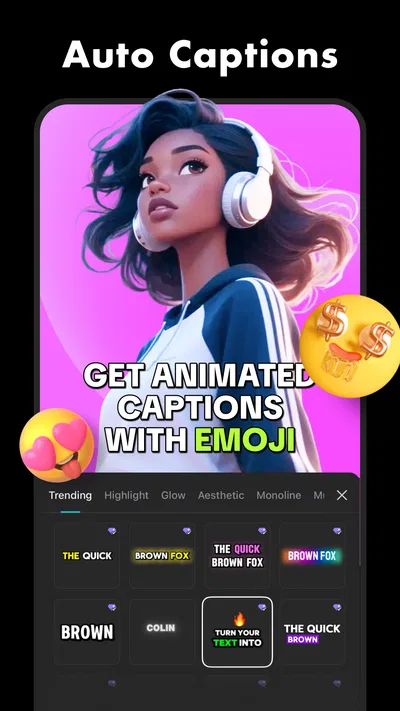
- Auto captions can save time when adding subtitles.
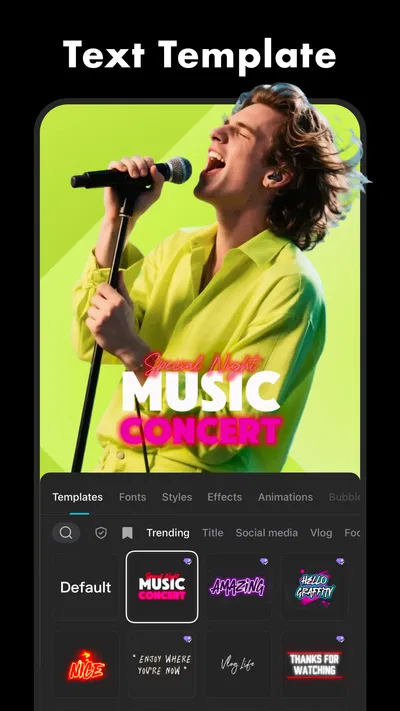
- Templates offer a fast starting point for social videos.
- Projects can be exported in several resolutions and frame rates.
Cons
- Some effects and assets require a paid subscription.
- Exported videos may include a CapCut watermark in some workflows.
- Large projects can use substantial storage space.
- Advanced edits may feel cramped on a phone screen.
- Cloud features may require an account and an internet connection.
Best Video Players & Editors App 2026
Our verdict
Capture the moment and Cut
Frequently Asked Questions
What is CapCut, and what can I use it for?
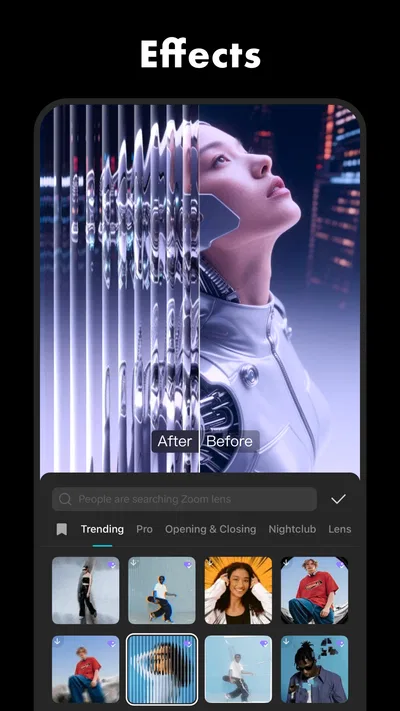
CapCut is a video-editing app for creating and polishing clips on a phone or tablet. It offers tools for trimming and arranging footage, adding text, music, transitions, effects, filters, and captions. It can suit quick social-media edits as well as more detailed projects, though the available tools and interface may change with app updates.
Is CapCut free to download and use?
CapCut can generally be downloaded and used without paying for a subscription, and many core editing tools are available at no cost. Some effects, templates, assets, or advanced features may be marked as paid or require a subscription, depending on the current version and region. Check the app’s listing and in-app pricing before subscribing or starting a trial.
Can I export CapCut videos without a watermark?
Watermark behavior can depend on how a project was made, the selected template, and the current app version. Some edits may export without a visible watermark, while certain templates or features may add an ending clip or impose other conditions. Preview the finished video and review export options before sharing; available settings can change after updates.
Does CapCut require an internet connection?
You can typically perform many basic editing tasks using media already stored on your device, but an internet connection may be needed to download templates, effects, music, fonts, or updates, and to use certain online or AI-powered features. Availability varies by feature and region. If you plan to edit while offline, download needed assets beforehand and test your project.
What should I know about privacy and permissions before using CapCut?
CapCut may request access to photos, videos, microphone, or other device features so you can import media and record or edit content. Review the permission prompts and privacy information, and grant only access you are comfortable with. Terms, data practices, and available controls may vary by region and app version, so check the current details in your app store listing and settings.

Download CapCut - Video Editor
Similar apps
View all 7.7
YouTube
Video Players & Editors
 8.6
YouTube Studio
Video Players & Editors
 9.4
Edits: Video Editor
Video Players & Editors
 6.5
AI Mirror: Screen Mirroring TV
Video Players & Editors


