
Award score
- Award score
- 4.7Rating
- 1,000,000+installs
- Free
App information
Screenshots




 Analysis byAppsAward
Our review of Homes.com Real Estate & Rent
Finding a place to live can quickly turn into a juggling act: homes, rentals, agents, and local schools all matter, but they rarely fit neatly into one search. Homes.com brings those parts of the housing hunt together in a single app. I like that its focus is practical rather than flashy: it is built to help people explore housing options and the people and places connected to them.
One search for several parts of a move
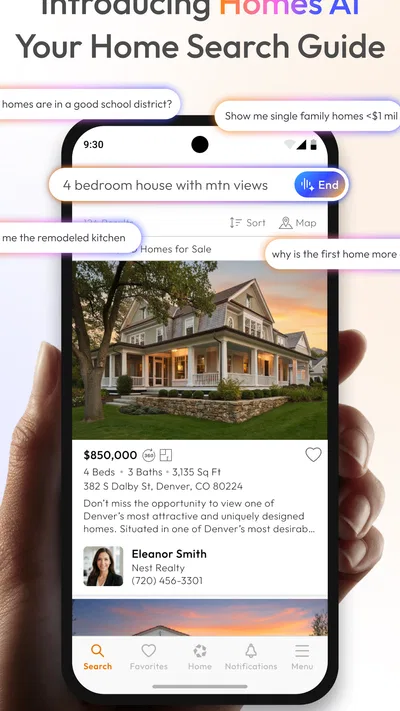
Homes.com is a free house-and-home app for searching homes, rentals, agents, and schools. That mix is its defining capability. Instead of treating a property search as an isolated task, the app gives users a place to consider the home itself alongside the support and neighborhood details that can shape a decision.
That broader view is useful because a move is rarely about a listing alone. Someone searching for a home may also need to think about nearby schools or find an agent. A renter may be comparing a different set of options, but still benefits from having several housing-related searches under one roof. Homes.com’s appeal is the chance to start with one of those needs and keep the wider picture in mind.
I find that approach more grounded than an app that presents a long stream of properties without acknowledging the decisions around them. It does not make the decision for you, of course; the value is in having a focused destination for housing searches and related discovery. When a move is still taking shape, that can make the first steps feel less scattered.
Why the combined focus matters
Searching for homes and rentals in the same app makes Homes.com relevant to people at different stages of a housing decision. You might be committed to buying, just beginning to consider renting, or comparing what each path could mean. The app’s stated search scope gives it a broader role than a single-purpose property browser, without changing the fact that the user remains responsible for deciding what fits.
Agents and schools add another useful dimension. An agent can be part of the process of finding or evaluating a property, while schools may be important context for people choosing where to live. Bringing these subjects into the same service creates a natural starting point for people who do not want to think about a home in isolation.
That is the capability I would keep in mind when deciding whether to install it: Homes.com is most compelling as a housing-search companion with several connected areas of interest, not merely as a place to glance at property listings. The combination can help you frame the questions you need to answer as you explore.
How the search fits into a real housing hunt
In practice, I would begin with the kind of housing I am looking for, then use the app’s wider scope to consider what else belongs in the decision. If I am looking for a home, I can also keep agents and schools in view. If I am exploring a rental, I can use the same app as a starting point for that search rather than switching immediately to a separate housing tool.
This does not mean every part of a move becomes simple or that one app can settle every question. Housing decisions still involve comparing options, weighing personal priorities, and making judgments that depend on circumstances. The practical benefit is narrower but worthwhile: the app’s subject matter is organized around several common needs involved in finding a place to live.
I also appreciate the clarity of the app’s purpose. Its short description is simply Homes.com, while its store summary spells out the wider search areas: homes, rentals, agents, and schools. That gives a prospective user a straightforward sense of the app’s role before opening it. There is little ambiguity about the central task it is designed to support.
For people who are early in the process, that can make it easier to begin exploring without first deciding exactly which housing resource they need. You can treat the app as a starting point, narrow your attention as your plans become clearer, and return to related parts of the search when they become relevant.
A good fit for early exploration
The best scenario for Homes.com is a move where you are still gathering information. Perhaps you know the general kind of place you want but are not yet settled on a particular home, rental, or location. Having several related search topics in one app can support that exploratory stage, when the main job is to understand what choices deserve closer attention.
It can also suit someone who already has a clearer target but wants to keep the surrounding context in mind. A property decision may involve more than bedrooms or a rent-versus-buy choice; the people who can help and the schools connected to an area can matter too. Homes.com’s breadth makes it a reasonable companion for that wider perspective.
For a household making a shared decision, a single app may also provide a common place to begin discussing the search. Different people can care about different aspects of a move. One person may focus on homes or rentals, while another is more interested in schools or finding an agent. The app’s combined scope makes those priorities easier to bring into the same conversation, even though each person will still need to judge the available options for themselves.
Where the broad scope has limits
A service that covers several housing topics can be convenient, but breadth is not the same as a guaranteed perfect match. Users still need to assess whether the options they find suit their budget, plans, and practical needs. I would approach Homes.com as a tool for exploration and discovery, rather than assuming that one search will resolve the full process of choosing a place to live.
It is also worth being realistic about what a search app can do for the human side of a move. Finding an agent is not the same as knowing that a particular agent is right for you, and looking at schools is not a substitute for considering what a household needs. The app can put these topics within reach, but the important evaluation remains personal.
Another tradeoff is simply that people do not all want the same kind of housing app. If you only need one narrowly defined task, a broader service may feel like more than you need. Conversely, if your move involves multiple questions, the connected search areas are more likely to justify having the app on your phone. Its strongest case is the overlap between those needs.
Because housing searches can be consequential, I would treat anything found through an app as a starting point for careful consideration. Compare options thoughtfully and make sure they align with your own circumstances. Homes.com’s core usefulness is helping organize the search around homes, rentals, agents, and schools; sound judgment still belongs to the person making the decision.
Who is likely to benefit most
Homes.com is especially suited to people who want one mobile destination for several parts of a housing search. That includes prospective buyers, renters, households weighing a move, and people who want to keep agents or schools in the picture while looking at places to live. If you are still defining your priorities, its mix of search subjects can help you explore from more than one angle.
The app has been available since September 10, 2012, and its current version is 18.8.0. It has more than one million installs and a 4.7 average from around 31,000 ratings, which suggests that many users have turned to it for housing searches. It is rated for everyone, and the listed minimum operating-system version is 10.
My overall impression is that the app’s strongest idea is also its most useful one: it connects several ordinary needs that often arise during a move. The ability to search homes and rentals while also considering agents and schools gives the experience a more complete housing focus. It will not remove the work involved in evaluating a major decision, but it can offer a sensible place to start organizing that work.
If you are looking for a dedicated way to explore housing options and related resources, Homes.com is a straightforward choice to consider. I would be most likely to recommend it to someone whose plans are still developing or whose search involves more than a single listing. For that kind of user, the app’s broader focus is not just a collection of topics; it is a practical way to keep the bigger picture of a move in view.
Pros
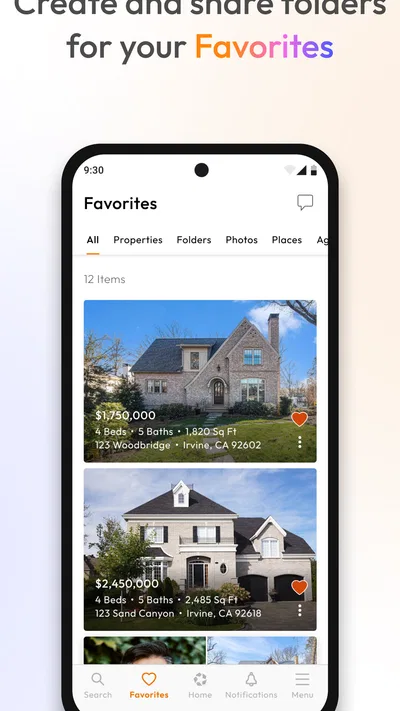
- Save favorite homes to revisit them later.
- Contact listing agents directly through the app.
- Get alerts when saved searches have new matches.
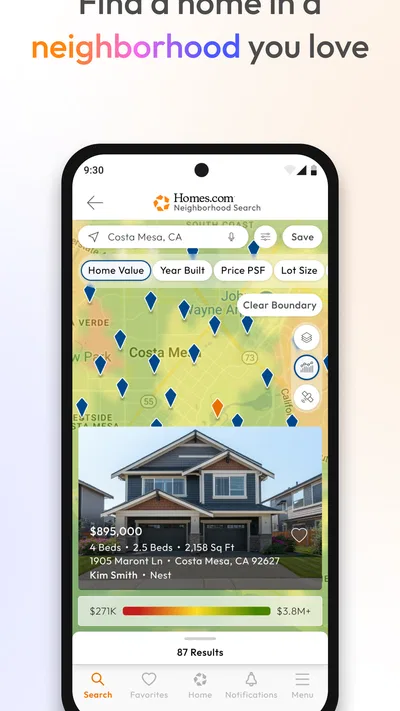
- Explore homes using map-based search.
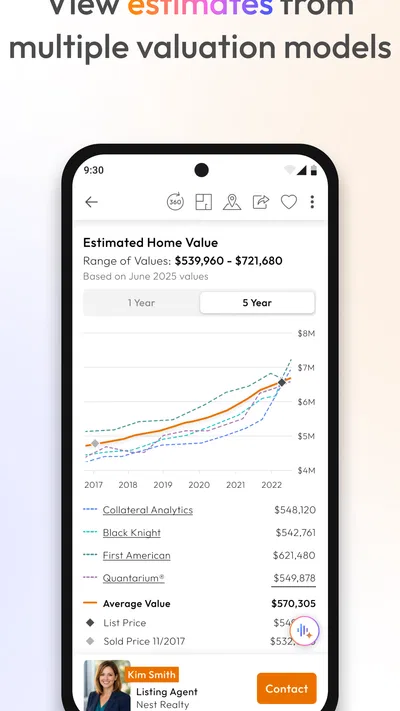
- View property photos and key listing details.
Cons
- Listing availability may change before you contact an agent.
- Some property details may be incomplete or outdated.
- Search results depend on the accuracy of listing data.
- Frequent alerts can become distracting.
- The app may request location access for nearby searches.
Best House & Home App 2026
Our verdict
Search for Homes, Rentals, Agents & Schools
Frequently Asked Questions
What can you do with the Homes.com Real Estate & Rent app?
Homes.com helps you explore homes for sale and rent, review property details, and narrow your search using criteria such as location, price, and home features. Listings may include photos, descriptions, and contact options for an agent or property representative. Available information can vary by listing, so check the details and confirm important facts directly before making a decision.
Can you use Homes.com to search for both homes for sale and rentals?
Yes. The app supports searches for properties to buy as well as homes and apartments to rent, though the listings and filters available can differ by location. Enter a city, neighborhood, address, or ZIP code, then adjust the search criteria to suit your needs. Rental availability and sale information can change, so verify a listing’s status with its contact person.
Does the Homes.com app cost anything to download or use?
Homes.com is generally available to download and use for property searches without a subscription, but app-store availability and any optional services may vary. Using the app also requires an internet connection, and your mobile carrier may charge for data. Before relying on a listing or contacting someone, review the current information in the app and check whether any specific service or feature has separate terms.
How accurate and up to date are Homes.com listings?
The app displays property information supplied through its listing sources, but details such as price, availability, and features can change or may not update immediately. Treat listing information as a starting point rather than a guarantee. Contact the agent, owner, or property representative to confirm current availability, costs, property condition, and other details before arranging a viewing or making an offer.
What personal information or permissions might the Homes.com app use?
Homes.com may use information such as your search activity, saved properties, and account details to provide app features. If you enable location access, it may help show properties near you; you can usually search by entering a location instead. Permission options and data practices may change, so review the app’s current privacy policy and your device settings before sharing information or granting access.

Download Homes.com Real Estate & Rent
Similar apps
View all 9.6
Zillow: Homes for Sale & Rent
House & Home
 9.3
Realtor.com Real Estate & Rent
House & Home
 9.7
Thumbtack: Hire Service Pros
House & Home
 9.3
Rent. Apartments & Homes
House & Home


