
- Award score
- 4.8Rating
- 50,000,000+installs
- Free
App information
Screenshots

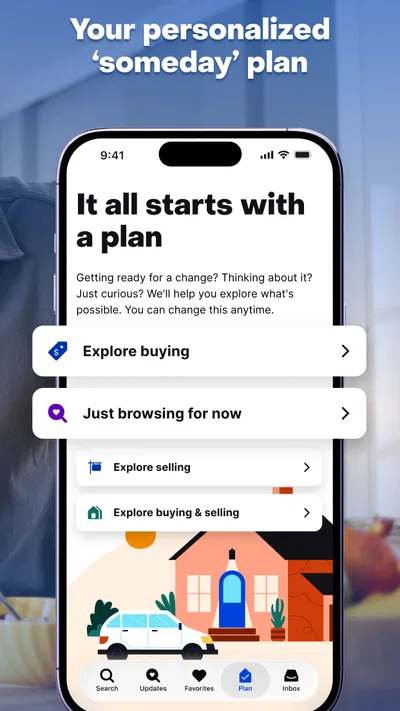
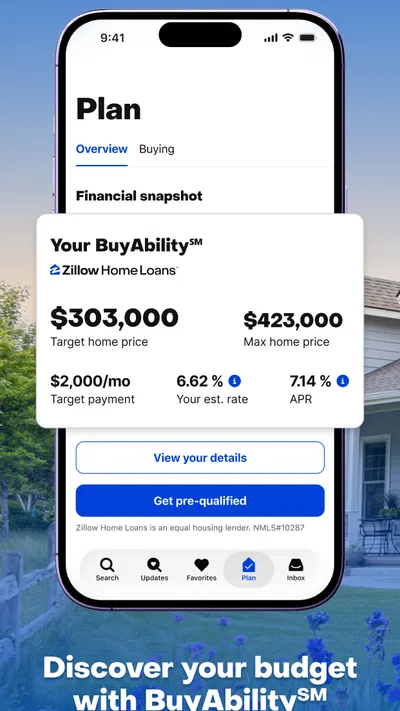
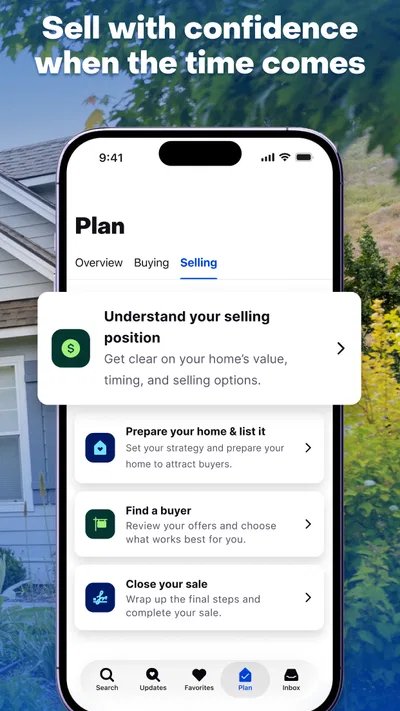
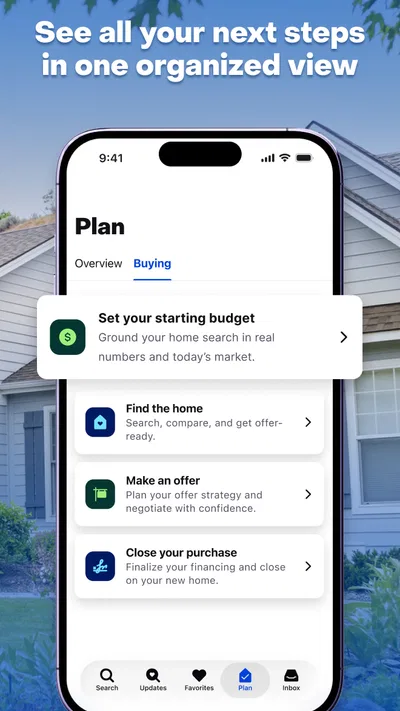
 Analysis byAppsAward
Our review of Zillow: Homes for Sale & Rent
I find Zillow most useful when a housing search is something I need to keep returning to, rather than a one-off browse. A household can use it to explore homes for sale and places to rent, compare options, and talk through what matters before arranging a viewing. The app is free, which makes it easy to try alongside other ways of searching. My main caution is that a polished listing is still only a starting point: I would verify important details with the relevant agent, landlord, or property manager before making a decision.
When a household searches together
One realistic use is a couple or housemates looking for a place while each person has different priorities. One may focus on commute and price, another on bedrooms or outdoor space. Zillow gives them a shared pool of listings to discuss, but it works best when the group agrees on a few requirements before browsing. Otherwise, it is easy to spend time comparing attractive homes that fail a basic need.
I would start by separating essentials from preferences. A household might treat the number of bedrooms and a manageable monthly cost as firm requirements, while treating a renovated kitchen or a particular style as a bonus. That distinction makes browsing more useful: when a listing looks appealing, everyone can assess it against the same criteria rather than arguing from impressions alone.
The app is a House & Home tool from Zillow Group, and its focus is broad enough to serve people buying as well as those renting. That breadth is convenient when plans are unsettled. A renter whose lease is ending, for example, can explore rentals while also checking whether buying is worth considering. Still, the two searches involve different costs, timelines, and commitments, so I would avoid treating the same shortlist as a direct comparison without accounting for those differences.
For a household sharing one phone or tablet, the simplest approach is to browse together when the search involves shared decisions and let each person handle private account activity separately. A shared screen is helpful for reviewing a particular property, but it does not automatically make every search, message, or account action a group activity. I would not assume the app provides household profiles or family coordination controls; the safer, clearer method is to agree on how the device and account will be used.
Setting useful boundaries before browsing
Before opening listing after listing, I recommend writing down a comfortable budget range and deciding which costs need separate checking. A displayed asking price or rent is not a complete picture of what living there will cost. Buyers may need to consider expenses beyond the listing price, while renters should clarify what is included in rent and what is billed separately. Zillow can help narrow the search, but it cannot replace that household budgeting conversation.
It also helps to decide what information belongs on a shared device. If one person is using an account, others should know before saving searches or contacting someone from it. This is less about a special Zillow setting than basic account hygiene: people should avoid sharing passwords casually, sign out on devices they do not control, and keep private correspondence private. Those habits matter particularly when several adults are coordinating a move.
A practical workflow is to use a shared session for discovery, then have the person who is responsible for follow-up review the details and contact the listing representative. This reduces accidental confusion about who asked a question or whether a property has already been discussed. It also keeps the search from becoming a stream of untracked screenshots and half-remembered addresses.
One non-obvious trade-off is that seeing many appealing listings can create false confidence about availability or fit. A listing is a snapshot, not a promise that the home remains available or that every detail will match expectations in person. I treat photos and descriptions as prompts for questions: what is not shown, what needs measuring, and what should be confirmed before anyone rearranges a schedule for a viewing?
Coordinating without letting the search take over
For coordination, I find it useful to keep a short shortlist outside the browsing session, with a note about why each property made the cut and what remains uncertain. That simple habit helps a household compare homes on the same terms. One listing might have the right layout but an unclear monthly cost; another might be appealing but too far from a regular commute. The unresolved question is often more useful than a vague label such as “good option.”
When several people are involved, agree who will make first contact and who will attend a viewing. Contacting the same representative repeatedly can create confusion, while assuming another person has followed up can mean missing a chance to ask a time-sensitive question. Zillow can support the discovery stage, but the household still needs its own clear handoff between browsing, questions, and in-person checks.
I would also compare properties by the daily routine they support, not just their listing photos. For a family, that could mean thinking through school runs, storage, and whether the living space works at busy times. For roommates, it could mean whether bedrooms offer enough privacy and how shared areas would function. For a remote worker, a place that looks spacious may still lack a practical work area. These checks are more grounded than relying on a quick visual impression.
Compared with a local agent’s curated selection, a broad browsing app can be more convenient for independently exploring possibilities, but it does not provide the same personal guidance or context by itself. Compared with property sites focused on one narrow market, Zillow’s mix of buying and renting can make early exploration easier. If I already know the exact neighborhood and need highly specific local advice, I would supplement it with a knowledgeable local professional rather than expecting an app to answer every question.
Another useful habit is to revisit a saved or discussed option with a fresh checklist before acting. On the first pass, people tend to notice the features they like. On the second, ask whether the layout works, what practical details remain unknown, and whether every decision-maker is comfortable proceeding. That pause can prevent a household from confusing excitement with a sound choice.
Age, trust, and sensible use
The app is rated for Everyone, so its store age classification does not make it an adults-only download. Even so, home searches often involve personal plans, contact with property representatives, and sensitive decisions. I would keep responsibility for conversations and commitments with an adult when children are part of a household search. Children can help describe what they need in a home, but adults should handle account access, communications, and decisions about money or personal information.
Trust also means checking claims rather than assuming that a well-presented listing settles every question. I would confirm availability, fees, included appliances, restrictions, and the condition of anything that matters to the household. At a viewing, compare the actual space with the needs you wrote down. If a detail could affect a decision, ask the responsible representative directly and keep a record of the answer.
The app has an average rating of 4.8 from around 1.7 million ratings, and it has been installed over 50 million times. Those figures suggest that many people use it, but popularity does not guarantee that a particular listing is accurate, suitable, or still available. I regard user ratings as context about the app’s broad appeal, not evidence about an individual property.
Zillow first appeared on March 17, 2010, and the current version is 2026.80.1.135653. It runs on Android 10 or later and is rated for Everyone. Those practical details make it straightforward to assess whether the app suits a device, while the free price removes a purchase decision from the initial trial. The version number itself does not tell me whether a home is right for my household; that still comes down to careful comparison and verification.
Who I would recommend it to
I would recommend Zillow to people who want one convenient place to begin exploring homes for sale and rentals, especially households that need to compare possibilities over time. It is a sensible fit for someone early in a move, a renter weighing a change, or a buyer who wants to develop a clearer idea of what is available before speaking with professionals.
I would not make it the only tool for a decision that depends on specialist advice, neighborhood insight, or confirmed property details. Someone who dislikes browsing, wants an agent to filter options, or needs an answer about a listing right away may be better served by contacting a local professional directly. Likewise, households that cannot agree on priorities may need to resolve those first; more listings rarely fix a disagreement about budget or location.
For shared use, my strongest recommendation is to keep the process deliberate: set boundaries around the account and device, agree on household requirements, and assign clear responsibility for follow-up. This turns browsing into a useful planning aid rather than an endless scroll. The app can help a group discover and compare options, but the quality of the decision depends on what the group asks, checks, and agrees on outside the screen.
Overall, I see Zillow as a capable starting point for a household search, not a substitute for due diligence. Its broad buying-and-renting focus is helpful when plans are still taking shape, and its free access makes it easy to explore. Used with a shared checklist and sensible privacy habits, it can make conversations about a move more concrete. Used as if listings were guarantees, it can leave important questions unanswered. That distinction is why I would keep it in the search process while verifying each serious option independently.
Pros
- Save favorite homes to revisit them later.
- Set alerts for new listings that match your search.
- Browse listings on an interactive map.
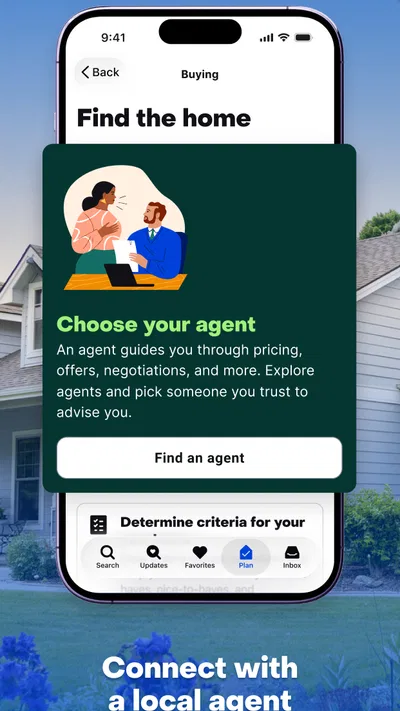
- Contact participating agents directly from listings.
- View rental listings alongside homes for sale.
Cons
- Some listing details may be outdated or incomplete.
- Home values shown in the app are estimates.
- Availability and prices can change quickly.
- Some features may require an account to use.
- Listings and tools vary by location.
Best House & Home App 2026
Our verdict
Houses for Sale & Homes for Rent: Buy Homes, Rent Apartments & Sell Real Estate
Frequently Asked Questions
What can you do with the Zillow: Homes for Sale & Rent app?
Zillow lets you browse homes and apartments for sale or rent, explore property details, and view photos, floor plans, and map locations where available. You can set search filters, save properties, and receive alerts about relevant listings. Features and listing information can vary by location, and the app is best treated as a search and research tool rather than a substitute for confirming details with an agent, landlord, or property owner.
Can you use Zillow to find both homes for sale and rentals?
Yes. The app supports searches for properties for sale as well as homes and apartments for rent, although the available listings depend on the area you search. You can adjust filters such as price, property type, bedrooms, and other criteria to narrow results. Before arranging a viewing or making a decision, check the listing’s current status and confirm pricing, availability, and terms directly with the relevant contact.
Are Zillow listing prices, photos, and availability always accurate?
Not necessarily. Listings may be updated by agents, property owners, landlords, or other data sources, and changes can take time to appear in the app. A home’s price, availability, features, or photos may therefore differ from what you see when you contact the listing representative. Use Zillow to discover and compare properties, but verify important information, including fees and rental terms, before applying, making an offer, or paying anyone.
Do you need a Zillow account to search for homes and rentals?
You can generally browse listings without creating an account, which is useful for an initial search. An account can make it easier to save favorite properties, keep track of searches, and receive notifications when listings match your preferences or change. Some features may require sign-in, and the exact options can vary by app version and location. Review the app’s privacy information and settings before sharing personal details or enabling notifications.
Is Zillow free to download, and can you contact agents or landlords through it?
Zillow is generally free to download and use for browsing, saving searches, and viewing listings, though your mobile provider may charge for data. The app may provide ways to request information or connect with agents, landlords, or property managers, depending on the listing and location. Contact options and any services offered by third parties can vary. Read messages and terms carefully, and independently confirm who you are dealing with before sharing sensitive information or sending money.

Download Zillow: Homes for Sale & Rent
Similar apps
View all 9.3
Realtor.com Real Estate & Rent
House & Home
 9.7
Thumbtack: Hire Service Pros
House & Home
 9.3
Rent. Apartments & Homes
House & Home
 9.4
Homes.com Real Estate & Rent
House & Home


