
- Award score
- 4.8Rating
- 5,000,000+installs
- Free
App information
Screenshots


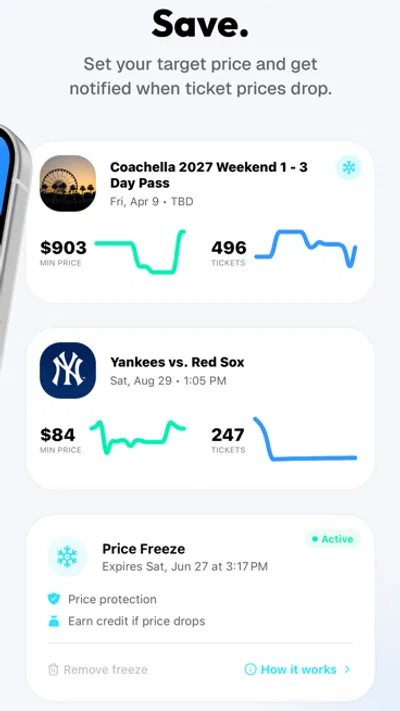

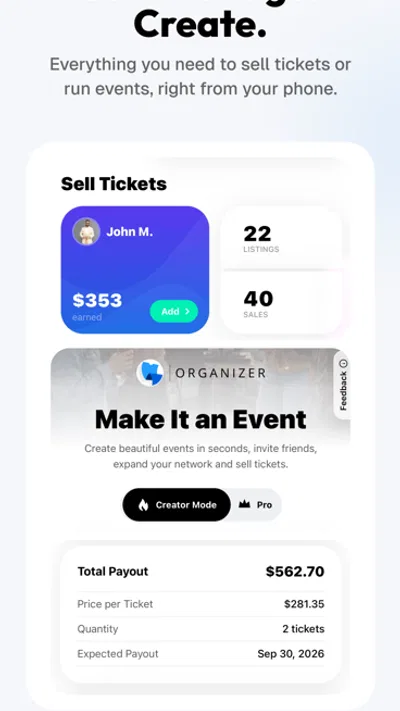

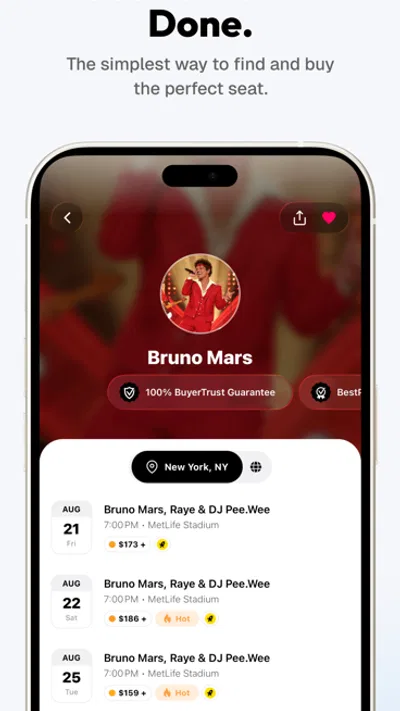
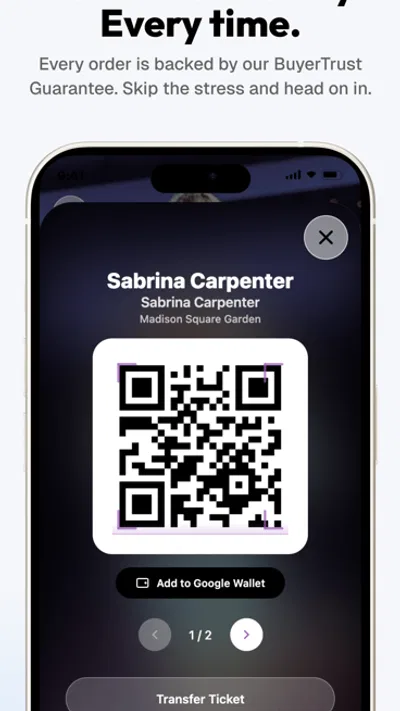
 Analysis byAppsAward
Our review of TickPick - Live Event Tickets
Finding a ticket can be exciting right up until the search turns into a maze of events, prices, and last-minute decisions. TickPick is built for that moment: it helps you discover upcoming concerts, sports, and theater events, then shop for tickets with saving money as a central part of the pitch. I find its appeal easiest to understand as a practical buying companion rather than a place to browse endlessly. The best experience comes from knowing what you want, checking the options carefully, and repeating a simple search routine when plans change.
TickPick is a free events app from TickPick LLC. It has been available since November 6, 2014, and its current version is 6.0.25, with iOS 8.0 as the minimum operating system requirement. The app has more than five million installs and an average rating of 4.8 from around 61,000 ratings. Those figures suggest that many people use it to shop for live events, but the more useful question is whether its approach suits the way you like to plan a night out.
Start with the event, then narrow the choice
The most dependable way to use a ticket app is to begin with a clear target. Search for the performer, team, or production you have in mind, or use the app to discover what is coming up when your plans are still flexible. TickPick covers concerts, sports, and theater, so it can serve as one place to explore several kinds of live entertainment instead of switching between separate apps for each.
Once an event catches your eye, treat the listing as the beginning of the decision, not the end. Compare the available choices in the context of your priorities: perhaps you care most about being close to the action, or perhaps the event itself matters more than the exact location. I recommend deciding on those priorities before you start comparing tickets. That small habit makes it easier to avoid getting distracted by options that look appealing but do not fit your plans.
The app’s central promise is saving money on tickets, but smart shopping still requires attention. A lower-looking price is only useful if the ticket suits the occasion, the group, and the budget you set for yourself. Take a moment to review the event and the ticket details shown in the app before moving forward. For a high-demand concert or an important game, slowing down for a careful check is usually better than rushing because you are worried the opportunity might disappear.
Build a repeatable search routine
Experienced users tend to make the same basic checks every time. I would start by confirming the event, then compare the available ticket choices against the viewing experience you want. If you are organizing for other people, agree on a spending limit and a preferred seating range before browsing. That keeps the conversation focused and makes it less likely that one person’s favorite option will unexpectedly stretch the group’s plans.
For flexible outings, search with an open mind. You might be interested in a particular kind of event rather than one specific performer, team, or show. In that case, browsing upcoming events can help turn the app into a discovery tool, not just a checkout stop. I like this approach when planning a weekend because it gives me a reason to compare possibilities before settling on a date and event.
For a fixed plan, do the opposite: keep the search narrow. Make sure you have the right event in view, compare the relevant choices, and avoid repeatedly reopening unrelated listings. This sounds obvious, but a focused routine is one of the easiest ways to make any ticket-shopping app feel faster. The aim is not to tap through every screen at maximum speed; it is to reduce the decisions that do not matter to you.
Settings and preparation that are worth checking
Before relying on TickPick for an important purchase, take a little time to review the app’s available settings and make sure your device is comfortable to use. I would also check that the app is up to date through the app store. The current version is 6.0.25, and the listed minimum operating system is iOS 8.0. Keeping an app current is a sensible general habit, especially when you expect to use it while coordinating plans or shopping for an event.
Do not assume that a setting will change ticket availability or make a particular event cheaper. Instead, use settings to make your own routine more convenient where the app offers relevant choices. Keep the process grounded: decide what event information you need, how you will compare tickets, and who needs to be involved before buying. A clear plan is more dependable than hunting for a shortcut that may not match your situation.
It also helps to prepare the practical details outside the app. Discuss the budget with anyone joining you, settle on a general seating preference, and have a backup event in mind if your first choice does not work out. These steps do not require any special feature. They simply make the search more decisive, which matters when you are browsing live events and trying to balance convenience with cost.
Small habits that make browsing quicker
One useful pattern is to separate discovery from decision-making. Browse upcoming events when you are gathering ideas, then return to the specific event you are seriously considering. Mixing those two tasks can lead to a long scroll through possibilities without a clear sense of what you actually want. By giving each session a purpose, you can make the most of TickPick whether you are planning ahead or searching with a particular event already in mind.
Another helpful habit is to compare a short list rather than every option you see. Choose a few ticket choices that fit your priorities, then weigh them against one another. If you are buying with friends, share the choices in plain language: what the event is, what kind of experience each option offers, and whether it fits the group’s agreed budget. A concise comparison is often more useful than sending a stream of screenshots and asking everyone to decide from scratch.
When plans are uncertain, return to the same search routine instead of starting over mentally. Confirm the event, review the relevant ticket choices, and check that the group still agrees on its priorities. This repeatable process is especially helpful for people who use ticket apps regularly. It turns each purchase into a familiar set of decisions, while leaving room to change direction when a different event or seating option makes more sense.
TickPick’s value is not only about opening an app and finding a ticket. It also depends on how deliberately you use it. Search with a purpose, keep your comparisons tied to your preferences, and give yourself enough time to review the choice. In my view, that combination makes the app more useful than hurried browsing, particularly when several people are trying to agree on one plan.
Where the experience has limits
Even a focused app cannot decide what makes a ticket worthwhile for you. The right choice depends on the event, your budget, and the experience you want, so the same listing may appeal to one person and not another. TickPick can help you discover events and shop for tickets, but the final comparison still takes judgment. If you expect an app to remove every trade-off from ticket buying, you may find that the most important decisions remain yours.
There is also a difference between a quick search and a confident purchase. If you are unfamiliar with a venue, unsure what kind of seating you prefer, or making plans for a group, you may need to spend more time reviewing your options. That is not a flaw in the idea of a ticket app; it is simply part of choosing an experience you will be happy with. Resist the urge to treat speed as the only measure of a good shopping process.
Discovery can have a limit, too. When you already know the event, a broad browse may add little value. In that situation, keep to the event you want and compare the relevant choices instead of exploring every category. Conversely, when you are looking for inspiration, expect to spend some time deciding what interests you. TickPick can support both modes, but the user still needs to set the direction.
Who will get the most from it?
I think live event ticket shopping is the clearest reason to try TickPick. It is a natural fit for people who attend concerts, sports, or theater and want a dedicated place to look for upcoming events and compare ticket options. It can also suit occasional buyers who prefer to browse before committing, provided they are willing to check the details and make their own priorities clear.
The app may be less compelling for someone who expects a ticket search to be completely effortless or who has no interest in comparing options. The promise of saving money is attractive, but a sensible purchase still involves checking that the event and ticket match the plan. I would approach it as a useful shopping tool, not as a guarantee that every choice will automatically be the right one.
Its established audience offers some perspective without replacing your own experience. TickPick has around 7,400 written reviews, alongside its broad rating base, and the app is free to install. That makes it straightforward to explore if you are already planning to attend an event. I would still judge it by how comfortably you can find the kind of event you want and make a ticket decision that feels right for you.
A practical verdict for regular users
TickPick works best when you bring a little structure to the process. Use it to find concerts, games, and theater; decide what matters before comparing tickets; and keep a familiar checklist for each purchase. For flexible plans, explore upcoming events. For a specific outing, narrow the search and focus on the choices that fit your budget and preferred experience.
My overall impression is that this is a useful option for people who want a dedicated way to discover live events and shop for tickets while keeping savings in mind. The strongest workflow is not complicated: choose an event, compare the relevant options, check the details, and only then make your decision. Those habits make the app easier to use repeatedly, whether you are organizing a big night out or simply seeing what is happening nearby.
If you enjoy live entertainment and like to weigh your choices rather than buy on impulse, TickPick is worth a look. It brings concerts, sports, and theater into one event-focused experience, while leaving the final call where it belongs: with you. Used thoughtfully, it can make the search more organized and help turn a possible outing into a plan you are comfortable committing to.
Pros
- Shows the full ticket price upfront with no hidden checkout fees.
- Seat maps help compare locations before choosing tickets.
- Price comparisons can make it easier to find value.
- Mobile tickets are convenient to access at event entry.
- The app covers a wide range of live events.
Cons
- Ticket availability and prices can change quickly.
- Some listings may have limited seat details.
- Popular events may have few affordable options.
- Refunds depend on the event and ticket terms.
- Customer support may be slower during busy periods.
Best Events App 2026
Our verdict
Save money on concert, sport, and theater tickets, and discover upcoming events.
Frequently Asked Questions
What is TickPick, and how does it help you buy live event tickets?
TickPick is a ticket marketplace for live events, including concerts, sports, and theater. You can search for an event, compare available seats, and review the listed price before choosing tickets. The app is designed to make browsing and purchasing more straightforward, but availability and prices come from individual listings and may change. Check the event details, seat information, delivery method, and applicable terms before completing an order.
Does TickPick add service fees to the ticket price?
TickPick promotes upfront pricing, so the displayed listing price is intended to include service fees rather than adding them unexpectedly at checkout. Still, the final amount can depend on the ticket listing, delivery or other applicable charges, and any taxes shown during checkout. Review the complete order total before paying, and compare listings using the final price instead of relying only on the initial amount displayed in search results.
Are tickets purchased through TickPick guaranteed to be valid?
TickPick provides buyer protections for orders, but you should read the current guarantee and marketplace terms to understand what coverage applies to your purchase. Before ordering, confirm the event date, venue, section, row, and delivery details shown on the listing. If tickets do not arrive as expected or you encounter an entry problem, contact TickPick support promptly and keep your order information and any relevant documentation.
How are TickPick tickets delivered, and when will they arrive?
Delivery depends on the event and the type of ticket offered. Tickets may be transferred electronically, provided as mobile entry, or delivered through another method described in the listing or order details. Some tickets are available soon after purchase, while others may be released closer to the event. Check the estimated delivery timing before buying, monitor your order in the app, and follow any instructions for accepting or accessing a transfer.
Can you get a refund or cancel a TickPick ticket order?
Ticket purchases are generally subject to the marketplace's order and refund policies, so do not assume that an order can be canceled simply because your plans change. The terms may differ for event cancellations, postponements, delivery issues, or other circumstances. Read the policy and event-specific information before purchasing. If your situation changes or you have a problem with an order, contact TickPick support and consult the applicable terms for your purchase.




