
- Award score
- 4.7Rating
- 5,000,000+installs
- Free
App information
Screenshots
 Analysis byAppsAward
Our review of CARFAX - New & Used Cars
When I’m browsing for a car, I want more than a list of nearby vehicles: I want a quick way to keep track of candidates and spot reasons to look more closely. CARFAX - New & Used Cars is built around that shopping stage, bringing vehicle listings together with history details and price alerts. I find it most useful as a screening tool: it can help me decide which cars deserve a closer look, but it is not a substitute for inspecting a vehicle or checking every detail before buying.
What the app does well while you shop
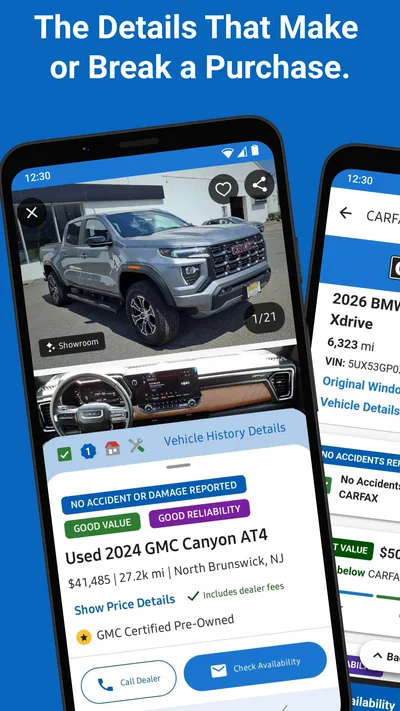
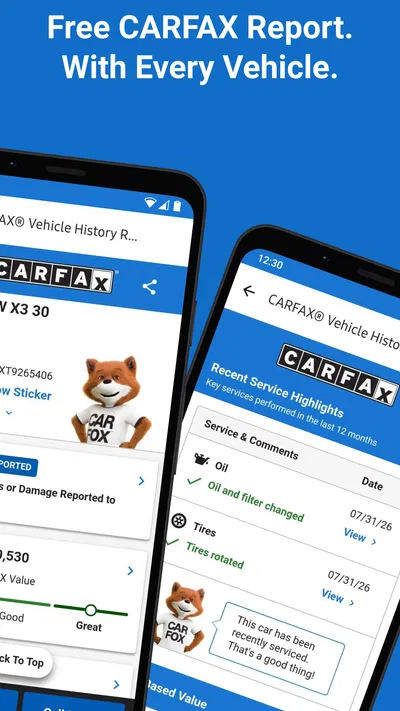
This free Auto & Vehicles app comes from CARFAX, Inc. Its central appeal is the combination of nearby car listings and vehicle-history information. Instead of keeping a search in one place and researching each vehicle elsewhere, I can use the app to narrow down possibilities and review the details associated with a listing. That makes it practical for the messy middle of a car search, when several similar vehicles may be competing for attention.
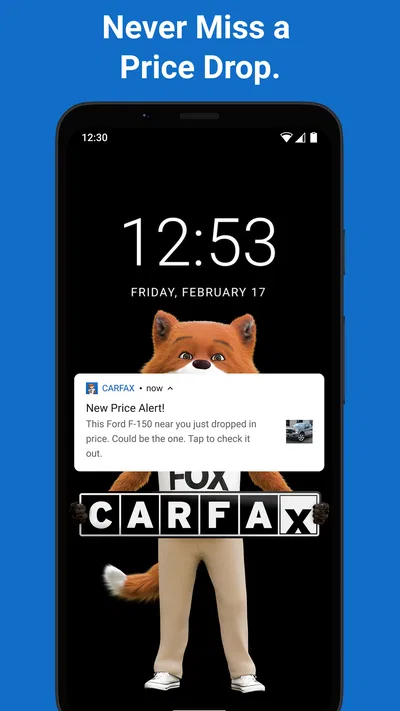
The app’s price alerts are useful when I’m not ready to buy immediately. A car search often stretches over days or weeks, and repeatedly checking the same listings is easy to forget. An alert gives me a reason to revisit a candidate if its price changes. I would treat that as a prompt to reassess, not as proof that a listing is suddenly a bargain: the vehicle’s condition, history, location, and asking price still need to make sense together.
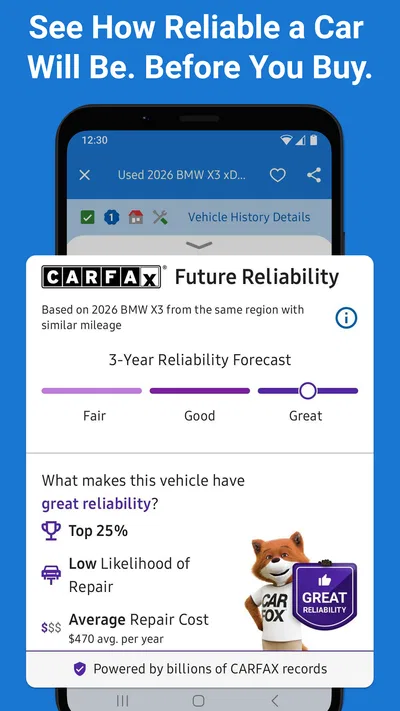
The distinction between a history report and a physical inspection matters. History details can help me identify questions to ask a seller and decide whether to spend time viewing a car. They cannot tell me how the vehicle feels on the road today or replace a qualified inspection. I use this app to filter and prepare, then verify important claims through direct questions, a test drive, and an inspection before making a commitment.
A more useful way to compare candidates
One practical approach is to begin with a realistic shortlist rather than trying to compare every car in a broad search. I would select a few vehicles that fit my budget and needs, then look at the listing details and history information side by side in my own notes. This makes it easier to notice that a lower asking price may not be the strongest choice once the history and other visible details are considered.
For example, imagine I’m looking for a used car for a daily commute and find two similar options. One looks cheaper, while the other appears to have a more appealing history. I wouldn’t decide from price alone. I’d use the app to identify what I need to ask about, contact the sellers, and arrange to see the stronger candidates. If either listing changes price, the alert gives me a fresh reason to compare the whole picture rather than react to the number in isolation.
A less obvious benefit is that the app can help make seller conversations more specific. Instead of asking only whether a car is “in good shape,” I can use the information I’ve reviewed to prepare focused questions about the vehicle’s past and the listing. That does not guarantee a complete answer, but it is a better starting point than arriving with no context. I’d also keep a note of what the seller says and check whether it matches the documents and the car itself.
Where it fits among car-shopping options
Compared with using general classified listings alone, the main advantage here is the emphasis on CARFAX history information alongside shopping. A broad marketplace may offer a wider mix of listings or a different browsing experience, while a dedicated history check is more focused on researching a particular vehicle. This app sits between those approaches: I can browse cars and use history details as part of the initial screening process.
That combination is convenient, but it doesn’t make every listing equally easy to compare. Search results can only help if I’m clear about what I need, and vehicle details should not be treated as a guarantee of current condition. If I already have a specific vehicle in mind, I may prefer a focused history lookup and a direct inspection. If I’m still exploring what is available nearby, the broader shopping experience is more useful.
I’d also avoid assuming that one app should be the entire buying process. A marketplace can help me discover candidates, but I may still want to compare prices elsewhere, speak with sellers, and arrange an independent inspection. CARFAX is strongest when it helps me decide where to spend that effort. It is less compelling for someone who wants a single definitive verdict on whether a particular car is worth buying.
How the established app feels today
CARFAX - New & Used Cars has been available since June 29, 2012, and its current version is 6.52.1. The app’s long presence in car shopping suggests an established product rather than a brand-new experiment, while the current version identifies the build shoppers will encounter now. Those facts are useful context, but they do not tell me exactly which screens or functions changed in each update, so I wouldn’t infer a specific redesign or feature history from the version number alone.
For someone who already uses the app, the practical question is whether it supports the way they shop now: finding nearby options, reviewing vehicle information, and keeping an eye on prices. If that workflow fits, it can remain a handy first stop. If the app behaves differently after an update, I’d check the current interface and settings rather than rely on instructions based on an older version. Vehicle searches are time-sensitive, so I’d also revisit saved candidates and alerts as my budget or requirements change.
The app has a 4.7 average from around 36,000 ratings, and it has been installed over 5 million times. That level of adoption is reassuring if I’m choosing a familiar tool for a significant purchase, but popularity is not a personal guarantee that every listing will suit me. I’d judge it by whether the information helps me make better decisions in my own search, not by its rating alone.
Small habits that make the search more effective
I’d start by deciding what would make me reject a car before looking at listings. That might be a price ceiling, a location I can realistically travel to, or history details that would prompt further questions. Setting those boundaries first helps prevent an attractive listing from pulling me into a search that no longer fits my needs.
Next, I’d use alerts selectively. Tracking every possible car can create noise, while alerts for a small shortlist are easier to act on. When one arrives, I’d check whether the listing is still relevant and compare its current price with the information I already noted. A price change can make a candidate more interesting, but it should not erase concerns about the vehicle or the seller.
Finally, I’d treat history information as a conversation aid. Before arranging a visit, I’d write down the points I want clarified. At the viewing, I’d compare the seller’s answers with the vehicle and its paperwork, then arrange an inspection if I remain interested. This workflow uses the app for what it can do well—helping me research and prioritize—without asking it to replace steps that require seeing the car.
Who should consider it, and who may prefer another route
I’d recommend it to people who are actively comparing nearby new or used cars and want vehicle-history details and price alerts in the same shopping routine. It can also suit a cautious first-time buyer who wants a better set of questions before contacting sellers. The age rating is Everyone, and the app is free, so it is straightforward to try as part of a search without committing to a purchase.
It may be less suitable if I’m already certain about a particular car and only need a specialist inspection, or if I mainly want the broadest possible marketplace search. In those cases, a focused history service, an independent mechanic, or another listing source may be a better complement or starting point. I would not rely on this app alone to establish a car’s present mechanical condition or to settle a disagreement with a seller.
One friction to keep in mind is that car shopping still involves several steps beyond browsing. An alert doesn’t make a seller respond, and history details don’t remove the need to verify documents and inspect the vehicle. I also need to be comfortable making comparisons and following up; the app can organize parts of the search, but it cannot decide how much risk I’m willing to accept or whether a car suits my daily routine.
What I would watch as the app evolves
Because the app has a current version and a long-running role in vehicle shopping, I’d pay attention to how well its core workflow continues to serve existing users: whether listings, history details, and alerts remain easy to use together. That is a useful standard for judging future changes without assuming what those changes will be. For a shopper, clearer comparisons and dependable ways to revisit candidates would matter more than cosmetic novelty.
I’d also keep an eye on how the app handles the handoff from research to action. The value of a vehicle-history tool depends on whether its information helps me ask better questions and make a sensible next move. Whatever the interface looks like over time, the soundest approach remains to verify claims, view the car, and get an inspection when appropriate.
Overall, I see CARFAX - New & Used Cars as a practical research companion rather than a complete car-buying solution. Its strongest role is helping me discover candidates, review history details, and notice price changes while I narrow a search. If I use it to prepare rather than to make the decision for me, it can save time and make seller conversations more informed. For my own search, that balance is the reason I’d keep it in the toolkit.
Pros
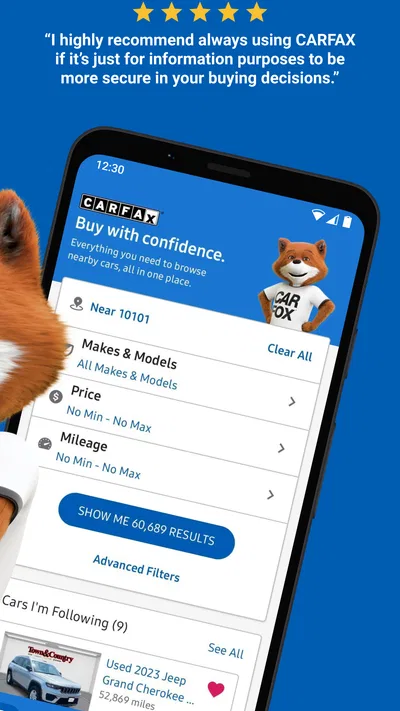
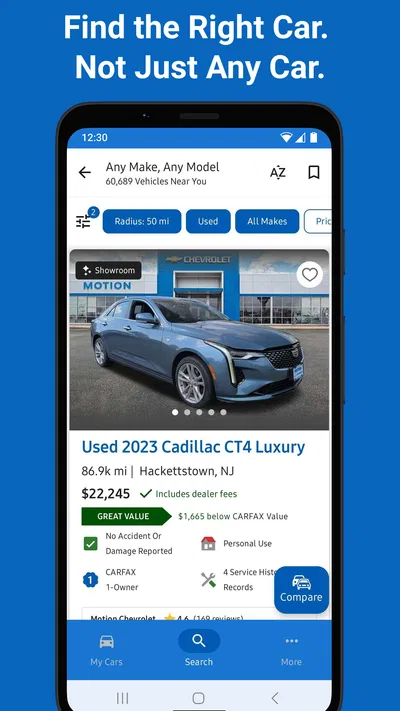
- Search for vehicles by make model price and location.
- Save searches to revisit matching cars later.
- Compare vehicle details across multiple listings.
- Browse cars from dealerships and private sellers.
- Get alerts when saved searches find new listings.
Cons
- Listing availability varies by location.
- Some listings may have outdated details.
- Vehicle history reports may require a separate purchase.
- Search results can include sponsored listings.
- Contacting sellers happens outside the app.
Best Auto & Vehicles App 2026
Our verdict
Get price alerts, vehicle history details and more for cars near you!
Frequently Asked Questions
What can you do with the CARFAX - New & Used Cars app?
The CARFAX app helps you browse new and used vehicles listed for sale and review vehicle history information where available. You can narrow your search by details such as make, model, price, mileage, and location, then save cars you want to revisit. Listings and report availability can vary, so check the details shown for each vehicle and confirm important information with the seller before making a decision.
Does CARFAX provide a free vehicle history report for every car?
No. A CARFAX Vehicle History Report may be included with some listings, but report availability depends on the vehicle and seller. The app may also offer ways to purchase reports for other cars, with costs and terms displayed before purchase. A report can reveal useful recorded events, but it cannot guarantee that a vehicle has never been damaged or that every maintenance or accident record is present.
Can you buy a car directly through the CARFAX app?
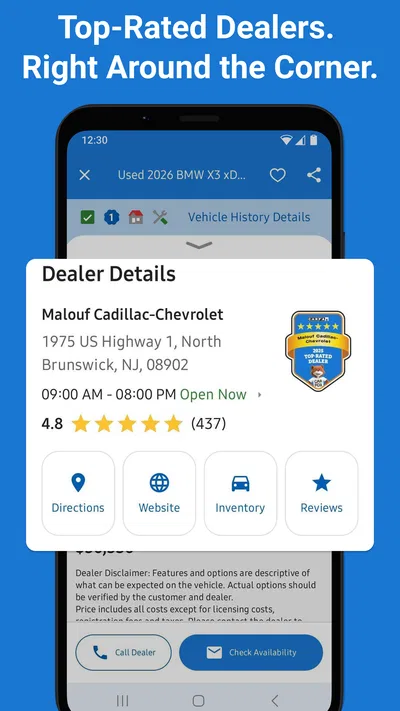
The app is primarily a search and research tool rather than a universal checkout service. You can discover vehicles, review listing information, and use available contact options to reach a dealer or seller. Test drives, negotiations, financing, paperwork, and final payment are generally handled with the seller. Confirm the vehicle’s availability, price, condition, fees, and purchase terms directly before traveling or committing.
Is the CARFAX app free to download and use?
You can generally download the app and browse vehicle listings without paying, but some services may involve a charge. For example, certain vehicle history reports or other optional offerings may have separate prices, and availability can depend on the listing. Review any price, subscription, or purchase information shown in the app before confirming. App-store charges and terms may also differ by country or platform.
How reliable are the car listings and vehicle history details in CARFAX?
CARFAX compiles information from sources such as participating dealers and available vehicle-history records, but listings and reports should be treated as helpful research rather than a guarantee. Information can be incomplete, delayed, or subject to reporting gaps, and advertised prices or availability may change. Before buying, verify the details with the seller, review the vehicle’s documents, and arrange an independent inspection if appropriate.

Download CARFAX - New & Used Cars
Similar apps
View all 9.7
CarGurus: Used & New Cars
Auto & Vehicles
 8.7
ParkMobile: Park. Pay. Go.
Auto & Vehicles
 9.4
Cars.com: Buy and sell cars
Auto & Vehicles
 9.4
Toyota
Auto & Vehicles


