
- Award score
- 3.4Rating
- 10,000,000+installs
- Free
App information
Screenshots

 Analysis byAppsAward
Our review of Hailuo AI: Image&Video Maker
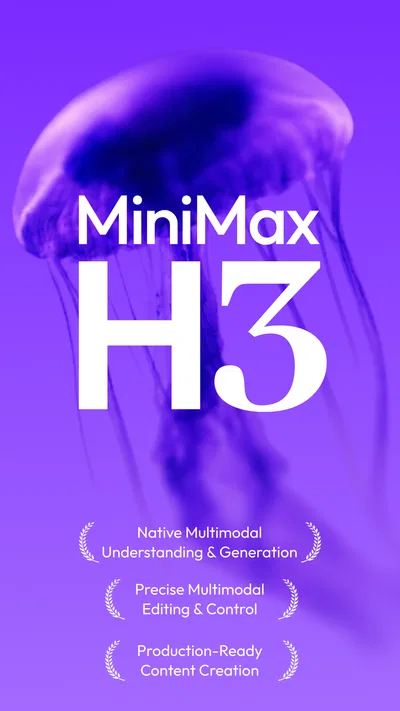
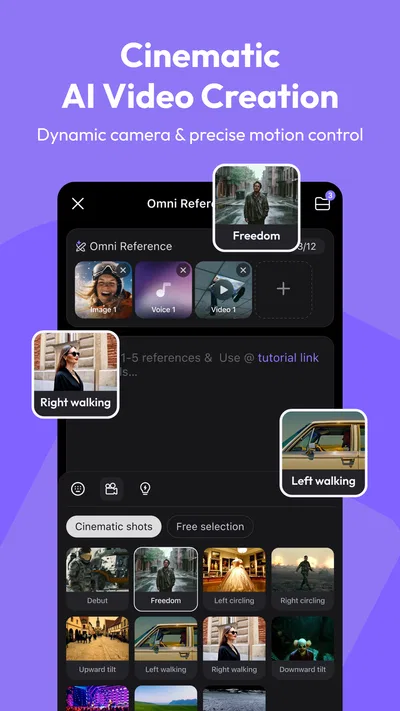
Turning a quick idea into a moving image sounds simple, but the experience depends on more than a clever prompt. Hailuo AI: Image&Video Maker is an AI-powered image and video creator from MiniMax AI, built around the promise of bringing ideas closer to cinema. I find its appeal easy to understand: it puts generative creativity in a mobile app, so you can explore visual concepts without first sitting down at a desktop editing suite. The important caveat is that AI creation is closely tied to an internet connection, making the quality and convenience of each session partly a matter of where and how you use it.
From an idea to an AI-made visual
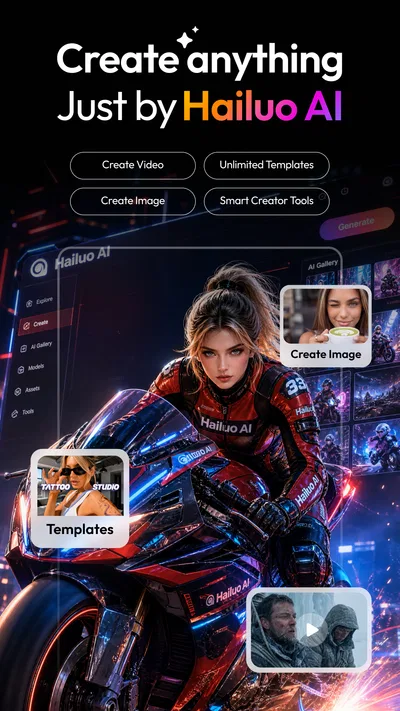
Hailuo AI is designed for people who want to experiment with AI-generated imagery and video from a phone. Rather than positioning itself as a conventional camera or a detailed timeline editor, it focuses on turning an idea into a visual result. That distinction matters: the fun is in imagining a scene and seeing how an AI creator interprets it, not necessarily in taking full control of every production detail.
The app’s cinematic framing is an inviting starting point for a wide range of projects. You might be exploring a mood, testing a visual concept, or looking for inspiration before making something more polished elsewhere. I like the low barrier to experimentation that this kind of tool can offer. You do not need to arrive with a complete production plan; a loose idea can be enough to begin thinking visually.
At the same time, generative results are not the same as manually composed footage. The output reflects an AI interpretation, so a creator should approach each attempt as a possibility rather than a guaranteed match for a precise mental picture. That is part of the appeal, but it also means patience and a willingness to refine an idea can make the experience more rewarding.
Why connectivity becomes part of the creative process
With an AI image and video creator, an internet connection is not just a background convenience. It can shape how smoothly the overall creative session unfolds, particularly when you are moving from an idea to a generated result. A weak or unreliable connection can interrupt the rhythm: instead of concentrating on the scene you want to make, you may find yourself waiting, checking the connection, or deciding to try again later.
This makes Hailuo AI best suited to moments when you can give the process a little attention. It can be a good companion for a deliberate creative break, but it is less naturally suited to a situation where you need an immediate, dependable result without interruption. I would treat network quality as part of the creative setup, much like having enough time to think through what you want the image or video to convey.
That does not mean every session has to feel technical. When the connection is behaving normally, the network can fade into the background and let the creative idea take center stage. The practical lesson is simply to avoid building an important deadline around an AI generation session if you cannot afford delays or another attempt.
Using it in everyday mobile settings
A phone makes visual experimentation easy to fit into small pockets of free time. You can think through a concept while commuting, waiting for someone, or taking a break, then decide whether the moment is right to develop it. Hailuo AI’s mobile format makes that kind of spontaneous creativity feel natural, especially for users who prefer exploring ideas on the same device they use to capture and share inspiration.
But mobile convenience comes with changing conditions. A connection that feels reliable at home may be less consistent in a busy public place or while travelling. Your attention can also be divided in those settings, which is not ideal if you want to compare results carefully or adjust an idea with intention. I would use short, casual sessions for exploration and save more focused creative work for a place where I can concentrate and expect a steadier connection.
The app may also appeal to people who want to brainstorm visually rather than write down every thought. A concept can be easier to evaluate once it has a visual form, even if the first result is not the one you keep. For that reason, I see this type of creator as an idea-development tool as much as a way to produce a finished piece. It can help you discover what you like, what feels off, and which direction might be worth pursuing next.
When a session stalls
AI creation can be less satisfying when a session is interrupted. A stalled connection may leave you unsure whether to wait, retry, or return to the task later. The most useful approach is to keep expectations flexible: if a result is taking longer than feels reasonable, pause before repeatedly attempting the same action. A moment to check your connection and reconsider the prompt can be more productive than turning a creative experiment into a frustrating loop.
It also helps to separate the idea from the session itself. If you have a concept you want to preserve, keep a short note of its key details so you can return to it if you need to stop. This is a general habit for working with creative apps, not a claim about any particular saving or recovery feature. It simply makes it easier to pick up your thinking again without relying on memory.
When a result does not match your expectations, the cause may be the prompt, the AI’s interpretation, or the conditions of the session. Rather than treating one disappointing output as proof that the idea cannot work, I would adjust one aspect at a time and see whether the direction improves. That method makes experimentation feel more controlled and gives you a clearer sense of what is influencing the outcome.
Being thoughtful about data and spending
Because Hailuo AI is a connected AI creator, it is sensible to be selective about what you choose to enter into any creative app. I would keep personal, confidential, or otherwise sensitive details out of prompts unless I had checked the app’s current privacy information and understood how the service handles them. That is a practical habit for AI tools in general, rather than a claim about a specific data policy.
It is also worth paying attention to how you use a free app when it offers in-app purchases. Hailuo AI is free to download, with optional purchases listed from under a dollar to several hundred dollars per item. That wide range makes it especially sensible to review the purchase details in the app store before spending, and to make sure any transaction fits your budget. The basic fact that an app is free does not mean every possible use or extra is cost-free.
For younger users and families, the Teen content rating is another useful point to consider when deciding whether the app is appropriate. A rating is a starting reference, not a substitute for a parent or guardian’s judgment about how a particular person will use an AI image and video creator. It can also be helpful to agree on spending expectations before exploring apps with optional purchases.
Who is likely to enjoy it?
Hailuo AI is most appealing to curious creators who enjoy testing visual possibilities and do not mind that AI output involves interpretation. It may suit someone who wants to explore image and video ideas on a phone, or who needs a quick source of inspiration before working on a larger project. The cinematic concept is easy to grasp, and the mobile format lowers the effort required to start experimenting.
It may be a less comfortable fit for users who expect precise, repeatable control or who need a dependable result at a fixed moment. Connectivity can affect the flow of AI-assisted creation, and generative results may require patience. If you approach the app as a creative playground rather than a guaranteed production pipeline, those limitations are easier to put in perspective.
The app has reached more than ten million installs and holds an average rating of 3.4 from around ninety thousand ratings, with roughly eleven hundred written reviews. Those figures suggest plenty of people have tried it, while the middling average is a reminder that experiences can vary. I would read that as a reason to keep expectations balanced: the idea is compelling, but whether it clicks for you will depend on your creative habits, network conditions, and tolerance for AI experimentation.
A practical connectivity verdict
Hailuo AI is an interesting choice for mobile creators who want to turn visual ideas into AI-generated image and video experiments. Its strongest appeal is the opportunity to explore a concept in a more cinematic direction without treating the phone as a full professional editing workstation. I find that promise most convincing when there is time to play, reconsider a prompt, and accept that the first result may simply be a step toward a better idea.
Connectivity is the quiet factor that can either keep that process flowing or make it feel stop-start. If you have a stable connection and approach each session without a hard deadline, the app’s creative premise is easier to enjoy. If your connection is unpredictable, it is wise to keep sessions flexible and avoid relying on immediate output for time-sensitive work. That is not a reason to dismiss the app; it is a realistic way to fit an AI creator into everyday mobile life.
MiniMax AI released the app in January 2025, and its current version is 2.22.1, with support for Android 7.0 and later. Overall, I would recommend giving Hailuo AI a look if you are curious about AI image and video creation and like learning by experimenting. Keep sensitive information out of prompts, check any optional purchases before buying, and choose a moment when your connection is likely to cooperate. With those expectations in place, it can be a useful source of visual inspiration rather than a tool you depend on to deliver a perfect result every time.
Pros
- Turns text prompts into short AI-generated videos.
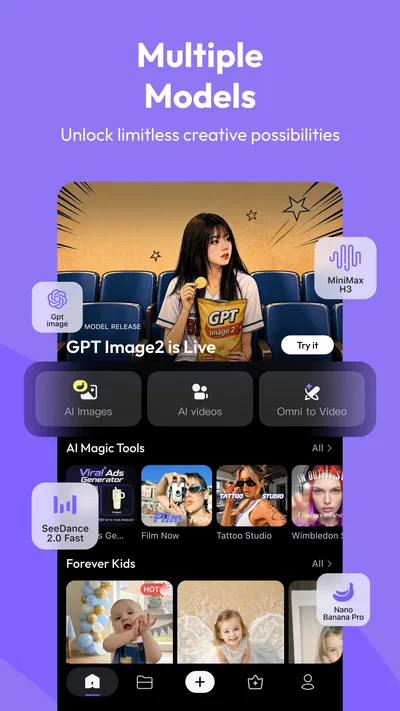
- Offers image creation alongside video generation.
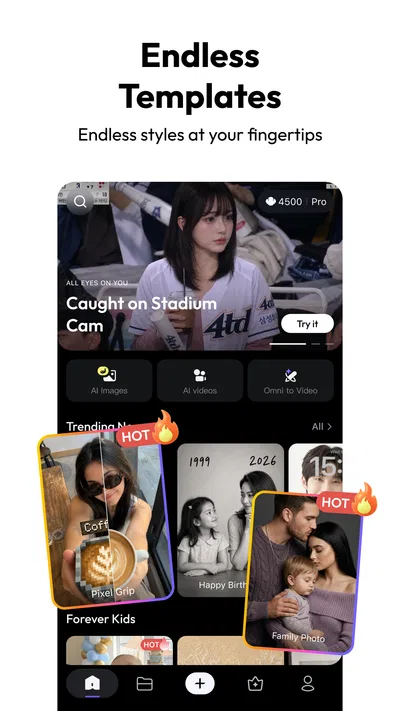
- Simple interface makes creative tools easy to access.
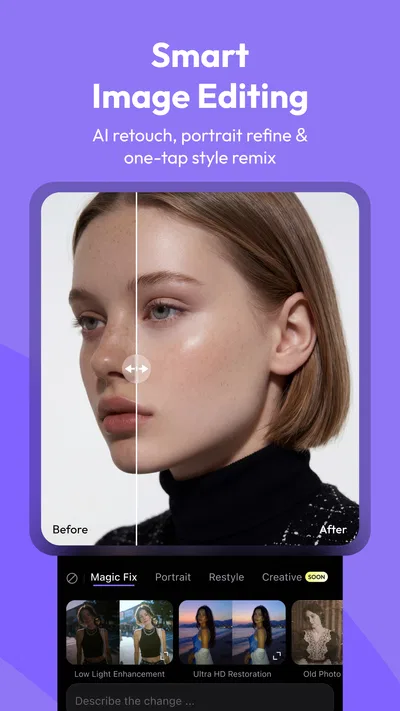
- Supports a range of visual styles and prompt ideas.
- Useful for making social media content and concepts.
Cons
- Results may not match the prompt precisely.
- Video generations can take time to complete.
- Free usage may be limited by credits or quotas.
- Generated clips may have inconsistent details.
- Some features may require a paid subscription.
Best Photography App 2026
Our verdict
AI-powered image&video creator by MiniMax - Where ideas meet cinema
Frequently Asked Questions
What is Hailuo AI: Image&Video Maker?
Hailuo AI: Image&Video Maker is a generative AI app for creating visual content from written prompts and, depending on the available features, reference images. It is designed to turn an idea into an image or a short video without requiring traditional editing skills. Available tools, output options, and limits can change with app updates, so check the current listing and in-app descriptions before relying on a particular feature.
How do you create an image or video with Hailuo AI?
Typically, you choose an image or video creation tool, describe what you want in a text prompt, adjust any available settings, and submit the request for generation. Some tools may also let you provide a reference image or refine the result with another prompt. Clear descriptions of the subject, setting, style, and movement can help guide the output, but results are generated by AI and may not match your instructions exactly.
Is Hailuo AI: Image&Video Maker free to use?
The app may offer free access, but AI generation can be subject to usage limits, credits, waiting times, or other restrictions. Paid plans or in-app purchases may be available for additional generations or features, and pricing can differ by platform or region. Review the current app-store listing and the purchase details shown in the app before subscribing. Also check renewal terms and cancellation instructions so you understand any ongoing charges.
Does Hailuo AI require an internet connection, and how long does generation take?
AI image and video generation generally relies on online processing, so you should expect to need a stable internet connection to submit prompts and receive results. Generation time can vary with the type of content, service demand, connection quality, and account limits. Video creation may take longer than image creation. If a request appears stalled, check your connection and the app’s status before submitting it repeatedly, which could use additional credits.
What should I know about privacy and using AI-generated content from Hailuo AI?
Before submitting prompts, photos, or other reference material, review the app’s privacy policy and the terms of service to understand how uploads and generated results may be processed or stored. Avoid sharing sensitive personal information or images of others without permission. AI outputs can contain errors or resemble existing material, so check results before publishing or using them commercially. Confirm the app’s current rules on ownership, permitted uses, and content restrictions.

Download Hailuo AI: Image&Video Maker
Similar apps
View all 9.7
Video Editor & Maker - InShot
Photography
 7.9
AI Face Aging - Photo Editor
Photography
 8.4
AI Photo Beauty Editor Studio
Photography
 8.8
PicFusion Lab
Photography


