
- Award score
- 4.6Rating
- 10,000,000,000+installs
- Free
App information
- Version
- 2.26.41.77
- Updated
- Requires
- Varies with device
- Price
- Free, in-app purchases
- Developer
- WhatsApp LLC
- Content rating
- Everyone
Screenshots




 Analysis byAppsAward
Our review of WhatsApp Messenger
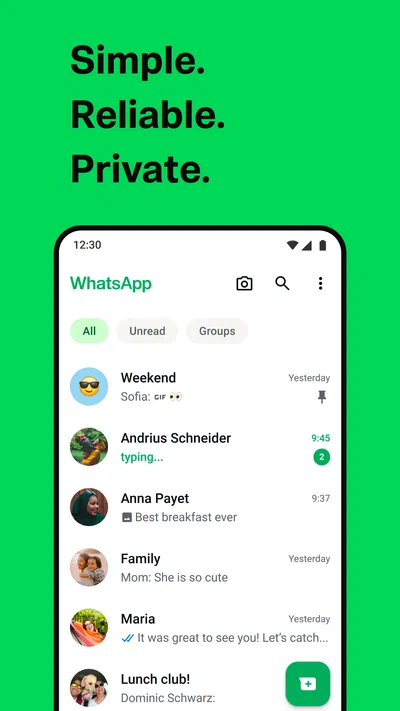
When several people are trying to coordinate one busy household, the hard part is rarely finding a way to send a message. It is keeping the plan understandable when one person is at work, another is out shopping, and a relative is joining from somewhere else. I find WhatsApp Messenger useful for that kind of everyday communication because it brings individual chats, group conversations, and calls into one familiar place. It is a communication app from WhatsApp LLC, and its appeal is less about novelty than about being an easy option many people already know how to use.
One household, several conversations
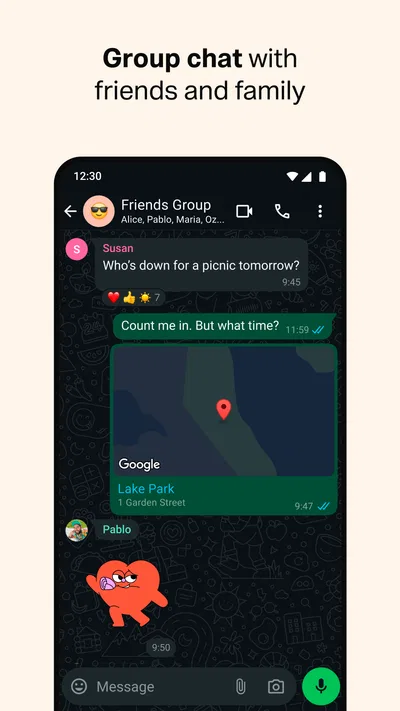
Picture a familiar Saturday: someone asks what groceries are still needed, another person sends a photo of the cupboard, and a family member wants to know when dinner is ready. A household group can keep those updates together rather than scattering them across separate texts and calls. In my experience, that works best when the group has a clear purpose and people use direct chats for private matters instead of turning every exchange into a group announcement.
That distinction matters. A shared chat is convenient, but it is not the same thing as a shared account or a household organizer. Each person should use their own account and device, and everyone in the group should understand who can see what they post. I would not hand one logged-in phone around as a substitute for separate accounts: it blurs personal boundaries and makes it harder to know who is speaking.
Articles related to WhatsApp Messenger
For a practical setup, I would create one group for recurring household coordination and keep it focused: shopping, arrival times, and decisions that affect everyone. One-off questions can stay in a direct conversation. This small habit makes the group easier to scan later, especially when a useful detail is buried between jokes, photos, and unrelated chatter.
Keeping accounts and devices separate
WhatsApp is most straightforward when each person has their own account. Before using it on a shared family tablet or a phone that other people can access, I would check whose account is active and whether private notifications or messages might be visible to someone else. A shared device can be convenient for a household, but convenience does not erase the need to agree on access and privacy.
That is especially important for children and teens. Parents can talk through what belongs in a group, who is invited, and what to do if an unfamiliar person starts a conversation. I would not treat the app itself as a substitute for supervision or household rules. The sensible approach is to make expectations clear before a young person joins family, school, or activity chats.
Notifications also deserve a little thought. A busy group can interrupt work, meals, or sleep, so I recommend deciding which conversations need immediate attention and adjusting notification preferences accordingly. Muting a noisy group can reduce distractions, but it also means members should not assume every message will be read straight away. For something urgent, a direct call or a clearly worded message is more dependable than hoping a group notification gets noticed.
Making coordination less chaotic
The app’s strength is that it handles quick exchanges naturally: a short question, a photo that clarifies what someone means, or a call when typing would take longer. For household planning, I find it helps to put the important detail near the beginning of a message. “I’ll be home after the appointment; please start dinner without me” is easier to act on than a long chat in which the timing appears near the end.
Groups are useful for shared decisions, but they can create noise when every member replies to every update. I try to reserve the group for information that affects the whole group and move detailed back-and-forth into a direct chat when only two people need to resolve it. That is not a special feature so much as a simple workflow choice, yet it makes the conversation history more useful when someone checks it later.
Photos and voice messages can save time, though they are not always the clearest record. A picture of a product can settle which item to buy, while a voice note is handy when someone is walking or driving as a passenger. But if the household needs a precise list, written text is easier to search by eye and less likely to be misunderstood. I would use the format that suits the task rather than sending everything as audio or images.
There is also a trade-off in relying on chat for plans. A message can be missed, buried, or read after circumstances have changed. For an appointment or a time-sensitive pickup, I would make the key time explicit and confirm it directly with the person responsible. WhatsApp helps people communicate; it cannot ensure that everyone has read, understood, or acted on a message.
Age, trust, and choosing the right group
The app is rated for Everyone, and that broad age context makes it accessible to a wide range of users. In a household, though, the practical question is not only whether someone can install it; it is whether they are ready to manage conversations, contacts, and the social pressure of group chats. I would help younger family members understand that a group message can be copied or shared by its recipients, so they should pause before posting personal details or something they would not want others to keep.
Trust is also about group membership. Before adding a person, I would consider whether everyone in the chat is comfortable with that person seeing its earlier or ongoing conversation. If the purpose changes—for example, a family group becomes a place for coordinating a community event—it may be better to start a separate group with the relevant people rather than expanding the original one by default.
WhatsApp’s private-conversation focus is part of its appeal, but I still recommend treating any messaging app as a place where users should make careful choices. Keep sensitive household information out of casual group chatter, and use a direct conversation when a topic is meant for one person. For a family managing account boundaries, the most useful safeguard is often a clear agreement about what belongs in each chat and who should be included.
How it compares with other ways to stay in touch
Compared with ordinary SMS, WhatsApp is more convenient when everyone involved already uses it and wants one place for group messages, photos, and calls. It can be less useful if some relatives prefer text messages or do not want another messaging account. In that case, the household may need to keep a second channel for those people rather than assuming a WhatsApp group reaches everyone.
Compared with a dedicated family calendar or task app, WhatsApp is better for discussion than for maintaining a clean, structured plan. A chat is flexible and quick, but a date or shopping decision can disappear among later messages. If the household needs recurring schedules, assigned chores, or a dependable shared record, I would pair messaging with a purpose-built calendar or list. WhatsApp can handle the conversation around a plan, but I would not make it the only place the plan exists.
Its scale helps explain why it often becomes the default choice for relatives and friends. It has over 10 billion installs, an average rating of 4.6 from around 246 million ratings, and roughly 1.9 million reviews. Those figures point to broad adoption, not a guarantee that every person in a particular household will prefer it. The practical test is whether the people who need to coordinate are already reachable there.
What to expect before installing
WhatsApp is free to download, and its age rating is Everyone. The current version is 2.26.41.77, and optional in-app purchases are listed at prices ranging from about forty cents to nearly two hundred dollars per item. I would not let the presence of purchases distract from the basic decision: the app is primarily useful when your household wants a shared communication channel, while any optional purchase should be considered on its own merits.
It was released on October 18, 2010, and the developer is WhatsApp LLC. That long-established presence can make it easier to persuade relatives to join than a less familiar service, but familiarity should not be confused with universal suitability. People who want fewer notifications, who prefer not to use group chats, or who need a formal task-management system may be happier with another tool—or with calls and simple text messages.
My household verdict
I would recommend WhatsApp Messenger to households that want a low-friction way to share quick updates, make calls, and keep a small number of useful group conversations together. Its best role is the communication layer: asking who can pick something up, sharing a picture to identify an item, or checking that everyone knows when plans have changed. It is not a family-control system, a calendar, or a guarantee that a message will be seen.
My main advice is to decide the boundaries before the chats grow: use separate accounts, keep groups focused, agree on who belongs in each conversation, and choose a more structured tool when a plan needs to remain visible. With those habits, WhatsApp can make ordinary household coordination feel easier without pretending to solve every organizational problem. If your family values quick, familiar messaging and accepts the noise that group chats can bring, it is a sensible choice; if privacy boundaries or distraction are the overriding concern, a smaller set of direct conversations—or a different communication method—may suit you better.
Pros
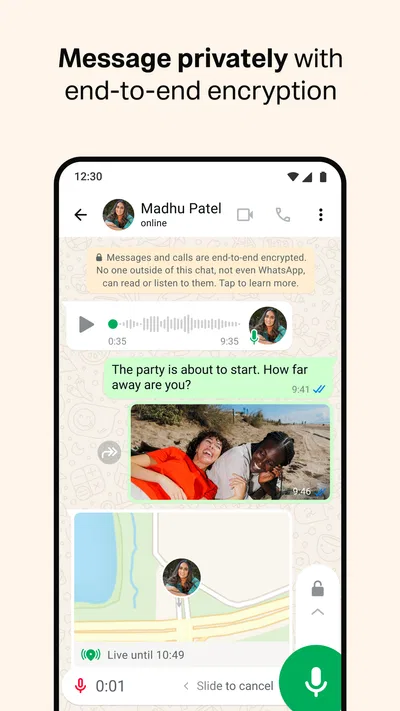
- End-to-end encryption protects the contents of personal chats.
- Voice and video calls make it easy to connect across countries.
- Group chats help people coordinate with family or colleagues.
- Disappearing messages offer more control over chat history.
- Location sharing can help friends meet up or share their whereabouts.
Cons
- A phone number is required to create an account.
- Some features depend on a stable internet connection.
- Large groups can generate a high volume of notifications.
- Chat backups may not have the same encryption by default.
- Using the app across multiple devices can require extra setup.
Best Communication App 2026
Our verdict
Simple. Reliable. Private.
Frequently Asked Questions
What is WhatsApp Messenger used for?
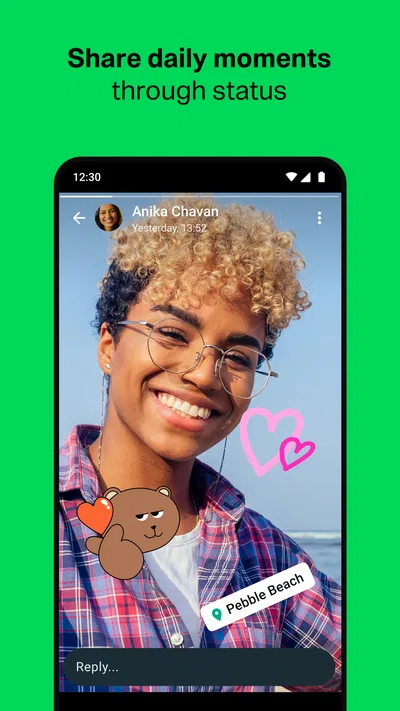
WhatsApp Messenger is a communication app for sending text and voice messages, making voice and video calls, and sharing photos, videos, documents, contacts, and location. Conversations can be one-to-one or in groups, and the app also offers features such as status updates and voice messages. You generally need an internet connection to use these services, and mobile data charges may apply if you are not connected to Wi-Fi.
Is WhatsApp Messenger free to download and use?
WhatsApp Messenger is generally free to download and use, with no subscription fee for its core messaging and calling features. Calls and messages travel over the internet rather than being billed as conventional SMS or phone calls, but your carrier may charge for mobile data, especially when sharing media or making video calls. Check your app store listing and local carrier terms for current availability, pricing, and any regional differences.
Does WhatsApp Messenger protect messages with end-to-end encryption?
WhatsApp uses end-to-end encryption for personal messages and calls, meaning that the content is designed to be readable only by the participants using their devices. This does not make every aspect of using the service private: profile details, group membership, and other information may be visible according to your settings, and backups may have separate encryption options. Review WhatsApp’s privacy controls and backup settings to decide what suits you.
What do I need to create a WhatsApp account?
To set up WhatsApp, you generally need a phone number that can receive a verification code, a supported Android or iOS device, and an internet connection. After installing the app, enter your number and complete the verification process; you can then add a name and optional profile photo. Your contacts may appear if you grant contact access, but you can review device permissions and privacy settings rather than enabling every option.
Can I use WhatsApp Messenger on multiple devices, and will it work without internet?
WhatsApp supports linked devices, allowing you to use your account on compatible computers, tablets, or additional phones, subject to the current device limits and linking process. The service is not an offline messaging app: sending and receiving new messages, placing calls, and syncing conversations require an internet connection. You may be able to read previously loaded chats while offline, but they will not update or send until connectivity returns.

Download WhatsApp Messenger
Similar apps
View all 9.4
Messenger
Communication
 7.6
Telegram
Communication
 8.4
Snapchat
Communication
 9.2
TextNow: Call + Text Unlimited
Communication