
- Award score
- 4.3Rating
- 10,000,000+installs
- Free
App information
Screenshots
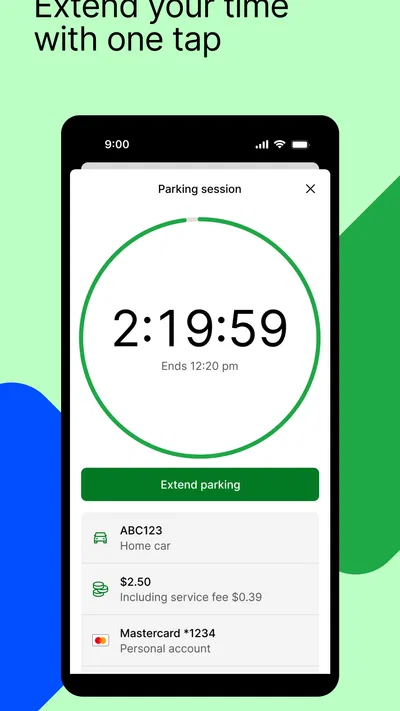
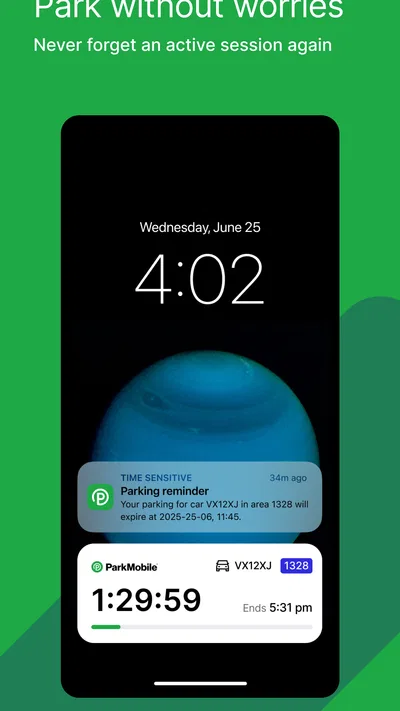
 Analysis byAppsAward
Our review of ParkMobile: Park. Pay. Go.
I judge a parking app by what it does when I am already late, carrying bags, or trying to understand a sign on an unfamiliar street. ParkMobile: Park. Pay. Go. is built around making parking transactions easier to handle from a phone, and that can remove a stressful stop from an ordinary trip. Its usefulness, though, depends on whether the location you need is covered and whether using a phone is comfortable in that moment. I see it as a practical option for people who park in places where ParkMobile is accepted, rather than a universal replacement for meters or parking operators’ own systems.
Finding your way around without adding friction
ParkMobile is a free parking and vehicle app from Parkmobile, LLC. Its central appeal is straightforward: when a supported parking location offers payment or advance reservation through the service, you can manage that task on your phone instead of relying entirely on a meter or a visit to a parking office. The app’s name is familiar to many drivers, but what matters in practice is the specific parking area, not the brand alone. I would check that the location is supported before building a tight schedule around it.
The product has been around since November 28, 2011, and its current version is 26.40.1. That long presence makes it a recognizable choice in a category where drivers often encounter different payment methods from one place to another. Still, time on the market does not remove the need to read the parking signs. An app can help with a transaction, but the posted rules remain the authority for where you may park, when restrictions apply, and what kind of space you are using.
For a first-time user, I recommend treating the app as a companion to the sign rather than a substitute for it. Find the exact area or space identifier shown where you parked, then make sure the selected location corresponds to that sign before paying. A nearby result can look plausible while referring to a different block, lot, or parking arrangement. That small check is especially worthwhile in busy areas, where selecting the wrong location could leave you with a completed payment that does not apply to your car’s space.
The interface is most helpful when it turns a fiddly curbside task into a few deliberate decisions. I would set up the account and become familiar with the basic flow before arriving somewhere crowded. Doing that at home gives you time to inspect prompts without holding up other people or trying to read a screen in glare. It also makes the app easier to use if you are unfamiliar with the local parking signs and need to compare the location identifier carefully.
Clear matching between the app and the physical sign matters more than speed. If anything on the screen seems inconsistent with the sign, I would pause and recheck rather than guess. This is a useful habit for anyone, but it matters particularly for visitors who do not know the neighborhood or drivers who are juggling navigation, passengers, and a limited stopping place.
Using a phone when movement, sight, or attention is limited
Phone-based parking can be a real convenience for someone who finds walking to a meter difficult, is managing a mobility aid, or cannot comfortably reach a machine from the vehicle. When the parking location supports the service, completing the payment on the phone may avoid that extra trip. It does not, by itself, establish that a particular space is accessible or that a driver qualifies to use it; those questions still depend on local rules and the signs at the site.
There is a trade-off for people with limited dexterity. A digital transaction avoids coins and physical buttons, but it still asks the user to hold and operate a phone, enter or select information, and confirm the right location. If tapping accurately is difficult, I would set up what can be prepared in advance and avoid doing the first-time account or payment steps at the curb. A passenger may be able to help with the phone, but the driver should still verify the selected space and parking terms.
For low-vision users, screen legibility can change with lighting, phone settings, and the amount of information shown. I would not assume that every step is equally easy to read in direct sun or at night. Turning on the phone’s own display and text settings before the trip may help, and taking a moment to zoom or reposition the screen is safer than rushing through a small label. The app cannot replace a clear view of the physical parking sign, so a companion or another reliable way to confirm the location may be important when sign text is difficult to read.
People who are deaf or hard of hearing may prefer visual prompts over audible ones, while users with sensory sensitivities may want to keep the interaction brief and predictable. The practical approach is to learn the payment sequence in a calm setting and notice how the phone communicates confirmation. I would not rely on an assumed sound or vibration as proof that a transaction is complete; checking the on-screen status gives a more direct confirmation when available.
The app is rated for Everyone, and it has an average rating of 4.3 from around 89,000 ratings. Those figures suggest broad use, but they cannot tell an individual whether the screen, wording, or interaction style will suit their needs. I would test the basic flow before depending on it for an appointment where a parking mistake would be costly.
When advance planning helps—and when it does not
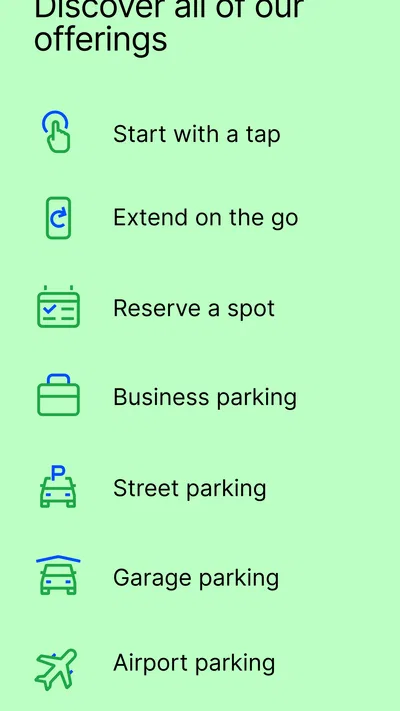
The option to reserve a spot ahead of time can be valuable when arrival timing matters. For example, if I am driving to a scheduled appointment in an unfamiliar area, I can investigate parking before leaving rather than begin the search after reaching the destination. That is most useful when the app shows a suitable option for the actual place and time I need. A reservation tool is not a promise that every destination has a reservable space, so I would keep a backup plan for locations with limited choices.
For an everyday errand, the smoother workflow is to decide what can be done before getting in the car. I would identify the likely parking area, note any posted location code, and make sure my phone is ready to use. Once parked, I can compare the sign with the app’s selected location and complete the transaction without repeatedly walking back and forth. This is a modest change, but it can help someone with fatigue, pain, or a child in the car, as well as anyone who simply wants to spend less time standing beside a busy road.
There are moments when using the phone is the wrong choice. If I cannot safely stop to inspect the sign, have poor connectivity, or cannot confidently tell which zone applies, I would not force a hurried transaction. A physical meter, a parking operator’s alternative payment method, or asking a companion for help may be better. The app’s convenience only counts when the user can complete the right transaction safely and confidently.
ParkMobile is also not a map of every possible parking option in a city. In an area where the relevant lot or curbside zone is not supported, a local operator’s app or a conventional payment method may be more useful. Drivers who mostly use a private garage with its own entry system may gain little from adding another app. I would choose based on the places I actually park, not install it on the assumption that one service covers every trip.
Where the experience can still fall short
The biggest barrier is dependence on the phone at the exact moment parking needs attention. A low battery, a poor signal, a cracked screen, or difficulty operating the device can turn a simple task into a stressful one. Keeping a conventional backup in mind is sensible, especially when travelling somewhere unfamiliar. I would also avoid starting a transaction while the car is moving or while I am in a position where looking at the screen distracts from traffic.
Another source of friction is the gap between digital information and street-level reality. Signs may be hard to see, partly obscured, or confusing about boundaries, and the app cannot make an ambiguous sign unambiguous. A person who has trouble distinguishing small text, colors, or similar-looking identifiers may need extra time or assistance. If a selection does not clearly match the sign, the safer decision is to stop and verify instead of treating the app’s available option as proof that the space is correct.
Parking systems can also vary from one location to another. The method that works at one destination may not be accepted at the next, and a reservation option may not suit a short, spontaneous stop. I would check the parking method before arrival when the visit is important, then keep enough time to use another option if the app is not appropriate there. This is particularly helpful for people who need a predictable route from vehicle to destination and cannot easily circle around searching for another space.
ParkMobile has more than 10 million installs, and it is free to download. That broad adoption makes it a reasonable app to try if the places you visit use it, but popularity does not remove local differences in parking rules or guarantee that every feature is relevant in every area. The minimum operating system requirement is Android 8.0, so device compatibility is worth checking before relying on the app for a trip.
My inclusive verdict: useful when the setting fits
I would recommend ParkMobile to drivers who regularly encounter supported parking locations and find phone-based payment easier than using a meter. It can be especially helpful for people who benefit from reducing unnecessary walking, want to prepare for an unfamiliar destination, or prefer handling a parking transaction without searching for coins. Its advance-planning angle is useful when it applies, but it should not be mistaken for a guarantee that a convenient spot will be available.
I would be more cautious if phone interaction is difficult, the user needs highly predictable access, or the destination has confusing signs and unreliable connectivity. In those cases, it is sensible to check the parking arrangement in advance and have another payment method or a companion ready. People who cannot safely read the sign or confirm the selected location should not be pressured into using an app just because it is available.
For context, ParkMobile has an average rating of 4.3 and around 26,000 written reviews, and its age rating is Everyone. It is a well-established option in the Auto & Vehicles category, but the useful question is still whether it works at the spaces you use and whether its phone-first approach suits you. I like it as a practical tool with a clear role: make supported parking easier to manage, while leaving the driver responsible for checking the sign, the zone, and the fit for their own needs.
My advice is to try the basic process before an important outing, learn how to verify the location, and keep a backup for situations where the phone or the parking setup gets in the way. With those habits, ParkMobile can make a routine part of driving less cumbersome. Without them, its convenience can disappear just when time, clear information, and safe attention matter most.
Pros
- Pay for parking from your phone without visiting a meter.
- Extend many parking sessions remotely when plans change.
- Save vehicle details for quicker parking payments.
- Find participating parking locations through the app.
- Receive alerts before a parking session expires.
Cons
- Availability depends on participating parking areas.
- Service fees may apply to parking transactions.
- Location access can help find nearby parking zones.
- Parking rules and rates can vary by location.
- A network connection is needed to manage sessions.
Best Auto & Vehicles App 2026
Our verdict
A smarter way to park and reserve your spot ahead of time.
Frequently Asked Questions
What is ParkMobile: Park. Pay. Go., and how does it work?
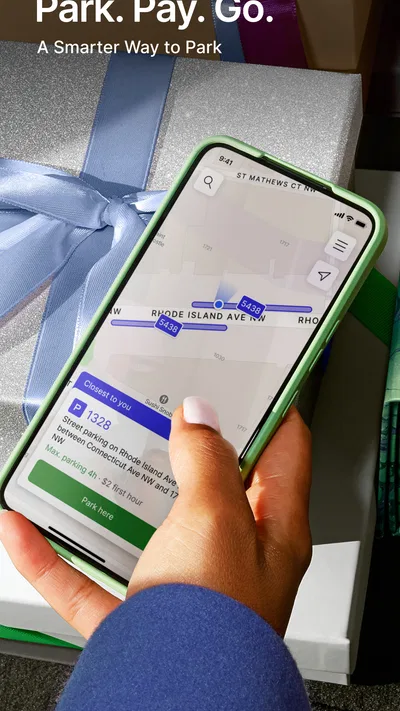
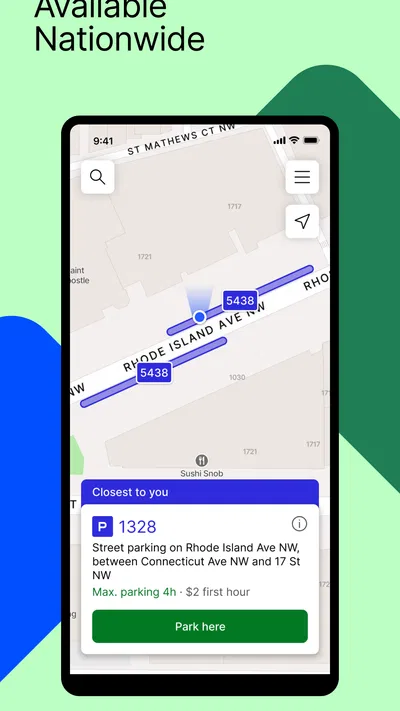
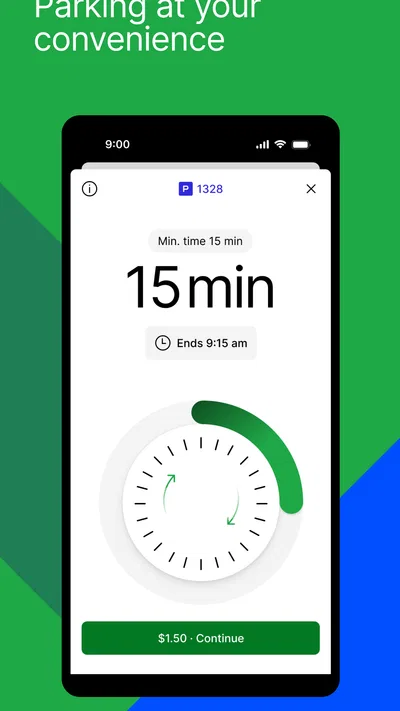
ParkMobile is a mobile app for finding and paying for parking at participating locations. You can enter a zone number shown on nearby signs, select how long you want to park, and pay through the app using an available payment method. Parking options and features vary by location, so check the posted signs and the app before confirming a session.
How do I know whether ParkMobile is available where I want to park?
ParkMobile is not accepted at every parking space or facility. Look for ParkMobile signs or a zone number at the location, then check that the zone displayed in the app matches the signs and your exact parking area. Availability, rates, time limits, and restrictions can differ even within the same city, so posted rules remain important.
Can I extend or end a parking session in ParkMobile?
Where the location permits it, the app may let you extend an active parking session or receive reminders as it approaches its end. Extensions are not guaranteed: local rules, maximum stay limits, and the parking operator’s settings can prevent additional time. Some sessions also cannot be ended early for a refund, so review the details before paying.
What payment methods can I use, and are there extra fees?
Payment options can depend on your account, country, and parking location; the app presents the available methods during checkout. Before confirming, review the total, including any service or convenience fee shown, as well as the parking charge. If a payment fails or you are unsure whether it went through, check your session history and confirmation before paying again.
What should I do if the app has a problem or I receive a parking ticket?
First, verify that you selected the correct zone and vehicle, and that your session is active for the time you parked. Save the app’s receipt or session details, along with any relevant parking signs. If you receive a citation, follow the instructions and deadline on the ticket; ParkMobile payment records may help support an appeal, but do not automatically cancel a citation.

Download ParkMobile: Park. Pay. Go.
Similar apps
View all 9.7
CarGurus: Used & New Cars
Auto & Vehicles
 9.4
Cars.com: Buy and sell cars
Auto & Vehicles
 9.4
Toyota
Auto & Vehicles
 9.4
CARFAX - New & Used Cars
Auto & Vehicles


