- Award score
- 3.9Rating
- 10,000,000+installs
- Free
App information
Screenshots
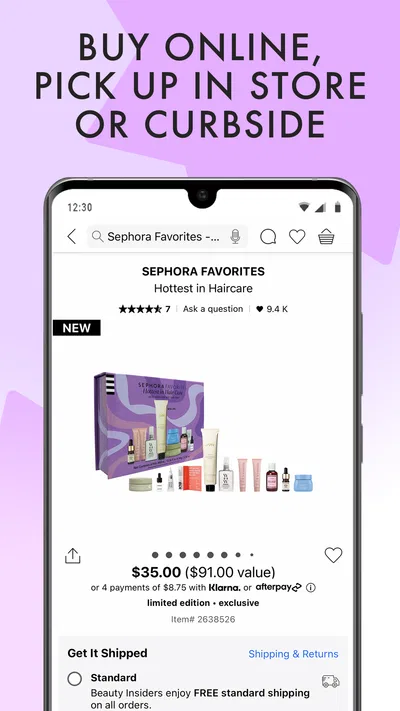

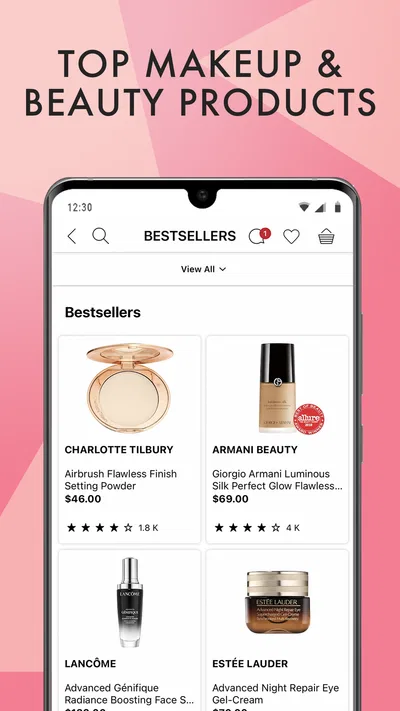
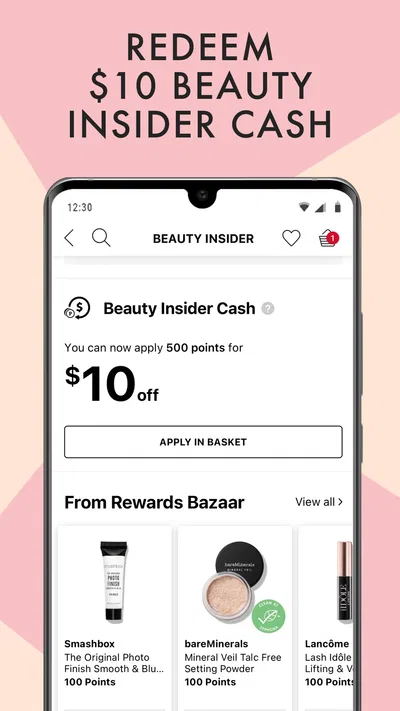
 Analysis byAppsAward
Our review of Sephora: Buy Makeup & Skincare
When I open a beauty retailer’s app, I want to find the right product without turning a quick purchase into a long search. Sephora: Buy Makeup & Skincare is built for that kind of browsing, bringing makeup, skincare, and beauty shopping together in one place. I find it most useful when I already have a product or routine in mind, though it can also help me explore options when I’m still deciding.
What the app is like to use
Sephora’s app is a free beauty-shopping app from Sephora USA, Inc. It is for Everyone, and its appeal is straightforward: browse products, consider skincare and makeup choices, and shop for everyday needs or gifts. The app has been available since December 16, 2013, and its current version is 26.20.1. It has a 3.9 average from around 80,000 ratings, with over 10 million installs.
Those figures suggest a widely used shopping destination, but they don’t tell me whether the experience will suit every shopper. The important question is whether a retailer-specific app is more helpful than browsing a general marketplace or visiting a store. For me, the answer depends on whether I value keeping beauty shopping in one focused place more than comparing a wider range of retailers.
Speed expectations: quick when you know what you want
I’d approach this as a shopping companion rather than a tool that needs to do something complicated before it becomes useful. If I’m looking for a familiar moisturizer or a replacement for a makeup item, opening one dedicated beauty app can make the task feel more direct than searching across unrelated retail categories. The main time saver is having a focused destination, not any promise that every screen or search will load instantly.
For a quick errand, I’d make the decision easier before opening the app: remember the product name, the kind of item I need, or the person I’m buying for. That gives me a clearer starting point than browsing beauty without a plan. If I’m still unsure whether I need a serum, a cleanser, or something else, the app may become a place to explore rather than a shortcut, and that kind of shopping naturally takes longer.
One useful way to keep browsing manageable is to treat the app as a narrowing step. I can first decide on the job—replacing an everyday essential, choosing a gift, or looking for makeup—and then evaluate products against that need. That simple approach helps prevent an open-ended browse from becoming a string of tempting but unnecessary possibilities.
Heavy-use moments: shopping across routines and gifts
The app is a more natural fit when a shopping session involves several related needs. I might be replenishing skincare while also looking for a makeup item, or browsing for a present while checking what would suit someone’s routine. A dedicated beauty retailer makes more sense in these moments than a general store where beauty is only one small part of a much larger catalogue.
Holiday shopping is another occasion where I can see the appeal. Instead of starting from a blank search, I can use a beauty-focused destination to think through what kind of gift feels appropriate. My practical advice is to settle on the recipient and the broad purpose first: something for daily use is a different decision from a treat or a more personal skincare choice. This keeps the session focused and reduces the chance of buying based only on attractive packaging or a passing impulse.
There is a trade-off, though. A single retailer’s app is not the best place to judge the entire beauty market. If I want to compare what several sellers carry, check a broader mix of brands, or look for the widest possible price range, a general marketplace or a retailer comparison may be a better starting point. I’d use Sephora’s app when its focused shopping experience is valuable, not assume it replaces every other way to shop.
Reliability: judge the whole purchase, not just the opening screen
I wouldn’t judge a shopping app’s reliability only by whether I can open it and browse. The more useful test is whether it remains workable through the whole decision: finding an item, reviewing the choice, and completing the shopping task without losing track of what I intended to buy. For Sephora, I’d keep the purpose of the session clear and avoid treating an exploratory browse as if it were a quick checkout errand.
Beauty shopping can involve more thought than buying a familiar household staple. Skincare choices may depend on a person’s routine, while makeup is often a matter of personal preference. That means the app can support product discovery, but it cannot remove the need for judgement. I would not rely on a retailer app alone to settle a sensitive skincare question or to guarantee that a shade or formula will suit someone. When those details matter, I’d take time to verify the choice through appropriate product information or another trusted source.
If a session feels interrupted or I need to return later, I’d first re-establish what I was trying to accomplish rather than resume browsing without a plan. For example, I might keep a short note of the product type or gift recipient in mind. This is not a special app feature; it is a practical way to make any shopping session easier to pick back up and to avoid repeating the same comparison from scratch.
Device constraints: check compatibility before installing
The app requires operating system version 10 or later. That’s worth checking before downloading, particularly if I’m using an older phone or tablet that I haven’t updated recently. If a device falls below that requirement, I’d use the app store’s compatibility information to decide what to do rather than assuming the app will work as intended.
Beyond that requirement, I wouldn’t make claims about battery use, storage demands, or performance on particular devices without direct, device-specific evidence. In ordinary use, I’d keep expectations sensible: shopping apps involve browsing and product decisions, so the perceived pace may depend on the device and connection as well as on how much I’m asking of a session. If browsing feels slow, I’d check whether other apps or the connection are also struggling before blaming Sephora alone.
For someone who wants a low-effort shopping setup, one retailer app can be convenient, but only if it earns a place on the device. If I shop for beauty products regularly, keeping a dedicated destination may save me from repeatedly starting the same search elsewhere. If I rarely buy beauty items, using the app store or another shopping method when needed may be simpler than installing an app I seldom open.
Who will get the most from it
I’d recommend Sephora: Buy Makeup & Skincare to people who already shop for beauty products and want a focused place for makeup and skincare purchases. It is especially sensible for someone who alternates between restocking familiar items and browsing for a considered gift. The app’s free price makes trying it an easy decision for a compatible device, though free to download does not mean every product or purchase is free.
I’d be less enthusiastic about it for someone whose first priority is comparing every retailer, finding the broadest marketplace selection, or receiving personal guidance before choosing a skincare product. In those cases, I’d start with a broader shopping comparison or seek advice suited to the specific concern. Likewise, if beauty purchases are rare, a browser or occasional visit to a store may be enough.
The app’s 22,000 reviews add another perspective beyond its average rating, but I would not treat any single rating as a guarantee of a smooth experience on my own device. A helpful way to decide is to try it for a real, small task: look up a product type I already understand, see whether the shopping flow suits me, and then decide if it deserves a regular place in my routine.
My performance verdict
My overall view is that Sephora’s app is most compelling as a focused beauty-shopping destination, not as a universal beauty adviser or a substitute for comparing the whole market. Its strongest practical use is helping me keep a shopping task centered on makeup, skincare, or gifts rather than sorting through unrelated retail categories. The main friction is the same one that comes with beauty shopping itself: choice can take time, and a retailer’s app cannot make a personal product decision certain.
I’d use it when I have a clear need, a familiar item to replace, or a gift to consider. I’d slow down when a skincare choice depends on individual needs, and I’d look elsewhere when cross-retailer comparison matters more than a focused catalogue. For shoppers who match that pattern, the app is worth trying; for everyone else, the simpler option may be to shop only when a specific need arises.
Pros
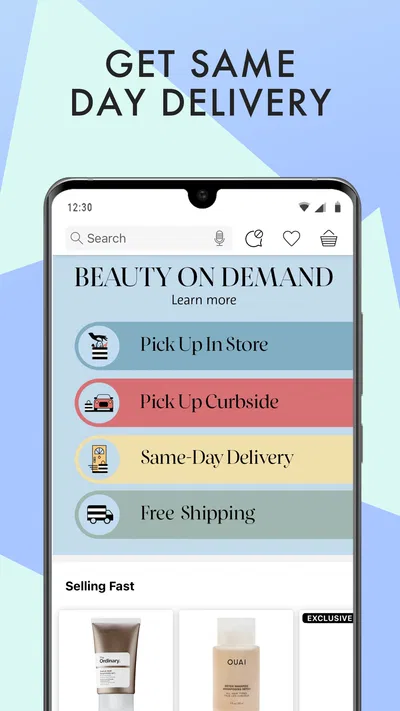
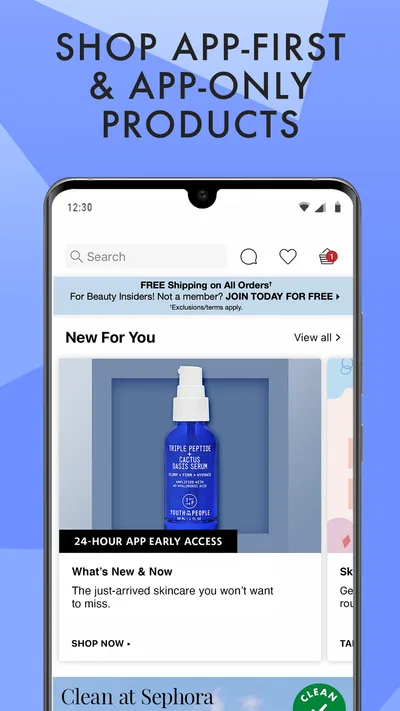
- Browse a wide range of makeup and skincare brands in one place.
- Product pages include customer ratings and reviews.
- Save favorite items for easier shopping later.
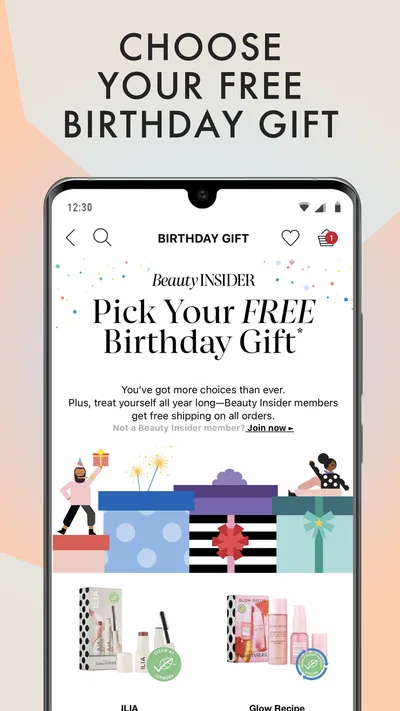
- Beauty Insider members can track rewards and points.
- Find store locations and check local services in the app.
Cons
- Some products may be unavailable for delivery in your area.
- The large catalog can make choosing products time-consuming.
- Shade matching can be difficult without testing items in person.
- Promotions and rewards may vary by location.
- Checkout requires sharing personal and payment details.
Best Beauty App 2026
Our verdict
Skincare, makeup, and beauty shopping for your daily routine or holiday gifts.
Frequently Asked Questions
What can you do with the Sephora: Buy Makeup & Skincare app?
The Sephora app is a shopping companion for browsing and buying beauty products, including makeup, skincare, haircare, fragrance, and tools. You can explore product details, compare options, read customer reviews, save favorites, and check for offers. The app may also provide beauty inspiration and personalized recommendations, though available features and products can vary by country and account.
Can you use the Sephora app to find products suited to your needs?
The app offers ways to narrow your search, such as browsing by category, brand, product type, or beauty concern. Product pages typically include descriptions, ingredients or usage information when provided, shades, and customer feedback. These details can help with comparing choices, but recommendations and reviews are not a substitute for professional advice, especially if you have allergies or sensitive skin.
Does the Sephora app offer rewards, discounts, or member benefits?
Sephora may provide account-based benefits such as loyalty rewards, promotional offers, or access to member events, depending on your location and eligibility. You may need to sign in and join the relevant program to view or use them. Offers, reward rules, and program names can change, so check the terms displayed in the app before placing an order.
Can you order products and track deliveries through the Sephora app?
In supported regions, you can use the app to add products to a basket, choose from available delivery or pickup options, and review order information. Order tracking and notifications may be available after checkout, but shipping options, costs, and delivery times depend on your location and the retailer’s current policies. Confirm the details at checkout before paying.
Is the Sephora app free, and what should you check before downloading it?
The app is generally free to download, but purchases made through it cost money, and shipping or other charges may apply. Before installing, check that the app is available in your country, review its current permissions and privacy information, and confirm that your device meets its requirements. Product availability, services, and app features can differ by region.




