
- Award score
- 4.5Rating
- 10,000,000+installs
- Free
App information
Screenshots

 Analysis byAppsAward
Our review of CVS Health
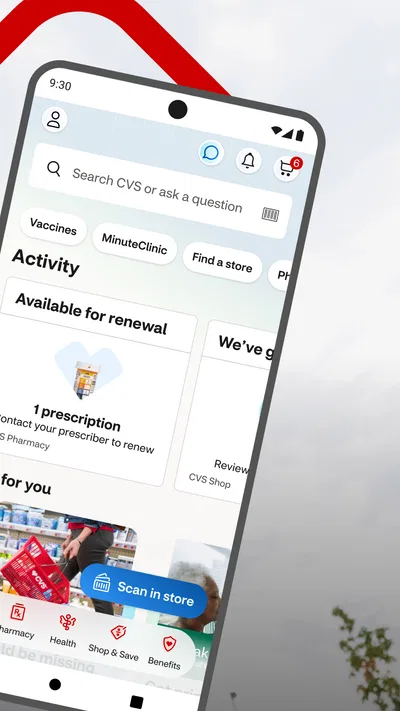
I would use CVS Health when I want to handle a pharmacy errand and a few everyday health tasks in one place, rather than switch between separate tools. It is a free medical app from CVS Pharmacy, and its practical appeal is the connection between prescription management, care scheduling, and ExtraCare savings. That combination makes it most useful to people who already rely on CVS, not necessarily to anyone looking for a general-purpose health tracker.
My view is that the app is best thought of as a digital front desk for CVS services. It can make routine tasks easier to organize, but it does not replace a pharmacist, a clinician, or the pharmacy’s own judgment about a prescription. If you approach it as a convenient way to start and keep track of common tasks—not as a substitute for medical advice—it has a clear role.
What CVS Health is useful for today
The core experience brings together three needs that often arise at different moments: getting a prescription handled, arranging health care, and checking savings tied to ExtraCare. The benefit is not that every health task becomes effortless; it is that you can begin several CVS-related tasks from the same app instead of searching through unrelated services.
In everyday use, that can help when a prescription is due for attention and you also want to check a care option or browse pharmacy items. The app’s value depends on how much of your routine already happens with CVS. If you use a different pharmacy, have care arranged through another provider, and do not shop with CVS, there is less reason to make this a regular stop on your phone.
CVS Health has been available since June 15, 2011, and its current version is 26.10.33. That long-running presence is useful context: this is an established service app rather than a new experiment. Still, the version number alone does not tell me which screens or workflows have changed, so I would judge it by whether the tasks I need are easy to complete now.
A practical fit for existing CVS routines
The strongest use case is someone who already visits CVS or fills prescriptions there and wants less friction around the administrative side. Keeping pharmacy and care-related actions together may reduce the small but annoying work of remembering where to check each item. The app is also free, so trying it does not require paying for access, though a free download does not mean every service or product accessed through it is free.
Its audience is broad: the age rating is Everyone, which reflects that the app is not presented as adult-only entertainment or a specialist tool. That should not be mistaken for a recommendation that children manage prescriptions independently. Health decisions and pharmacy transactions still call for appropriate adult oversight when needed.
CVS Health is rated 4.5 on average, based on around 507,000 ratings, and it has more than 10 million installs. Those figures suggest that many people find a reason to keep it, but popularity is not the same as a guarantee that it will fit your local routine. Pharmacy services and care availability can depend on the specific service and location, so it is sensible to check the relevant details in the app before relying on it for a time-sensitive plan.
A realistic day-to-day workflow
Imagine noticing in the evening that a prescription needs attention, while also trying to arrange a health appointment for later in the week. I would open the app to see whether I can deal with the pharmacy task and explore scheduling without making separate searches. If I am already planning a CVS shopping trip, I can also look at ExtraCare savings in the same session. The useful part is the sequence: handle the urgent administrative item first, then consider the optional shopping task.
A small but worthwhile habit is to treat prescription work and shopping as separate checks. Complete or review the pharmacy-related task, make sure the details are right, and only then browse savings. That keeps a discount from distracting you from the more important reason you opened the app. It is a simple workflow choice, but it makes a multipurpose app feel less cluttered in practice.
Another useful approach is to check the app before leaving home when an errand depends on a pharmacy action or scheduled care. That gives you a chance to confirm what the app is asking you to do and whether you need to follow up through another channel. I would not assume that starting a task on a phone automatically means it is finished; review its status and any next steps shown to you.
How it compares with other ways to manage health errands
Compared with a pharmacy-only app, CVS Health has a broader scope because care scheduling and ExtraCare savings sit alongside prescription tasks. That breadth is convenient if you use those CVS services, but it can feel unnecessary if all you want is a simple prescription reminder or a single pharmacy transaction. A dedicated pharmacy service may be the cleaner choice when your needs are narrowly focused and your prescriptions are elsewhere.
Compared with a general health app, this one is more tied to a particular company’s services. A general health tool may be a better home for information you want to keep across different providers, while CVS Health is more directly useful for actions involving CVS. I would use it as a service companion, not as my only place to organize every aspect of personal health.
It also differs from handling everything in person or by phone. The app can make routine steps easier to start and revisit, but a conversation with pharmacy staff or a care professional remains the better choice when the question is specific, urgent, or medically complex. Digital convenience is most valuable for straightforward administration; it is not a reason to guess about a treatment or delay professional help.
What the current version means for users
Because CVS Health has been around for years and is now at version 26.10.33, existing users may reasonably expect an evolving service rather than a static utility. What I can say from the current product facts is that its purpose still centers on pharmacy access, arranging care, and savings. I would not infer a particular redesign or new capability from the version number by itself.
For someone who already has the app, the practical test is whether the current version still supports the parts of the CVS routine they actually use. If you mainly rely on prescriptions, check that the pharmacy workflow is clear and that you can tell what remains to be done. If you use scheduling, make sure the appointment path suits the kind of care you are trying to arrange. If you rarely use either, the savings section may be the only reason to keep the app—but it may not justify another icon on your phone.
The developer is CVS Pharmacy, which makes the app’s close relationship to CVS services unsurprising. That integration is its central strength and its main trade-off. A service built around one pharmacy brand can make related tasks feel connected, yet it is less appealing to users who want a neutral hub spanning multiple pharmacies or health providers.
Where convenience has limits
The first limitation is dependence on the CVS ecosystem. The app is not a universal prescription manager that automatically solves coordination across every pharmacy, clinic, and insurer. If your care is split among several organizations, you may still need other apps, calls, or records to keep the bigger picture straight.
The second is that a mobile workflow can create a false sense of completion. A request, appointment step, or other action may have follow-up details that matter. I recommend reading confirmation screens carefully and checking for any instructions rather than closing the app as soon as you tap a button. That is especially important when the task affects access to medication or a scheduled visit.
The third is that the app’s combined shopping and health functions require a little discipline. Savings can be useful, but health tasks should not be treated like ordinary browsing. I would avoid making a rushed purchase decision simply because an offer is visible, and I would keep questions about medication suitability between myself and a pharmacist or clinician.
Someone who wants medical diagnosis, detailed health tracking, or a provider-independent record system should look elsewhere for those needs. CVS Health is not the right choice as a replacement for professional care or a broad health-management platform. Likewise, if a person has no reason to use CVS services, the app’s convenience may not outweigh the effort of learning another interface.
What I would watch before relying on it
For new users, I would start with one concrete task rather than trying to explore everything at once. Choose the pharmacy or care action you already need, follow it through, and note whether the app clearly explains the next step. Once that feels dependable, explore the other sections. This is a more useful test than judging the app by its home screen or by how many services it advertises.
For current users, the main thing to watch is whether the app continues to make routine tasks clear as it evolves. A newer version can bring changes, but I would look for practical outcomes: can I identify the status of a task, understand what action is expected, and find the relevant CVS service without unnecessary detours? Those are more meaningful measures than version numbering alone.
I would also keep expectations grounded around availability. Before planning a day around a care appointment or pharmacy task, confirm the details shown for that particular service. If an issue is urgent or the app leaves you unsure, use an appropriate direct contact with the pharmacy or care provider rather than treating the app as the final authority.
Overall, I recommend CVS Health to people who already use CVS and want a convenient place to start pharmacy, care-scheduling, and ExtraCare tasks. Its 160,000 reviews reflect substantial user discussion, but the deciding factor for me is simpler: does CVS form enough of your routine to make one app genuinely useful? If yes, the combination is sensible. If you need a neutral health organizer or rarely interact with CVS, a more focused alternative will probably serve you better.
My bottom line: CVS Health is a practical companion for CVS customers, especially when a prescription errand and another CVS task land on the same day. I like its focused convenience, but I would use it with the same care I bring to any health-related tool: verify important steps, ask a professional when the question is medical, and choose another option when my needs extend beyond CVS.
Pros
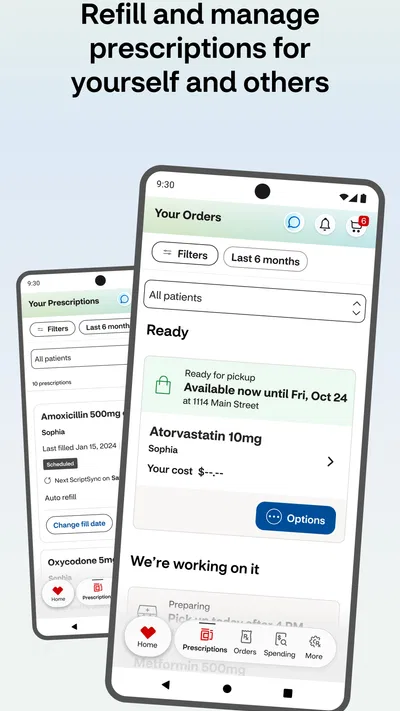
- Manage prescriptions and request refills from your phone.
- Set medication reminders to help you stay on schedule.
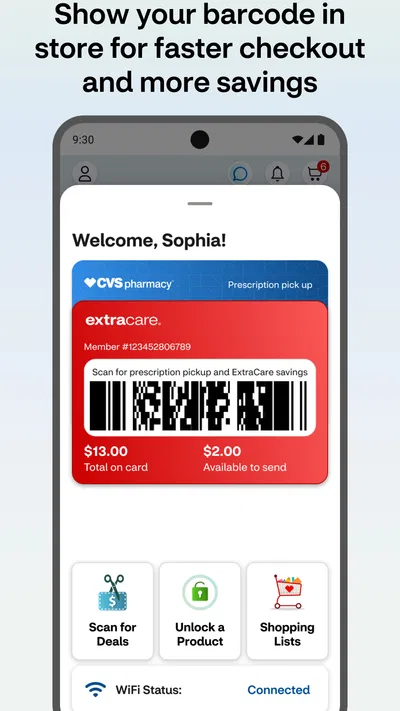
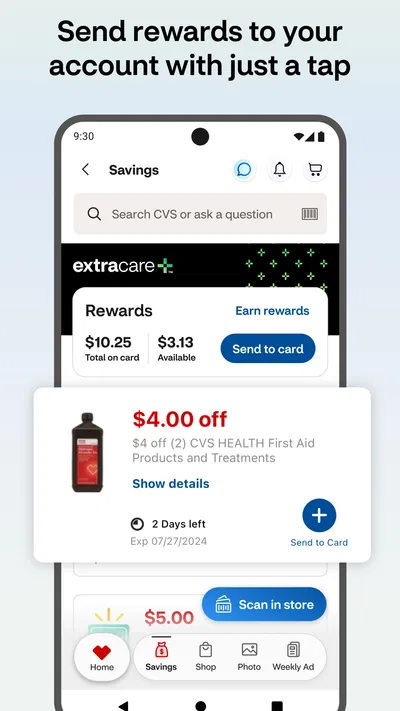
- Access digital ExtraCare deals and coupons in the app.
- Use the store locator to find nearby CVS Pharmacy locations.
- View vaccination and health service options at participating locations.
Cons
- Some features require a CVS account and sign-in.
- Prescription updates may take time to appear in the app.
- Not every pharmacy service is available at every location.
- App performance can vary across devices and software versions.
- Some transactions may still require a pharmacy visit or phone call.
Best Medical App 2026
Our verdict
Get Rx fast at the pharmacy, schedule health care, and shop ExtraCare savings.
Frequently Asked Questions
What can I do with the CVS Health app?
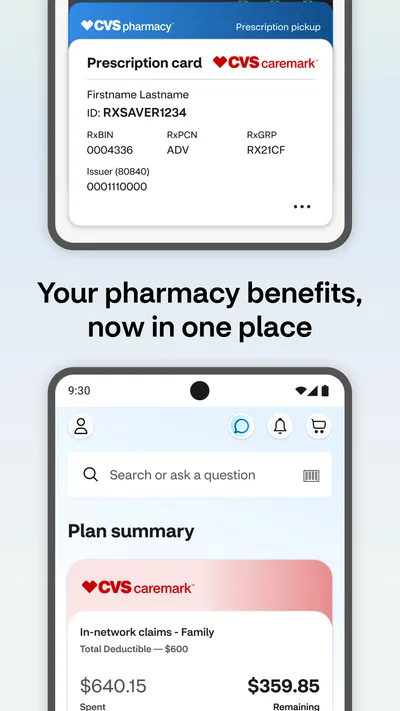
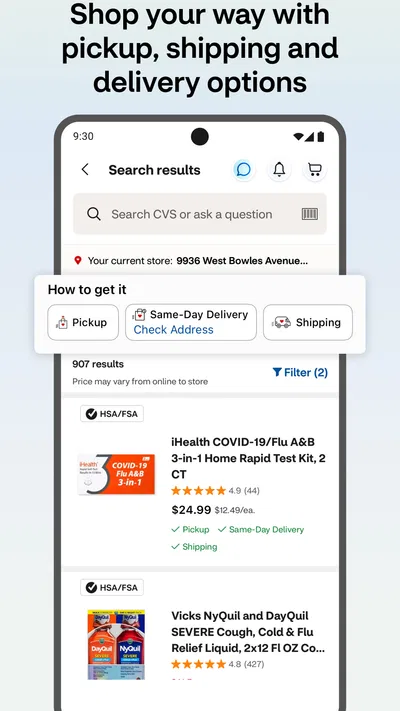
The CVS Health app brings together tools for managing many CVS services. Depending on your location, account, and the services available to you, you may be able to manage prescriptions, request refills, view prescription information, access ExtraCare offers, and shop for eligible products. It can also provide information about CVS Pharmacy and MinuteClinic services. Features and availability may change, so check the app for the options offered in your area.
Can I refill and manage prescriptions through the CVS Health app?
In many cases, you can use the app to request prescription refills, review prescription details, and manage pharmacy-related tasks after signing in and linking the appropriate information. Not every prescription or request will necessarily be eligible for online management; restrictions can depend on the medication, your account, and pharmacy rules. For questions about a particular prescription, contact your CVS Pharmacy or the healthcare professional who prescribed it.
Do I need a CVS account to use the CVS Health app?
Some general information may be available without signing in, but many personalized features—such as prescription management, account details, or ExtraCare benefits—typically require a CVS account. You may need to provide information to verify your identity or connect an existing pharmacy account. Use accurate details and follow the in-app security prompts. If you have trouble accessing your account, use the available recovery options or contact CVS support.
Is the CVS Health app free to download and use?
The CVS Health app is generally free to download, and CVS does not typically charge a fee simply for using its basic app features. However, purchases, prescriptions, healthcare services, delivery, or other transactions arranged through the app may have their own prices, insurance costs, or service fees. Review the details shown before confirming a transaction, and check with your insurer or CVS about any charges that apply to your specific service.
Is the CVS Health app available on Android and iPhone, and how can I check its requirements?
CVS Health offers mobile apps for supported Android and iOS devices, but availability and compatibility can vary by device, operating-system version, and region. Before downloading, open the Google Play Store or Apple App Store and check the current listing for the app publisher, supported software versions, app size, and permissions. Download it from an official store, and review the store listing for the latest feature and privacy information.




