
- Award score
- 4.6Rating
- 5,000,000+installs
- Free
App information
- Version
- 3.16.0
- Updated
- Requires
- 10
- Price
- Free
- Developer
- UNITED HEALTHCARE SERVICES, INC.
- Content rating
- Everyone
Screenshots
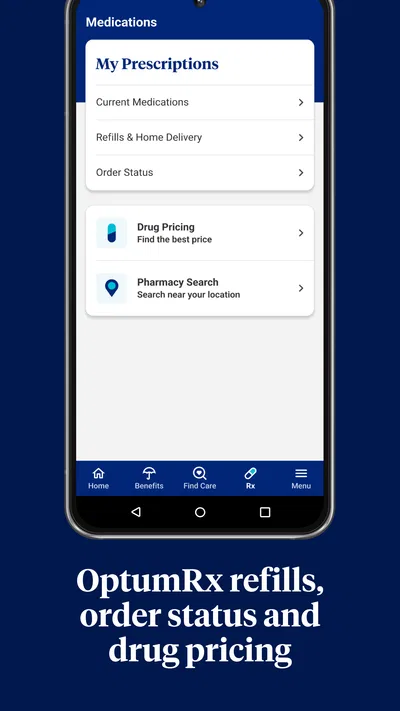
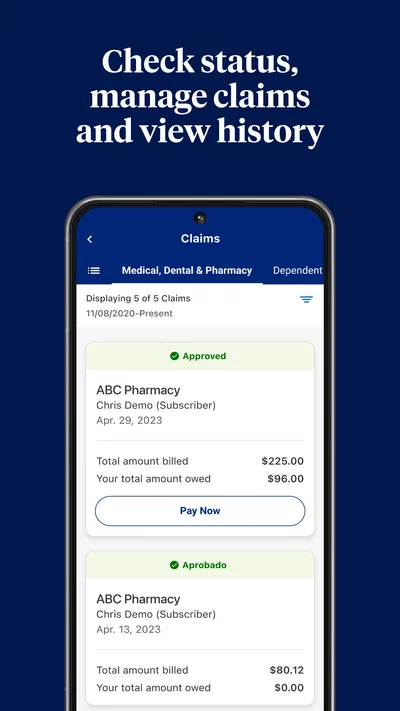
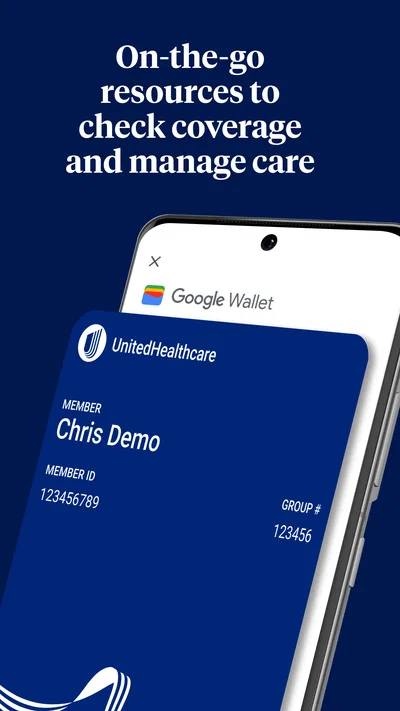
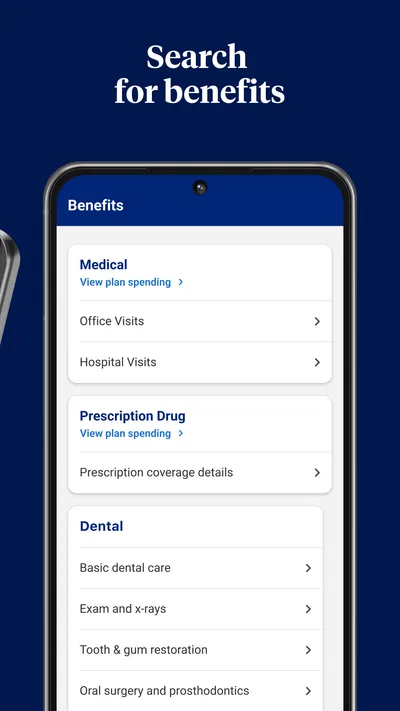
 Analysis byAppsAward
Our review of UnitedHealthcare
When I use a health-plan app, I want it to make routine tasks easier without pretending to replace a conversation with a clinician or insurer. UnitedHealthcare is aimed at that practical middle ground: it is a medical app from UNITED HEALTHCARE SERVICES, INC. for people who want to find care and check costs through a phone. Its usefulness depends on whether you have a UnitedHealthcare plan and whether the information you need is available for that plan, so I would treat it as a companion to your coverage rather than a universal healthcare tool.
Trust starts with knowing what the app is for
The name and purpose are direct, which helps set expectations. This is not a general symptom checker or a place to browse health advice; it is designed around navigating care and pricing within the UnitedHealthcare context. If your insurance is elsewhere, its central tasks are unlikely to be useful to you. If you are covered by UnitedHealthcare, having a mobile starting point can be more convenient than searching through paperwork when you are trying to understand where to go.
The app is free, carries an Everyone age rating, and has a 4.6 average from around 250,000 ratings. More than five million installs suggest that people commonly use it as part of managing their healthcare, while its 26,000 reviews indicate a substantial body of user feedback. Those figures are useful context, not a guarantee that every feature or search result will fit your particular plan. Health coverage is personal: eligibility, network participation and your share of a bill can depend on the details of your benefits.
I would begin by checking that the coverage shown in the app matches the plan you actually use. That simple step matters before relying on a provider search or cost estimate. If you have more than one plan, are helping a family member, or recently changed coverage, pause to confirm which member and coverage details are active before making decisions. A polished interface cannot compensate for looking at the wrong plan.
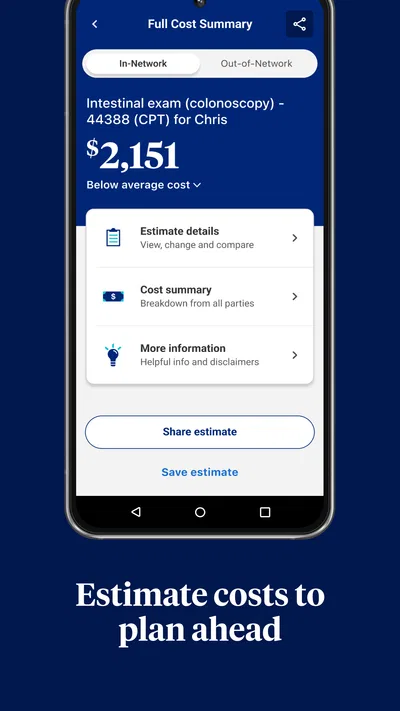
For a new user, the sensible expectation is that the app can help organize a search, not settle every insurance question. A displayed cost should be treated as guidance to investigate, rather than a final bill. When a choice depends on a referral, prior approval, a particular benefit, or a complex billing situation, I would confirm the detail through the insurer or provider before booking. That is not a reason to avoid the app; it is a way to use a digital estimate responsibly.
What I would check before trusting a result
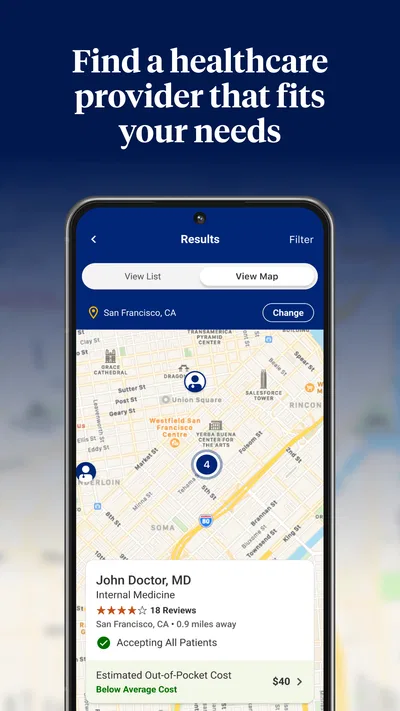
Searching for care is most useful when I already know the kind of help I need and can compare options against my practical constraints. A provider that appears suitable on paper may not be the best choice if the location is inconvenient, the appointment timing does not work, or the service does not match what I need. I would narrow the search with those real-world considerations, then verify the details that could change the cost or availability.
A helpful habit is to keep the app open while comparing options, but not to make it the only source of truth. If a result looks surprising, I would check the provider’s office and the plan’s own guidance before committing. This is particularly worthwhile for a planned procedure or specialist visit, where a misunderstanding about network status or coverage could be more consequential than a routine appointment.
Controls and choices should guide how you use it
My cautious approach to any health-related app is to look at the controls it actually presents before entering more information than a task requires. The details can vary by app version and account, so I would review the screens and settings available on my own device rather than assume a particular privacy switch exists. I also would not infer a permission, data-sharing practice, or account feature simply from the app’s medical purpose.
That distinction is important here: people may use the app while handling sensitive insurance or care decisions, but the existence of a provider search does not, by itself, tell me what data the app collects or how it is handled. I would read the app’s current privacy information and the permission prompts shown during setup, then make an informed choice about what to allow. If a permission request does not make sense for the task I am trying to perform, I would pause and check its explanation before proceeding.
There is also a practical way to limit unnecessary exposure without needing to know every technical detail: use the app for a specific task, sign in only when needed, and avoid entering personal information into any field unless it is clearly relevant. On a shared phone, I would be especially careful to sign out when finished and keep the device itself protected. These are sensible habits for insurance and medical information generally; they are not claims about special controls built into this app.
Account access is another point where I would favor deliberate choices over convenience. Use credentials you can protect, and take time to review any account or security options that are actually offered. If you cannot access an account, or the information shown seems wrong, do not keep making decisions based on it; use the insurer’s established support route to resolve the discrepancy. The app can be a convenient front door, but account and coverage questions sometimes need a person to clarify them.
Where it fits into an ordinary care decision
Imagine I need to arrange a routine appointment and want to avoid starting with a random search engine result. I can use the app as a first step to look for care connected to my plan, compare the options that appear, and then call the office to confirm it accepts my coverage and can provide the service I need. If the app also gives a price indication for the situation, I would use that to frame questions, not as a promise of the eventual charge. That workflow saves some wandering while keeping the final check with the people who can confirm the appointment and billing details.
A less obvious benefit of this approach is that it turns a vague cost question into a more focused conversation. Instead of asking only, “How much will this cost?”, I can ask the provider or insurer to confirm the exact service, location, and plan details that apply. That is especially useful when a clinic has multiple locations or when a visit could involve more than one type of service. The app is most valuable when it helps me prepare those questions rather than when I expect it to answer every edge case on its own.
For someone helping a parent or another family member, the same workflow can be useful, but I would not assume that one person’s account automatically gives appropriate access to another person’s information. Before searching or discussing account details, establish who is authorized to manage the coverage and what the member wants shared. That is a user-agency issue as much as a privacy concern: convenience should not erase the covered person’s preferences.
Another practical tip is to record the date and context of a cost or network check in your own notes when the decision matters. A later change in a provider’s availability or plan status can make an earlier search less useful. Keeping a brief note of what you checked and whom you contacted gives you something concrete to refer to if details need clarification. I would not treat an old search result as permanent confirmation.
Compared with other ways to find care
The usual alternatives are a general web search, calling the insurer, or asking a provider’s office directly. A general search may be quicker for discovering nearby clinics, but it can leave the insurance question unresolved. Calling the insurer can be better for a complicated benefit or a definitive explanation, though it takes more effort than checking a phone app. The provider’s office is the right place to confirm practical appointment details, but may not be able to explain every plan-specific coverage rule.
That makes UnitedHealthcare most useful as a bridge between browsing and confirmation. It is more relevant than a general directory when your coverage is with this insurer, but it should not displace a call when the stakes are high or the result is ambiguous. If I only need a broad list of nearby clinicians, a neutral map or search tool may be simpler. If I need a clear answer about an unusual benefit, I would favor direct contact with the insurer over interpreting a screen on my own.
The app’s current version is 3.16.0, and it requires Android 10 or later on Android. If your device does not meet that minimum, or you prefer not to manage insurance on a phone, the app is not the right route; use the insurer’s other available channels instead. I would also keep the operating system and app updated where possible, since an older device can make account tasks less comfortable even when installation is supported.
Who should use it, and who should skip it
I would recommend trying it if you have UnitedHealthcare coverage, prefer handling routine plan-related tasks on a phone, and are comfortable verifying important details before acting. It is particularly suited to someone who wants a starting point for finding care and thinking through likely costs. Its medical category is appropriate, but it is not a substitute for clinical advice, and its usefulness is tied to the insurance relationship rather than to healthcare needs in general.
I would skip it if you are not a UnitedHealthcare member, do not want to use a mobile account for insurance matters, or need a definitive answer about a complicated claim or benefit before proceeding. I would also avoid relying on an estimate alone for a costly or time-sensitive decision. In those cases, a phone conversation with the insurer or provider is a better next step, even if the app helps you prepare.
Released on September 26, 2018, and developed by UNITED HEALTHCARE SERVICES, INC., the app has grown into a widely used option for people managing care through this insurer. The popularity is reassuring in the limited sense that it is an established tool, but I would not use ratings as a substitute for checking whether it works well with my own plan and needs. The right test is whether its results help me take the next step with fewer unanswered questions.
A measured recommendation
My overall view is that UnitedHealthcare is worth considering as a practical companion for members who want to begin a care search or explore costs without immediately turning to a phone call. Its strongest role is organizing the first part of a decision; its weakest is any situation where an on-screen result might be mistaken for a final coverage determination. I would use it, verify consequential details, and keep control of what information I share.
The best reason to install it is not that an app can make healthcare simple, but that it may help you approach a specific plan-related task with more structure. The best reason to be cautious is that insurance depends on personal coverage details, and a convenient search cannot settle every exception. If you keep those boundaries in mind, this free medical app can be a useful starting point. If you need certainty, have a privacy concern you cannot resolve from the controls and information available to you, or simply prefer a human explanation, choose the insurer’s direct support instead.
Pros
- Find doctors and facilities in your health plan network.
- View plan details and check coverage information.
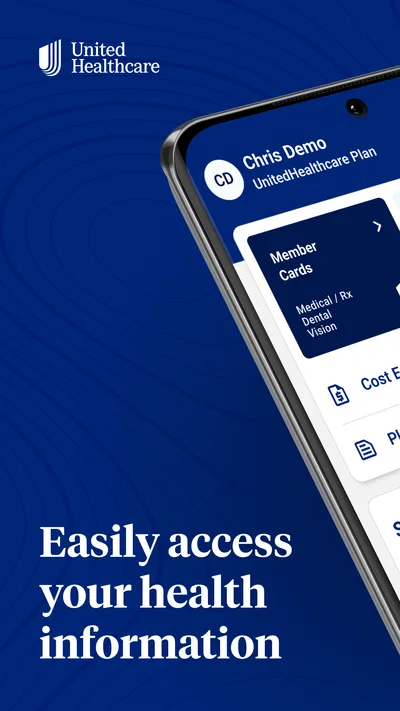
- Access digital ID cards when you need proof of insurance.
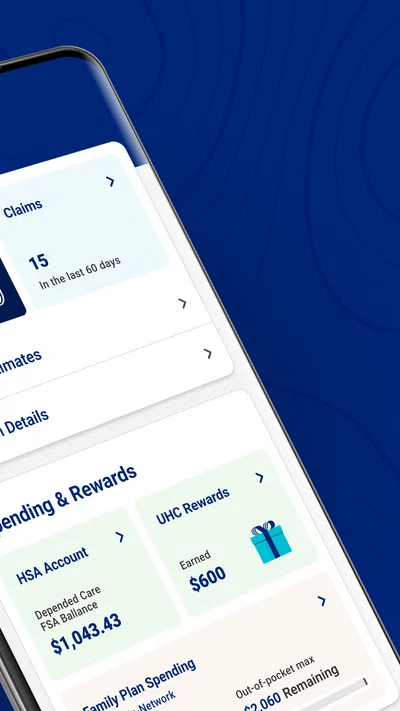
- Review claims and track their status in the app.
- Some plans support virtual care appointments.
Cons
- Available features depend on your specific health plan.
- Some account tasks may require extra verification.
- Provider directory details may not always be up to date.
- Claim information can take time to appear.
- The app offers limited value to people without UnitedHealthcare coverage.
Best Medical App 2026
Our verdict
Find and Price Care
Frequently Asked Questions
What is the UnitedHealthcare app used for?
The UnitedHealthcare app gives eligible members a mobile way to manage parts of their health plan. Depending on the plan, you may be able to view your member ID card, check coverage and claims, find care providers, review benefit information, and access health or wellness tools. Available features can differ by plan, employer, and location, so check your account or plan documents to confirm what is included.
How do I sign in to the UnitedHealthcare app?
You generally sign in using the same UnitedHealthcare account credentials you use for the company’s online member services. If you are new, you may need to register and verify your identity using information associated with your health plan. Keep your login details private, and use the account recovery options if you cannot sign in. Registration requirements and available account features may vary by plan.
Can I use the app to show my health insurance ID card?
Many members can access a digital health plan ID card in the app and show it when checking in for care or confirming coverage. The card may also include plan details and information a provider needs to submit a claim. Availability depends on your plan, and a digital card may not replace a physical card in every situation, so keep your printed card or contact UnitedHealthcare if you need a replacement.
Can I find doctors and check claims in the UnitedHealthcare app?
The app may let you search for doctors, hospitals, pharmacies, or other care providers and review claims associated with your plan. Search results and cost or coverage information depend on your network, location, and plan details; verify that a provider is currently in network before receiving care. Claim status can also take time to update, and the app’s figures should be checked against official plan documents when necessary.
Is the UnitedHealthcare app free, and what should I know before downloading it?
The app is generally available to download at no charge, but you need an eligible UnitedHealthcare plan and an account to use member-specific services. Internet access is required for many features, and data charges may apply under your mobile plan. Before downloading, review the app-store listing, privacy information, device requirements, and requested permissions. Not every feature is available to every member, and app functionality may change over time.




