
- Award score
- 4.3Rating
- 10,000,000+installs
- Free
App information
Screenshots
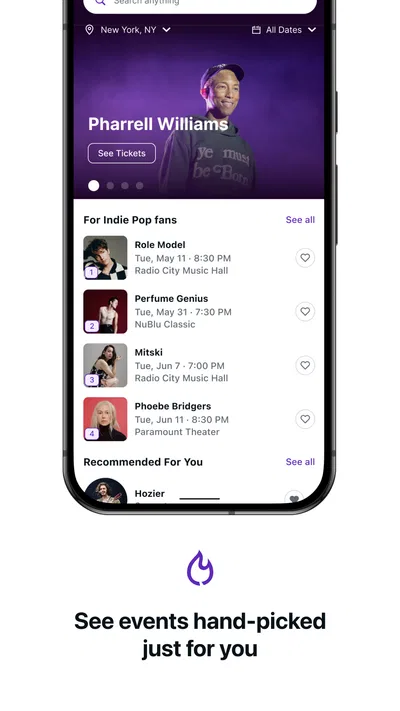
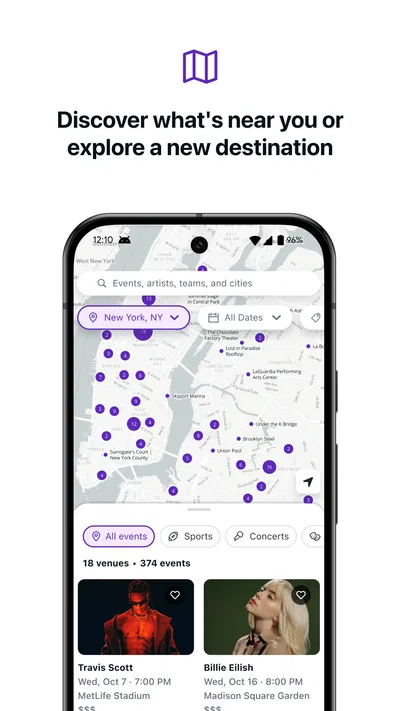
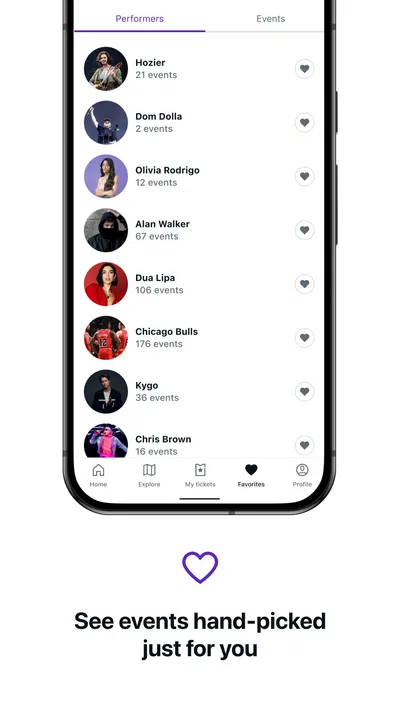
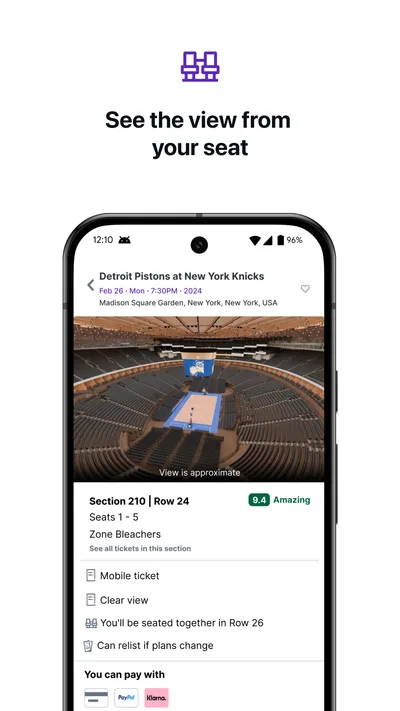
 Analysis byAppsAward
Our review of StubHub - Live Event Tickets
I think of StubHub as a ticket-shopping companion for the moments when an event idea turns into a real plan: a game, concert, or another live outing you want to compare and arrange from your phone. Its usefulness depends partly on how well your connection holds up. Browsing and deciding can happen at home, but checking details or bringing up a ticket while travelling puts more pressure on mobile access. That makes it most appealing to people who are comfortable using their phone as part of the event-day routine.
StubHub is an Events app from StubHub, and it is free to download. It has a 4.3 average from about 104,000 ratings, with around 25,000 written reviews and over 10 million installs. Those figures suggest a well-established service, though they do not tell me whether a particular event will have the seats, prices, or ticket options I want. I would treat the app as a practical place to explore and manage a ticket purchase, not as a guarantee that every event is covered on my terms.
Planning works best when the connection is steady
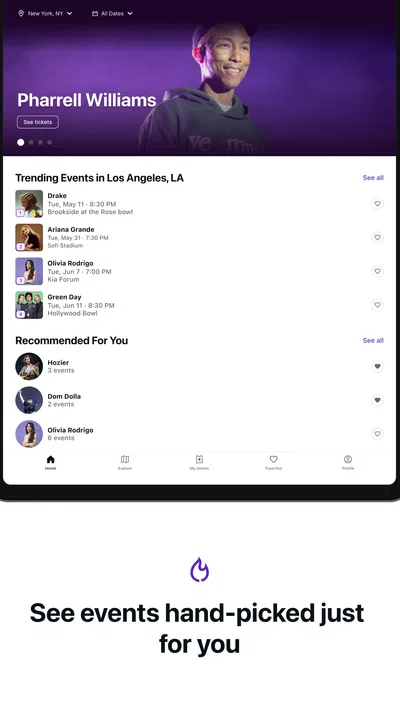
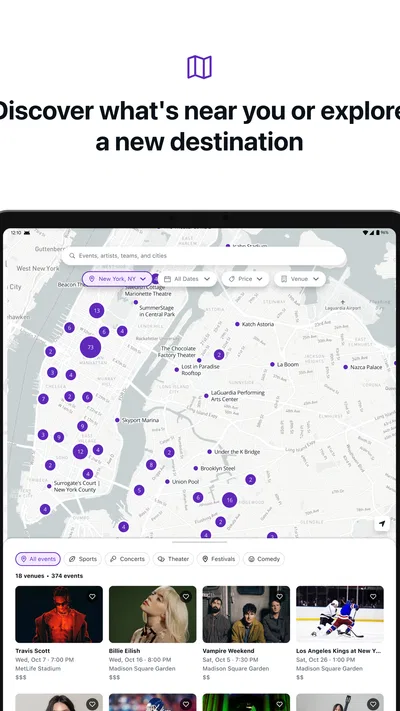
The basic appeal is having event discovery and ticket buying in a mobile app rather than beginning every search in a browser. That can make it easier to move from “we should go” to comparing possible events while chatting with friends. The store summary describes buying tickets for events, but the real value for me is the planning flow around that decision: seeing what is available, weighing options, and choosing whether a listing suits the occasion.
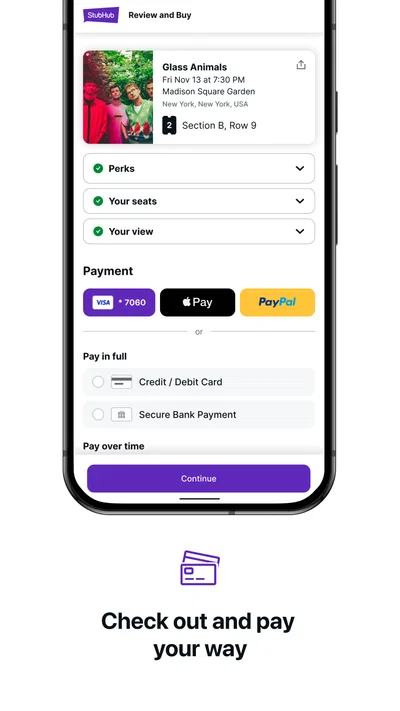
Connection quality matters most during active browsing and checkout. If a page is slow to load, I would avoid rushing through a purchase just to get past it. Pause, check the event and selection again, and make sure the transaction has completed before trying again. Repeating a checkout action without confirming its status could create confusion, especially when you are already coordinating plans with other people.
A useful habit is to make the ticket decision before you are standing outside a venue. At home or somewhere with dependable Wi-Fi, compare the event and available choices, then review your plans with the people going. This reduces the number of decisions you have to make while walking, travelling, or dealing with a busy crowd. It also gives you time to notice whether the option you selected actually fits your budget and schedule.
For an everyday example, imagine friends deciding on a weekend game during lunch. I would use the app to look at the event and discuss the options, but I would not leave the purchase until the last minute on a patchy train connection. The practical advantage is having the search and purchase process on the phone; the trade-off is that each step is less comfortable when the network is slow or interrupted.
What I would check before committing
Before buying, I would confirm that I have the right event and date, and that the selection matches what the group has agreed on. This sounds obvious, but mobile browsing encourages quick taps, and an event plan can change while messages are coming in. I would also give myself a moment to review the final purchase screen rather than treating a successful-looking tap as proof that everything is settled.
Availability is another reason to compare thoughtfully. A ticket app is useful when it lets you see options in one place, but the best choice depends on more than finding something quickly. Consider where you want to sit, how much flexibility you have, and whether the group needs to be together. If the available choices do not meet those needs, waiting or checking another source may be more sensible than buying the first acceptable-looking option.
Using it around town and on event day
The phone-first format suits people who make plans while commuting, during a break, or after a conversation changes into a concrete outing. I would browse when I have enough attention to compare choices, then use the app more briefly once the plan is set. That split is helpful: the research stage benefits from a calm moment, while event day is better kept simple.
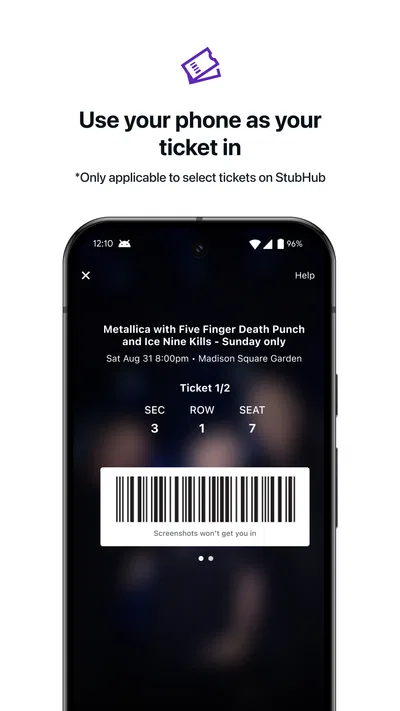
On the way to a venue, network access can be less predictable than it is at home. Trains, underground areas, crowded streets, and large event gatherings can all make mobile service feel less dependable. I would therefore check the relevant ticket information before setting off and make sure I know where to find it in the app. I would not assume that a ticket will be accessible without a connection; if dependable access is important, prepare around that uncertainty rather than discovering it at the entrance.
That is a practical distinction between buying and attending. A strong connection helps with searching and completing a transaction, while a weak one can become stressful if you leave every check until the last minute. If your journey involves poor coverage, consider handling the purchase and reviewing the ticket details in a more reliable spot before you travel. Keep your phone charged, too: a ticket on a phone is not useful if the device runs out of power.
For people attending with friends, I would settle who is responsible for the tickets before leaving. Having one person check the purchase and know how to access the relevant details can prevent several people from trying to solve the same problem in a crowded place. It is a small bit of coordination, but it makes more difference than repeatedly refreshing a screen once the group is already at the venue.
When something stalls, slow down before retrying
Connection failures are frustrating because they can leave you unsure whether a page is still loading or an action has gone through. My first response would be to wait briefly and check the current screen before tapping again. If the app appears stuck, I would move to a more reliable connection if one is available, reopen the relevant section, and verify the event or purchase status before taking another action.
This is especially important around checkout. A sudden interruption is not a good reason to assume a purchase failed, nor is a confirmation screen that has not fully appeared a reason to assume it succeeded. Check carefully and avoid submitting the same action repeatedly. If the situation remains unclear, use StubHub’s available support route rather than guessing. That cautious approach may take a little longer, but it is safer than making a second purchase attempt without understanding the first.
There is also a difference between an app problem and an event-option problem. If the app is responsive but the choice you want is unavailable or unsuitable, refreshing repeatedly may not solve the underlying issue. Reconsider the event, timing, or selection instead. I find that recognizing which problem I am facing—connection, transaction status, or simply a mismatch in available options—helps avoid wasted effort.
On the journey itself, I would avoid troubleshooting while walking through a crowded entrance or trying to keep up with a group. Step aside somewhere safe, reconnect if possible, and take a moment to check. A calm pause is more useful than juggling the phone while everyone is moving. For important plans, sharing the basic event details with the people attending also gives the group a common reference if one person’s connection becomes unreliable.
Data-conscious habits for ticket browsing
Ticket searches can involve plenty of back-and-forth as you compare events and choices, so I prefer to do the longer browsing over Wi-Fi when it is convenient. That is a general way to keep mobile data use in check, not a claim that the app requires a particular amount of data. Once I have narrowed down the plan, I can use mobile access for the shorter checks that matter while travelling.
It also helps to be deliberate about when you browse. Opening the app repeatedly just to see whether something has changed can use time and attention without improving the decision. I would instead check when I am ready to compare or act, then stop once I have a clear next step. This is useful not only for data-conscious users but also for anyone trying to avoid making a rushed choice amid a busy day.
If your connection is limited, do the careful work first: identify the event, discuss the options, and be ready to review the final details. Then use your mobile connection when you actually need to complete a step. I would not rely on cached screens or assume that information viewed earlier will remain current. For ticket details that matter at the venue, open the app in advance when service is available and confirm what you need to know.
Who will get the most from it
I would recommend StubHub to people who regularly consider live events and want a dedicated mobile route for exploring and buying tickets. It is particularly convenient when a plan comes together away from a computer, or when you want to compare possibilities before agreeing with friends. The app is free, rated for Everyone, and its current version is 106.9.7; it supports devices running iOS 10 or later. StubHub first released it on March 9, 2011, so it is a long-running option rather than a new experiment.
It may be less suitable if you prefer to complete purchases only on a desktop, have unreliable mobile access, or need certainty that a specific event or seating arrangement will be available. In those cases, a venue’s own ticket channel or another ticket seller may be a better place to compare. I would not choose any single marketplace blindly: the right option depends on the event, the selection offered, and the conditions you are comfortable with.
Compared with searching through general web results, a dedicated ticket app keeps the event-buying task focused on a phone. Compared with buying directly from a venue, it offers a different route rather than a universal replacement. If you already know exactly which venue or event you want, checking its own channel alongside StubHub can help you make a more informed choice. If you are still deciding what to attend, a broad event-ticketing app is a natural starting point.
My connectivity verdict
My overall view is that StubHub is most useful when you treat it as a planning and purchasing tool, then prepare before the network gets unpredictable. It can make event decisions easier to handle on a phone, but the experience is still tied to the quality of your connection at key moments. The best workflow is simple: compare options when you have time, verify the purchase carefully, and check the information you need before travelling.
I would use it for convenient event browsing and ticket shopping, while keeping a sensible backup plan for event day: a charged phone, a clear understanding of who has the tickets, and a quick check of the relevant details before leaving. If you want mobile convenience and can plan around occasional connectivity friction, it is a worthwhile option to try. If a poor connection would make the whole outing stressful, handle the important steps early or use a more dependable channel for that particular event.
Pros
- Browse tickets for concerts sports and theater in one app.
- Interactive seating maps help compare available seats.
- Mobile tickets can be accessed directly from your phone.
- Saved events make it easier to track upcoming shows.
- Order tracking keeps ticket purchase details in one place.
Cons
- Ticket prices can rise substantially with service fees.
- Some events have limited ticket availability.
- Refunds may depend on the event and seller terms.
- Ticket delivery timing can vary by event.
- Customer support options may be limited for urgent issues.
Best Events App 2026
Our verdict
Buy tickets for any event!
Frequently Asked Questions
What is StubHub, and what can I use the app for?
StubHub is a ticket marketplace for finding and buying passes to live events, including concerts, sports, theater, and comedy. You can search by performer, team, venue, or location, compare available listings, and review event details before choosing seats. The app can also help you access tickets for eligible orders and, where available, list tickets for sale. Event coverage, ticket formats, and features may vary by location.
Are tickets purchased through StubHub guaranteed to be valid?
StubHub offers buyer protections for eligible purchases, but you should read the current guarantee terms before placing an order because coverage and remedies depend on the transaction and applicable policies. Check the event date, venue, section, row, delivery method, and any listing notes carefully. If a ticket is delayed, unavailable, or does not work, contact StubHub support promptly through the app or website rather than waiting until after the event.
What fees should I expect when buying tickets on StubHub?
Ticket listings may be subject to service, delivery, or other charges, so the amount shown before checkout can be higher than the advertised ticket price. Review the full order total, including taxes and fees, before confirming payment. Prices can also change with demand, availability, and seller updates. StubHub displays applicable charges during the purchase process, but the exact total depends on the event, location, and order.
How and when will I receive my StubHub tickets?
Delivery depends on the event and the seller’s listing. Tickets may be available as mobile tickets, transferred through an authorized ticketing account, or delivered by another supported method. Some orders are available soon after purchase, while others have a delivery deadline closer to the event. Check your order details and app notifications for instructions, and make sure you can access the required email address, account, and mobile device before traveling to the venue.
Can I sell tickets on StubHub, and can I get a refund if plans change?
Eligible users can list tickets for sale, subject to StubHub’s seller rules, event restrictions, and local availability. Follow the listing instructions accurately and transfer tickets by the stated deadline if they sell. Purchases are generally subject to the order’s cancellation and refund terms, so do not assume you can return tickets simply because your plans change. Review the policy for your specific event and contact support if the event is canceled, postponed, or rescheduled.




