
- Award score
- 4.7Rating
- 10,000,000+installs
- Free
App information
Screenshots
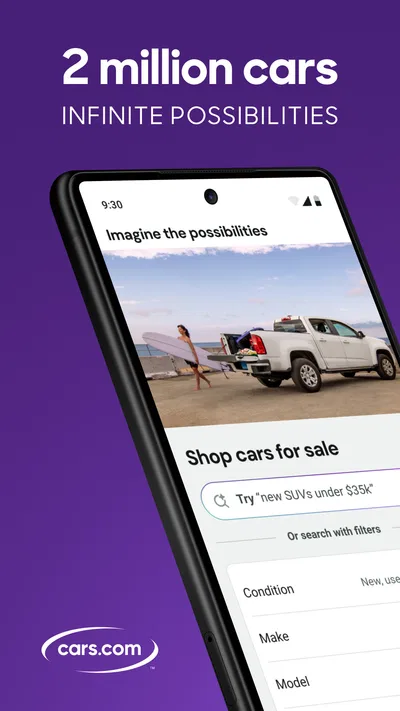
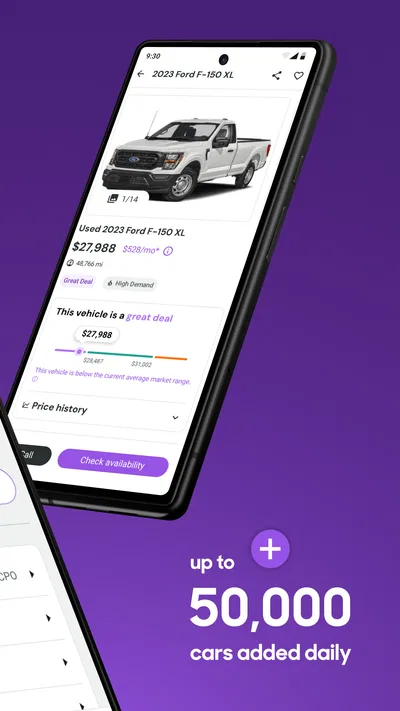
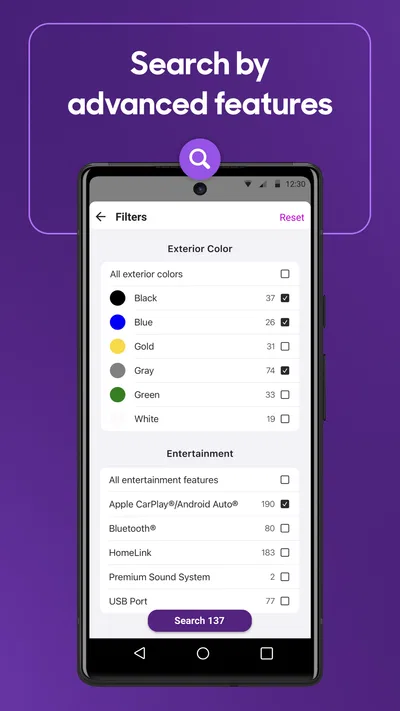
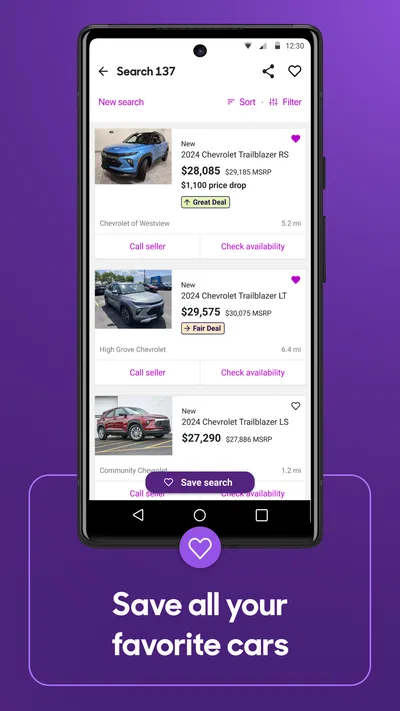
 Analysis byAppsAward
Our review of Cars.com: Buy and sell cars
When I’m looking for a car, the hard part is rarely finding a listing. It’s keeping several plausible choices straight while deciding which ones are worth a closer look. Cars.com is most useful as a place to browse a broad range of vehicles and keep promising listings in view, rather than as a shortcut to a perfect buying decision. I like that focus: the app can help turn an open-ended search into a manageable shortlist, provided I treat each listing as a starting point for my own checks.
Browsing is the capability that matters most
This free Auto & Vehicles app comes from Cars.com, a company whose name is closely tied to car shopping. Its central appeal is straightforward: it brings a large selection of cars into a mobile browsing experience, while also giving people a way to track listings or sell a vehicle. The app has a 4.7 average from around 213,000 ratings, and more than 10 million installs. Those figures suggest a well-established shopping destination, but they don’t tell me whether a particular car is fairly priced or accurately described.
That distinction shapes how I use it. A large catalog is valuable when I’m still figuring out what I want, because I can compare possibilities without committing to one dealership or one model. It is less valuable if I expect the app itself to verify a seller’s claims, settle questions about a car’s condition, or make a purchase decision for me. I see Cars.com as a research and discovery tool, not a substitute for inspecting a vehicle or asking careful questions.
The app is rated for Everyone and is free, which makes it easy to try without a purchase decision of its own. It was released on March 2, 2011, and its current version is 26.20.0, with Android 11 as the minimum operating system. That makes the technical entry point clear for Android users; the more important question is whether a broad browsing tool suits the way you shop.
Why a broad selection changes the search
When I don’t yet know whether a compact car, a larger family vehicle, or a different type of car makes the most sense, browsing across many listings helps expose the real trade-offs. A choice that sounded obvious in conversation may look less compelling once I compare actual vehicles, their descriptions, and their locations. That is where the app’s breadth has practical value: it can help me refine the question before I spend time arranging visits.
There is a catch. A long stream of options can create the illusion that more browsing always means better research. In practice, I get more from setting a few priorities first: the kind of vehicle I need, the distance I’m willing to travel, and the features I consider essential. Without that framework, it is easy to keep opening listings that are only loosely relevant and end the session with more tabs in my mind than useful answers.
A practical way to work through listings
I would start with a clear use case rather than a badge or body style. For example, if I need a car for a daily commute and occasional errands, I’d decide what matters most for those routines before comparing candidates. Then I’d browse, open the strongest matches, and make a short list of the details I still need to confirm. This keeps the app in its strongest role: helping me discover and organize candidates rather than asking it to judge them on my behalf.
One useful habit is to compare a few plausible listings side by side in my own notes, even if I’m not using a dedicated comparison function. I’d record the asking price, mileage if shown, location, stated condition, and questions for the seller. The point is not to treat every description as definitive; it is to notice which car offers the best fit and which listing leaves the most important gaps. A polished description should not outweigh an unanswered question about the vehicle’s history or condition.
Tracking a listing can also help when I’m not ready to act immediately. Instead of relying on memory, I can keep an eye on cars that are worth revisiting and return to them as my search develops. I’d use that time to compare alternatives and prepare questions, not to assume that a listing will remain available or that a saved candidate is automatically a good deal. Availability can change, and the buyer still needs to verify the details directly.
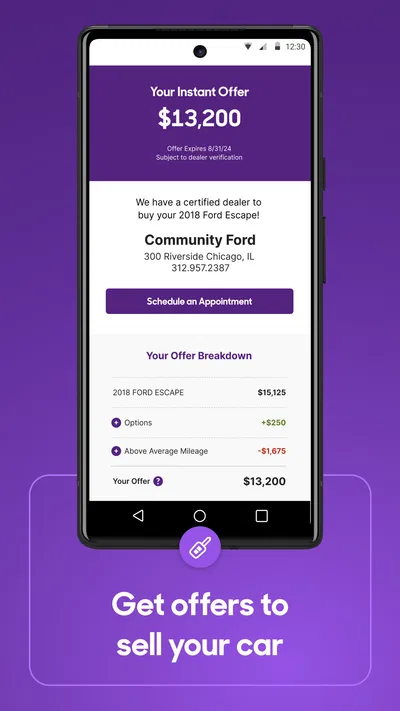
For a seller, the app’s role is different: it offers a route to put a car in front of people who are actively browsing vehicles. I would prepare the basic information and think through what a buyer is likely to ask before starting. Clear, accurate details make a listing more useful to both sides. I would not treat an app listing as a promise of a quick sale; the result still depends on the vehicle, the asking price, the quality of the information, and buyer interest.
The everyday scenario where it earns a place
Imagine that I need to replace a car but can only shop after work. I can use a short evening session to explore what is available, keep a few realistic candidates in view, and note which details I need to check. The next day, rather than starting from scratch, I can return to those listings and decide whether one is worth contacting or visiting. That small continuity is more helpful than endlessly scrolling through unrelated cars.
It is particularly useful when my search area is flexible. I can weigh whether a more appealing candidate farther away is worth the extra trip, or whether a nearby option is good enough to investigate first. That decision is not purely about the car: travel time, the chance of seeing multiple vehicles in one outing, and how much uncertainty I’m willing to accept all matter. Cars.com can help surface choices, but I still have to make that practical calculation.
If I’m buying for a household, I’d have everyone who will use the car agree on a short list of must-haves before browsing. Otherwise, one person may focus on appearance, another on space, and another on cost, turning the search into a pile of competing preferences. The app is easier to use when the group has a shared standard for what counts as a serious candidate.
Where I would slow down and verify
The main limitation of any listing marketplace is that the listing is not the car itself. A description can make a vehicle sound suitable while leaving out the exact detail that would change my mind. I would contact the seller to resolve important uncertainties and arrange an in-person inspection before treating a candidate as a real option. For a used vehicle, an independent inspection can be a sensible next step when the purchase stakes justify it.
Another trade-off is choice overload. If I browse without narrowing the search, the volume that initially feels reassuring can make it harder to recognize the few cars that genuinely fit. I’d avoid treating a high position in my search results, attractive photos, or a familiar make as proof of quality. Those are prompts to investigate, not a replacement for checking the vehicle and the seller.
Location can also make an otherwise appealing listing impractical. A car that looks worth pursuing may be too far away for an easy viewing, especially if the seller’s account of its condition turns out to be incomplete. Before making a long trip, I’d ask focused questions and confirm that the vehicle is still available. That is a simple but important way to avoid spending time on a candidate that was never a realistic option.
Compared with general classified apps, Cars.com is more naturally centered on shopping for vehicles rather than browsing unrelated goods. That focus can make it a better first stop for a structured car search. A local classifieds option may still be preferable if I want to concentrate on nearby private sellers or already know exactly what vehicle I’m seeking. A dealer’s own inventory can be more direct when I have chosen a particular dealership. I’d use the approach that best answers the question I have, rather than expecting one app to cover every part of the purchase.
Who gets the most from it
I’d recommend Cars.com to people who are early or midway through a search and want a substantial set of listings to explore from a phone. It is especially handy if you are comparing different kinds of vehicles, narrowing down a budget, or keeping a few options together while you decide what to inspect. Its scale and established user base make it a reasonable place to begin, though neither popularity nor a strong average rating guarantees that an individual listing is right for you.
It may be less satisfying if you already have one exact car in mind and only need that seller’s current stock, or if you prefer a highly personal buying process with a specialist who can walk you through each step. It also won’t suit someone who expects a listing app to resolve mechanical uncertainty or negotiate on their behalf. Those jobs require direct communication and, where appropriate, professional inspection.
My strongest practical tip is to use Cars.com to create a shortlist, then switch modes: stop browsing, verify the details, and decide which cars deserve real-world attention. That boundary keeps the app’s convenience from becoming a substitute for due diligence. Used that way, Cars.com is a useful companion for making a broad search more organized, especially when I need to compare possibilities over several days. It is not a guarantee of a good deal, but it can help me find the candidates worth investigating.
Pros
- Save favorite vehicles to compare options later
- Contact sellers directly through the app
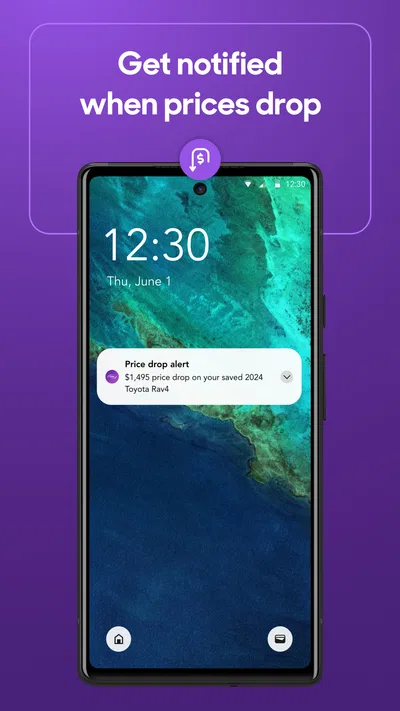
- Get alerts when saved listings change
- Browse cars using detailed search filters
- Check vehicle history reports on eligible listings
Cons
- Listing availability can change quickly
- Some vehicle history reports require a fee
- Seller responses may take time
- Prices and vehicle details depend on seller accuracy
- Search results may include sponsored listings
Best Auto & Vehicles App 2026
Our verdict
Browse millions of cars, track vehicle listings or sell your car today
Frequently Asked Questions
What can you do with the Cars.com: Buy and Sell Cars app?
Cars.com brings car shopping and selling tools together in one place. You can search new and used vehicle listings, narrow results with filters such as price, mileage, make, and model, and compare options. The app also helps you find nearby dealerships and research vehicles. Listings and available features can vary by location, so check each listing for its latest details.
Can you buy a car directly through the Cars.com app?
The app is primarily a marketplace for discovering vehicles and connecting with sellers or dealerships; it does not necessarily complete every purchase within the app. When you find a car, review the listing and use its contact or dealership information to ask questions, arrange a viewing, and discuss payment and paperwork. Confirm the vehicle’s condition, price, and availability directly before making a commitment.
How can you sell a car using Cars.com?
Cars.com may let you create a vehicle listing by entering information such as the car’s make, model, year, mileage, condition, and price, and by adding photos. The precise selling options and any fees or eligibility requirements can depend on the current service and your location. Before publishing, check the listing details carefully and avoid sharing sensitive personal or payment information unnecessarily.
Is Cars.com free to download and use?
The Cars.com app is generally available to download without an upfront charge, and shoppers can browse many listings without paying. However, individual services, seller options, or third-party costs may have separate terms, and these can change. Check the app’s current store listing and the terms shown during use for accurate information about purchases, listing fees, subscriptions, or other charges before proceeding.
How reliable and up to date are the car listings on Cars.com?
Listings include information supplied by dealerships or private sellers, so details such as price, mileage, features, and availability should be treated as starting points rather than guarantees. A vehicle may sell or its details may change before an app listing is updated. Contact the seller to confirm the information, inspect the car, and review its history and documents before buying.

Download Cars.com: Buy and sell cars
Similar apps
View all 9.7
CarGurus: Used & New Cars
Auto & Vehicles
 8.7
ParkMobile: Park. Pay. Go.
Auto & Vehicles
 9.4
Toyota
Auto & Vehicles
 9.4
CARFAX - New & Used Cars
Auto & Vehicles


