
- Award score
- 4.8Rating
- 10,000,000+installs
- Free
App information
Screenshots

 Analysis byAppsAward
Our review of CarGurus: Used & New Cars
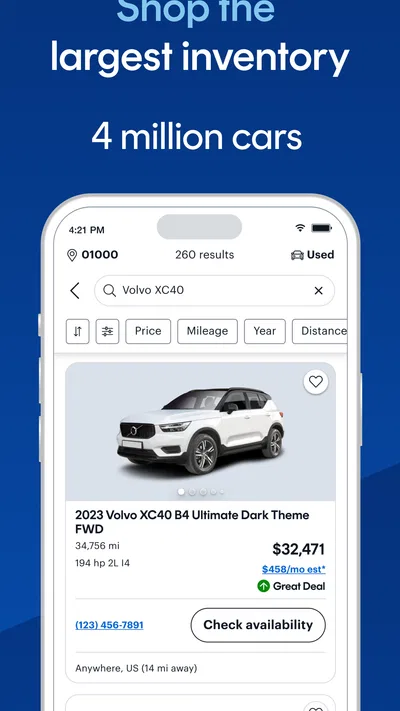
Car shopping can become exhausting before you even know which cars are worth a closer look. I find CarGurus most useful as a place to begin narrowing the field: it brings used and new car shopping into a mobile experience, with options to shop, finance, or sell. It is a free Auto & Vehicles app from CarGurus, Inc, and its broad reach is reflected in more than 10 million installs and an average rating of 4.8 from around 247,000 ratings. Those figures suggest it has found an audience, but the real test is whether it helps you make a calmer, better-informed next move.
What to expect when you open it
The app is for people who are actively considering a vehicle, not simply browsing car news or keeping track of a car they already own. Its central appeal is the chance to explore vehicles and take steps toward buying, financing, or selling without treating each task as a completely separate project. That makes it a practical starting point if you have a rough idea of what you need but have not settled on a specific car.
I would approach it as a research and decision-making tool, rather than as a guarantee that every listing will be the right deal. A car can look promising on a screen and still require questions about its condition, history, location, and final terms. The app can help you identify candidates and organize your thinking; it cannot replace careful verification before you commit.
That distinction matters especially for first-time buyers. It is easy to get pulled toward the newest-looking car or a tempting price before thinking through everyday needs. Before browsing, I would decide what matters most: a manageable budget, room for passengers, a particular body style, or suitability for a daily commute. A short list of priorities gives your search a purpose and makes it easier to ignore options that are attractive but wrong for you.
The app is rated for Everyone, and its current version is 5.63. It has been available since February 11, 2014, so this is an established car-shopping product rather than a brand-new experiment. CarGurus has around 12,000 written reviews as well as its much larger rating count, but I would still judge it by how well it fits your own shopping process: the right app is the one that helps you compare sensibly, not simply the one with the biggest audience.
Set your priorities before you search
A useful first step is to separate essentials from preferences. “Needs space for a child seat” is an essential; “would be nice in a certain color” is a preference. This sounds simple, but it helps prevent a familiar shopping trap: spending time comparing several cars that all fail the same important requirement.
I would also decide how flexible you are about vehicle age, mileage, and distance. A tighter search can make results easier to judge, but overly strict limits may screen out a suitable car. Start with the requirements you genuinely cannot compromise on, then loosen one preference at a time if the shortlist is too narrow. That gives you a clearer sense of which constraint is doing the most filtering.
Getting set up without overthinking it
After installing the app, I would begin with the shopping task that matches the decision in front of me: looking for a vehicle, thinking about financing, or preparing to sell. You do not need to solve every part of the transaction at once. A first-time buyer can start by learning what kinds of cars are available for their needs, then consider the financial side once there is a realistic shortlist.
Keep your first search broad enough to teach you something. If you know you need a compact vehicle, for example, compare a few plausible options rather than immediately locking onto a single make and model. The aim is not to browse endlessly; it is to understand the available choices well enough to make your next search more focused.
One helpful habit is to write down why a car made your shortlist. Perhaps it fits your passenger needs, looks like a sensible match for your budget, or is available close enough to inspect. Recording that reason, even in a simple note outside the app, keeps your comparisons grounded. Otherwise, it is easy to forget what initially made one listing worth considering and to start judging everything by whichever detail caught your eye most recently.
If you are selling rather than buying, think through what you want from the process before starting: a quick sense of the market, a possible next step, or a way to connect selling with your plans to replace the vehicle. Keeping those goals separate can make the app’s different shopping and selling paths feel less confusing. You do not have to make a decision about buying or selling simply because you have explored that option.
Your first meaningful result
For a first-time user, success does not have to mean completing a purchase. A better first milestone is finding a small group of plausible cars and being able to explain why each one is there. That gives you something concrete to act on: compare the candidates, decide what to inspect, or refine the search based on what you learned.
Imagine you need a car for a daily commute and occasional weekend errands. You might begin with a sensible budget and a broad idea of the body style, then review several candidates rather than choosing the first listing that appears appealing. If one option is close to home but another better matches your needs, you can weigh convenience against suitability. That is a meaningful outcome because it turns vague browsing into a decision you can explain.
My practical tip is to treat each promising listing as a question, not an answer. Ask yourself what you would need to know before arranging a viewing: whether the vehicle’s condition suits your expectations, whether its details match the seller’s account, and what the full purchase or financing terms would mean for your budget. The app can help you get to the point where those questions matter, but the seller and the vehicle itself still need scrutiny.
For financing, I would avoid treating a monthly payment as the whole cost of ownership. Consider whether the overall commitment fits your finances, not only whether an initial figure feels comfortable. If anything is unclear, pause and ask for an explanation before proceeding. The best use of a finance path is to help you think through affordability, not to make a rushed choice feel easier.
Where first-time users can get tripped up
The most common confusion is assuming that an app listing settles whether a car is good value. It does not. A price or appealing description is a starting point for comparison, not proof of mechanical condition or a substitute for checking important details. I would use the app to decide which cars deserve attention, then verify the specifics directly before making a commitment.
Another point of friction is having too many possible choices. Broad browsing can be useful at first, but it becomes less productive when every car is judged against a different standard. If your shortlist grows without becoming clearer, return to your essentials and remove options that do not meet them. A smaller, well-reasoned set of candidates is more useful than a long collection you never compare properly.
It is also worth separating the stages of shopping. Finding a vehicle, arranging a conversation or inspection, and deciding how to pay are related, but they are not the same decision. Moving through them one at a time helps you spot unanswered questions before they become pressure. In particular, do not let excitement about a specific car persuade you to skip checks you would have made for any other vehicle.
Compared with general classifieds, a car-focused app can make the search feel more purposeful because the whole experience is oriented around vehicles and the steps around them. General marketplaces may still be more convenient if you already know exactly what you want and are simply checking a wide range of local listings. A dealership’s own channel may be better when you want to focus on that seller’s available inventory or ask directly about its buying process. I see CarGurus as a useful middle ground for exploring choices, not a reason to stop comparing elsewhere.
It may not be the right choice if you do not want to use an app for a high-stakes purchase, prefer to work through a local dealer in person from the outset, or already have a trusted source that meets your needs. It is also not a replacement for professional inspection or independent research. If you are uncomfortable evaluating a used car, bring someone experienced or arrange an appropriate inspection before you make a decision.
Turn browsing into a sensible next step
Once you have a shortlist, compare each car against the same questions. Does it meet your essential needs? Is the location practical for a visit? What information would you still need from the seller? How does the likely financial commitment fit your budget? Consistency makes comparisons fairer and helps prevent one exciting detail from outweighing several unresolved concerns.
Then choose one action that reduces uncertainty. That might mean focusing your search, contacting a seller, arranging a viewing, or taking time to understand financing. If you are selling, it might mean clarifying what you need from the sale before deciding what to do next. You do not have to rush through all these steps in a single session; a measured pace is often more useful than treating car shopping like a race.
The app is free, which makes it easy to try as an initial research companion without making the decision itself. Still, free access does not make every vehicle or transaction suitable, so keep your own budget and checks in charge. CarGurus, Inc has built an app around several connected car-shopping tasks, and that breadth is most helpful when you know which task you are tackling today.
Overall, I would recommend CarGurus to someone who wants a practical starting point for exploring cars and organizing a purchase or sale. Its strongest role is helping you move from uncertainty to a shortlist and a clear next question. It is less useful if you expect an app to certify a vehicle, settle every financial detail, or replace a careful inspection. Go in with a few priorities, compare candidates on consistent terms, and treat each promising result as the beginning of due diligence rather than the end of it.
Pros
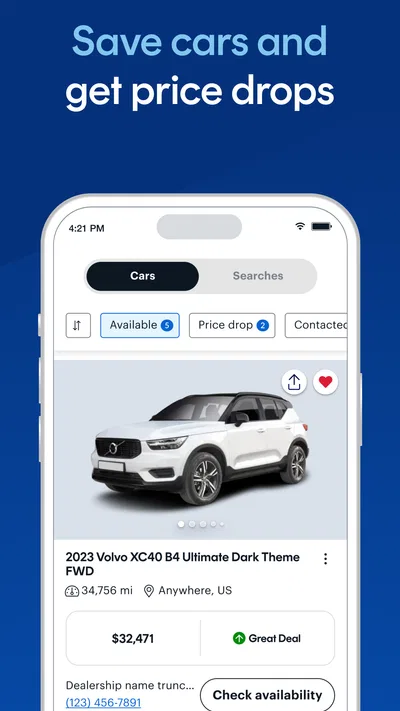
- Compare prices against market values to spot potentially good deals.
- Save favorite listings and revisit them later.
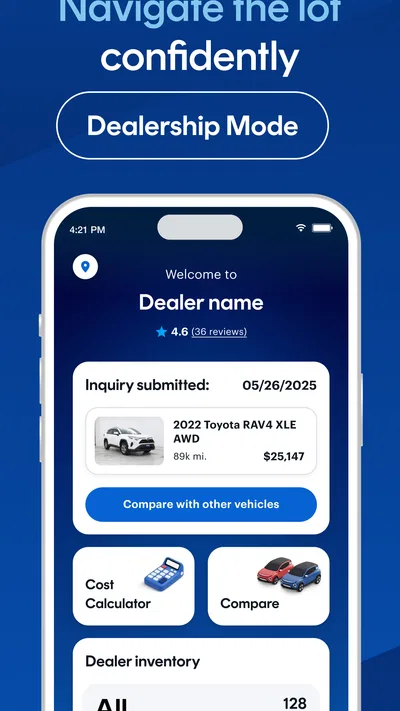
- Contact sellers directly from a vehicle listing.
- Search results can be filtered to match your needs.
- Listings include details that help compare vehicles.
Cons
- Listing availability and selection vary by location.
- Some advertised vehicles may sell before you contact the seller.
- Vehicle details depend on information provided by sellers.
- Prices may not include taxes or other purchase costs.
- The app may request location access to show nearby listings.
Best Auto & Vehicles App 2026
Our verdict
Shop, finance, or sell today.
Frequently Asked Questions
What can you do with the CarGurus: Used & New Cars app?
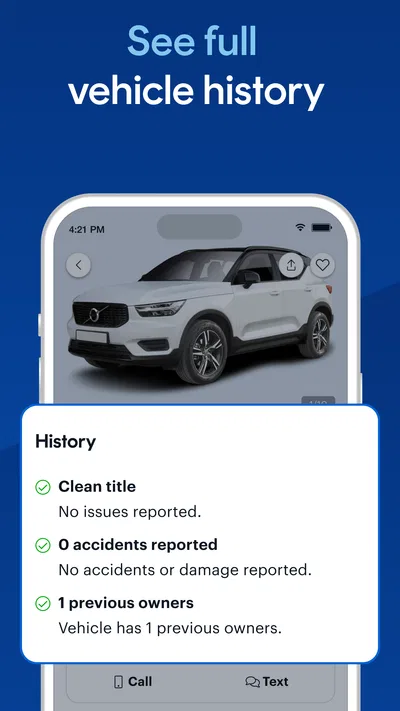
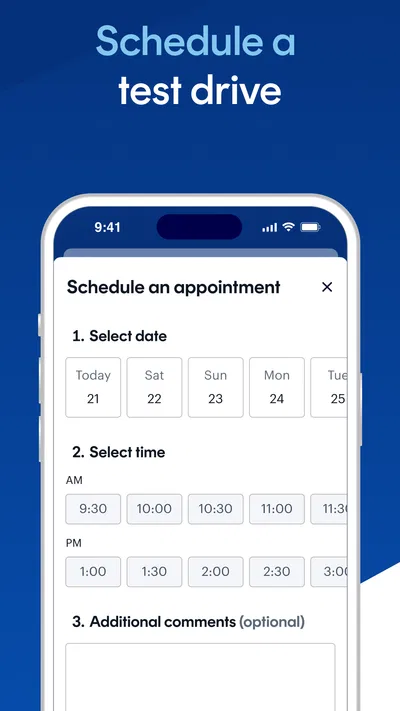
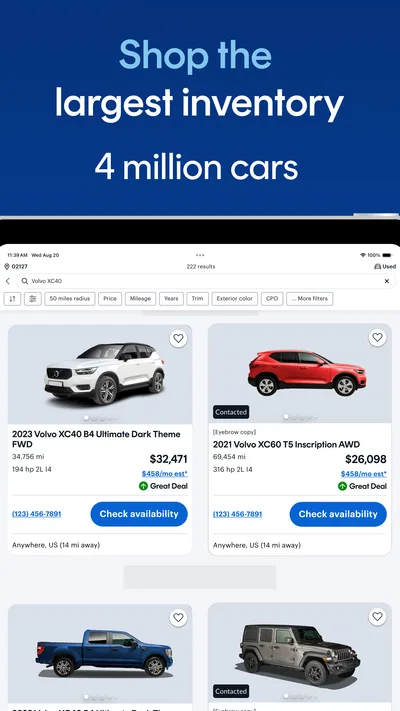
CarGurus helps you browse listings for new and used vehicles, compare asking prices, and find cars offered by dealerships and private sellers. Listings may include photos, mileage, vehicle history details, features, and seller information, though the available information varies by listing. You can narrow results with filters, save vehicles you want to revisit, and contact a seller to ask questions or arrange a viewing.
How does CarGurus determine whether a car is a good deal?
CarGurus may display a deal rating or price comparison based on factors such as a vehicle’s asking price, age, mileage, features, location, and comparable listings. These ratings are useful for spotting prices that appear competitive, but they are not a guarantee that a vehicle is fairly priced or in good condition. Compare the listing details yourself, check the vehicle’s history, and arrange an independent inspection before making a decision.
Can I buy a car directly through the CarGurus app?
The app is primarily a marketplace for discovering vehicles and connecting with sellers, rather than a universal checkout service. Depending on the listing and location, you may be able to contact a dealer, request information, or begin an online purchase process, but availability and steps can differ. Confirm the seller’s payment, paperwork, delivery, and return terms directly, and avoid sending money until you have verified the vehicle and seller.
Can I use CarGurus to sell my car or trade it in?
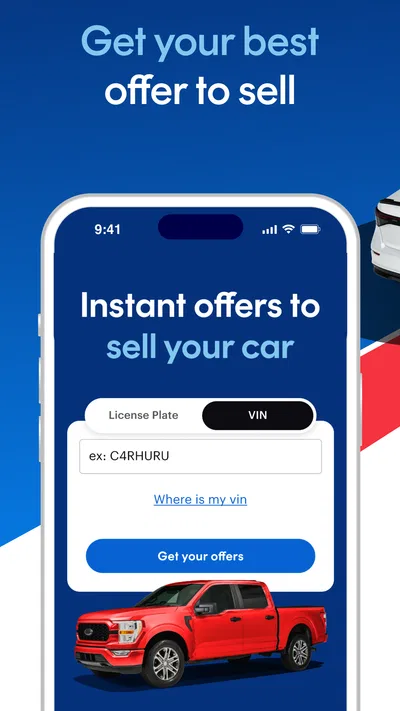
CarGurus may offer tools for selling a vehicle, obtaining an offer, or exploring trade-in options, but which services are available depends on your market and the current app features. You may need to provide details such as the car’s make, model, year, mileage, condition, and vehicle identification number. Review any offer carefully, since an estimate can change after an inspection or verification of the vehicle’s details.
Is CarGurus free, and what should I check before contacting a seller?
Browsing vehicle listings and using many search features is generally free for shoppers, although optional services or transaction-related charges may vary by location and provider. Before contacting a seller, check the listing’s price, mileage, title or history information, condition, and included fees. Ask whether the car is still available and request documentation, then verify details independently; listing information can be incomplete, outdated, or entered incorrectly.

Download CarGurus: Used & New Cars
Similar apps
View all 8.7
ParkMobile: Park. Pay. Go.
Auto & Vehicles
 9.4
Cars.com: Buy and sell cars
Auto & Vehicles
 9.4
Toyota
Auto & Vehicles
 9.4
CARFAX - New & Used Cars
Auto & Vehicles


