
- Award score
- 4.7Rating
- 5,000,000+installs
- Free
App information
- Version
- 3.6.0
- Updated
- Requires
- Varies with device
- Price
- Free
- Developer
- Toyota Motor North America, Inc.
- Content rating
- Everyone
Screenshots
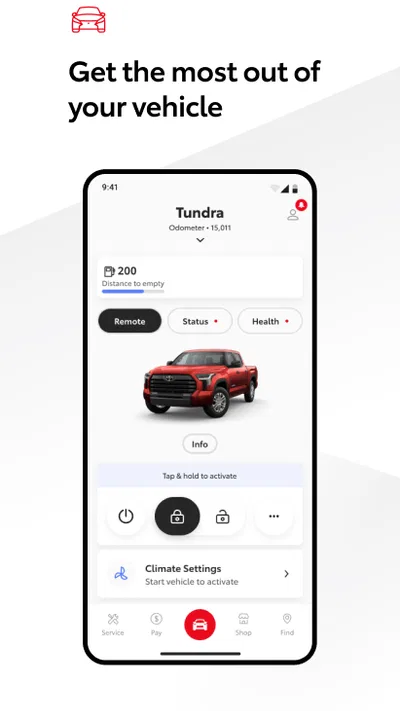
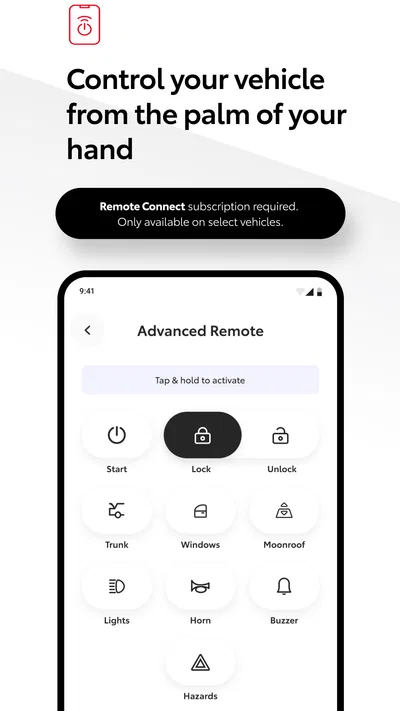
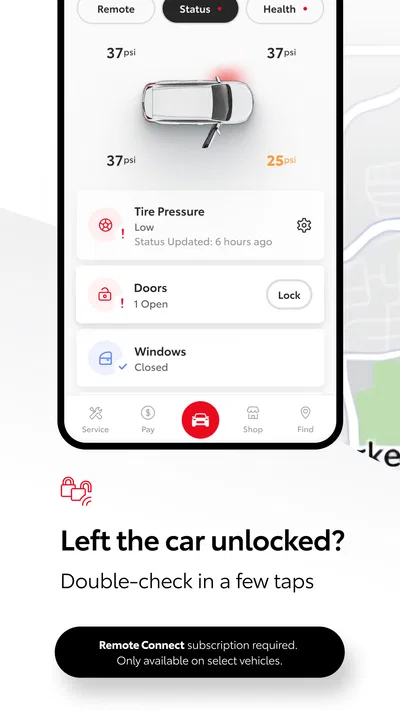
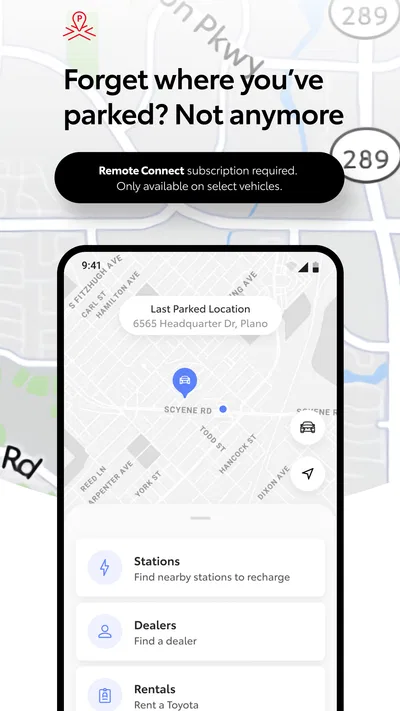
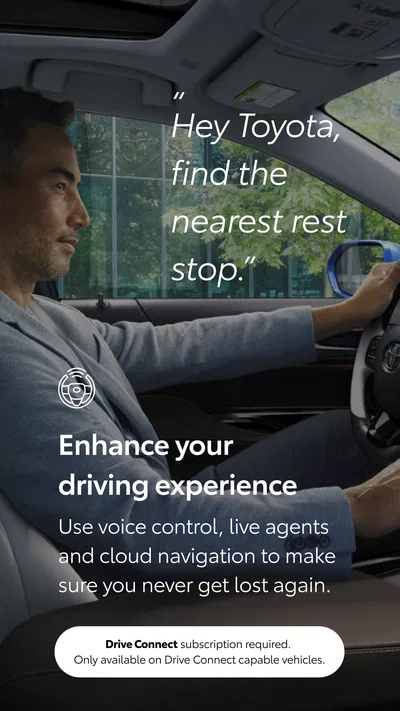
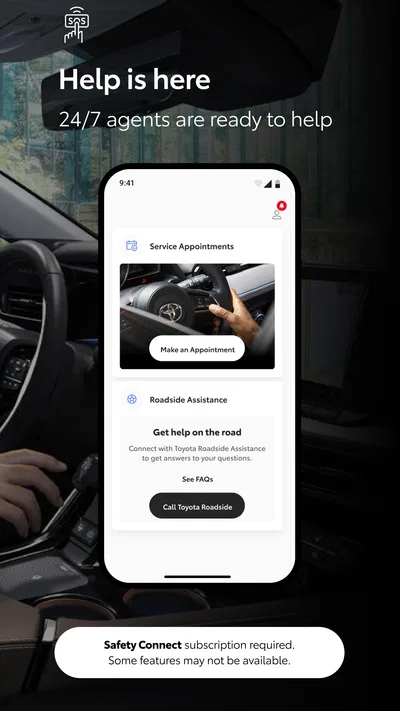
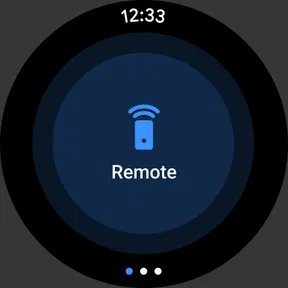
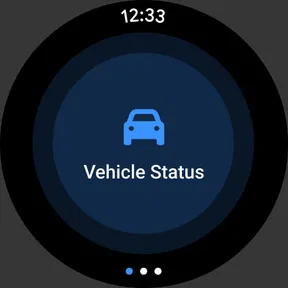
 Analysis byAppsAward
Our review of Toyota
I find the Toyota app most useful as a bridge between owning a Toyota and looking after it. Rather than trying to replace every tool a driver might use, it gives Toyota owners a single place to connect with their vehicle and the company behind it. That focus is also its main limitation: how much it can do for you depends on your vehicle and what you expect from a car app.
A direct connection to your Toyota
The Toyota app is a free Auto & Vehicles app from Toyota Motor North America, Inc. Its central appeal is straightforward: it is designed for people who want an official, vehicle-specific companion rather than a generic driving or maintenance tracker. I like that distinction. A general-purpose app can help organize trips or expenses, but it cannot offer the same direct connection to a Toyota as the manufacturer’s own app.
That connection is not universal across every Toyota. The app supports vehicles from 2010 onward, with a newer cutoff for Hawaii. So before making it part of your routine, check that your particular vehicle and location are within that range. Even an eligible model may not make every app function available; the practical experience can depend on the vehicle and the services associated with it. I would treat the app as a useful companion, not assume that every Toyota will behave identically inside it.
That caveat matters because the app’s value comes from relevance, not sheer breadth. If you drive a supported Toyota, a manufacturer-specific place to manage your relationship with the vehicle can feel more natural than juggling unrelated tools. If you drive another make, or mainly want a universal logbook, the Toyota focus is a reason to look elsewhere rather than a benefit.
What the manufacturer connection changes
In a crowded field of car apps, the key difference is who the app is built around. Toyota’s own software is aimed at Toyota owners, while navigation, fuel, parking, and maintenance apps typically serve drivers across brands. That makes this a more focused choice: it is most compelling when you want a car-related digital experience centered on your Toyota, not a replacement for every service you use on the road.
I also appreciate the more grounded expectation that comes with an official app. It makes sense to start here when you want to see what Toyota makes available for your vehicle, rather than relying on an unofficial tool to interpret or organize ownership information. But an official badge should not be mistaken for a guarantee that the app is essential to every owner. If you are happy with your current routine and do not need a vehicle-linked app, installing it may add another account and another icon without changing much.
How I would use it day to day
A realistic use case is a busy morning when you are trying to keep car-related tasks from getting lost among work messages and family plans. I would open the app as the Toyota-specific starting point, check what it makes available for my vehicle, and use that information to decide what needs attention next. The benefit is less about making the car itself different and more about having one familiar place to begin.
For example, if I were planning to take the car on a longer drive, I would make a habit of checking the app ahead of time rather than waiting until I was already on the move. That gives me a chance to see whether the app offers anything relevant to my vehicle and to avoid treating it as an emergency tool I have never explored. The exact options vary by vehicle, so I would first learn what appears for my own car instead of following instructions intended for a different Toyota.
One practical tip is to set up the app when you have time to confirm that you are working with the correct vehicle and account, rather than trying to configure it in a car park before an appointment. A second is to keep a separate method for anything urgent or time-sensitive until you know how reliably the app fits your routine. A third is to revisit what it offers after a vehicle change: the app may still be the same, but the relevant functions can differ with the car.
These are modest habits, but they make a vehicle-specific app more useful. The app works best as a prepared part of ownership, not as something I would install at the last minute and expect to solve every car-related need. I would also avoid assuming that information shown for one Toyota will necessarily be available for another, even within the same household.
Where it fits beside other car apps
Compared with a generic maintenance log, the Toyota app has the advantage of being made for Toyota owners. A logbook may be better if you want to track several brands in one format or keep a personal record that follows you when you change cars. A navigation app is the more sensible choice for route planning, and a roadside service app may suit drivers whose priority is help during a breakdown. Those tools solve different problems; I would not expect one manufacturer app to replace them all.
The useful question is not whether the Toyota app beats every alternative, but whether you want a Toyota-centered starting point. If you already rely on a universal app for reminders and records, you can keep it and use Toyota’s app only where its vehicle-specific connection adds something. That combination may be more practical than trying to force one app to handle every part of driving and ownership.
There is also a tradeoff in choosing an official companion: it is tailored to one manufacturer, so its usefulness narrows if your household has multiple makes or you are about to switch brands. In that situation, a cross-brand tool can be easier to maintain. For someone who expects one consistent dashboard for every vehicle, the Toyota app is not the obvious first choice.
Eligibility and expectations before installing
The app is rated for Everyone and is free, which makes it easy to try without making a purchase decision. It has a 4.7 average from around 188,000 ratings, and has been installed over 5 million times. Those figures suggest that many owners find a reason to keep it, but they do not tell me whether a particular vehicle will expose the functions I care about. Checking compatibility first is more useful than relying on popularity alone.
It launched on August 6, 2019, and version 3.6.0 is the current version. I would keep it updated, especially if I planned to use it regularly, but I would still judge it by how it works with my own Toyota. When deciding whether to install it, the important questions are practical: Is my vehicle within the supported range? Does the app show the information or services I need? Does it fit alongside the tools I already use?
If you are setting it up for someone else, such as a family member who drives the household Toyota, think about who will maintain the account and who needs access. Keeping ownership and vehicle details organized at the start can prevent confusion later. I would not assume that sharing access works a particular way without checking the options in the app itself.
The tradeoffs I would keep in mind
The biggest limitation is the dependence on vehicle eligibility. The general support range does not mean every feature applies to every model, and the Hawaii cutoff is different. If your Toyota falls outside the supported range, or the app does not provide the function you hoped for, a maintenance record, dealer contact, or other dedicated tool may be more useful for that specific task.
Another point is that an app can only be convenient if you remember to use it. If you prefer paper records, a calendar reminder, or a simple note on your phone, adding a manufacturer app may not make ownership easier. I would also avoid making it the only place I keep information I need quickly. A second, familiar route is sensible until you know the app fits your own habits.
Finally, the Toyota focus is both its strength and its boundary. I would recommend it to a Toyota owner curious about a direct digital companion, but not to someone seeking a universal dashboard, a standalone navigation solution, or a general car-cost tracker. Those needs are better served by tools designed around them.
Who is likely to get the most from it
I think the best fit is a Toyota owner with a supported vehicle who wants a convenient manufacturer-specific starting point and is willing to check which options apply to their car. It is especially worth considering if you like keeping vehicle-related tasks together and would rather begin with Toyota’s own app than piece together a routine from unrelated services.
It is less compelling for drivers whose vehicles are outside the support range, people who need one app for several brands, and anyone who already has a reliable system that does everything they need. Those users are not missing an essential part of driving simply by skipping it; they may be better served by a tool built around their particular task.
Overall, I see the Toyota app as a sensible, low-cost experiment for eligible owners, not a must-have for every driver. Its real strength is giving Toyota owners a focused place to explore vehicle-related services, while its usefulness depends on the specific car and the way you manage ownership. If your Toyota is supported, I would try it, learn what it offers for that vehicle, and keep the alternatives that already work for you. That is a more realistic approach than expecting one app to take over the whole driving routine.
Pros
- Toyota offers a broad range of vehicles for different budgets and needs.
- Many Toyota models have a strong reputation for reliability.
- The brand provides hybrid options across several vehicle categories.
- Toyota vehicles are sold and serviced in many regions.
- Resale values are often competitive for popular Toyota models.
Cons
- Some models have fewer standard features than similarly priced rivals.
- Infotainment systems can feel less intuitive than newer alternatives.
- Popular models may have long waiting times in some markets.
- Toyota's model range includes vehicles with modest interior materials.
- Hybrid savings depend on driving habits and local fuel prices.
Best Auto & Vehicles App 2026
Our verdict
Toyota app currently supports 2010 or newer vehicles (2018 or newer for Hawaii).
Frequently Asked Questions
What is the Toyota app used for?
The Toyota app is a companion for eligible Toyota vehicles and connected services. Depending on your vehicle, model year, region, and subscription, it may let you view vehicle information, check fuel or battery status, locate a parked car, lock or unlock doors, schedule service, and access owner resources. The features available can vary, so check compatibility before downloading.
Is the Toyota app compatible with every Toyota vehicle?
No. Compatibility depends on the vehicle’s model, year, equipment, country, and connected-services availability. Some functions require a compatible multimedia system or an active subscription, and features offered in one market may not be available in another. Before relying on remote controls or vehicle-status tools, check Toyota’s compatibility information for your specific vehicle and confirm that your account is set up correctly.
Does the Toyota app require an account or subscription?
You generally need a Toyota account to register a vehicle and use personalized app features. Some basic owner information may be accessible without a paid plan, but connected services—such as certain remote commands, vehicle tracking, or alerts—may require enrollment, an eligible trial, or a subscription. Availability and pricing differ by location and vehicle, so review the terms shown in the app before activating a service.
Can I use the Toyota app to remotely control or locate my car?
On supported vehicles with the relevant connected services enabled, the app may offer remote functions such as locking or unlocking doors, starting the engine or climate system, and viewing the vehicle’s location. These options are not universal and may depend on your plan, phone connection, vehicle coverage, and safety restrictions. Check the in-app controls and your owner’s manual, and never use remote features in an unsafe situation.
Is the Toyota app free, and what should I know about privacy?
Downloading the Toyota app is generally free, but certain connected services may involve a subscription after any trial period. The app may process account, vehicle, location, and usage information to provide its features; the details depend on your region and settings. Review Toyota’s privacy notice and permissions before signing in, and grant location access only as needed for functions such as finding your parked vehicle.

Download Toyota
Similar apps
View all 9.7
CarGurus: Used & New Cars
Auto & Vehicles
 8.7
ParkMobile: Park. Pay. Go.
Auto & Vehicles
 9.4
Cars.com: Buy and sell cars
Auto & Vehicles
 9.4
CARFAX - New & Used Cars
Auto & Vehicles


