
- Award score
- 4.0Rating
- 5,000,000+installs
- Free
App information
Screenshots
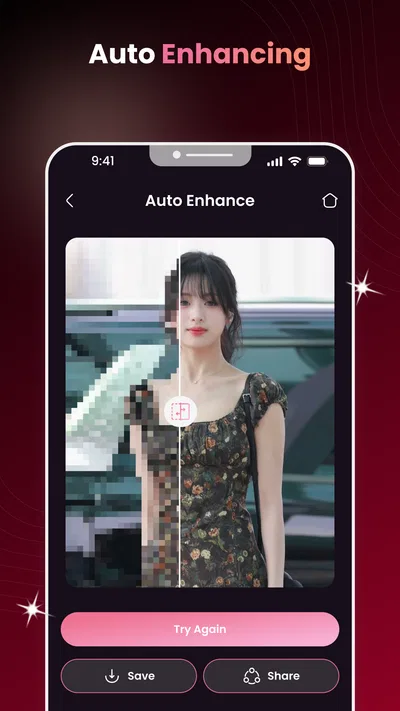
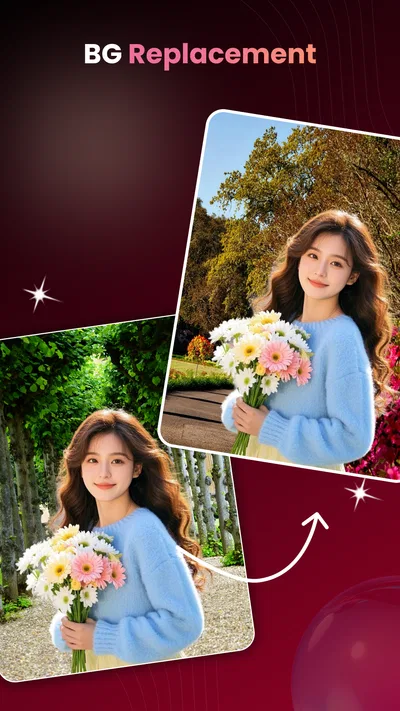
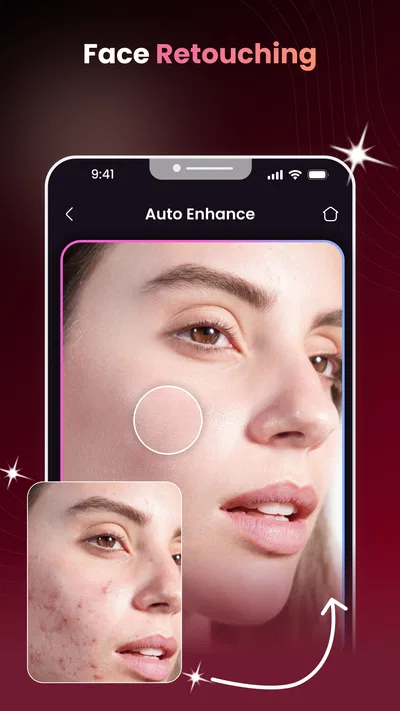
 Analysis byAppsAward
Our review of AI Face Aging - Photo Editor
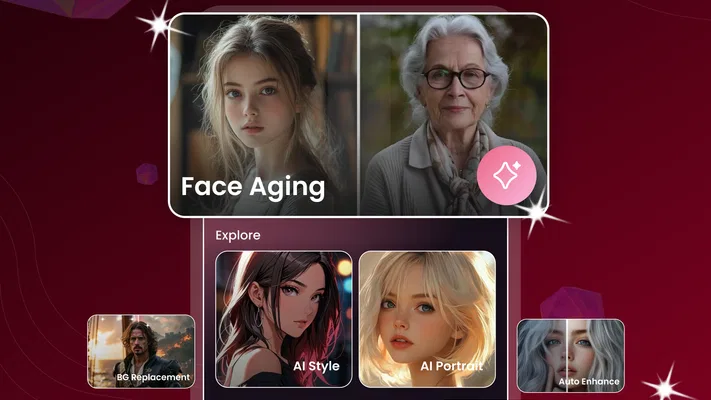
I can see the appeal of an aging-photo app in a shared household: one person chooses a portrait, another guesses how it might look years from now, and the result becomes a quick conversation starter. AI Face Aging - Photo Editor is a free photography app from Willson Studio built around AI face aging and face-swap-style editing. I’d treat it as a playful, occasional editor rather than a complete photo studio. Its main value is the small moment of curiosity it creates; the important question for a family is how to choose and share portraits thoughtfully.
Trying it together without turning it into a project
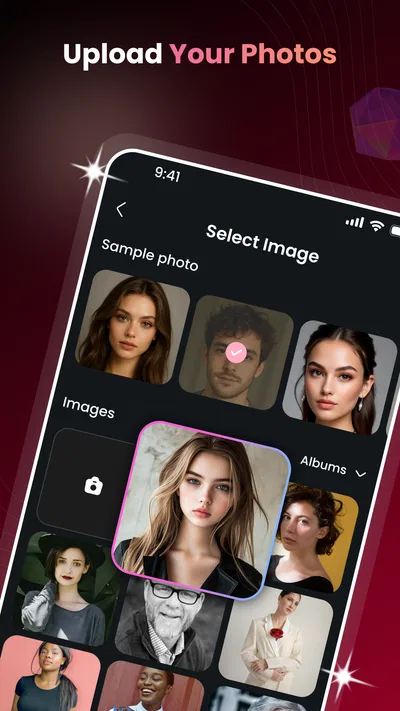
A sensible first use is to pick one clear, well-lit portrait with the person’s agreement, then see whether the app produces an edit that feels amusing or convincing enough to share. That keeps the experience simple and makes it easier to judge the result without juggling several photos or trying to rescue a difficult image. With face-focused AI effects, the starting portrait matters: a face partly hidden by hair, glasses, a hand, or deep shadow can give the editor less useful visual information.
For a household, the app works best as a short, shared activity rather than something everyone assumes they can use with every picture on a device. A parent might try a portrait of themselves first, then invite a child to make a playful prediction about the result. That approach models a useful boundary: a photo being available on a shared phone does not automatically mean it is fair game for editing or showing around.
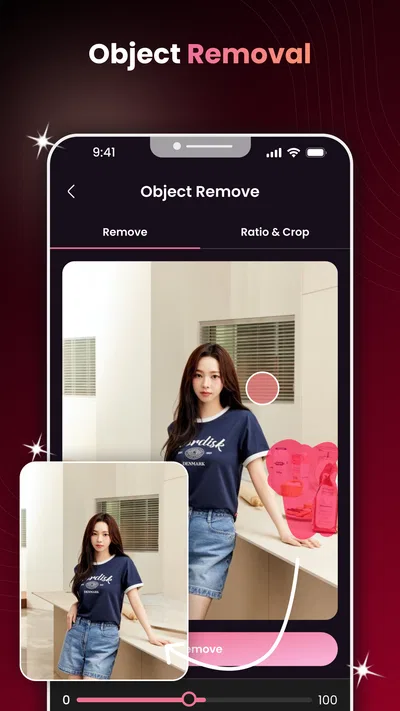
The app’s focus is narrower than a general-purpose editor. If I wanted to crop a set of pictures, adjust colors, remove distractions, and prepare a polished album, I would reach for a broader photo-editing tool. Here, the point is the face transformation itself. That focus makes the app easier to approach for a quick experiment, but it also means I would not choose it as the only editor for everyday photography.
Choose the portrait before choosing the effect
My practical tip is to begin with a front-facing image where the subject’s expression is relaxed. Use a copy of a photo rather than treating the edited result as a replacement for the original. This simple workflow protects the source image and gives you something to compare if the transformation changes details that matter, such as the expression or the character of the face.
It is also worth agreeing on the intended audience before making an edit. A funny result shared among people at home can feel different from the same image posted publicly. If a child is involved, I would keep the experiment supervised and avoid turning an altered face into a joke at that child’s expense. The app can make a speculative image look persuasive; that does not make it a prediction or a reliable picture of how someone will age.
Setting expectations on a shared device
The app is listed as free, which lowers the barrier to trying it, but I would still treat installation and use as a shared-device decision. The account or device owner should be the person who installs it and makes the first choices about which images to open. That is not a special family-control feature; it is simply a clear household habit that helps prevent confusion about who selected a portrait and who is comfortable with the finished edit.
Before handing over a phone, I would make sure the person using it understands that they are working with a real person’s image. If several people share one device, take turns deliberately instead of leaving a portrait open and inviting casual edits. This is especially useful when the phone contains photos of relatives or friends who are not present to agree. A quick “Is this okay to use?” avoids a lot of awkwardness later.
There is a practical boundary between access and permission. A person may be able to open a picture because it is stored on the device, but that alone is not consent to transform it. I would reserve experiments for the user’s own portraits or images whose subjects have agreed. For a household album, that rule is more useful than assuming every saved photograph is suitable material.
Coordinating results and keeping the original clear
When more than one person wants to try an edit, agree on a simple sequence: select one portrait, make one version, review it together, and decide whether it should be kept or shared. This limits the chance of several similar edits becoming hard to distinguish. If the result is just a joke for the room, there may be no reason to send it beyond the people who were part of the experiment.
For a birthday or family gathering, I can imagine using the app as a small icebreaker: a grown-up offers their own portrait, everyone guesses what the aging effect might do, and the group compares the generated image with the original. The useful part is the shared reaction, not the claim that the image reveals anyone’s future appearance. Keeping that distinction explicit makes the activity more comfortable for younger users and anyone sensitive about their looks.
If the edited image will be passed around, label it in conversation as an AI-made effect rather than letting it appear to be an untouched photograph. That matters because face transformations can look plausible at a glance. I would also avoid using an altered portrait as a profile image or as a record of someone’s appearance unless that person has chosen to do so. The app is better suited to temporary amusement than to documenting identity.
Age suitability and trust at home
The app has an Everyone content rating, and its minimum operating-system requirement is version 8.0. Those details help with basic compatibility and content expectations, but they do not answer every family question about image handling or household rules. I would make the decision based on the people who will use the device, the portraits they plan to choose, and whether an adult can guide a younger user through the difference between a playful effect and a factual prediction.
That distinction is especially important with aging filters. A child might take the result literally, or someone might feel uncomfortable if an edit exaggerates wrinkles or changes facial features. I would present the output as an artistic guess generated from a photo, not as an assessment of health, identity, or future appearance. If the app’s result feels unkind or upsetting, the right response is to stop using that image rather than keep tweaking it for a better reaction.
For trust, I prefer a conservative approach: use portraits that are appropriate to edit, keep the original, and share only with the subject’s approval. I would not assume an app has a particular privacy practice or family setting unless I had checked it directly in the app and its store information. That is not a reason to avoid trying it; it is a reason to make thoughtful choices about images, especially on a device used by several people.
What the app’s scale and update say to a new user
It has a 4.0 average from around 6,500 ratings and has passed 5 million installs, so it has attracted a substantial audience for a focused photo effect. There are 62 written reviews, which is a smaller pool of detailed commentary than the ratings total might suggest. I would read those signals as evidence that many people have tried it, not as a guarantee that every portrait will produce a satisfying result.
The app was released on February 3, 2026, and its current version is 1.1.1. That makes it a relatively early version, so I would keep expectations measured and check that the experience suits the device and the kind of portraits I want to use. The developer is Willson Studio. These details are useful context, but the best test remains a low-stakes portrait that the subject is happy to use.
When a different editor is the better choice
I would skip this app if my main goal were careful retouching, reliable batch processing, or a complete toolkit for preparing images for print and social posts. A conventional photo editor is a better fit when control over cropping, color, and fine adjustments matters more than an AI face effect. I would also pass if the household cannot agree on whose photos are appropriate to edit, because a quick novelty is not worth creating friction around someone’s image.
It may also disappoint anyone expecting every result to look natural. AI transformations depend on the portrait, and a face effect can alter details in ways that feel odd or unlike the person. Rather than repeatedly trying to force a perfect outcome, I would change to a clearer, more straightforward portrait once and judge whether the app’s style is enjoyable. If that result still feels wrong, a different tool—or no edit at all—is the sensible choice.
My household verdict
My recommendation is to use it as a supervised, occasional experiment, not as an automatic family photo toy. Its narrow focus makes it approachable when someone wants to see an AI aging effect, and the free price makes a casual trial easy. The best experience comes from a clear portrait, a willing subject, and a shared understanding that the result is entertainment rather than a prediction.
For a household, the strongest reason to try it is the conversation it can prompt. The strongest reason to be selective is that face images are personal, especially when children or relatives are involved. If everyone knows whose picture is being edited, who may see the result, and that the original remains the real photograph, the app can be a light diversion. If those boundaries are hard to maintain, a general editor for non-personal images—or simply looking through the original photos together—is a better fit.
Pros
- Quickly previews how a face may look at different ages.
- Simple controls make age effects easy to apply.
- Aging filters can create fun photos to share.
- Useful for experimenting with portraits without editing skills.
- Offers a lighthearted way to compare age variations.
Cons
- Age predictions are artistic effects rather than accurate forecasts.
- Results can look uneven depending on lighting and photo quality.
- Some features may require payment or in-app purchases.
- Face effects may not preserve every detail of the original photo.
- Uploading portraits may raise privacy concerns.
Best Photography App 2026
Our verdict
Face swap in seconds without glitches? Find out with photo editor: AI face aging
Frequently Asked Questions
What can I do with AI Face Aging - Photo Editor?
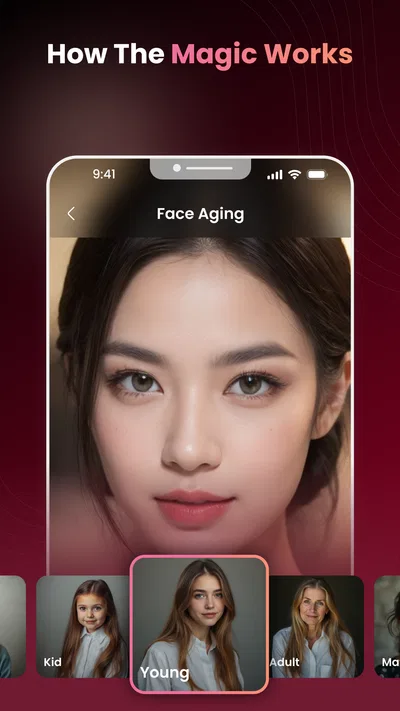
AI Face Aging - Photo Editor is designed to apply age-related effects to a portrait, letting you preview a possible older appearance and create an edited image to share or save. The result is a creative simulation, not a prediction of how someone will actually look in the future. Available effects and editing options can vary by app version, so check the current listing and in-app menus for the tools included.
How do I get the best results from an aging filter?
Choose a clear, well-lit photo with the face looking toward the camera and not covered by hair, glasses, or other objects. A single face in the frame can also make it easier for the editor to identify the subject. Results may look less convincing when the image is blurry, heavily filtered, or taken from an unusual angle. Try another portrait if the first effect does not align naturally with the face.
Is AI Face Aging - Photo Editor free to use?
The price and access model can depend on the version and platform. Some photo editors offer basic effects at no cost while placing additional filters, features, or an ad-free experience behind purchases or a subscription. Review the app-store listing and any payment screen before confirming a purchase, and check the subscription price, billing period, and cancellation terms. Do not assume every feature is free just because the app can be downloaded without charge.
Does AI Face Aging - Photo Editor upload or store my photos?
Photo handling depends on how the current app version processes images and on its privacy policy. Before selecting a personal or sensitive portrait, review the app’s privacy information and permissions to learn whether images are processed on the device, sent to a service, retained, or shared with third parties. Grant only permissions that make sense for the features you use, and avoid uploading images of others without their consent.
Can I share or use the edited images anywhere?
You can generally save or share an edited result using the options available in the app, but the exact export features may vary by device and version. Check image quality and any watermark before using a result outside the app. If you plan to post a face edit publicly, consider the subject’s privacy and permission, especially when the image depicts someone else. The aging effect is entertainment and should not be presented as a reliable forecast.

Download AI Face Aging - Photo Editor
Similar apps
View all 9.7
Video Editor & Maker - InShot
Photography
 6.8
Hailuo AI: Image&Video Maker
Photography
 8.4
AI Photo Beauty Editor Studio
Photography
 8.8
PicFusion Lab
Photography


