
- Award score
- 4.4Rating
- 500,000+installs
- Free
App information
Screenshots
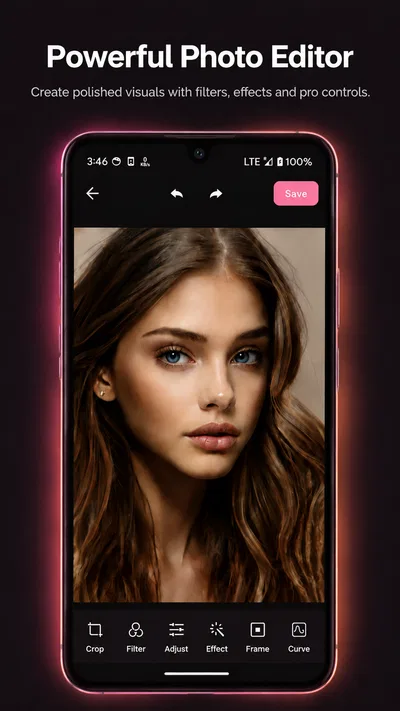
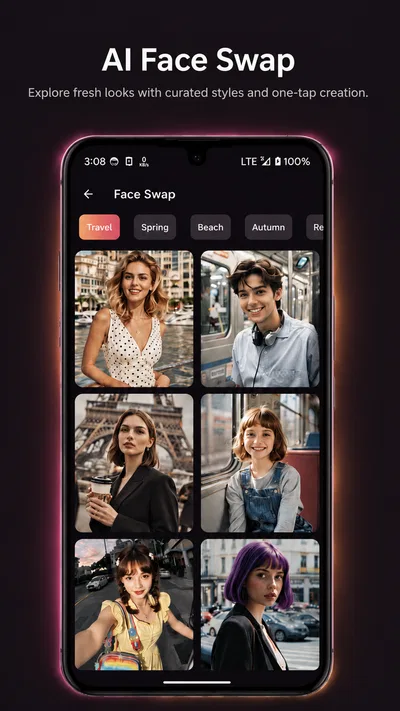
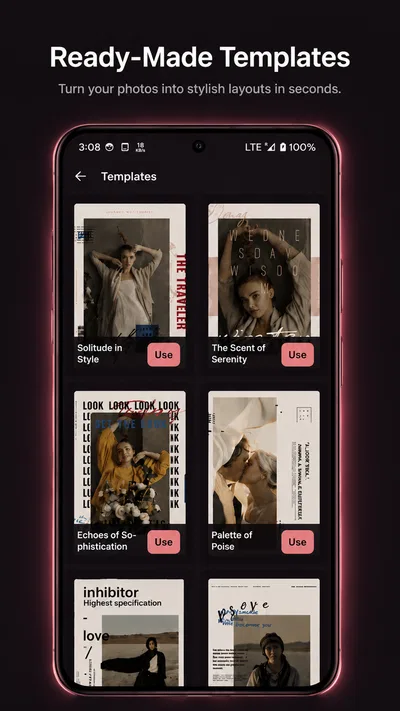
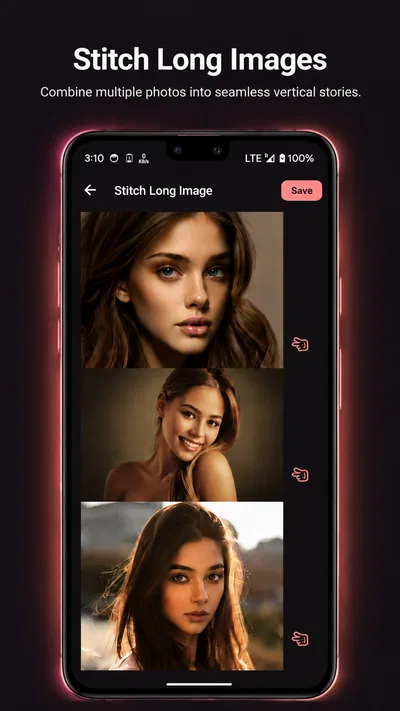
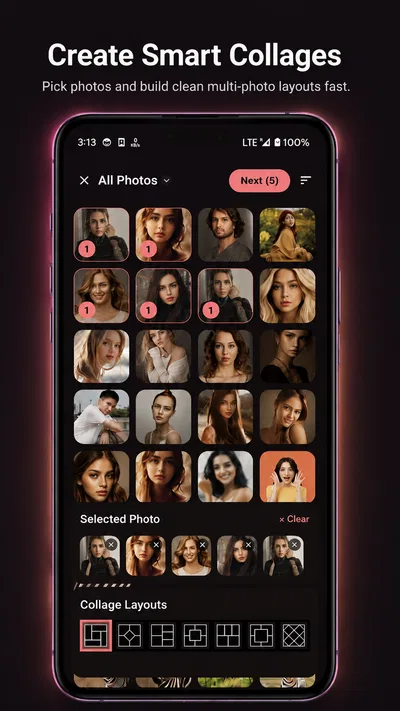
 Analysis byAppsAward
Our review of PicFusion Lab
I judge a photo app not only by how much it can change an image, but by how comfortably a person can find the right action, make a careful adjustment, and stop before the result looks overworked. That matters especially when someone is editing on a small screen, working in a hurry, or relying on clear visual feedback. PicFusion Lab is a free photography app from X PhotoKit, and my overall impression is that it is worth considering if you want a dedicated place to work on pictures without committing to a paid app upfront. The important caveat is that an app’s usefulness across different abilities depends on practical details such as readable controls, predictable navigation, and whether its visual workflow suits the person using it.
Getting oriented without losing the photo
PicFusion Lab’s focus is photo creation and editing, so the most helpful way to approach it is with a specific image and a modest goal: improve a crop, bring attention to a subject, or try a different visual treatment. I would not open it expecting a full photography course or a camera replacement. It is an editing app, and its value is in giving you a place to work on pictures after you have taken them.
The app’s name and presentation suggest an image-making workspace, but I would be careful not to assume that a particular tool is easy to reach just because it sounds familiar. A strong editing interface should make the current image, the available actions, and the effect of a change easy to understand. When trying PicFusion Lab, I recommend starting with one photo and checking whether the controls make sense before importing a batch or building a complicated edit. That small test tells you more about everyday usability than browsing a list of features.
The app has a 4.4 average from around 900 ratings, which gives a prospective user a useful broad signal of how it has been received, but it cannot tell you whether the interface will suit your vision, dexterity, or preferred editing style. I treat that figure as a reason to give the app a fair try, not as proof that every interaction is effortless. The version available is 1.2.4, so it is sensible to judge the actual interface on your device rather than rely on assumptions about how an editor ought to behave.
Make the first edit a low-stakes test
For a first session, choose a picture that is easy to replace rather than the only copy of an important family image. Try one change at a time, pause to inspect the whole image, and check whether you can tell what has changed. This is particularly useful if you find sliders, small icons, or dense toolbars tiring. If an adjustment is hard to identify or reverse, that is a meaningful usability issue, even if the finished image can look attractive.
I also suggest checking whether the editing flow lets you work at a comfortable pace. A person who needs more time to read labels or make precise movements may prefer a simple task over an ambitious series of edits. If PicFusion Lab’s controls feel crowded on your phone, try using it in a quieter setting and with the device held in the position that feels most stable. If that still does not make the interface comfortable, a simpler editor with fewer visible choices may be a better fit.
Visual feedback and different ways of interacting
Photo editing is inherently visual, which creates a real limitation for people who cannot easily distinguish subtle changes in color, contrast, or detail. It also means the app’s usefulness depends on whether its controls and previews provide enough clarity for the person editing. I would compare a change against the original image regularly instead of trusting a single close-up view. A crop can appear balanced when zoomed in but cut off a hand, sign, or other important detail once the whole frame is visible.
For users with limited dexterity, the key question is not simply whether a tool exists, but whether it can be adjusted without repeated, tiny movements. If a control requires precision that feels uncomfortable, use a broader edit where possible or leave that change out. I would also avoid trying to make several fine adjustments in one sitting if fatigue is a concern. Saving a straightforward version first, then returning for a second pass, is a more forgiving workflow than trying to perfect everything at once.
People who are sensitive to bright screens or intense visual effects may want to work in a comfortable environment and take breaks between edits. I would keep the screen brightness at a personally comfortable level and judge the final picture later under ordinary viewing conditions. This is not a special feature of PicFusion Lab; it is a practical safeguard when any photo editor encourages close, prolonged attention to a screen. The app is most approachable when the task stays short and the desired result is clear.
Editing in everyday situations
Imagine taking a picture of a meal before sending it to a friend. The lighting is uneven, and a distracting edge makes the composition feel untidy. A useful workflow is to make one restrained change, inspect the complete image, and decide whether the result still looks like the moment you wanted to share. PicFusion Lab may fit that kind of casual, personal job: you have a clear purpose, you are not racing a deadline, and you can compare the result before using it elsewhere.
That same workflow helps when preparing a profile picture or tidying a holiday snapshot. I would keep an untouched original and treat the edited image as a separate version, especially when the photo matters. Before sending or posting it, check that the subject remains recognizable and that the edit has not removed context someone else might need. This is a small habit, but it makes experimentation less stressful and helps avoid losing the version you preferred.
Access also depends on the setting. Editing on a bus, in bright sunlight, or while someone is waiting can make even a familiar interface harder to use. If you need to work in a hurry, do only the essential change and postpone fine tuning. In a calm setting, you can spend more time checking the crop and judging subtle differences. I would not choose a visual editor as the only tool for a time-critical task where every detail must be checked quickly and reliably.
Where it sits among photo editors
Compared with a phone’s built-in photo editor, a separate app is worthwhile when you want a distinct editing workspace or are curious about a different creative approach. The built-in option is often the more convenient choice for a quick crop or small correction because it is already close to the photo library. PicFusion Lab makes more sense when you want to open a dedicated photography app and spend a little time shaping an image, rather than make the smallest possible change and move on.
Against a more established, feature-heavy editor, the trade-off is familiarity and depth. People who already know exactly which advanced controls they need may prefer an editor built around those tools and workflows. PicFusion Lab is a reasonable app to try if you are exploring photo editing, but I would not assume it can replace a specialist desktop process or a carefully tuned professional setup. For a casual user, the better choice is the one that makes the intended edit understandable and repeatable, not the one with the longest tool menu.
One practical way to compare it is to use the same photo in PicFusion Lab and in the editor you already have. Try the same small correction, then ask three questions: which app makes the next step clearer, which gives you more confidence that you can undo or redo a change, and which leaves the image looking closest to your intention? This is more useful than judging by the number of available controls. It also surfaces whether a visually appealing result came at the cost of extra effort or uncertainty.
Cost, audience, and sensible expectations
PicFusion Lab is free to install, and it is rated for Everyone. In-app purchases range from $7.99 to $15.99 per item, so I would explore the free experience before deciding whether any paid option is relevant to your needs. Do not treat a purchase as necessary until you have confirmed that the app’s basic workflow feels comfortable and that the particular capability you want is actually useful to you.
The app has more than 500,000 installs, so it has found a substantial audience, though popularity does not guarantee that it will suit every person. It is aimed at people who want to work on images on a phone and are willing to spend some attention on the result. If you only need occasional basic corrections, your existing editor may already be enough. If you need a workflow that is highly predictable, large-scale batch handling, or controls designed around a particular access need, test those exact requirements before relying on this app.
PicFusion Lab supports Android 7.0 and later. That makes device compatibility worth checking before you plan to use it on an older phone. A compatible operating system does not by itself ensure a comfortable experience: screen size, touch responsiveness, display quality, and the user’s preferred accessibility settings can all affect editing. I would install it on the device you actually intend to use and make a short trial edit before moving important photos into a new workflow.
What may still get in the way
The biggest potential barrier is the nature of visual editing itself. If you have difficulty seeing small interface elements or judging color differences, a photo app can demand more attention than a text-focused task. If repeated taps or precise finger movements are difficult, controls that require careful positioning can become tiring. These are not reasons everyone should avoid the app, but they are reasons to test it with a simple image before making it part of a daily routine.
Another limitation is that a dedicated editor adds a step. You need to open it, make a choice about the image, and inspect the result; for a quick correction, that may feel like unnecessary friction. It may also be less suitable for anyone who wants reliable, repeatable edits across a large collection rather than hands-on work with individual pictures. In those cases, a familiar built-in tool or a workflow designed for batch processing is likely the more efficient option.
When an edit matters to someone else as well as to you, avoid relying on appearance alone. Check that the image remains legible and that important details have not disappeared in the crop or treatment. For a document, an instruction photo, or an image used to explain something, clarity should come before style. PicFusion Lab is best approached as a creative photography app, not as a substitute for careful capture or a guaranteed accessibility solution.
A welcoming option if the workflow fits
My recommendation is to try PicFusion Lab if you enjoy taking pictures and want a separate, free app in which to experiment with improving them. Its photography focus, broad user base, and accessible entry price make it an easy candidate for a low-stakes test. I would begin with a replaceable photo, make one change, and see whether the interface gives you enough confidence to understand and control the result.
For inclusive use, the verdict is personal rather than universal. The best reason to keep using PicFusion Lab is that its editing process feels clear and manageable on your own device. If small controls, visual judgments, or extra steps make it tiring, choosing a simpler or more familiar editor is not a compromise; it is the sensible choice. I would recommend it to casual editors who like hands-on image work, while advising anyone with specific accessibility requirements to test those needs directly before depending on it for important photos.
Pros
- Combines multiple photos into a single composition.
- Offers creative options for making personalized images.
- Can help produce polished visuals without advanced editing skills.
- Useful for creating content to share on social platforms.
- Makes photo experimentation accessible on a mobile device.
Cons
- Results may vary depending on the quality of the source photos.
- Some editing options may require in-app purchases.
- Exported images may include limits on resolution or format.
- A stable internet connection may be needed for some features.
- The interface may take time to learn for first-time users.
Best Photography App 2026
Our verdict
Create Better Photos with PicFusion Lab
Frequently Asked Questions
What is PicFusion Lab, and what can I use it for?
PicFusion Lab is an image-focused app intended for creating or editing pictures with creative tools and visual effects. Its exact features can vary by version, so check the app’s current description and screenshots before downloading to confirm that it includes the tools you want. It may suit casual experimentation and personal projects, but users who need professional editing controls should compare its capabilities with established photo editors.
Is PicFusion Lab free to download and use?
The price and payment model can depend on the platform, region, and app version. Before installing, review the store listing for any upfront cost, in-app purchases, subscription options, or trial terms. If a subscription is offered, check its renewal price and cancellation instructions carefully. Avoid assuming that every feature is free, since advanced tools, exports, or other benefits may require payment.
Does PicFusion Lab require an internet connection?
Some image apps can perform basic editing on a device while relying on an internet connection for features such as account access, cloud processing, online content, or sharing. PicFusion Lab’s precise requirements may differ by feature and version. Check its store listing and permissions, and try the intended tools before working offline. Keep a separate copy of important images in case a project depends on online services.
Are my photos and personal information safe when using PicFusion Lab?
Review PicFusion Lab’s privacy policy and the data-safety information shown in the relevant app store before granting access to photos, files, or other permissions. These disclosures explain what information may be collected, processed, or shared, though practices can change over time. Grant only the access needed for the features you use, and avoid uploading sensitive images unless you understand how they are handled.
Which devices support PicFusion Lab, and how can I save or share finished images?
Compatibility depends on the current release and your device’s operating-system version, so check the Android or iOS store listing for supported requirements before downloading. The available options for saving or sharing can also vary by version; look for export settings, image-quality choices, and supported sharing methods in the app. Test with a nonessential picture first, especially if you need a particular format or resolution.

Download PicFusion Lab
Similar apps
View all 9.7
Video Editor & Maker - InShot
Photography
 6.8
Hailuo AI: Image&Video Maker
Photography
 7.9
AI Face Aging - Photo Editor
Photography
 8.4
AI Photo Beauty Editor Studio
Photography


