
- Award score
- 4.9Rating
- 5,000,000+installs
- Free
App information
Screenshots
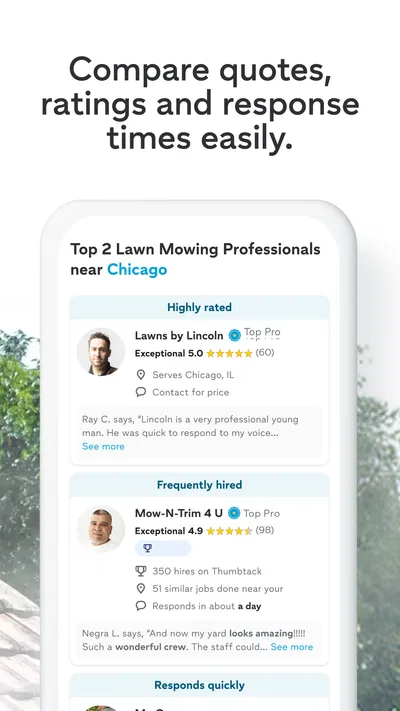
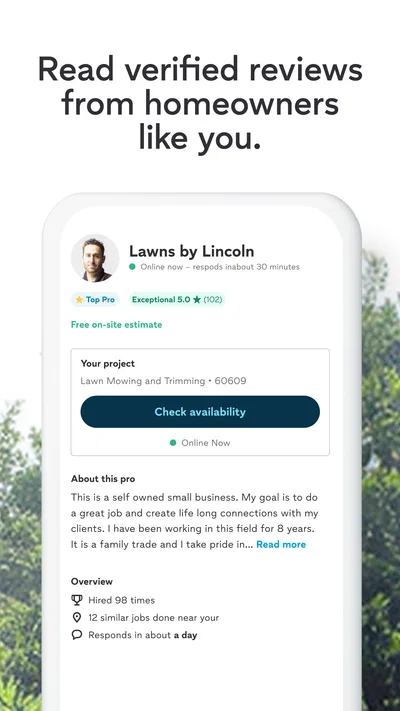
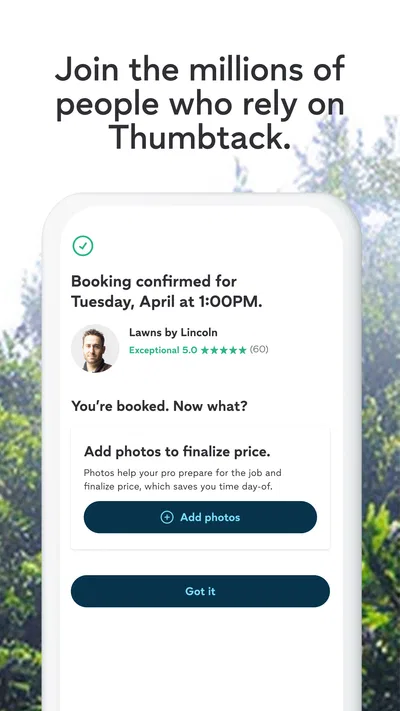
 Analysis byAppsAward
Our review of Thumbtack: Hire Service Pros
When a household job needs doing, the hard part is often not the repair itself but finding someone trustworthy, explaining the work clearly, and comparing options without losing track of the details. Thumbtack is designed to bring those steps together: it helps me look for home-service professionals nearby and start figuring out who might suit the job. I see it as a useful way to organize the search, not a guarantee that the first person I find is the right hire.
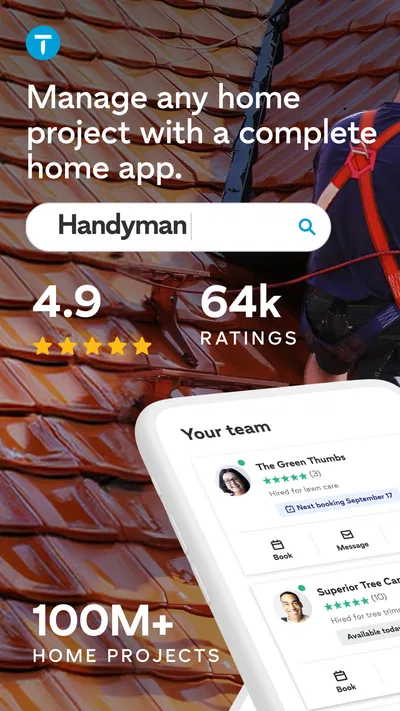
Thumbtack is a free House & Home app from Thumbtack, aimed at people looking for help with tasks such as plumbing, handyman work, cleaning, and repairs. It has a 4.9 average from around 66,000 ratings, and more than five million installs. That level of adoption makes it a familiar option to consider, but I would still judge any professional on the specifics of the work, communication, and terms rather than popularity alone.
Start with a clear request, not just a search
My most useful advice is to decide what outcome I need before opening the app. “Fix the bathroom” is too broad to make a helpful request. “The bathroom faucet drips when turned off, and I’d like the leak diagnosed and repaired” gives a professional a much better starting point. A short description of the problem, its location in the home, and any relevant constraints can help make replies more useful.
That matters because home-service jobs that sound similar can differ significantly. A small patch may be a straightforward handyman task; water damage behind a wall may call for someone with more specific repair experience. I use Thumbtack to find possible candidates, then check that their experience and proposed approach match the actual job rather than relying on a broad category label.
A realistic example is a busy week when a sink begins leaking just before guests arrive. I would describe where the water appears, when the leak happens, and whether I can use the sink in the meantime. Then I would review responses and clarify whether the professional is addressing the cause or only the visible symptom. That extra question can prevent a rushed booking based on an incomplete description.
The app is also useful when I am planning a job rather than reacting to an emergency. For house cleaning or a repair I can schedule later, I can take time to compare the responses and ask the same practical questions of each candidate. Keeping those questions consistent makes the comparison fairer: availability, scope, expected next steps, and what the professional needs from me before arriving.
Make the first exchange count
I treat the initial message as a short project brief, not a full technical diagnosis. I include the issue, the type of help I think I need, and any detail that could change the visit, such as access limits or a narrow time window. If I am unsure what trade is appropriate, I say so plainly instead of guessing and potentially filtering out a suitable professional.
Photos can be helpful when the app’s conversation flow allows them, but I would not assume a picture tells the whole story. A close-up of a damaged area may hide its size or cause. I pair visual context with a sentence explaining what changed and when I noticed it. For cleaning, I would describe the rooms and the kind of help I want, rather than assuming “cleaning” means the same scope to every person.
Before agreeing to anything, I ask questions that matter to the specific job. For a repair, I might ask what the proposed visit is intended to cover and how they would handle discovering a larger issue. For cleaning, I would clarify the rooms and tasks. This is a practical safeguard, not needless paperwork: clear scope before commitment is one of the best ways to avoid mismatched expectations.
Use repeatable habits to compare candidates
When I contact more than one professional, I keep a simple note outside the app with each person’s name, what they understood the job to be, and the next step they suggested. That habit is useful if conversations happen at different times or use different wording. It also helps me notice when one response addresses the actual problem while another seems to answer only a generic version of it.
I compare the quality of communication as well as the apparent fit. A prompt, courteous reply is welcome, but the more important signal is whether the person asks sensible follow-up questions and explains what they can assess. If someone makes a confident promise without enough information, I would seek clarification rather than treating confidence as proof of expertise.
For a recurring need, such as periodic cleaning or a series of small home repairs, I keep the original description and the questions that helped me choose. When a similar task comes up, I can reuse the useful parts while updating the details. That is a low-tech shortcut, but it reduces the chance of forgetting an important constraint and makes later comparisons less haphazard.
I would also avoid sending a vague request to many people and then trying to reconstruct what I told each one. A more controlled approach is to prepare one accurate description, send it to a manageable set of candidates, and record any differences in their proposed next steps. The app can help with discovery and conversation; my own notes provide continuity across the decision.
Settings and practical checks that matter
I would check the app’s current settings and profile details before relying on it for a time-sensitive search. In particular, I want to know that my contact information and notification preferences are sensible, so I can see replies without exposing more personal detail than I intend. Menus and options can change between versions, so I would inspect what is actually available on my device rather than following instructions for an older interface.
Location is especially relevant to a nearby-service search. I make sure the search reflects the area where the work will happen, particularly if I am arranging a repair for a relative or a property away from home. A mismatch can waste time by surfacing professionals who are not practical for the job. I also consider whether the request itself includes enough location context without unnecessarily broadcasting details that do not help assess the work.
Notifications are worth tuning to my routine. If I am actively trying to book someone, timely alerts can help me keep a conversation moving. If I am only researching a future project, constant prompts may be more distracting than useful. I prefer to check responses at deliberate times rather than letting an urgent-feeling notification push me into accepting the first available option.
Thumbtack is rated for Everyone, and its current version is 446.0, with an operating-system requirement of 9. It is free to download. Those details make it accessible to many users, though the cost of the service itself is separate from using the app: I would discuss the work and any charges directly with the professional before deciding to proceed.
Where Thumbtack helps, and where it cannot decide for you
Compared with asking neighbors for recommendations, Thumbtack can make it easier to look beyond one person’s network and approach several potential professionals. Compared with a general web search, it puts the search for local help and the initial conversation in a service-focused setting. The trade-off is that no app can fully judge the quality of someone’s work for my particular home. A referral from someone I trust may still be stronger when the job is sensitive or when I need a specialist whose credentials are central to the decision.
I would not use it as my only route for an urgent hazard. If there is an immediate safety issue, an active major leak, or another problem that cannot wait for a search and back-and-forth, I would prioritize the appropriate emergency response or a direct call to a qualified local service. Thumbtack is better suited to finding and evaluating options when I have enough time to explain the job and consider replies.
It is also not ideal for someone who expects the app to make the hiring decision automatically. The search can introduce candidates, but I still need to assess fit, ask about the scope, compare communication, and agree on practical details. People who already have a dependable professional for a recurring service may gain little from searching again unless they want a backup or need a different kind of job handled.
Another limitation is that the quality of the result depends partly on how well I describe the task and how carefully I evaluate responses. A broad request may draw broad answers. If a project involves several trades or uncertain damage, I may need an inspection or a conversation with a specialist before I can compare proposals meaningfully. The app can help me begin that process, but it does not replace professional assessment.
A steadier way to use it over time
After a job is complete, I make a note of what went well and what I would ask earlier next time. Was the work explained clearly? Did the professional understand the requested scope? Did I leave an important detail out of the first message? That reflection helps me write better future requests, whether I return to the app or use another route to find help.
I also separate “available” from “appropriate.” A person who can respond quickly may be a good match, but speed alone should not settle the choice. For work that could affect plumbing, fixtures, or the condition of a home, I want a clear explanation of the intended work and a chance to ask follow-up questions. For a less complex task, a straightforward exchange may be enough, but I still confirm the basics before arranging a visit.
My overall view is that Thumbtack is most valuable as a practical starting point for finding and comparing home-service professionals, especially when I do not already know whom to call. Its strongest use is a disciplined workflow: describe the job accurately, check that the search is aimed at the right area, ask comparable questions, and take time to judge the replies. Thumbtack is free, and its 4.9 average reflects a strong reception among users, but neither popularity nor convenience removes the need for careful hiring.
I would recommend it to renters and homeowners who want a more organized way to seek help with cleaning, repairs, plumbing, or handyman work and are comfortable making the final judgment themselves. I would skip it for immediate emergencies, for projects that require a specialist I can identify through a trusted source, or when I already have a reliable professional and no reason to search. Used with clear expectations and a few repeatable habits, it can make the search less scattered without pretending that choosing a good pro is effortless.
Pros
- Compare quotes from local professionals before choosing.
- Browse reviews and ratings from other customers.
- Message professionals to discuss project details.
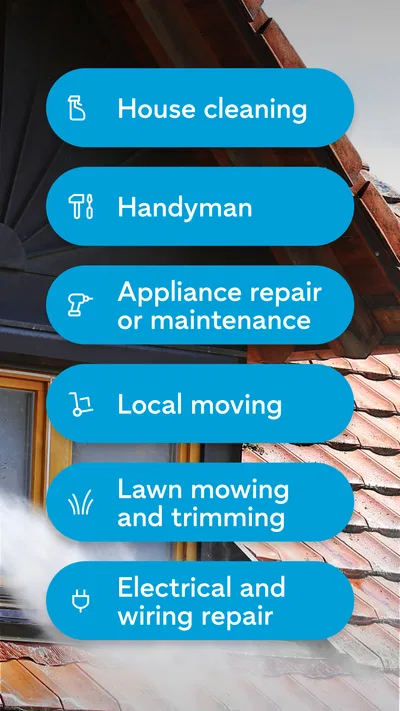
- Find help for a wide range of home and personal services.
- Save promising professionals while considering your options.
Cons
- Prices and service availability vary by location.
- Some professionals may take time to respond.
- Quotes can differ widely for the same project.
- You may need to share contact details to receive estimates.
- The app cannot guarantee the quality of a professional's work.
Best House & Home App 2026
Our verdict
Hire home service pros near you: handyman, plumber, house cleaning & repair.
Frequently Asked Questions
What is Thumbtack: Hire Service Pros, and what can I use it for?
Thumbtack is a marketplace app for finding and contacting independent professionals for home projects, repairs, events, and other local services. You can describe what you need, browse providers, compare profiles and customer reviews, and request estimates. Available services and provider coverage depend on your location, so check the app to see which options are offered in your area.
How do I find and compare professionals on Thumbtack?
Start by choosing a service and entering details about your project, such as its scope, timing, and location. Thumbtack can then show professionals who may be a fit. Compare their profiles, experience, ratings, reviews, and any pricing information provided, then contact one or more pros to discuss the work. Listings and estimates can vary, so confirm the details directly before hiring.
Does Thumbtack charge customers to use the app or hire a professional?
Browsing providers and requesting information through Thumbtack may be free for customers, but the total cost of a job depends on the professional, the work involved, and any applicable charges shown during booking or payment. Ask for a clear estimate and confirm what it includes before agreeing to a project. Review the current app terms and checkout details, since fees and payment options may vary.
Can I trust the professionals and reviews listed on Thumbtack?
Profiles and customer reviews can help you assess a professional, but they should not replace your own checks. Read recent feedback, review the provider’s experience and credentials, and ask about licensing, insurance, references, and project details where relevant. Verification and screening practices can differ by service and location. Confirm that a pro is qualified for your particular job before making a hiring decision.
How do I contact a pro, manage a booking, or resolve a problem on Thumbtack?
Use the messaging or contact options on a provider’s listing to explain your needs, ask questions, and discuss timing and estimates. Keep important agreements in writing and confirm cancellation, payment, and rescheduling terms before work begins. If a booking or project raises a concern, check the app’s help and support options and contact the professional directly. The available resolution process can depend on the situation.

Download Thumbtack: Hire Service Pros
Similar apps
View all 9.6
Zillow: Homes for Sale & Rent
House & Home
 9.3
Realtor.com Real Estate & Rent
House & Home
 9.3
Rent. Apartments & Homes
House & Home
 9.4
Homes.com Real Estate & Rent
House & Home


