
Award score
- Award score
- 4.7Rating
- 100,000,000+installs
- Free
App information
- Version
- 452.0.0.50.64
- Updated
- Requires
- 9
- Price
- Free, in-app purchases
- Developer
- Content rating
- Everyone
Screenshots
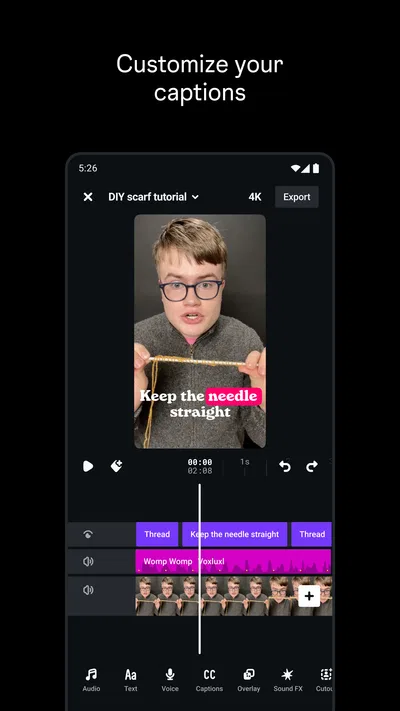
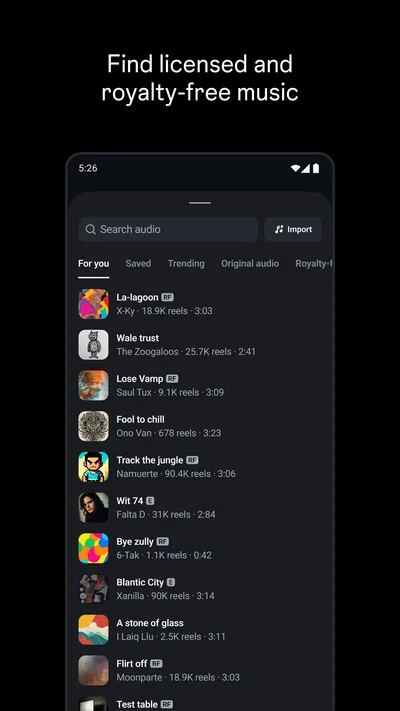
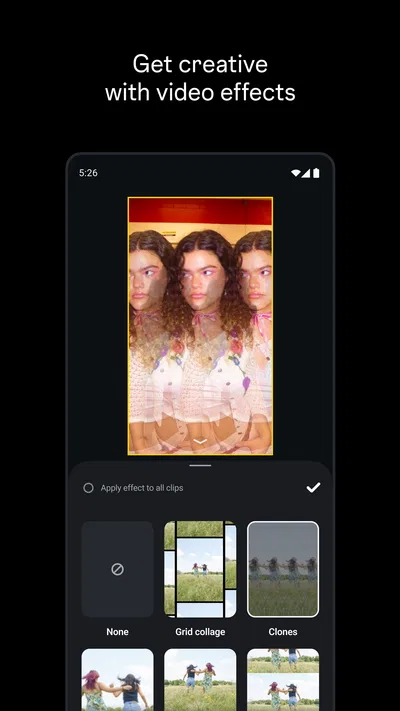
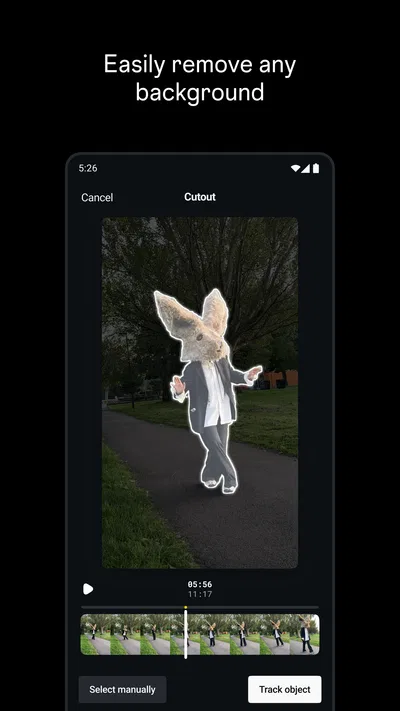
 Analysis byAppsAward
Our review of Edits: Video Editor
When I need to turn a clip into something I’m comfortable sharing, I want more than a trim button—but I don’t necessarily want to open a full desktop-style editing suite either. Edits sits in that middle ground: a video-editing app from Instagram that makes the most sense if short, social-ready videos are your usual project. My recommendation depends on one question: do you want a focused place to shape clips, or a broader editor built for more elaborate production?
Choose it for the kind of videos you actually make
Edits belongs to the video player and editing category, but its identity is more about making videos than watching them. Instagram develops it, and its purpose is easy to understand: help creators put together clips for social sharing without treating every post like a film project. That focus is a strength when your footage is already on your phone and your finished video is headed to a social feed.
I’d judge it by the steps between recording and sharing. Can you organize a handful of moments, make the result feel deliberate, and finish without getting lost in options? That is a better test than counting tools. A beginner may value a clear route to a polished short video more than a deep timeline; someone who edits regularly may care more about precision and control.
The app is free to download, with in-app purchases listed from $0.99 to $1,049.00 per item. That range is broad enough that I would check the purchase details in the app store before committing to anything paid. You can start with the free app and decide whether its workflow suits you before spending money. For someone who only edits occasionally, that low-commitment approach is useful.
Edits is rated for Everyone, and it has a 4.7 average from around 1.9 million ratings, alongside roughly 5,300 written reviews. It has passed 100 million installs, so it is not an obscure experiment with a tiny audience. Those figures offer context, not a guarantee: a popular app can still be the wrong fit if its approach doesn’t match how you work.
Start with a small project, not your most important one
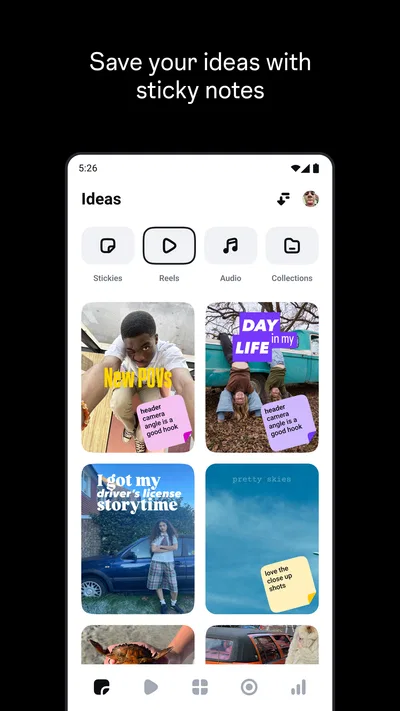
My practical advice is to test it with a short, low-stakes video first. Pick a few clips from one outing, make a simple edit, and see whether the process feels natural on your device. That reveals more than browsing feature descriptions: you learn whether the app helps you move forward or tempts you to spend time searching for a particular control.
This is especially useful if you are switching from an editor you already know. Recreating a small project lets you compare the parts that matter to you—how quickly you can select footage, whether the editing flow feels intuitive, and how much adjustment is possible—without risking a deadline or an important memory.
Where Edits earns its place
The clearest case for Edits is the creator who thinks in short sequences rather than long productions. A café visit, a quick recipe, a day out, or a small product demonstration can all work well as compact videos. You can focus on choosing the moments that tell the story, instead of building a complicated project simply because the software encourages it.
Here’s an everyday scenario: I’ve filmed a few clips while walking through a weekend market and want to share the atmosphere, not document every stall. I would begin by selecting only the moments that give the video a beginning and a finish—arriving, one memorable detail, then leaving. That editing decision often matters more than adding another effect. A focused mobile editor is convenient for that kind of light storytelling because the project starts with footage already close at hand.
One useful habit is to decide the order before polishing anything. Put the clips into a rough sequence, watch the whole thing once, and only then refine the moments that feel slow or confusing. This keeps small social videos from becoming a collection of individually attractive shots with no flow. It is a workflow tip rather than a special tool: the app’s value is partly in making a straightforward editing session feel manageable.
Another trade-off worth considering is how much you want to edit on a phone. A compact screen is handy for quick choices and immediate sharing, but it can make detailed work tiring. I’d use Edits for the first cut and modest refinements, then consider a larger-screen editor if a project needs careful frame-by-frame attention, extensive layers, or repeated revisions. That distinction helps prevent the common mistake of choosing an app by its category alone.
The app is also appealing if you prefer a dedicated editing space over making every change inside a social posting flow. Keeping the creative task separate can help you concentrate on the video itself: trim the idea down, check whether the sequence makes sense, and decide whether it is ready to share. For a casual creator, that separation can be less distracting than trying to compose, edit, and publish in one continuous session.
It is running as version 452.0.0.50.64, and the minimum operating-system requirement is 9. Before installing, I’d check that your device meets that requirement and has room for the footage you plan to work with. Video projects can be inconvenient when storage is tight, regardless of which editor you choose, so it is sensible to clear space before starting a longer session.
When another kind of editor makes more sense
Edits is not automatically the best answer for every mobile video. If you want a comprehensive editor for layered storytelling, detailed audio work, or a project that needs lots of fine adjustments, compare it with full-featured mobile editing apps. They may suit you better if control matters more than speed, though the larger set of options can take longer to learn.
At the other end, if your goal is simply to remove the beginning and end of one clip, the built-in editing tools on your phone may be enough. Installing a separate app adds another step and another interface to learn. I would not download Edits just to make a single tiny correction unless I expected to make similar videos regularly or wanted to explore a more deliberate creative workflow.
Template-led editors are another category to consider. They can be convenient when you want a ready-made visual structure and are happy to adapt your footage to it. A more hands-on editor is a better match when you care about choosing the pace yourself. The important distinction is not that one approach is universally superior; it is whether you want the app to supply a format or give you room to shape your own sequence.
For longer videos, too, think about where you want the finished work to live. A social-first workflow is comfortable for short pieces intended for feeds, but a long interview, a multi-part tutorial, or a carefully assembled family film may call for an editor organized around extended projects. In those cases, a desktop program or a more advanced mobile tool may be a better home for the work.
One non-obvious test is to make the same rough cut in Edits and in your current editor, using identical source clips. Don’t compare feature lists; compare how many decisions you can make confidently without interrupting your flow. If Edits gets you to a result you like with less fuss, it has earned a place. If you repeatedly reach for controls your other app handles better, switching may create more friction than it removes.
Switching is mostly about habits, not installation
Trying a new editor is easy; changing your routine is the harder part. You may already know where your favorite controls are, how you organize footage, and which app feels predictable under time pressure. I would keep the old editor available while testing Edits, rather than moving every project at once. That way, you can learn its strengths on a real task without making a deadline depend on an unfamiliar workflow.
It also helps to separate editing from publishing. Finish a draft, watch it from start to end, and check that the opening gives viewers a reason to stay and the ending does not feel accidental. Then decide where and when to share it. Even if a tool is built with social video in mind, a little distance between editing and posting can make it easier to catch an awkward cut or a moment that belongs in a different order.
If you create videos in batches, test whether the app suits that pattern rather than judging it from one clip. A workflow that feels quick for a single post may become repetitive across several projects, while a slightly slower editor may offer the consistency you need. I would pay attention to how comfortably you can return to a project and continue, not only to how fast the first edit feels.
There is also a sensible reason not to chase every paid option immediately. Since the app is free to begin with and in-app purchases vary widely in listed cost, try the editing process first and identify a specific limitation before buying anything. If you cannot name what a purchase would help you do, wait. That keeps the decision grounded in your actual use rather than curiosity about extra options.
My recommendation
I recommend Edits to people who regularly make short videos on their phones and want a more intentional editing step without taking on a complex production workflow. It is particularly suitable for social creators, casual storytellers, and anyone who wants to turn a few everyday clips into a coherent sequence. Its popularity and strong average rating make it easy to consider, but the real reason to keep it is whether it fits your own routine.
I’d skip it if you only need occasional one-tap trims, or if your projects demand the depth of a professional editing setup. In those situations, the phone’s basic tools or a fuller editor may be a better match. I’d also avoid assuming that a social-video focus means every project will be faster; unfamiliar controls and a small screen can still slow you down.
My bottom line: install it for a small project, judge the editing experience rather than the headline appeal, and keep using it if it helps you make better choices with less hassle. For a quick market-day montage or a short, carefully paced tutorial, that can be exactly enough. For long, intricate work, I’d choose a tool designed around greater control instead.
Pros
- The interface makes common editing tools easy to find.
- Projects can be refined with precise clip adjustments.
- Creative effects help give videos a distinctive look.
- The workflow is suitable for short social media videos.
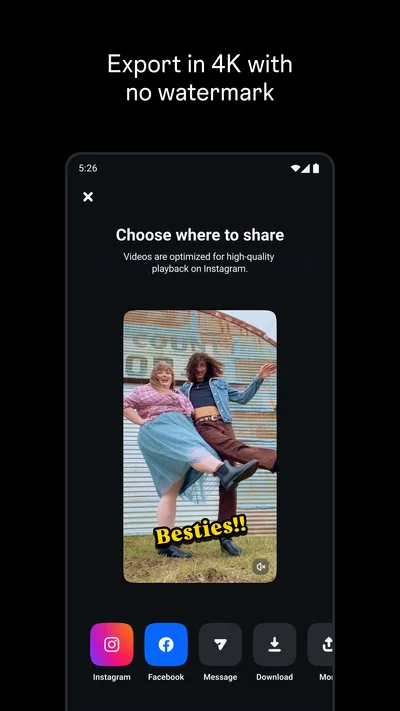
- Export options make it easy to share finished edits.
Cons
- Some advanced tools may take time to learn.
- A large project can use substantial device storage.
- High-resolution exports may take longer on older phones.
- The app may require a capable device for smooth editing.
- Some creative features may depend on an internet connection.
Best Video Players & Editors App 2026
Our verdict
Video maker from Instagram
Frequently Asked Questions
What is Edits: Video Editor, and what can I use it for?
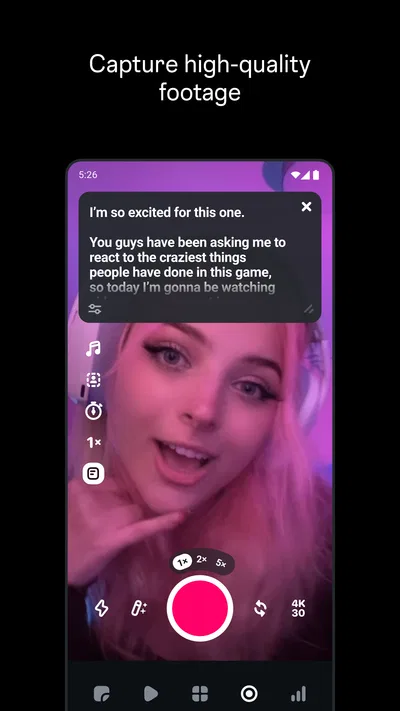
Edits is a mobile video-editing app from Instagram designed for creating and refining short-form videos. It offers tools for trimming and arranging clips, adding text and captions, applying effects, and adjusting visual details. You can use it to prepare videos for Instagram or other platforms, though the exact tools and features may vary by app version, device, and region.
Do I need an Instagram account to use Edits?
Edits is closely connected to Instagram, and signing in with an Instagram account may be required for some features or for sharing work directly to Instagram. Availability and sign-in requirements can change, so check the app’s current listing and onboarding screens before downloading. If you prefer not to connect an account, review the app’s permissions and available export options first.
Can I export videos from Edits without a watermark?
Edits is intended to let creators export videos for sharing, and export options may include videos without an Edits watermark. The available resolution, frame rate, and other export settings can depend on your device, the current app version, and the project itself. Before completing a project, check the export screen to confirm the settings and whether any limitations apply.
Is Edits suitable for beginners, or does it require video-editing experience?
The app is aimed at mobile creators and provides familiar timeline-based editing tools, so beginners can start with straightforward tasks such as trimming clips, adding text, and arranging footage. More advanced controls may take practice, especially when combining effects, audio, and multiple clips. Exploring a short test project first is a useful way to learn the workflow before editing an important video.
Is Edits free, and what should I know about privacy before downloading it?
Check the current Google Play or App Store listing for pricing, in-app purchases, and regional availability, since these details can change. As with other social-media editing apps, features may involve access to selected photos, videos, audio, or account information. Review the requested permissions and the developer’s privacy disclosures, and grant only the access needed for the editing and sharing features you plan to use.

Download Edits: Video Editor
Similar apps
View all 7.7
YouTube
Video Players & Editors
 7.1
CapCut - Video Editor
Video Players & Editors
 8.6
YouTube Studio
Video Players & Editors
 6.5
AI Mirror: Screen Mirroring TV
Video Players & Editors


