
- Award score
- 4.5Rating
- 100,000,000+installs
- Free
App information
Screenshots
 Analysis byAppsAward
Our review of ESPN
I think ESPN is easiest to judge by asking a practical question: can I get the sports information I need without turning a quick check into a long browsing session? As a free sports app from Disney, it brings scores, news, alerts, and live sports together. That breadth is useful, but it also means the experience can feel busy when all I want is one score. Its strongest case is for people who follow several teams or leagues and want a familiar place to check in; it is less compelling if you prefer a stripped-down scoreboard or rarely follow live sports.
Finding the information without getting lost
In my experience, the app’s main value is having different kinds of sports coverage close together. I can move from a score check to a news story, or look for live coverage, rather than opening a separate app for each task. That makes ESPN a practical daily companion, especially during a crowded sports calendar. The trade-off is that a broad feed asks me to decide what matters, and a quick visit can become a longer scroll if headlines and events compete for attention.
The app is in the sports category, and its layout reflects that wide scope: it is designed to serve people who want ongoing coverage, not only a single match result. I would begin by narrowing my attention to the teams and competitions I actually follow, then use alerts selectively. This small habit makes the experience feel less like a general stream of sports news and more like a personal reference point. If I leave every topic in my attention, the volume can become tiring.
ESPN has a 4.5 average from around 1.2 million ratings, and more than 100 million installs. Those figures suggest it has become a familiar choice for many sports fans, but they do not tell me whether its style suits someone who wants minimal distraction. I would treat popularity as a reason to try it, not as proof that its presentation will work for every reader.
Reading scores, headlines, and updates
Scores and news serve different needs, and I find it helps to use them differently. A score check is a quick task: I want the state of a game, not a chain of related stories. News is better suited to a deliberate visit, when I have time to read background and follow a developing subject. Keeping those intentions separate can make the app easier to navigate, especially when a major event generates a lot of coverage.
One useful workflow is to check a score first, then open a story only if the result raises a question: a late change, an unexpected outcome, or a team update worth understanding. That is more efficient than starting from the headline stream and hoping to find the detail I wanted. The app’s combination of scores and reporting supports this kind of two-step use, though it still relies on me to choose when to stop browsing.
For a reader who finds dense screens difficult, the practical issue is not just whether text is present but whether the page feels calm enough to scan. I would focus on one task at a time and avoid treating the home experience as a complete checklist of everything happening in sports. People who depend on a highly simplified display may prefer a dedicated scores app with a narrower purpose; ESPN’s breadth is an advantage only when I want that breadth.
Different abilities and ways of interacting
Sports apps are often used in short bursts, so small interaction demands matter. I may check a result while standing in line, then come back later to read. In that setting, a clear destination matters more than a deep menu of options. ESPN can cover both quick checks and longer reading, but its broad range means that someone who has trouble with frequent navigation or visual clutter may need to be selective about where they spend time in the app.
I would not assume that every reader experiences the interface in the same way. A person using larger text, a screen reader, voice controls, or other device-level assistance should test the parts they expect to use most: finding a particular game, opening a story, and handling an alert. The app’s general sports coverage does not by itself establish how comfortable each of those tasks will be for a particular setup. My advice is to try a familiar team or event first, rather than judging it from a crowded day of coverage.
There is also a difference between receiving information and consuming it. Someone who benefits from visual score context may appreciate a sports-focused app, while a reader who needs every update delivered in a very plain, predictable format may find a simpler scoreboard easier. Likewise, live sports viewing is not interchangeable with reading a score or article: a fan who cannot or does not want to watch at that moment may still use the app for updates, while a viewer should check whether the event they care about is available to them before relying on the app as their only way to follow it.
Alerts and real-world situations
Alerts are most helpful when they answer a specific question I care about, such as whether a game has started or whether an important moment has happened. They are less useful when they interrupt me for every development across teams I barely follow. I recommend choosing a small set of priorities and reviewing that choice after a busy stretch of games. That is a concrete way to keep sports updates informative rather than letting them take over the day.
Consider an ordinary commute: I have a few minutes, cannot watch a game, and want to know whether the team I follow is still playing and how things are going. ESPN’s mix of scores, news, and alerts fits that situation better than a video-first service, because I can use it as a quick check rather than committing to a full broadcast. If I need sustained, low-interruption access, however, I would wait until I can give the screen proper attention or use a simpler source for the score alone.
It is also useful at home when a game is on in the background and I want context about another event. The app can bring those interests together, but that convenience has a boundary: reading updates while watching or doing something else can divide attention. For people sensitive to frequent notifications, the best setup is not necessarily the one that gives the most updates. It is the one that reserves alerts for events they would genuinely want to know about immediately.
What the breadth costs
ESPN is free to download, but it includes in-app purchases priced from $4.99 to $79.99 per item. I would not assume that paying is necessary for the basic reason many people install it: checking sports coverage. Instead, I would first identify what I want to do, then check the purchase details in the app store before spending. This matters most if I am considering the app for a specific live event, because access expectations and the value of any paid option are personal decisions, not something I would treat as automatic.
The app is rated for Everyone 10+, a useful consideration for families deciding whether it fits a shared device. That rating does not replace a parent’s judgment about the particular sports news or live coverage they want a younger person to encounter. I would explore the experience together before making it part of a child’s routine, especially if alerts could arrive during schoolwork, quiet time, or other activities.
ESPN has been available since June 15, 2010, and the listed minimum operating system is 7.1. Those details help with basic compatibility planning, but they do not guarantee that every older device will feel comfortable or perform well for every task. I would install it on the device I actually intend to use and test score checking and reading before depending on it during an important game.
Who should choose it, and who may prefer another route
I would recommend ESPN to a fan who wants one app for a mix of scores, reporting, alerts, and live sports, and who is willing to tune the experience around personal interests. It is particularly useful when following more than one team or when a quick result check might lead to a deeper read. Disney is the developer, and the app’s long-running, broad sports focus is apparent in the way it combines these different reasons to open it.
I would steer someone toward a dedicated scoreboard if their only goal is to see results as quickly and plainly as possible. A sports streaming service may be a better fit for someone whose priority is watching rather than checking updates, while a league-specific app can make more sense for a fan who follows one competition closely and wants to avoid unrelated coverage. Those alternatives are not inherently better; they simply trade ESPN’s range for a narrower, more focused experience.
The app may also be a poor fit for anyone who wants a quiet interface but does not want to manage what appears in the feed or which alerts arrive. In that case, a simple web-free routine of checking a single trusted score source may feel more comfortable than opening a broad sports hub. I would also avoid relying on it as the sole plan for an event until I have checked that the coverage I need is actually available in my circumstances.
My inclusive verdict
Overall, ESPN is a useful choice when I want sports information to be close at hand, but its inclusiveness depends partly on how well its breadth fits a person’s attention, reading preferences, and way of interacting with a phone. I like the flexibility of moving between scores and stories, and I appreciate that alerts can support quick check-ins when watching is not practical. The main compromise is the need to manage a busy mix of content and decide which updates deserve my attention.
My most practical recommendation is to start with one team or competition, use the app for a week of ordinary score checks, and notice whether the feed and alerts help or distract. If that focused trial feels manageable, expand from there. If navigation, visual density, or interruptions get in the way, a narrower scoreboard or another source may be the more comfortable choice. For fans who want a broad sports companion and are prepared to make it their own, ESPN is worth trying; for people who need one clean answer and nothing else, its range can be more than they need.
Pros
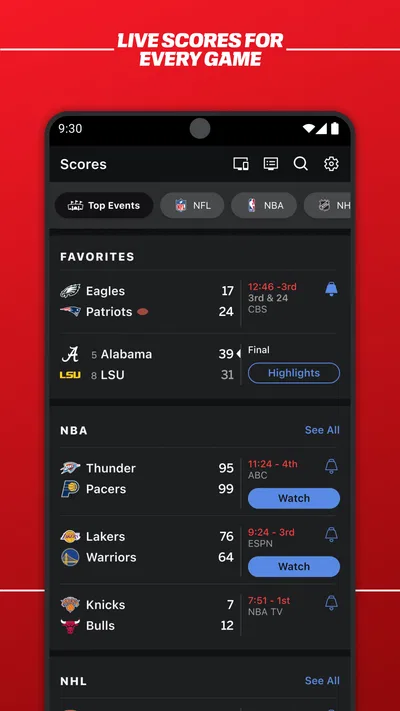
- Live scores and game updates are easy to check.
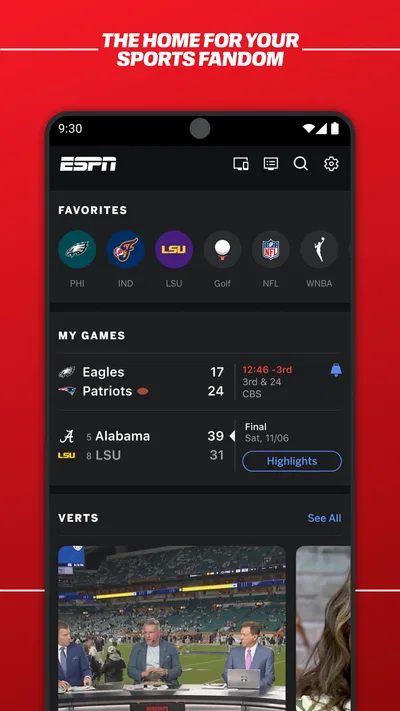
- Personalized alerts help you follow favorite teams.
- The app covers a wide range of sports.
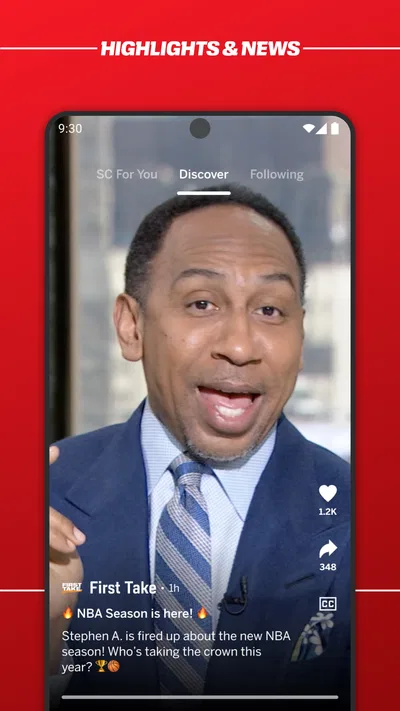
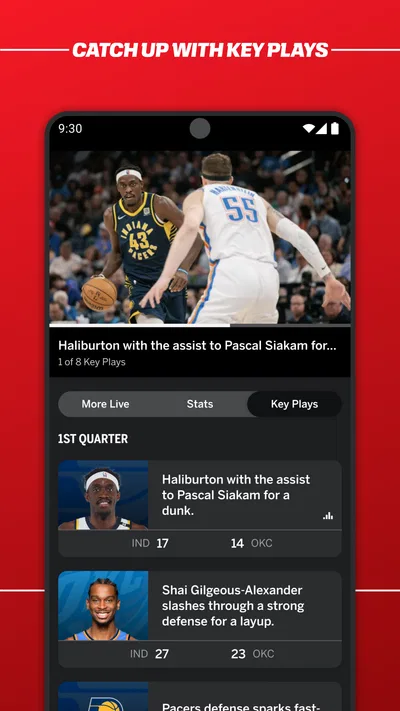
- Video highlights make key moments quick to catch up on.
- A customizable home screen puts preferred content first.
Cons
- Some live streams require a paid TV provider subscription.
- Access to certain content depends on your location.
- Frequent notifications can feel distracting.
- Video playback may use substantial mobile data.
- Some features and coverage vary by sport or event.
Best Sports App 2026
Our verdict
Get scores, news, alerts & watch live sports
Frequently Asked Questions
What can you watch and follow in the ESPN app?
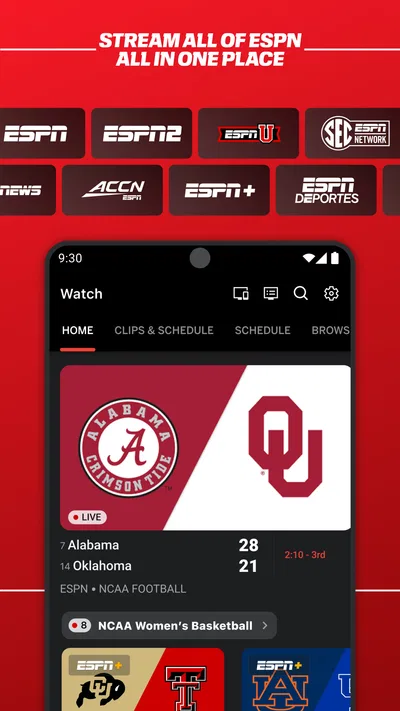
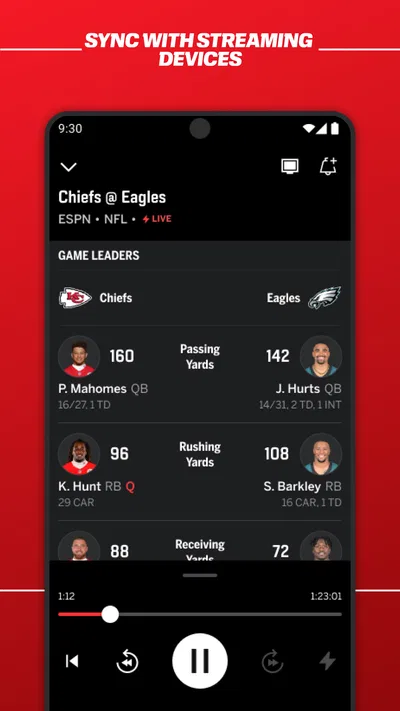
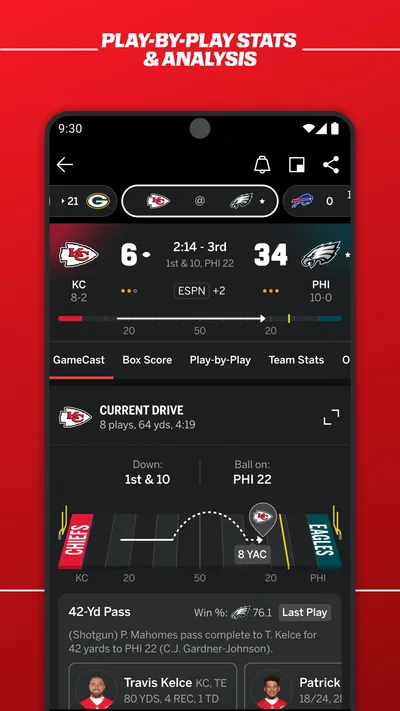
The ESPN app brings together live sports coverage, scores, schedules, news, highlights, and analysis. Depending on your location and subscription, you may be able to stream events from ESPN networks and access ESPN+ programming, including select live games and on-demand content. Available sports and events vary by region, rights, and plan, so check the app’s listings before downloading if you have a particular team or competition in mind.
Do I need a subscription to use the ESPN app?
You can generally browse scores, schedules, headlines, and some highlights without paying, though access can depend on your location. Live streams and certain on-demand programs may require a TV provider login, an ESPN+ subscription, or another eligible plan. Having the app installed does not automatically unlock every event. Review the current subscription details and the event’s access requirements in the app before signing up.
Is ESPN available on both Android and iOS?
ESPN is offered for supported Android and Apple mobile devices, but exact compatibility depends on your operating system version, device, and region. Before installing, check the app listing in Google Play or the Apple App Store for current requirements and availability. Streaming also works best with a reliable internet connection; mobile data use may be substantial, especially when watching live video for an extended period.
Can I watch live sports on ESPN while traveling?
Live-streaming availability can change when you travel because sports broadcasting rights and subscription terms differ by country. Some content may be unavailable outside your home region, and a plan that works at home may not provide access abroad. The app can still offer scores, news, or other features where permitted, but check the service’s current regional restrictions and your subscription terms before relying on it for a game.
Does the ESPN app send notifications for teams and games?
The app can provide alerts for selected sports, teams, and events, such as score updates or breaking news, when notifications are supported and enabled. You can usually manage notification permissions in your device settings and choose preferences in the app. Alerts may arrive at different times depending on your settings, connection, and regional coverage, so use the app itself for the latest available scores and schedules.




