
- Award score
- 4.8Rating
- 1,000,000+installs
- Free
App information
- Version
- 26.42.1
- Updated
- Requires
- 8.0
- Price
- Free, in-app purchases
- Developer
- Scoopz LLC
- Content rating
- Everyone
Screenshots
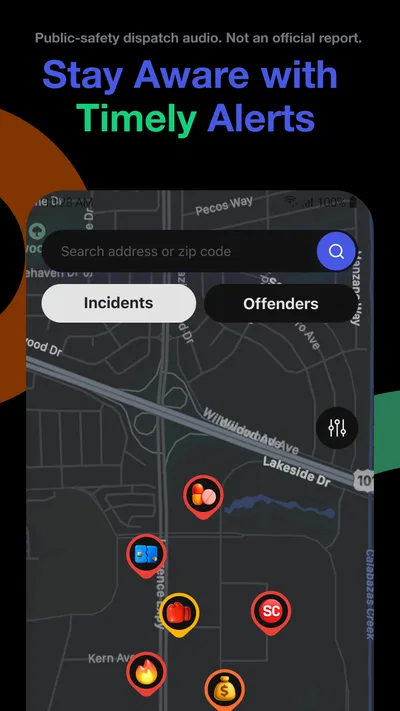
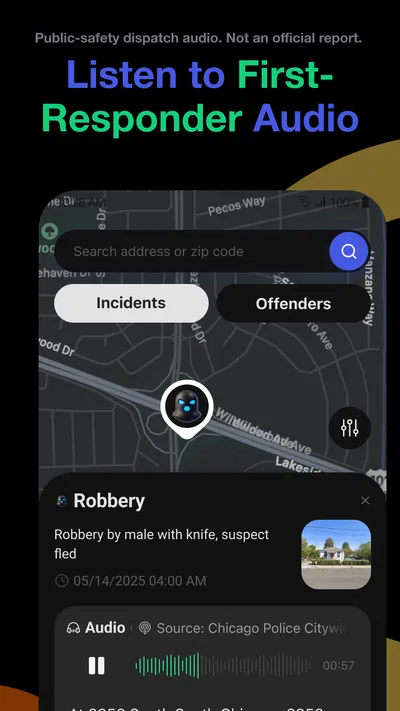
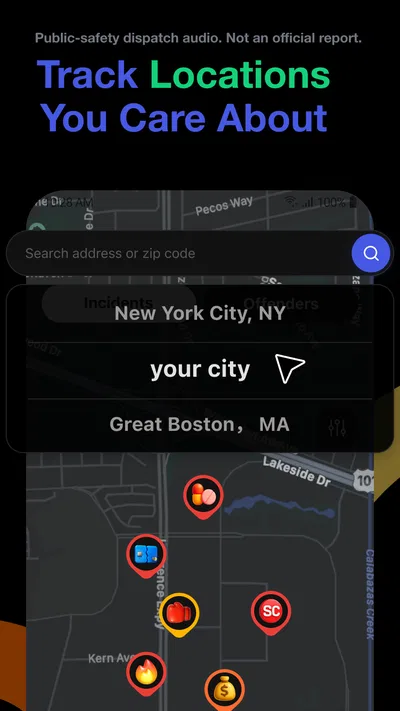
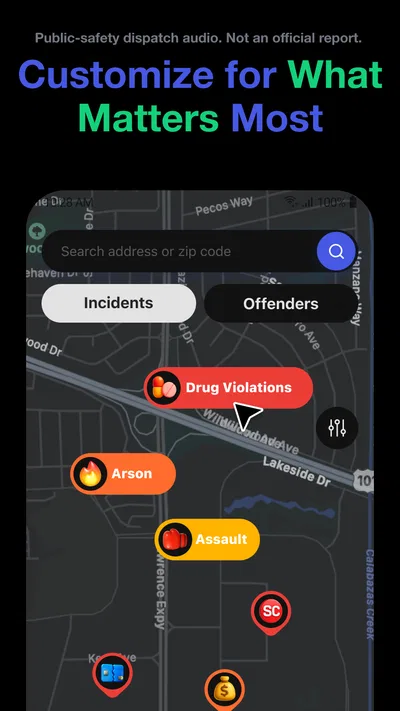
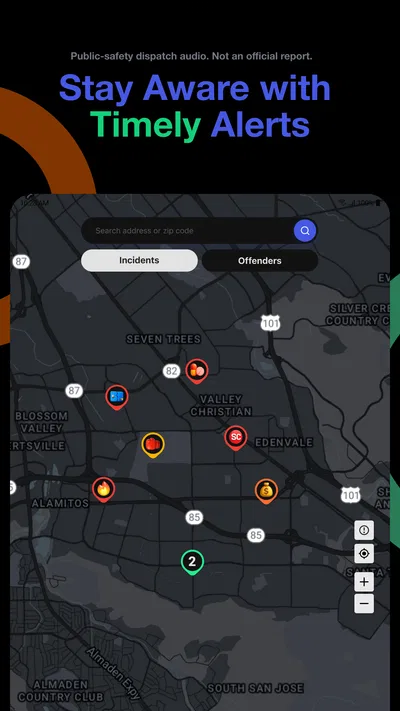
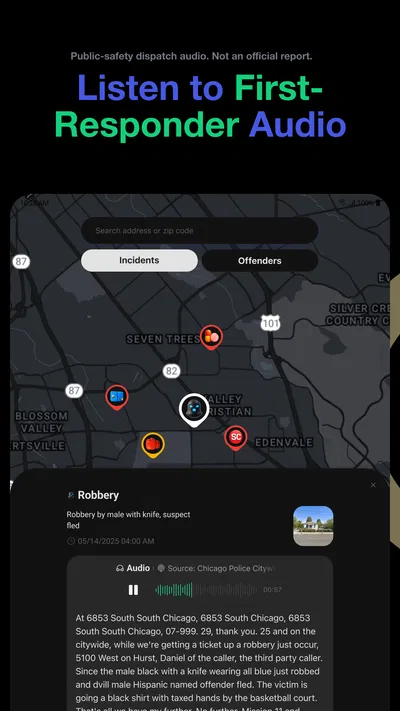
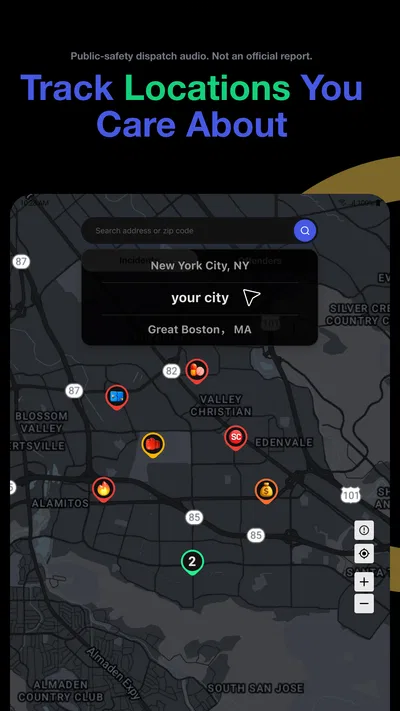
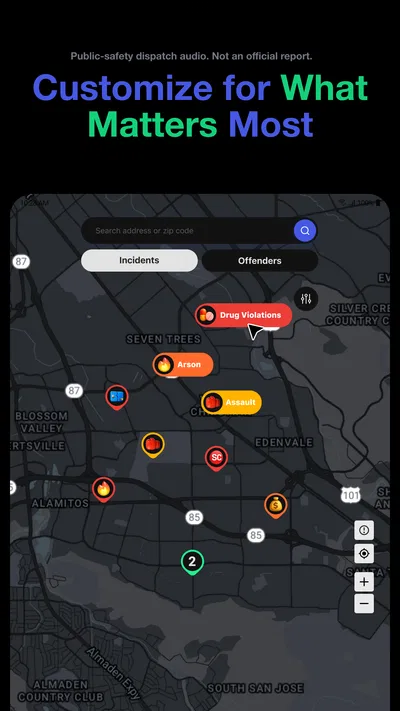
 Analysis byAppsAward
Our review of CrimeRadar: Dispatch Alerts
I approach CrimeRadar: Dispatch Alerts as a situational-awareness tool, not a replacement for local reporting or emergency services. Its appeal is easy to understand: it connects a map and alerts with live first-responder radio, giving people another way to keep an eye on what may be happening nearby. The important question, though, is not simply how much activity it shows. It is whether that information fits the way I make decisions, and whether I am comfortable using a service built around sensitive, fast-moving events.
Useful context, with sensible limits
CrimeRadar is a free News & Magazines app from Scoopz LLC. Its focus is narrower than a typical news reader: rather than collecting headlines across many subjects, it centers on local safety information presented through a map and alerts. That makes it potentially useful when I want a quick sense of nearby activity, but less suitable if I want a balanced overview of everything happening in my community.
The distinction matters because a live incident feed can feel more immediate than a newspaper story, while still requiring judgment. An alert is a prompt to pay attention, not a complete account of an event. Radio communications can be brief, unclear, or lacking the context that comes later from official updates. I would use the app to orient myself, then look for dependable local information before drawing conclusions or sharing a claim.
In ordinary use, the map is most valuable when it helps answer a practical question: should I take a different route, give an area more space, or check on someone who is traveling? It is less helpful as a way to determine whether a neighborhood is broadly safe. A map can make individual incidents feel concentrated simply because they are visible in one place; it does not, by itself, explain risk over time or provide a full picture of local conditions.
That is why I would keep the app’s role modest. It can complement a local news source, official alerts, and common sense, rather than displacing them. If I needed confirmed instructions during an emergency, I would prioritize emergency services and official public-safety communications. A dispatch-based view may add useful awareness, but it should not be treated as an authoritative command channel.
How I would use the map and alerts
A realistic use case is checking the area around a commute before leaving, especially if I am traveling through unfamiliar streets. I might glance at the map, notice an alert that could affect the route, and choose a familiar alternative while I verify the situation through another source. That is a lower-risk use than reacting to an incomplete dispatch detail as though it were a confirmed public notice.
I would also avoid turning the map into a habit of constant checking. Repeatedly refreshing incident information can make ordinary travel feel more threatening without producing a better decision. A more useful routine is to open the app when I have a concrete reason—before a trip, while planning an outing, or after receiving a relevant alert—and close it once I have enough context to act sensibly.
For households, the tool could support a conversation about meeting points or alternate routes, but it should not become the only way family members share safety information. If someone is in immediate danger, a direct call to emergency services is more appropriate than waiting for an app notification. If the concern is a child or another person on the move, agreed check-ins and clear plans remain more dependable than assuming a map will answer every question.
Trust is about what I can verify
With any app centered on live safety information, I think carefully about trust. That includes the reliability and context of what appears on screen, as well as what the app asks me to share and what choices it gives me. I would not assume that a map or alert tells the whole story, and I would not infer a particular privacy practice from the app’s purpose alone.
Before relying on a service like this, I check the permission prompts shown by my device and consider whether each one makes sense for the way I plan to use it. I also look for the app’s own explanations of data handling and account controls, rather than treating the presence of a safety feature as proof of how personal information is managed. If I am not comfortable with a request, I can pause and decide whether the feature is worth enabling; I do not need to grant access reflexively.
There is a useful distinction between a permission being available and a permission being essential to every use. Device settings can show what access is currently allowed, while the app’s visible controls can help me understand what I have chosen to turn on. I would review both after setup and again if my use changes. That practical check is more reliable than guessing from a short description or assuming that all users have the same configuration.
Location deserves particular thought in a safety app. A map is naturally tied to places, but that alone does not tell me whether the app needs continuous location access, whether it offers a less broad option, or how it handles location-related information. I would follow the exact prompt on my device, choose the narrowest access that still supports my intended use, and revisit the choice if I stop needing the feature. I would not enable background access merely because it sounds convenient.
Notifications are another trade-off. An alert can be useful when I am planning a route, but frequent or poorly timed notices can interrupt work and encourage anxious checking. I would begin with only the notification settings that feel useful, then adjust them after seeing how they fit my routine. If the app’s controls let me narrow what I receive, that would be preferable to leaving every alert on and eventually disabling notifications altogether.
Privacy choices around sensitive moments
Safety information can involve people at stressful moments, so I would be careful about what I do with it. I would not treat a dispatch snippet as permission to identify, photograph, follow, or publicly accuse anyone. Nor would I repost an unconfirmed interpretation. Even when an alert seems clear, the people involved may have little control over how widely a partial account spreads.
That caution is especially important if I use the app while near an incident. My first priority would be to keep a safe distance and follow instructions from responders, not to get closer for a better view or use the app as a reason to linger. A map can help me avoid an area; it should not turn an unfolding emergency into something to watch.
If I am deciding whether to create or maintain an account, I would look directly at the account options available in the app and at the privacy information the service presents. I would use only the information needed for the features I want, and I would periodically check whether I still want those choices enabled. These are practical habits, not a claim about what the app collects or how long it keeps information.
For people who share a device, the same care applies to notifications and screen visibility. An alert may appear at an inconvenient time or where another person can see it. Adjusting device notification previews or choosing quieter notification settings can reduce that exposure without requiring me to stop using the app altogether. The right choice depends on the device and the available controls, so I would inspect those settings rather than assume the defaults suit my situation.
Who may appreciate it—and who may not
The app is aimed at people who want a local, map-based way to stay aware and are comfortable treating live dispatch information as one input among several. It may suit someone who regularly travels across unfamiliar parts of town, plans routes around changing conditions, or simply prefers a visual overview to scrolling through general news. It is also more likely to feel useful to a person who can stay calm around incomplete information and verify important details before acting.
It may be a poor fit for someone who finds incident alerts stressful, wants only confirmed and fully contextualized news, or expects a safety map to provide a definitive risk score. People who need broad coverage of civic affairs, weather, traffic, and community reporting may be better served by a conventional local news app or a collection of official alert services. Those alternatives often answer different questions: what has been confirmed, what officials are advising, and what else is happening in the area.
Compared with a standard news reader, CrimeRadar’s strength is immediacy and a location-focused presentation. Its trade-off is that dispatch-oriented information can be fragmentary and emotionally charged. Compared with official emergency notifications, it may offer a different kind of awareness, but I would not substitute it for direct government or emergency-service instructions. The best choice depends on whether I want an additional early signal or a verified instruction channel; those are not interchangeable needs.
What the store profile tells me
The app is rated for Everyone, and it is free to install, with optional in-app purchases listed from five cents to $79.99 per item. I would check the purchase screen carefully before confirming anything, especially if a device is shared or used by a child. The age rating is not a promise that every incident will feel suitable for every reader; the subject matter itself can still be unsettling.
Its store profile shows an average rating of 4.8 from around 50,000 ratings, alongside roughly 6,600 written reviews and over one million installs. Those figures suggest that many people have tried it, but they cannot tell me whether its alerts suit my location, how I will react to the content, or whether its controls match my preferences. I would treat user feedback as a starting point, then judge the app by my own experience and the choices visible on my device.
CrimeRadar was released on May 22, 2025, and its current version is 26.42.1. It supports devices running Android 8.0 or later. Those details are useful before installing, but the more important practical check is whether the app works well for my local area and whether its notifications are informative rather than distracting. I would give myself a short trial period with conservative settings before deciding if it belongs in my routine.
A cautious verdict
CrimeRadar has a clear purpose: helping me notice local activity through a map and dispatch-based alerts. I can see its value as a supplementary awareness tool, particularly when I have a specific route or outing in mind. Its most important limitation is also built into that purpose: fast-moving radio information may arrive without the context needed for confident conclusions.
I would recommend trying it to someone who wants another local signal, is willing to check permissions and account choices, and can use alerts without treating them as verified news. I would skip it if live incident coverage is likely to increase anxiety, or if I need authoritative instructions rather than an additional perspective. Used selectively, with restrained notifications and independent verification, it may be a useful companion. Used as a complete picture of community safety, it asks more of the information than it can reasonably provide.
Pros
- Provides alerts about nearby police activity and incidents.
- Can help users stay aware of safety concerns in their area.
- Location-based alerts make updates more relevant to your surroundings.
- Useful for checking local activity before heading out.
- Simple alert-focused design can make key information easy to find.
Cons
- Alert coverage may vary depending on your location.
- Reports may be delayed or incomplete.
- Location access may be needed for nearby alerts.
- Frequent notifications could become distracting.
- Incident details may require independent verification.
Best News & Magazines App 2026
Our verdict
Stay aware with a safety map and alerts based on live first-responder radio
Frequently Asked Questions
What is CrimeRadar: Dispatch Alerts?
CrimeRadar: Dispatch Alerts is an app focused on showing dispatch and incident alerts, helping users follow reported activity in their area. The information available can depend on location, local data sources, and the app’s current coverage. It should be treated as an awareness tool rather than a complete record of every incident or an official confirmation that a crime has occurred.
Does CrimeRadar: Dispatch Alerts provide real-time alerts for every area?
Alert availability and timing may vary by location because the app depends on the dispatch information and data sources accessible in each region. Some areas may have more frequent or detailed updates than others, and delays or gaps can occur. Before relying on it, check whether your area is supported and remember that an alert feed may not reflect every emergency or incident in progress.
Can I use CrimeRadar: Dispatch Alerts to contact emergency services?
An incident or dispatch alert should not be considered a way to request help or communicate directly with emergency responders. If you are witnessing an emergency or need immediate assistance, contact your local emergency number using your phone. The app’s role is to display available information; it may not verify reports, send responders, or provide a dependable channel for urgent communication.
Does CrimeRadar: Dispatch Alerts track my location or collect personal information?
Location-related features may require permission to show alerts relevant to your area, while other app functions may work without precise location access. Review the permission prompts and the app’s privacy policy before installation to understand what information may be collected, how it is used, and whether it is shared. You can also check your device settings to manage or revoke permissions.
Is CrimeRadar: Dispatch Alerts free, and what should I check before downloading?
Check the current store listing for the latest details about price, in-app purchases, subscriptions, supported devices, and regional availability, as these can change. Also review recent user feedback and the developer’s privacy disclosures. Availability of alerts may depend on your location, so confirm local coverage before downloading if that is the main reason you want the app.

Download CrimeRadar: Dispatch Alerts
Similar apps
View all 9.6
X
News & Magazines
 9.2
NewsBreak: Local News & Alerts
News & Magazines
 9.6
Substack
News & Magazines
 8.7
Local Weather News - Radar
News & Magazines


