
- Award score
- 4.8Rating
- 10,000,000+installs
- Free
App information
Screenshots
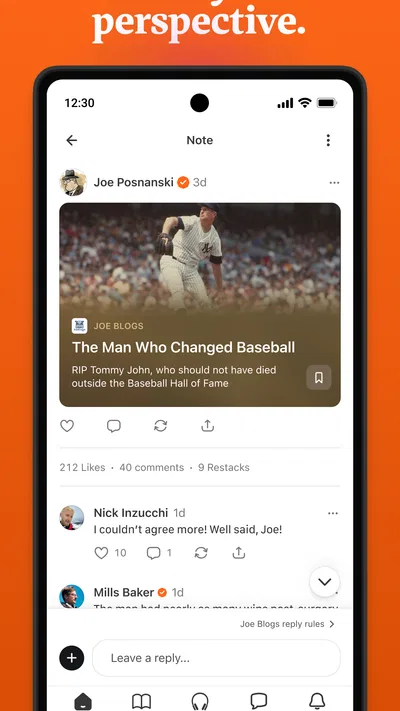
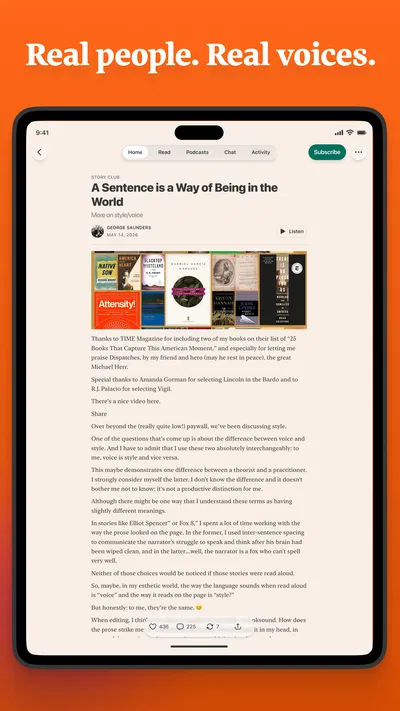
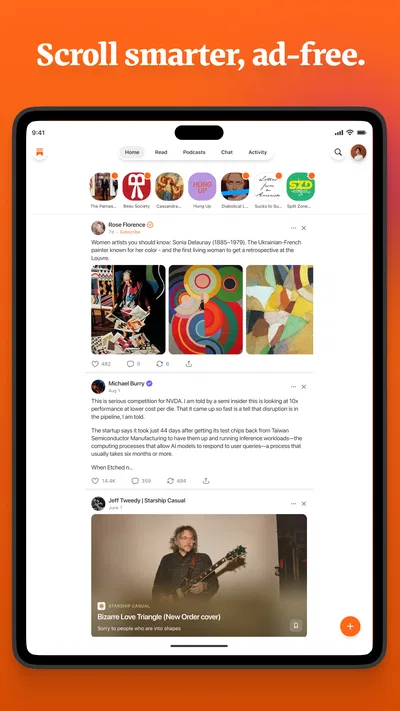
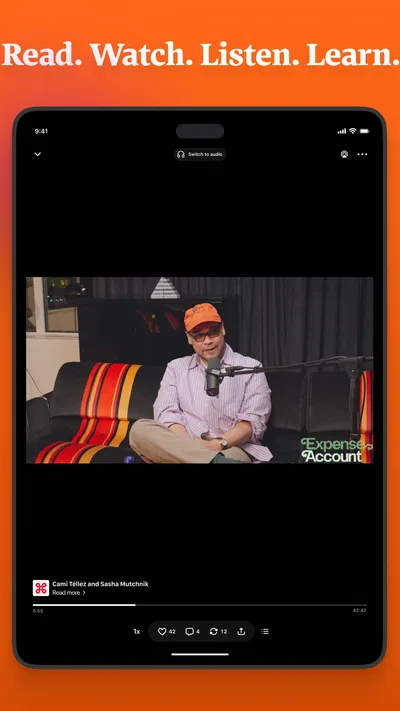
 Analysis byAppsAward
Our review of Substack
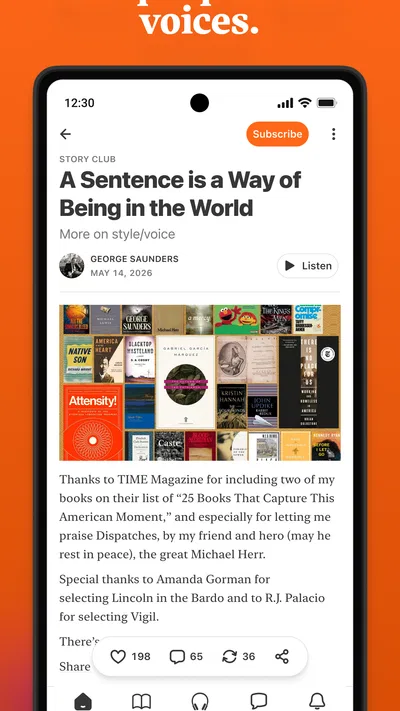
I use Substack as a place to read writers I choose, rather than as a replacement for every news source on my phone. That distinction matters: it can make following a handful of thoughtful voices feel easy, but the experience depends heavily on which publications and writers you bring into it. When my reading list is well chosen, the app feels focused and personal. When I expect it to deliver a complete, balanced news briefing on its own, it is less satisfying.
A reading app with a creator-led rhythm
Substack is a free News & Magazines app from Substack Inc. Its mix of writing, video, and podcasts gives it a different feel from a conventional newspaper app. Instead of starting with a single newsroom’s front page, I approach it through the individual publications and voices I want to keep up with. That makes it especially useful for people who already know what they like to read or listen to.
The app has a 4.8 average from around 341,000 ratings, and it has passed 10 million installs. Those figures suggest broad interest, but they do not tell me whether a particular reader will enjoy its open-ended, creator-led mix. The real question is whether you want to choose your own reading circle or prefer editors to assemble the day’s coverage for you.
What the pace feels like
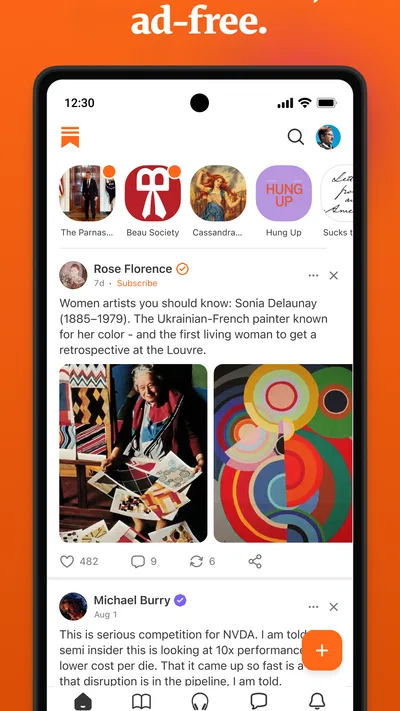
In ordinary use, the app’s performance is best judged by how quickly I can get from opening it to a piece I actually want to read. Substack is built around feeds and subscriptions, so a calm, well-curated following can make browsing feel direct. The more varied the material I follow, the more time I may spend deciding what to open. That is a content-choice issue as much as a speed issue.
I would not treat it as a fast-breaking news ticker. A publication may post frequently or only occasionally, and the app’s usefulness follows that rhythm. If I need immediate updates across several topics, a dedicated news app with a clearly organized live coverage section is a more natural fit. Substack is stronger when I have time to read a writer’s full argument, listen to a discussion, or return to a publication I already value.
A practical way to keep the experience brisk is to be selective when following publications. I would start with a small group of writers whose work I genuinely want to see, then add more only when I know what gap they fill. This keeps the feed from becoming a pile of unread posts and makes it easier to notice the items that deserve attention.
When reading turns into heavier use
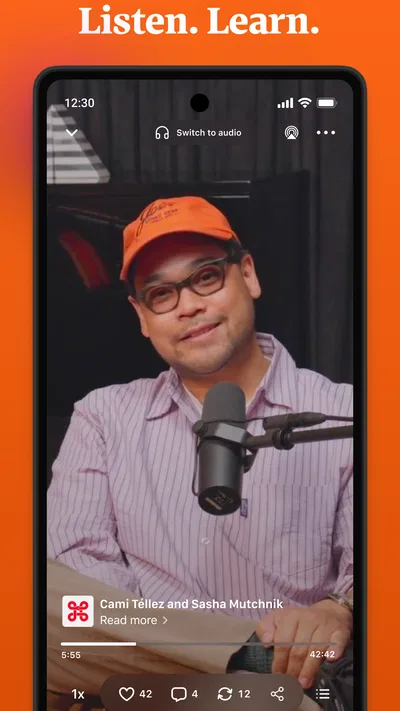
Substack’s appeal grows when I use it for more than a quick scroll. A commute, lunch break, or quiet stretch at home can become a small routine: read one essay, save a longer piece mentally for later, or switch to a podcast when looking at the screen is inconvenient. Moving between formats gives the app more range than a text-only newsletter reader.
That flexibility can also make a session longer than intended. A post may lead me to a writer’s other work, and a podcast can turn a brief check-in into a longer listen. I find it helpful to open the app with a purpose: catch up on one publication, read a specific post, or explore a topic. Without that intention, the open-ended selection can encourage browsing without a clear stopping point.
One useful workflow is to treat subscriptions as an editorial choice rather than a collection habit. If a publication repeatedly adds little to my week, I can reconsider whether it belongs in my regular feed. That small bit of maintenance has a bigger effect on the day-to-day experience than trying to follow everything that sounds interesting at first glance.
A realistic everyday use
Imagine having ten minutes before a meeting and wanting something more substantial than a stream of headlines. I might open Substack, check whether a writer I follow has published, and read a few paragraphs while waiting. If the piece is long, I can leave it for a quieter moment rather than forcing it into the gap. On the way home, a podcast from a publication I already trust may suit the situation better than another screen session.
This is where the app feels most personal: it supports a reading habit built around particular voices, not just a list of topics. It can help me keep up with specialist commentary, independent writing, or a publication that does not fit neatly into a broad newspaper section. The trade-off is that the quality and usefulness of the feed depend on my choices, so discovery can feel uneven if I do not know where to begin.
Reliability and the shape of the feed
For a subscription-based reading routine, reliability is not only about whether an app opens. It is also about whether I can return to the publications I care about and find their work without repeatedly rebuilding my routine. Substack’s central idea is straightforward: follow writers and publications, then use the app as a home for their output. That gives the experience a clear purpose, even though the range of material can vary from one subscription to another.
I would be cautious about expecting every publication to post on a predictable schedule. Writers set their own pace, so a quiet feed may reflect the people I follow rather than a problem with the app. If I rely on it for a particular subject, it makes sense to follow more than one voice in that area. That is a useful hedge against an individual publication’s slower posting rhythm, though it does not turn the app into a fully edited news desk.
Substack is also less suited to someone who wants one authoritative, carefully balanced overview without making choices. A traditional newspaper app or a general news aggregator may do a better job of presenting multiple stories in a structured daily package. Here, I am closer to building my own small magazine from the writers I decide to trust.
Device demands and compatibility
The app is rated Teen, which is worth keeping in mind for households where younger users share a device. That label does not mean every publication has the same tone or subject matter; the material comes from a wide range of writers. I would make subscription choices deliberately, especially if a young person is using the app independently.
The current version is 3.10.1, and the minimum operating system requirement is version 9. For anyone using an older device, checking that requirement before installing is a sensible first step. I would not assume that a phone’s age alone determines the experience: available storage, background activity, network conditions, and how many apps are open can all affect perceived responsiveness. I have no reason to promise that Substack will feel identical across every device.
Because this is a mix of text, audio, and video, the kind of session matters. Reading an article is a different demand from streaming media, and a long listening session may be better planned around a stable connection and enough battery. If conserving mobile data is important, I would be especially mindful about choosing video or audio while away from Wi-Fi; that is a sensible habit for any media app, not a special setting I would assume is available here.
Where it sits beside other news apps
Compared with a newspaper app, Substack feels less like a finished daily edition and more like a shelf of publications I have chosen. Compared with a broad aggregator, it asks me to pay more attention to the source and the writer. That can be a strength when I value a particular perspective, but it also means I need to seek out contrasting voices rather than assume the feed will provide a complete picture.
It is a good choice for readers who enjoy essays, commentary, and podcasts from individual creators, and for people who want to keep those sources together in one place. It is less compelling for someone who wants only urgent local alerts, a tightly curated overview of breaking stories, or a feed that needs no setup. If I am unsure whether I will enjoy the format, the free price makes trying it low-risk, but the best experience still takes some thought about whom to follow.
My performance verdict
Substack’s strongest performance quality is not a benchmark number; it is how naturally it can fit into a deliberate reading or listening routine. When I keep my subscriptions focused, the app gives me a manageable route to work I care about. When I follow too broadly or expect it to behave like a complete news service, the feed can feel less organized and the session less purposeful.
I would recommend it to a friend who likes returning to specific writers and wants text, podcasts, and video in the same reading environment. I would point a headline-first reader toward a conventional news app instead, and I would suggest that anyone with an older phone check operating-system compatibility before installing. Substack is free, developed by Substack Inc., and has been available since October 3, 2022. For me, its value comes down to a simple test: if the voices you follow make you want to come back, it can become a satisfying daily habit; if you want someone else to decide what matters, another kind of news app will serve you better.
Pros
- Subscribe to multiple publications from one account.
- Free newsletters are available alongside paid subscriptions.
- The app supports audio posts and podcasts.
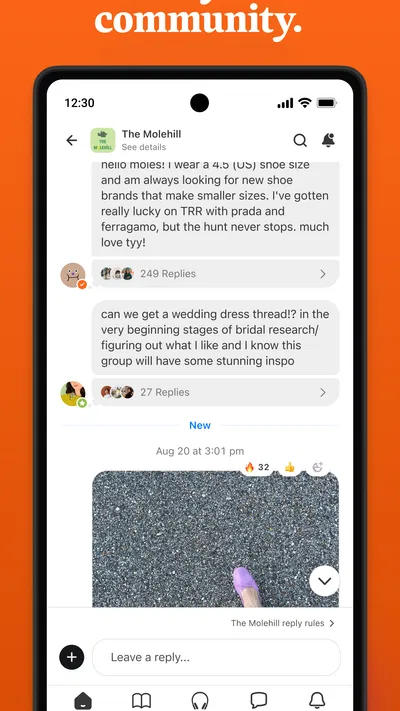
- Readers can discuss posts with writers and other subscribers.
- A personalized feed helps surface new posts.
Cons
- Some publications require a paid subscription to read full posts.
- Subscription prices vary and can add up across publications.
- Discovery can be less useful for readers with niche interests.
- The inbox may become crowded with frequent newsletter updates.
- Some features differ between the mobile app and the website.
Best News & Magazines App 2026
Our verdict
Videos, writing, podcasts & more
Frequently Asked Questions
What is Substack, and what can you do with it?
Substack is a publishing platform where writers and other creators can share newsletters, articles, podcasts, and video with readers. In the app, you can discover publications, follow creators, read or listen to their posts, and join conversations. Some content is free, while creators may offer paid subscriptions for access to additional posts or other subscriber benefits.
Is Substack free to use, or do you need a subscription?
You can download Substack and use it to explore and follow publications without paying. Individual creators decide which posts are free and whether to offer paid subscriptions, so costs vary by publication. Before subscribing, check the price, billing period, and included benefits on the offer page. A paid subscription to one creator generally does not unlock every paid publication on the platform.
How do paid subscriptions and cancellations work on Substack?
When you subscribe to a paid publication, the subscription is tied to that creator and is typically billed on a recurring basis according to the plan shown at checkout. Review the renewal date and cancellation terms before confirming. Manage or cancel the subscription through the billing route used to purchase it, such as the relevant app-store settings or the publication’s account page; access may continue until the paid period ends.
Can you read Substack newsletters without using the app?
Yes. Many Substack publications can be read on the web, and newsletters can also arrive by email if you subscribe with an address. The app is useful for keeping followed writers and their posts together, but it is not the only way to access the platform. Whether a particular article is available without a paid plan depends on the creator’s settings.
What should you know about privacy and notifications before using Substack?
Substack may ask you to create an account or provide an email address to follow publications, and the information visible to other users can depend on your profile and activity settings. Check the app’s current privacy controls and the publication’s own practices if you have concerns. Notifications can help you keep up with new posts, but you can adjust or disable them in the app or your device settings.

Download Substack
Similar apps
View all 9.6
X
News & Magazines
 9.2
NewsBreak: Local News & Alerts
News & Magazines
 8.7
Local Weather News - Radar
News & Magazines
 9.6
CrimeRadar: Dispatch Alerts
News & Magazines


