
- Award score
- 4.5Rating
- 5,000,000+installs
- Free
App information
Screenshots
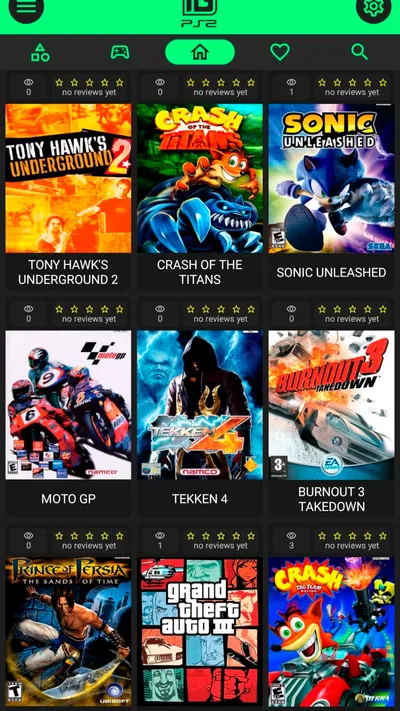
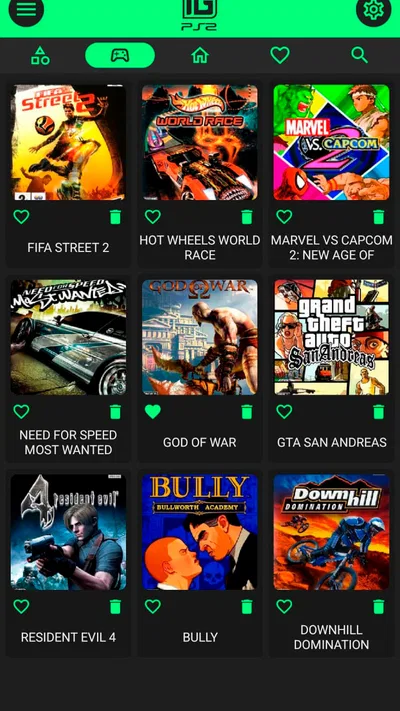
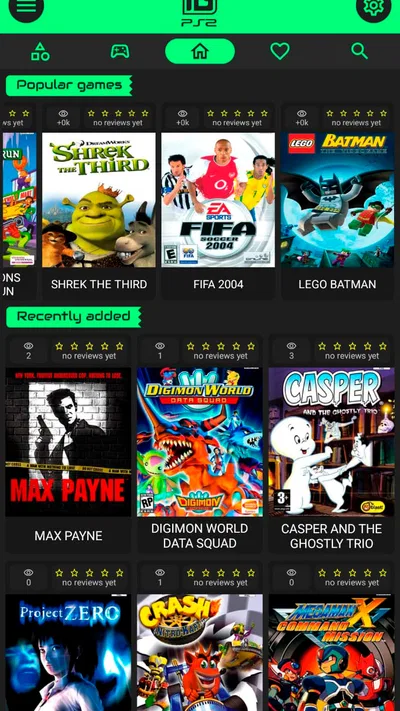
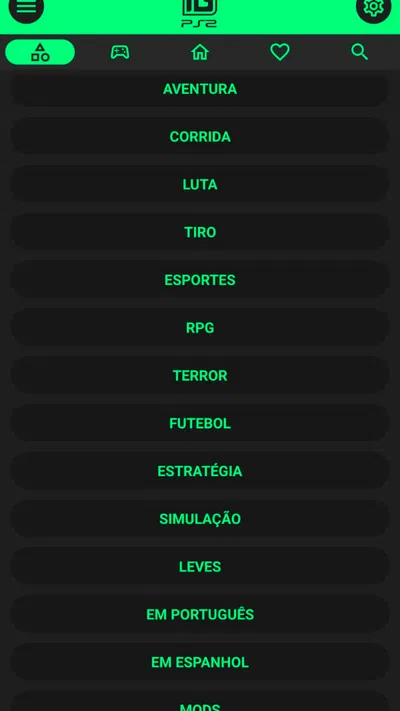
 Analysis byAppsAward
Our review of IGAMES PS2
I understand the appeal of wanting to revisit PlayStation 2-era games on a phone, but nostalgia is only a good reason to install an app, not a reason to keep it. IGAMES PS2 is aimed squarely at that impulse: it is a free app from IGames BR in the Libraries & Demo category, built around bringing familiar PS2 titles to mobile. My main question is whether that promise can remain enjoyable after the first burst of curiosity, especially when a phone is a very different place to play than a living-room console.
What the first week feels like
The initial appeal is easy to understand. If you grew up with PS2 games, even the idea of seeing that library on a handset can make a short break feel like a trip back to an older favourite. The app has attracted substantial interest, with over five million installs and an average rating of 4.5 from around 53,000 ratings. Those figures suggest that plenty of people are drawn to the same nostalgic pitch, though they do not tell you whether a particular game or phone will suit you.
I would approach the first session as a test rather than assume that a remembered game will immediately feel right on a touchscreen. Familiarity can make the opening minutes more enjoyable, but controls, screen size, and the way you hold your phone all affect comfort. Give yourself time to see whether you can play without constantly adjusting your grip or losing track of what is happening on screen. If a session feels awkward, nostalgia may not overcome that friction.
The app is free to install, which makes a quick trial fairly low-commitment. It is rated for Everyone, and its current version is 2.0.6, with Android 8.0 as the minimum operating-system requirement. In-app purchases range from $0.89 to $5.99 per item, so I would pay attention to any purchase prompts and decide what you actually want before spending. A free starting point is useful, but it does not make every optional purchase worthwhile.
One practical first-week tip is to try a short, ordinary session rather than setting aside a long block of time. Use the app during a quiet break and notice whether the experience is comfortable enough to return to later. That gives you a more honest answer than a single excited evening, when childhood memories can make almost any familiar image feel special.
Will it earn a place in your routine?
The lasting value depends less on how strongly a game triggers recognition and more on whether it fits the small pockets of time you actually have. A mobile version can be convenient for a brief play while waiting or relaxing at home, but convenience is not the same as a good fit for every kind of game. If you need precise, sustained input or prefer a large display, you may find that your phone makes the experience less satisfying than the console setup you remember.
I would treat IGAMES PS2 as a way to sample nostalgic play on a device you already carry, not as an automatic replacement for a dedicated console or a carefully curated gaming setup. That distinction matters over a month. A quick session that feels easy to start can become a useful habit; a game that requires you to settle into an uncomfortable position or fight the controls is more likely to be abandoned once the novelty wears off.
For someone deciding whether to keep it installed, a simple personal check helps: after the first few sessions, ask whether you opened it because you wanted to play or only because you remembered it was there. If you repeatedly choose it over scrolling or another casual activity, it is earning its space. If the app is just a nostalgia souvenir, there is no need to turn that into a commitment.
Compared with the usual alternatives in the Libraries & Demo space, this app has a distinctly entertainment-led purpose. Many apps in that broad category are more useful as showcases, references, or tools; this one is for people who want to spend time with PS2-style gaming on mobile. That focus is a strength if you are here for play, but it is not a reason to expect a general gaming utility or a complete substitute for every way of enjoying older titles.
Small habits that make the trial more useful
First, test the same session in two different settings: one where you can sit comfortably and one where you would normally use your phone casually. This reveals whether the app suits your real routine, rather than an ideal situation you rarely have. Second, keep an eye on whether touch interaction feels manageable over time. A few minutes of novelty can hide the strain of holding a phone in one position, and that comfort trade-off may matter more than the game itself.
Third, be deliberate about in-app purchases. Since there are optional purchases, I would avoid buying anything during the first burst of excitement. Try the free experience first, decide what you return to, and only then consider whether an item is worth paying for. This is a useful way to separate genuine recurring interest from the impulse to spend because an old favourite has caught you off guard.
What can wear thin
Nostalgia has a short initial runway. Once the familiar feeling settles, the practical details become more important: whether the game is comfortable on your phone, whether you have time to make progress, and whether you want to play this way instead of using another device. A screen that feels fine for a quick look may be tiring during a longer session. Someone who values precise input or a larger display may be better served by a console or another setup designed around that preference.
There is also a difference between remembering a game and wanting to play it now. Older favourites can bring back strong memories without matching your current tastes or schedule. If you install the app hoping that every remembered title will recreate the original feeling, disappointment is possible. I would keep expectations grounded: mobile access can make revisiting a game convenient, but it cannot reproduce the context, controls, and habits of playing on a PS2.
Another potential source of fatigue is the gap between browsing an idea and building a routine around it. The store description frames the app through childhood memories, but an emotional hook alone does not tell you how often you will use it. I would judge it by repeated, comfortable sessions rather than by how impressive the concept sounds. That is particularly important if your phone already feels crowded with apps you install during a moment of curiosity.
Who should keep it, and who should move on?
I think IGAMES PS2 makes the most sense for people who specifically want to explore PS2 nostalgia on a mobile device and are willing to see how the format feels in practice. It is also a reasonable trial for anyone who prefers short, informal play and likes having an old gaming interest close at hand. The free installation makes that experiment accessible, while the purchase range is a reminder to make optional spending a separate decision.
I would skip it if your priority is a polished, predictable experience on a large screen, or if you already know that touchscreen play frustrates you. It may also be the wrong choice if you are looking for a broad library of unrelated mobile games or an app whose main purpose is reference and information. This one’s appeal is much narrower: it connects mobile use with PS2-era play, and its value depends on whether that specific combination works for you.
IGames BR is the developer behind the app, and its rating and install figures show that it has found a sizable audience. Still, popularity cannot decide whether it deserves space on your own home screen. I would use the first week to test comfort, then let the next few weeks answer the more useful question: do you return because playing is genuinely enjoyable, or because the idea of playing is enjoyable?
My long-term verdict
My recommendation is to try IGAMES PS2 with modest expectations and keep it only if it becomes an easy, comfortable choice in your normal routine. The strongest case for it is personal: a familiar gaming interest made available on a phone, without an upfront installation cost. The main trade-off is equally personal: mobile convenience may not compensate for the difference in controls, screen, and playing posture.
After the novelty fades, recurring value has to come from the sessions themselves. If you find yourself choosing it during spare moments and enjoying the way it fits your day, it has earned its place. If you open it mainly to revisit a memory and then stop, uninstalling it is a perfectly sensible outcome. I would not treat that as a failure; it simply means the nostalgia was stronger than the everyday habit.
For me, the best way to think about this app is as a low-commitment experiment rather than a promise of a permanent gaming companion. Try it, watch for the comfort and purchase trade-offs, and let repeated use—not the first rush of recognition—decide whether it stays.
Pros
- Plays a wide range of classic PS2 game files.
- On-screen controls make gaming possible without a controller.
- Save states let you resume a game from a chosen point.
- Control layouts can be adjusted to suit different games.
- A useful option for revisiting a PS2 game collection on mobile.
Cons
- You need legally obtained game files to play.
- Performance varies depending on your device and game.
- Some titles may have glitches or compatibility problems.
- Touch controls can feel less precise than a physical controller.
- Game files can take up considerable storage space.
Best Libraries & Demo App 2026
Our verdict
The best PS2 games from your childhood come to life in their mobile version!
Frequently Asked Questions
What is IGAMES PS2, and what can I use it for?
IGAMES PS2 is presented as an app for browsing or accessing PlayStation 2 games on a mobile device. What it actually offers can depend on the version and source from which you download it, so check the app description, screenshots, and permissions before installing. It is not an official Sony PlayStation app, and its name alone does not establish that it includes licensed games or works with every device.
Does IGAMES PS2 let me play PS2 games directly on my Android or iPhone?
Do not assume that IGAMES PS2 runs PS2 games directly. Mobile PS2 emulation generally requires compatible hardware, an emulator, and game files, and this app’s capabilities may vary by release. Check the developer’s current documentation and device requirements to find out whether it is a game browser, a launcher, an emulator, or something else. Confirm platform availability too, since an Android package cannot be installed on iOS.
Are the games available through IGAMES PS2 legal to download and play?
Legality depends on the rights to each game and how its files are distributed. A game being listed in an app does not automatically mean the publisher has authorized its download. Before downloading or sharing game files, review the app’s terms and the laws that apply where you live, and use only content you are entitled to access. Avoid unofficial links that make unclear claims about licensing or ownership.
Is IGAMES PS2 safe to install, and what permissions should I check?
Safety cannot be guaranteed from an app’s name or listing alone, particularly if you obtain it outside a trusted app store. Check the developer, recent reviews, update history, privacy policy, and requested permissions before installing. Be cautious if a game-related app asks for access that does not seem necessary, or directs you to install additional files from unfamiliar websites. Keep device security protections enabled and avoid entering sensitive information unless its purpose is clear.
What should I check before downloading IGAMES PS2?
First confirm that the app supports your operating system and device, then check its current version, storage needs, internet requirements, and any additional setup described by the developer. Read recent user feedback to see whether features still work and whether installation issues are reported. Also verify the download source and review privacy and licensing details. These checks are especially important because similarly named apps or unofficial releases may differ substantially.

Download IGAMES PS2
Similar apps
View all 8.6
Expo Go
Libraries & Demo
 9.1
Mods & Map for MCPE Minecraft
Libraries & Demo
 8.3
AirPlay - Cast Tv
Libraries & Demo


