Award score
- Award score
- 4.5Rating
- 1,000,000+installs
- Free
App information
- Version
- 1.2.8
- Updated
- Requires
- 7.0
- Price
- Free, in-app purchases
- Developer
- RETRO GAMING LABS
- Content rating
- Teen
Screenshots
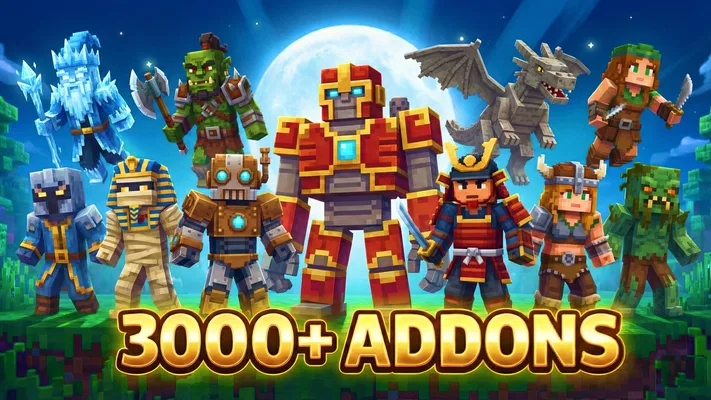
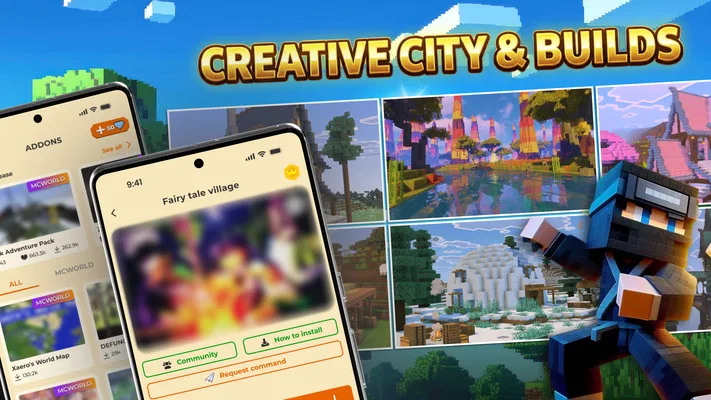
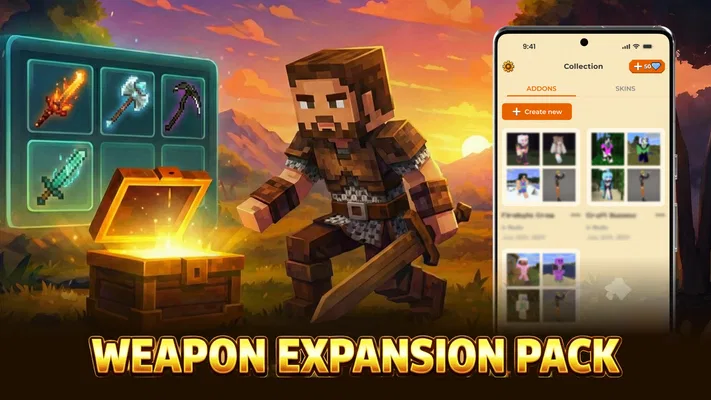
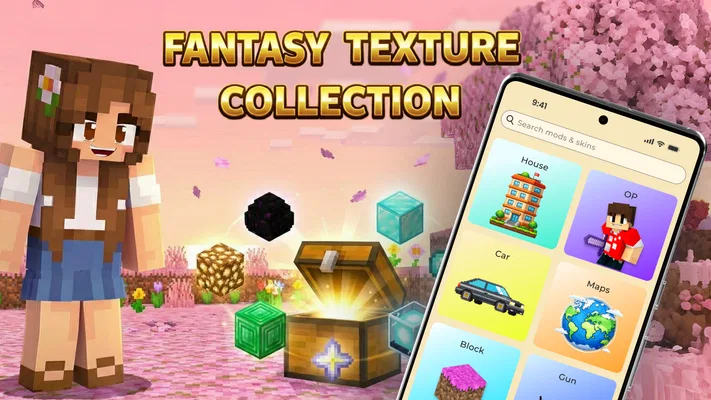
 Analysis byAppsAward
Our review of Mods & Map for MCPE Minecraft
I would judge Mods & Map for MCPE less by how many items it promises and more by how smoothly it helps me get from browsing an idea to trying it in Minecraft. Its focus is practical: finding mods, add-ons, maps, skins, and shaders in one place rather than hunting through scattered sources. That convenience matters most when I have a specific plan for a play session, but it also makes connectivity part of the experience: browsing and obtaining content may depend on a reliable connection, while the Minecraft side of the process has its own requirements.
This is a free Libraries & Demo app from RETRO GAMING LABS, aimed at people who play Minecraft Pocket Edition and want a simpler route to custom content. It has a 4.5 average from around 18,000 ratings and over a million installs, which suggests a substantial audience, though those figures alone cannot tell me whether every item will suit a particular device or game setup. The app is rated Teen, runs on Android 7.0 or later, and its current version is 1.2.8. Optional in-app purchases range from $1.99 to $19.99 per item, so I would check what is being offered before committing to anything.
Browsing and downloading are the network-dependent moments
The appeal here is the focused catalogue. Instead of beginning with a general web search and trying to judge which download belongs to which version or type of content, I can start inside an app built around MCPE additions. That does not make every choice automatically safe or compatible, but it gives the search a more relevant starting point. I find that especially useful when I know the kind of change I want—say, a new map for a short session or a shader to alter the look of a familiar world—but have not chosen a particular download yet.
Network quality matters most while browsing and retrieving content. If a page or download takes time to load, the whole process can feel less immediate than the “one tap” idea suggests. I would treat the app as a catalogue and installer aid, not as a guarantee that every action happens instantly or without a connection. Before starting a larger download, I would use a dependable Wi-Fi connection where possible, keep the app open until the transfer finishes, and avoid switching between several downloads at once. That simple sequence makes it easier to tell whether a delay belongs to the connection or to a particular item.
A useful habit is to decide what I want before browsing deeply. Mods and add-ons can change how a world behaves; maps give me a ready-made place to explore; skins are a more cosmetic choice; shaders affect presentation. Thinking about the session first helps narrow the search and can prevent downloading several alternatives just because they look interesting. It also reduces the chance of filling a phone with content I never get around to testing.
Choose content for the session, not just the thumbnail
For a quick evening visit, I would lean toward one map or one skin rather than a bundle of unrelated additions. A map is easy to evaluate in terms of the experience I want—exploration, a challenge, or a change of scenery—while a mod may deserve more thought because it can affect a world’s behavior. If I am planning to keep a world for a long time, I would be cautious about adding new modifications to it casually. Testing unfamiliar content in a separate world first is a sensible way to protect a build I care about.
Shaders deserve their own bit of caution. They can be attractive in screenshots, but the visual style that looks appealing on a store preview may not be what I want during actual play. I would try one at a time and compare it in the same environment rather than stacking visual changes immediately. That makes it easier to spot whether the result is comfortable to look at and whether the device handles the experience well. I would also keep a backup of a valued world before experimenting with content that changes how it appears or behaves.
Where it fits into mobile play
On a phone, convenience is not only about the number of taps. It is also about doing the fiddly parts when I have enough time and a stable connection. I would browse and download at home, then leave the actual play session for a commute, a break, or another moment when I do not want to research content. That separation is particularly helpful if I am choosing among several maps or comparing visual options: a small screen makes it easy to lose track of what I meant to try when I rush.
For a family device or a phone shared with a younger player, the Teen content rating is worth taking into account, as is the fact that optional purchases are available. I would review any purchase screen with the person using the device and make sure they understand that “free” does not mean every item or option is necessarily included without charge. I would also supervise content choices rather than assume that a Minecraft-themed catalogue is automatically appropriate for every player.
There is a practical device trade-off, too. A phone that is comfortable with ordinary Minecraft play may still feel strained by a more demanding visual setup, especially if several changes are combined. I would start with one addition, see how it feels, and only then decide whether to add more. If the goal is simply to keep a lightweight, predictable game on an older or less capable device, sticking to the standard experience—or choosing only a modest map or skin—may be more satisfying than pursuing elaborate visual changes.
What to do when an install or launch does not go smoothly
Custom content can involve more than one handoff: finding an item, downloading it, opening or importing it, and then locating it in Minecraft. If something seems missing, I would not immediately download the same item repeatedly. First I would check whether the download has completed, then reopen Minecraft and look in the relevant area for the content type. A map, a skin, and an add-on do not necessarily appear in the same place, so knowing what I installed helps make troubleshooting less random.
If a download stalls, my first recovery steps would be ordinary ones: check the connection, wait for any active transfer to finish, and try again only after confirming that the first attempt did not complete. If Minecraft does not show an imported item, I would close and reopen the game before deciding the installation failed. These steps are not a promise that every problem can be fixed from the app; they simply avoid creating duplicate downloads and make it easier to isolate the point where the process stopped.
Compatibility is another reason to test carefully. The app is intended for MCPE content, but that does not mean every item is guaranteed to work with every device, game build, or combination of other add-ons. When a new mod does not behave as expected, I would remove or disable the latest change and test it on its own rather than changing several things at once. If the issue appears only in a long-running world, I would return to a backup rather than risk losing progress. This is one of the more important trade-offs of using community-style game content: variety is enjoyable, but experimentation benefits from a little housekeeping.
Keeping data use and clutter under control
People with limited mobile data should treat content browsing and downloads as something to plan, not background activity to leave running. I would save downloads for Wi-Fi, avoid repeatedly fetching the same item, and pick only the content I expect to try soon. The same approach helps with storage: a short list of intended downloads is easier to manage than a collection of maps, skins, shaders, and mods that were opened once and forgotten.
I would also make a note of what I have added to a particular world. Even a simple reminder—such as the name or type of the latest add-on—can make later troubleshooting much easier. If a world changes after an experiment, I can identify the likely cause rather than guessing among several recent installs. This small routine is especially worthwhile for players who build over weeks or months; the more valuable the world, the less appealing it is to use it as a testing ground.
Compared with the usual alternative of searching for individual MCPE downloads across general websites, this app’s advantage is focus and a more direct discovery path. A manual search may offer more control over sources and more room to compare community discussions, but it also asks the player to judge each result independently. Mods & Map for MCPE is better suited to someone who values an organized, mobile-first starting point. A player who wants detailed compatibility discussion before every install may prefer researching each item more broadly, then using the app only when its catalogue fits the need.
Who will get the most out of it
I would recommend it to a Minecraft Pocket Edition player who enjoys changing the feel of a session and wants a dedicated place to browse different kinds of custom content. It is especially handy for someone who often thinks, “I have ten minutes—what could make this world feel new?” A map can provide a fresh destination, a skin can change a character’s look, and a carefully chosen add-on can alter a familiar routine. The app’s role is to make discovery more convenient, not to decide which changes are worth keeping.
I would skip it if I rarely use custom content, want a completely predictable Minecraft setup, or dislike managing downloads and checking where imported items appear. It is also not my first choice for a player who needs extensive compatibility guidance before installing anything. In those cases, staying with the standard game or doing more research before choosing a specific download is likely to be less frustrating than browsing a catalogue for possibilities.
The app is free to get, with optional purchases priced from $1.99 to $19.99 per item, so I would browse with a clear sense of what I am willing to spend. Its 4.5 average and large audience make it a well-used option, but I would still judge each download on its own merits. Version 1.2.8 gives a clear point of reference if I am discussing the app with someone else or checking that we are using the same release.
A connectivity-aware verdict
My overall view is that Mods & Map for MCPE is most useful as a convenient discovery and installation companion when I have a stable connection and a specific Minecraft idea in mind. It can shorten the path from “I want a new map or look” to trying something, but it cannot remove the need to check compatibility, manage storage, or protect worlds I care about. I would browse on Wi-Fi, install one item at a time, and test unfamiliar changes separately before making them part of a main world.
Connectivity shapes the experience because the browsing and download stages are where delays and interruptions are most likely to disrupt the plan. For a player who can prepare content ahead of time and values a focused MCPE catalogue, that is a manageable trade-off. For someone expecting a frictionless, fully guided process or wanting to experiment without thinking about backups and compatibility, a more cautious manual approach may be better. I see this as a useful tool for adding variety, provided I treat each download as a choice to test rather than a guaranteed upgrade.
Pros
- Browse mod and map options in one dedicated app.
- Descriptions help explain what each download adds.
- New content can refresh familiar Minecraft worlds.
- The catalog supports different play styles.
- A convenient way to discover community-made content.
Cons
- Some downloads may require extra setup in Minecraft.
- Compatibility can vary across Minecraft versions.
- Content quality may differ between creators.
- Some items may include ads or promotional links.
- Download availability can depend on your device and region.
Best Libraries & Demo App 2026
Our verdict
One-tap installer for MCPE Mods, Addons, Maps, Skins, and Realistic Shaders!
Frequently Asked Questions
What does Mods & Map for MCPE Minecraft offer?
Mods & Map for MCPE Minecraft is a companion app for finding add-on content such as maps, mods, skins, or other Minecraft-related downloads. The exact selection and features can vary by app version, so check the current listing and in-app descriptions before downloading anything. It is not the official Minecraft game, and its content should not be assumed to be created or endorsed by Mojang or Microsoft.
Does Mods & Map for MCPE Minecraft work with every version of Minecraft?
Compatibility depends on the individual mod or map and the version of Minecraft you have installed. Some content may be intended for Minecraft Bedrock on mobile, while other downloads may not work on your device or current game version. Read each item’s requirements and installation notes, and make sure you have enough storage. If content fails to import, updating Minecraft or choosing a compatible download may help.
How do I install a map or mod from the app?
The process can differ depending on the content and your device. Typically, you select a download in the app and then open or import the resulting file with Minecraft, if the format and device support that workflow. Follow the app’s instructions carefully, and avoid granting unrelated permissions. Back up important worlds before adding content, since third-party add-ons can change gameplay or cause a world to behave unexpectedly.
Is Mods & Map for MCPE Minecraft free to use?
The app may be free to download, but its business model can include advertisements, optional purchases, or other limits; check the current store page for accurate pricing. Individual content may also have separate requirements. Before installing, review any payment prompts and subscription terms, and do not assume that every feature or download is available at no cost. Availability and pricing can differ by region, platform, and app version.
Is Mods & Map for MCPE Minecraft an official or safe Minecraft app?
It should be treated as a third-party companion app, not an official Minecraft product, unless its store listing clearly states otherwise. Safety and privacy depend on the app’s current developer, permissions, and content sources. Download it only from a trusted app store, check recent reviews and the privacy information, and be cautious with files from unfamiliar sources. Never share account credentials or install content that requests unnecessary access.




