
- Award score
- 4.4Rating
- 5,000,000+installs
- Free
App information
- Version
- 2.17.6
- Updated
- Requires
- 8.0
- Price
- Free, in-app purchases
- Developer
- SQUARE ENIX Co.,Ltd.
- Content rating
- Teen
Screenshots




 Analysis byAppsAward
Our review of Manga UP!
I judge a comics app not only by what it lets me read, but by how smoothly it fits into the little gaps in a day. Manga UP! is a manga-reading app from SQUARE ENIX Co.,Ltd., and its biggest appeal is straightforward: it gives readers a dedicated place to explore manga on a phone. That focus makes it worth considering if you want a mobile-first reading habit, though the experience naturally depends on having a reliable connection when you need to browse or load content.
Reading works best when the connection cooperates
In my experience, connectivity matters most at the points between reading sessions: finding a series, opening a chapter, and moving from one part of the app to another. A stable network makes those transitions feel simple. On a weak signal, the same routine can become stop-and-start, which is especially noticeable if you have only a few minutes before a train arrives or a break ends.
That makes Manga UP! a better fit for planned reading than for assuming every spare moment will be ready to go. I would open it while connected, choose what I want to read, and give the content time to load before settling in. I would not count on a chapter being available instantly in a basement, on a crowded commute, or wherever mobile reception is unpredictable.
The app is free to install, but that does not mean every part of using it is necessarily cost-free: in-app purchases range from $0.99 to $169.99 per item. I’d treat purchases as an optional part of the experience and check the price shown in the app before confirming anything. If you prefer to read without making spending decisions, that is a sensible boundary to set from the start.
For readers comparing it with a general digital-comics storefront, the distinction is the publisher focus. Manga UP! comes from a manga publisher rather than trying to be a broad reading service for every kind of comic. That focus may be a plus if you are interested in its manga selection; if you want one app that gathers comics from many different publishers, a larger multi-publisher service may suit you better.
How I would fit it into a mobile day
A realistic use case is a lunch break: I’d connect to the office network, browse for something to read, and start a chapter with enough time to enjoy it rather than rushing through the first few pages. If I’m heading out afterward, I’d avoid leaving discovery until the moment I step onto a train. Preparing the reading choice while the connection is strong reduces the chance that a brief session turns into waiting and tapping.
That workflow is useful even if you have a good mobile plan. Network quality can change between a station platform, a moving vehicle, and a building with thick walls. Manga is a visual format, so delays while a page or chapter appears interrupt the rhythm more than they would in a text-only app. I find it helps to think of browsing and reading as separate tasks: browse when the connection is dependable, then spend the available time actually reading.
Screen size is another practical consideration. A phone makes it easy to carry a series everywhere, but detailed manga art and dialogue can be less comfortable on a small display, particularly during a long session. For a quick chapter or a few pages, the convenience is hard to beat. If you regularly read for an hour at a time, a larger screen may be easier on your eyes and let you take in the artwork without continually adjusting your grip or viewing distance.
The app is rated for Teen audiences, so it is aimed at readers beyond young children. I would still make choices based on the individual reader and the specific series they plan to follow rather than treating an age label as a guide to every title. That is especially relevant if a parent is helping a younger teen choose what to read.
When a session stalls
Connection trouble is not always an app problem. If a chapter is slow to open, I would first check whether other apps can reach the internet, then try again after moving to a stronger signal or switching to a more reliable network. Repeatedly tapping the same control while a page is still loading rarely helps; a short pause and one deliberate retry is a calmer approach.
For a more reliable routine, I’d avoid beginning a long reading session at the exact moment I lose Wi-Fi or enter a weak-coverage area. If a transition is unavoidable, I would wait until the connection settles before deciding whether the app is stuck. This is a small habit, but it prevents ordinary network changes from feeling like a broken reading experience.
I also recommend keeping purchase choices separate from troubleshooting. If a chapter is taking time to load, paying for something should not be the reflexive fix unless the app clearly explains what the purchase does and you genuinely want it. Take a moment to read the on-screen details and confirm the item and price. That is good practice in any app with in-app purchases, and the wide range of possible item prices makes deliberate checking worthwhile here.
One trade-off of a publisher-specific app is that your reading options depend on what is available inside that service. If the series you want is there, a focused catalogue can make the app feel more relevant than a general comics library. If you are following titles across several publishers, you may end up switching apps anyway. I would decide based on the manga I actually want to read, not on the convenience of keeping every comic in one place.
Using it without wasting mobile data
If you are watching your data allowance, the practical move is to do browsing and reading over Wi-Fi whenever that is convenient. Manga pages are image-heavy by nature, so loading a lot of content over mobile service can use more data than a short text exchange. I would avoid making assumptions about exact consumption and instead pay attention to your device’s data-use controls if you need a firm limit.
A simple routine helps: look through the app while connected to Wi-Fi, choose a series, and read only what you intend to spend time on. If you are on a capped plan, keep an eye on your phone’s data monitor after a few sessions so you can decide whether mobile reading fits your allowance. This is more useful than guessing from the number of pages, since usage depends on how much content you load and how often you browse.
There is also a battery and attention trade-off to consider. Reading on a phone is convenient, but a long session keeps the display active and may leave you with less charge for maps, messages, or other essentials later. When I know I have a full day out, I would make manga a short break rather than letting an unplanned reading session run on. That is not a reason to avoid the app; it is a reminder that a pocket-sized library still competes with everything else you use your phone for.
For readers who want to use the app while travelling, I would test the routine at home before relying on it in transit. Open the app, see how browsing behaves on your usual connection, and learn where the reading experience feels smooth or slow. Then you can decide whether it suits your commute. This is especially helpful if your route has patchy service or you tend to read in places where Wi-Fi is unavailable.
Who will enjoy it—and who may prefer another route
Manga UP! is most appealing to someone who wants a dedicated manga app from SQUARE ENIX and is comfortable using a phone as a regular reading device. Its average rating is 4.4 from around 30,000 ratings, and it has been installed over five million times, which suggests that it has found a substantial audience. Those figures can help establish that it is widely used, but they cannot tell you whether its available series match your tastes.
The app was released on July 21, 2022, and its current version is 2.17.6. It supports Android 8.0 and later, so checking your device’s software version before installing is worthwhile if you use an older phone. The Teen content rating also gives readers and families a useful starting point when deciding whether the app is appropriate.
I would skip it if you are looking for a universal comics reader, want a single service covering a broad mix of publishers, or strongly prefer reading without depending on a working connection. In those cases, another comics service may be a better match. I’d also hesitate if you dislike optional in-app spending in general; even when you do not plan to purchase anything, seeing purchase offers can be unwelcome for readers who want a completely uncomplicated free experience.
On the other hand, if your priority is manga and you are happy to read on a phone, Manga UP! is a reasonable app to try. Start by browsing on Wi-Fi, find a title that genuinely interests you, and see whether the reading flow suits your eyes and schedule. That small test tells you more than installing it just because it has a large audience.
My connectivity verdict
I see Manga UP! as a convenient, focused option for manga readers who can plan around their connection. It fits quick breaks, familiar routines, and reading at home particularly well. The main friction is not complicated: network interruptions can break the pace, small screens are less comfortable for extended sessions, and optional purchases call for attention rather than impulse.
My practical recommendation is to use Wi-Fi for browsing when possible, start reading before entering a weak-signal environment, and check purchase details carefully. If those habits feel natural, the app can become an easy way to make manga part of a commute or lunch break. If you need dependable reading in places with poor reception, or want comics from many publishers under one roof, I would compare alternatives before settling in.
Overall, Manga UP! makes the most sense for readers who value a dedicated manga destination and do not mind a connection-aware routine. I would try it for the titles and reading experience it offers, while keeping realistic expectations about mobile reception and the limits of a phone screen. That balance makes it a useful option rather than an automatic recommendation for every comics reader.
Pros
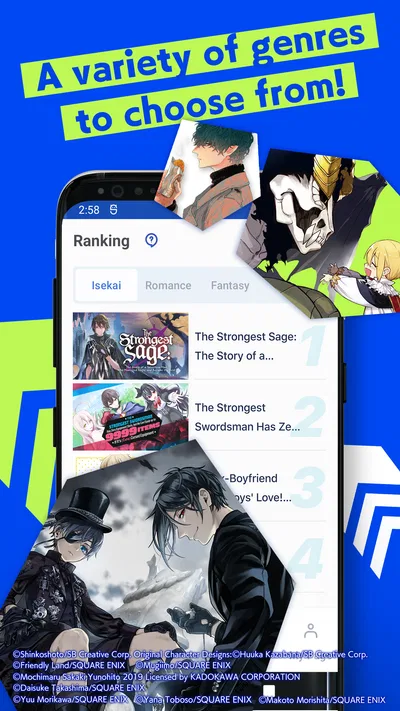
- A large catalog makes it easy to discover new manga.
- Daily free points provide a way to read without paying.
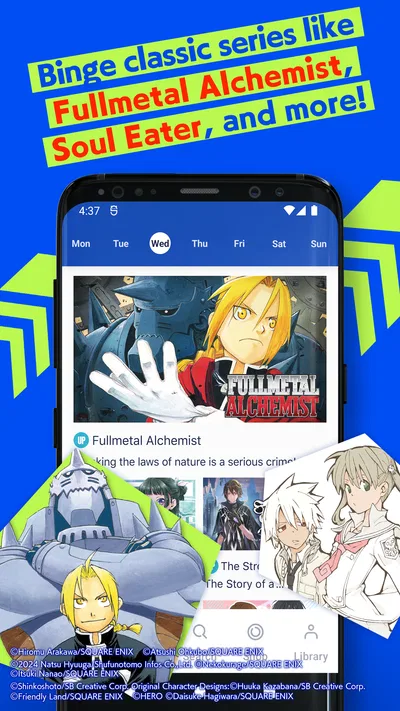
- Chapter updates help readers follow ongoing series.
- The app offers official English translations.
- Reading progress is saved for convenient returns.
Cons
- Free points can limit how many chapters you read each day.
- Some chapters require paid points to unlock.
- The catalog may not include every title readers want.
- Waiting for points can interrupt binge reading.
- Availability and pricing may vary by region.
Best Comics App 2026
Our verdict
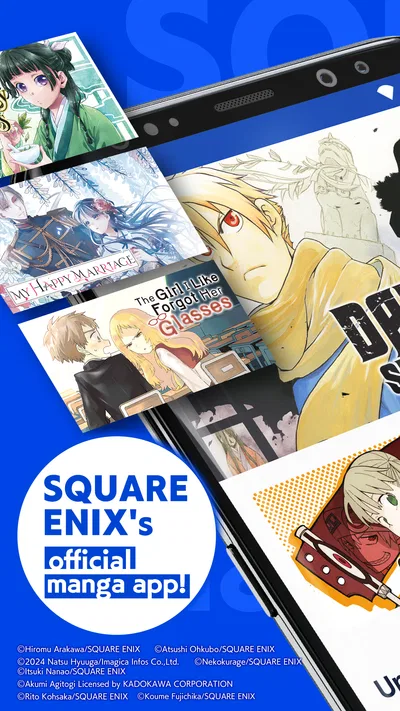
SQUARE ENIX's official Manga app!
Frequently Asked Questions
What is Manga UP!?
Manga UP! is a digital manga-reading app from SQUARE ENIX, featuring a selection of the publisher’s series and related titles. You can browse available manga, open a series, and read its chapters in the app. The catalog and features may vary by region and change over time, so check the current app listing or browse the catalog to confirm that the titles you want are available.
Is Manga UP! free to use?
The app is generally free to download, but access to chapters may use a combination of free reading opportunities, in-app currencies, and paid options. The exact system and chapter availability can depend on the series, your region, and current app policies. Before spending money, review the displayed price and currency requirements in the app, and check your device’s purchase settings if you want to avoid accidental purchases.
How does reading manga in Manga UP! work?
After choosing a series, you can open chapters that are available to you and read them on your device. Some chapters may be free or accessible through the app’s reading system, while others may require currency or another form of access. Availability can differ between titles, and chapters may be released over time. Check each series page for its current chapter list and access requirements.
Can I read Manga UP! offline?
Offline reading may depend on the app version, the title, and whether the relevant chapter can be saved to your device. Do not assume that every chapter will remain accessible without an internet connection: some content may require online access for loading or account verification. If you plan to read while traveling, open the app beforehand and check for any download or offline options shown for the chapters you want.
Is Manga UP! available on Android and iOS, and what should I check before downloading?
Manga UP! is distributed through mobile app stores, but availability and compatible devices can vary by country, operating-system version, and store listing. Before downloading, confirm that the publisher and app name match the official listing, review the required permissions and privacy information, and check whether the catalog is offered in your region. Also consider storage, connectivity, and any in-app purchase settings before you begin reading.




