
- Award score
- 4.4Rating
- 500,000+installs
- Free
App information
Screenshots
 Analysis byAppsAward
Our review of MangaMuse:AceToon Lite & Comic
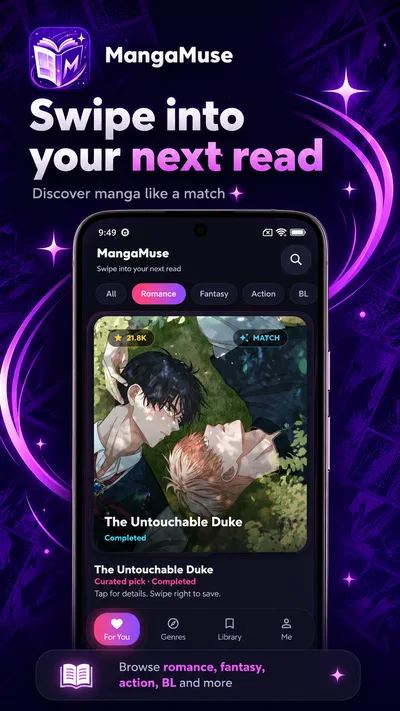
Finding a manga reader is easy; finding one that feels comfortable to browse and use is the more personal part. MangaMuse, presented as “MangaMuse:AceToon Lite & Comic,” is a free comics app for discovering manga and webtoons. Its pitch is straightforward: browse stories, swipe to save favorites, and read with a sleek dark theme. I’d approach it as a focused reading option rather than assume it offers a particular library, account system, or privacy setup before checking those details in the app itself.
A reader built around discovery
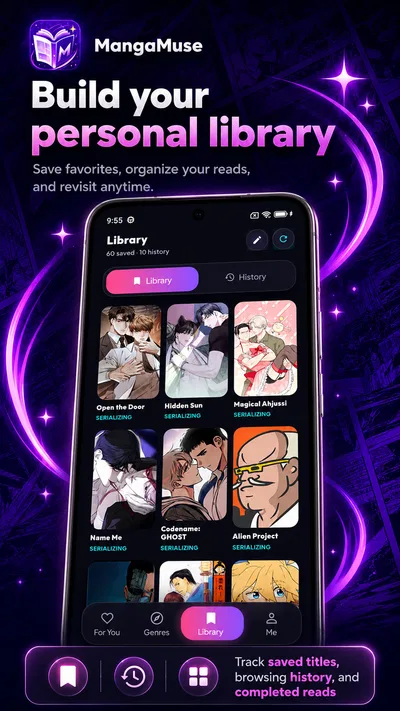
MangaMuse aims to make the basic loop appealing: look for something to read, keep track of titles that catch your eye, and settle in with a darker screen. That combination makes sense for comics, where people often spend a while browsing covers and descriptions before choosing a series. The swipe-to-save idea also suggests a quick way to mark favorites without turning every browsing session into a chore.
The app belongs to the comics category and is developed by FairfaxAngelic. It is free, carries a Teen content rating, and has a 4.4 average from around 9.4 thousand ratings. Those figures offer useful context about its presence with readers, but they are not a substitute for deciding whether the app’s reading experience and handling of personal choices suit you.
What the dark theme brings to the experience
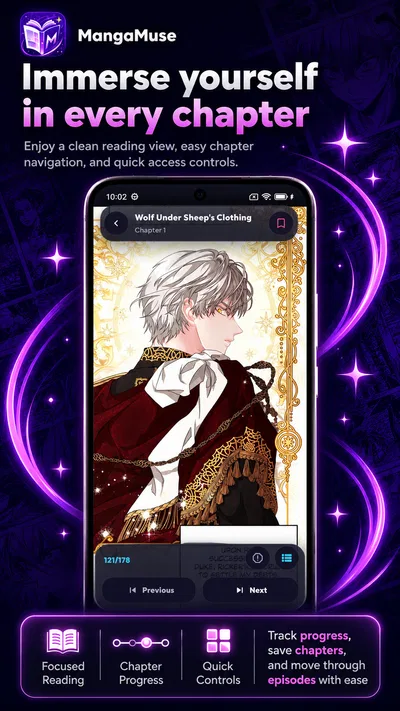
A dark interface can be a welcome choice when reading at night or in a dim room, and MangaMuse puts that style near the center of its appeal. I like that the app makes its visual approach clear rather than presenting itself as an all-purpose entertainment platform. The emphasis is on comics discovery and reading, with saving favorites as a simple companion feature.
That said, a dark theme is a design choice, not a promise about privacy or reduced data collection. It can make the screen feel calmer, but trust depends on the choices an app makes around permissions, accounts, and information handling. I would treat the interface and the privacy questions as separate parts of evaluating any reading app.
Trust starts with what you can actually inspect
When I try a comics app, I pay attention to the decisions it asks me to make rather than assuming that a polished screen tells the whole story. Does it request access that appears relevant to what I want to do? Can I browse without creating an account, if that option is offered? Are there clear settings for managing preferences? These are practical questions to check during setup and use, not features I would claim MangaMuse has without seeing them.
The app’s public description focuses on discovering manga and webtoons, saving favorites with a swipe, and reading in a dark theme. That gives a clear picture of its intended use, while leaving the details of permissions and data practices to the app’s own disclosures and device prompts. I recommend reading those carefully before granting access or entering personal information.
For a reader, the most relevant data-sensitive moments can arise during installation, sign-in, browsing, and saving titles. A permission prompt deserves a pause: consider whether the requested access makes sense for the action you are taking. If the app presents an account choice, review what information it asks for and whether you are comfortable providing it. These are sensible habits across mobile apps, not claims about specific MangaMuse behavior.
Verified controls and visible choices
The confirmed user-facing control highlighted for MangaMuse is the ability to swipe to save favorites. That is a useful kind of agency: it lets readers mark titles they want to return to, rather than relying on memory after browsing. The dark theme is another visible aspect of the reading experience, although it should not be confused with a privacy control.
Beyond those points, I would inspect the app’s settings and system permission screens directly. Look for controls that are plainly labeled, understand what each toggle changes, and use device-level permission settings when you want to review access. If you encounter sign-in or personalization prompts, take a moment to decide whether the extra convenience is worth sharing the requested information. A careful reader can make those choices at their own pace.
The most trustworthy approach is to rely on visible choices, clear explanations, and permissions you understand. A feature description can tell you what the app is designed to do, but it cannot answer every question about how a particular device setup or account choice works. I would avoid granting broad access automatically and revisit settings if my preferences changed.
Who may enjoy MangaMuse
If you already enjoy reading manga and webtoons on a phone, MangaMuse’s combination of discovery, favoriting, and a dark reading style may sound appealing. The simple premise is easy to understand, and the free price makes it possible to try the experience without an upfront purchase. The Teen rating is also useful context for readers and families deciding whether the app is appropriate for them.
The app has more than 500 thousand installs, which suggests it has reached a sizeable audience. It runs on Android version 7.0 or later, so compatibility is worth checking against your device before installing. Its current version is 1.7.16, and it was released on June 12, 2026. These details can help with a basic compatibility check, but the practical test is still whether it feels right on your own screen and fits your reading habits.
I would recommend approaching it as a comics reader with a defined set of advertised conveniences, not as a service whose broader account or privacy characteristics can be inferred from its name or interface. Spend a little time exploring the controls, note what the app asks for, and keep only the permissions and information you are comfortable sharing. That measured approach helps keep the decision in your hands.
A cautious verdict for comics fans
MangaMuse has an easy-to-grasp appeal: discover manga and webtoons, save favorites with a swipe, and read in a sleek dark theme. It is free, has a Teen rating, and has earned a 4.4 average from around 9.4 thousand ratings. For someone looking for a mobile comics app, those are good reasons to take a closer look, while still judging the actual reading experience for yourself.
My overall view is cautiously positive. The concept is focused, and the advertised controls give readers a straightforward way to keep track of interesting titles. At the same time, trust should come from inspecting permissions, settings, and any account choices in the app—not from assuming details that are not part of its stated feature set. If its visible options feel clear and its reading style works for you, MangaMuse could be a worthwhile addition to your comics routine.
Pros
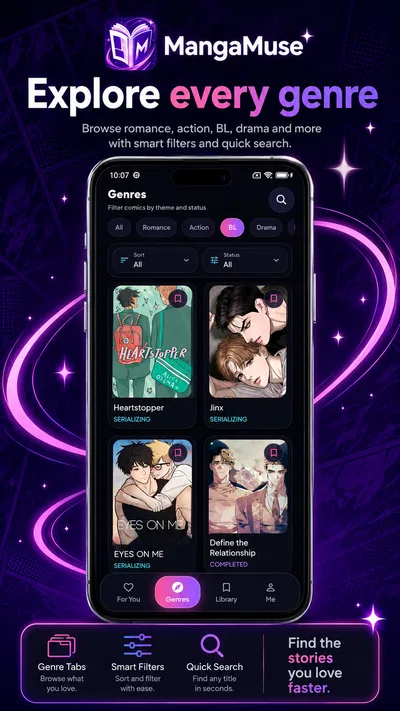
- Offers a broad selection of manga and comics across multiple genres.
- Reading progress makes it easier to pick up where you left off.
- Lightweight design can suit devices with limited storage.
- New chapters can help keep ongoing series fresh.
- A free option lets readers explore before spending money.
Cons
- Some titles may be unavailable in certain regions.
- The catalog may include uneven translations or image quality.
- Frequent ads can interrupt reading.
- Offline reading may be limited or unavailable.
- Content availability can change without notice.
Best Comics App 2026
Our verdict
Discover manga & webtoons: swipe to save favorites, read in a sleek dark theme
Frequently Asked Questions
What is MangaMuse:AceToon Lite & Comic?
MangaMuse:AceToon Lite & Comic is a mobile app for discovering and reading digital comics and manga-style stories. Its library, genres, and available titles may vary by region and app version, so check the in-app catalog to see whether it has the kinds of stories you enjoy. Before downloading, review the store listing and app description for current details about features and content.
Is MangaMuse:AceToon Lite & Comic free to use?
The app may be available to download without an upfront payment, but that does not necessarily mean every title or feature is free. Some reading services offer in-app purchases, subscriptions, advertisements, or other access limits. Check the app’s store listing and its purchase details before subscribing or paying, and review any renewal terms so you understand the cost and cancellation process.
Can I read comics offline with MangaMuse:AceToon Lite & Comic?
Offline reading depends on whether the app provides a download feature and whether a particular comic is eligible for it. Do not assume that stories will remain available without an internet connection: some apps require connectivity to load pages, verify access, or refresh a reading session. Check the app’s settings or title page for download options, and test access before relying on it while travelling.
Is MangaMuse:AceToon Lite & Comic safe for children?
Suitability for children depends on the stories available, their themes, and the app’s content controls. Comic catalogs can include material intended for different ages, so parents and guardians should check age ratings, read descriptions, and preview content where possible. Also review privacy permissions and any parental-control options, and consider enabling device-level restrictions for purchases or access to mature material.
Which devices support MangaMuse:AceToon Lite & Comic, and what should I check before downloading?
Compatibility depends on the version of the app and the requirements set by its publisher. Before downloading, confirm that your Android or iOS device meets the minimum operating-system requirements and has enough storage space. Check the official store page for supported devices, the latest update information, and regional availability; using the official store also helps ensure you receive the legitimate app and its updates.




