
- Award score
- 4.6Rating
- 100,000+installs
- Free
App information
Screenshots
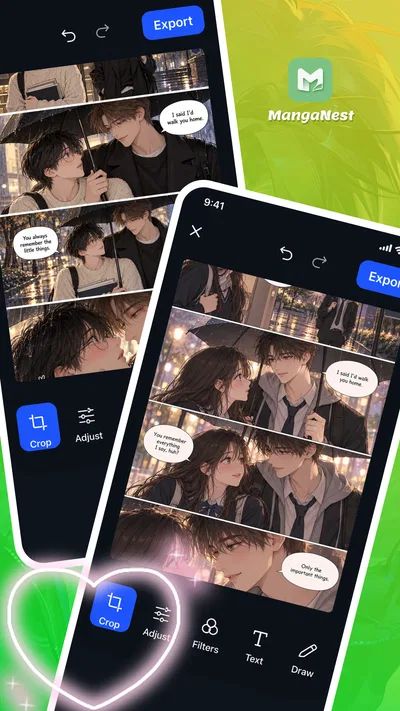
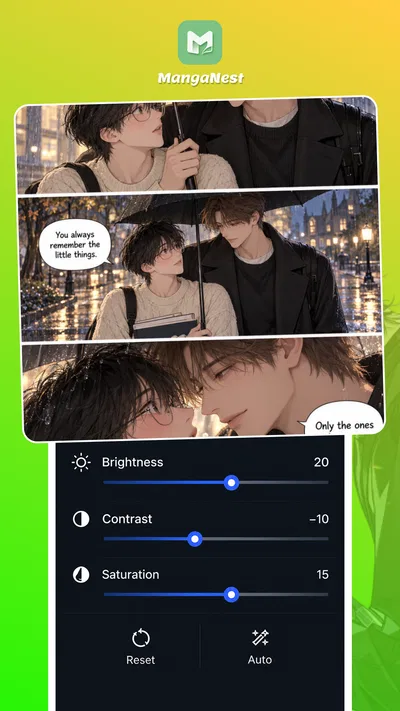
 Analysis byAppsAward
Our review of MangaNest:QToon Lite & Comic
Turning a photo into a manga-inspired image sounds simple, but the result depends on how comfortably you can move from an ordinary picture to a finished edit. MangaNest is a free comics-focused photo editor built around that creative path: start with an image, adjust its framing, apply filters, and add text or drawings. I like that the concept is easy to grasp. Rather than asking you to build a comic from scratch, it gives you familiar editing actions that can help a photo take on a more illustrated, manga-inspired feel.
From a regular photo to a manga-style idea
When I approach an editor like this, I first think about the image I want to transform. A clear portrait, a playful expression, or a scene with a strong subject gives the editing tools more to work with creatively. MangaNest is aimed at people who want to experiment with photos rather than simply browse comics, so the starting point is an image you are ready to reshape.
The app’s premise is refreshingly direct: crop, filter, add text, and draw. Those are familiar actions, which makes the learning curve feel less intimidating than a complicated design suite. You can focus on the visual idea instead of having to learn a whole professional workflow before making anything. For a quick creative session, that approachable setup is a real plus.
It is worth keeping expectations grounded. Manga-inspired editing is a style direction, not a promise that every source image will become a polished comic panel automatically. The image still matters, and the choices you make with composition, effects, and lettering shape the final impression. I see MangaNest as a hands-on editor for playful transformations, rather than a one-tap replacement for drawing or illustration software.
Choosing and framing the image
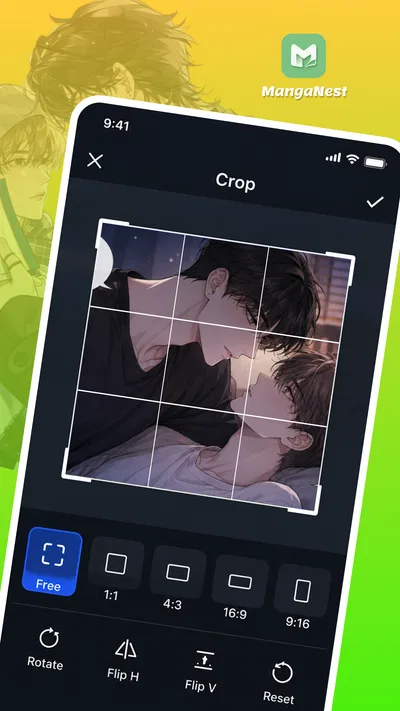
The first practical step is deciding what belongs in the frame. Cropping can help bring attention to a face or central subject, trim distractions, or create a tighter composition that feels more intentional. I find this especially useful when the original photo contains extra background detail that competes with the character or moment I want people to notice.
Framing is also where a little patience pays off. A crop that is too tight can make an image feel cramped, while a wide view may leave the main subject less prominent. MangaNest’s crop tool gives you a straightforward way to refine the picture before moving on, and that order makes sense: it is easier to build a style around a composition you already like.
Setting the mood with filters
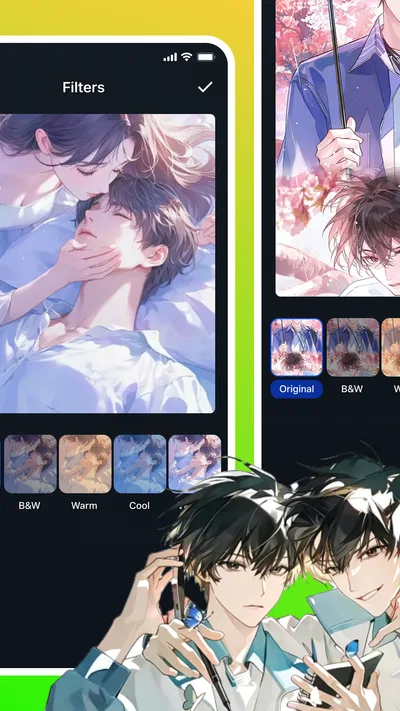
Once the composition feels right, filters provide a way to shift the image’s overall mood. A filter can make a photo feel more dramatic, softer, or more stylized, depending on the effect and the original picture. I would treat this stage as experimentation rather than a search for a single universally correct look. Manga-inspired art can be expressive, and the best choice depends on whether the image is meant to feel funny, thoughtful, energetic, or calm.
It helps to compare the filtered image with the unedited version as you work. A striking effect can be tempting, but it may also pull attention away from the subject or make later text harder to read. The most successful edits usually feel coordinated: the crop supports the subject, the filter supports the mood, and any added details reinforce the idea rather than crowding it.
Adding words and hand-drawn touches
Text is the next part of the workflow, and it can turn a styled photo into something that reads more like a comic moment. A short caption, a line of dialogue, or a brief reaction can give viewers a reason to look at the image differently. I would keep wording concise and place it where it does not cover the expression or action that makes the photo interesting.
The drawing tool adds another personal layer. You can use it to make a simple mark, emphasize a detail, or add an expressive flourish by hand. This is where the experience becomes less like applying a preset and more like making an individual edit. Even a small drawn accent can change the tone, though restraint matters: too many marks can compete with the photo and the text.
These tools work best when treated as parts of one composition. Before finishing, I would check that the lettering is easy to notice, the drawing has a clear purpose, and the main subject still stands out. The strongest result comes from making each edit support the same visual idea. That approach keeps a playful manga-style creation from feeling like a pile of unrelated effects.
Moving from editing to a finished creation
A useful editing flow does not end when the last effect is added. It also involves stepping back, reviewing the image, and deciding whether it feels complete. With MangaNest, the stated toolkit gives you several ways to shape a photo, but the creative handoff is ultimately yours: you make the choices that connect cropping, filters, text, and drawing into one result.
That hands-on approach can be enjoyable if you like making small adjustments. You can refine a crop, reconsider the filter, or simplify the lettering until the image feels more balanced. On the other hand, it may feel less satisfying if you are expecting an editor to generate a complete comic scene with minimal input. The appeal here is the ability to work directly on a photo, not a promise of automatic storytelling.
As a practical habit, I would save the original photo separately before making a creative version, then review the edit at a comfortable size before sharing it elsewhere. That gives you a chance to catch crowded text or distracting marks. It also helps keep the finished image useful beyond the editing moment, whether you made it for a personal collection or to show friends.
Where the workflow can feel limited
The simplicity that makes MangaNest accessible also sets the boundaries of the experience. Its core appeal is concentrated in photo editing with crop, filters, text, and drawing. If your goal is a detailed multi-panel comic, a fully illustrated character, or an elaborate page layout, those tasks call for a broader set of creative tools than the app’s described focus suggests.
There is also a creative trade-off between speed and control. Familiar tools make it easy to begin, but the quality of the finished image still depends on your judgment and the source photo. A filter cannot rescue every composition, and text or drawing can make an image busier if added without a clear purpose. I see that less as a flaw than as a reminder that this is an editor for experimentation, not a shortcut around visual choices.
For newcomers, the best way to avoid friction is to work in a clear sequence: choose an image, frame it, explore the mood with filters, then add only the text and drawing that help express the idea. That order gives each decision a job. It also makes it easier to notice when an edit is going too far and return to a cleaner version of the concept.
Who is likely to enjoy it?
MangaNest should appeal to casual creators, manga fans, and anyone who enjoys giving everyday photos a more expressive treatment. It is particularly approachable if you already understand basic photo editing and want a compact set of creative tools for a manga-inspired look. The app is rated Teen, which is useful context for people choosing an editing app for younger users.
The app has an average rating of 4.6 from around 3,700 ratings, with over 100,000 installs. Those figures suggest that it has found an audience, though they do not replace trying the editing approach for yourself. It is free, developed by Quanettema, and its current version is 1.6.21, with Android support starting at version 7.0. It was released on June 16, 2026.
For anyone searching for a manga photo editor or a simple way to create comic-inspired images, the appeal is clear: the tools are familiar, and the workflow encourages personal touches. I would approach it with one photo and one idea rather than expecting a full comic-making studio. That keeps the experience focused and gives the editing process room to be enjoyable.
My final take
MangaNest is a straightforward option for transforming photos with manga-inspired styling. Its crop, filter, text, and drawing tools cover a useful creative sequence, from tidying the composition to adding a personal finishing touch. I like that the concept does not demand advanced design skills, while still leaving space for individual choices.
Its best results will come from users who enjoy shaping an image themselves and are comfortable experimenting with small adjustments. If that sounds like you, MangaNest offers an approachable way to turn a regular photo into a more expressive creation. If you need complex page layouts or extensive illustration features, the focused photo-editing approach may not match your ambitions. For casual manga-style edits, though, it is an easy app to understand and a fun place to start.
Pros
- Offers a large catalog of comics to explore.
- Lightweight design suits devices with limited storage.
- Quick browsing makes it easy to find new titles.
- Reading progress helps you pick up where you left off.
- A simple interface is approachable for new readers.
Cons
- Some titles may not be available in every region.
- Reading requires a reliable internet connection.
- The catalog may include unofficial translations.
- Ads can interrupt browsing or reading.
- Content updates may vary by series.
Best Comics App 2026
Our verdict
Edit photos with crop, filters, text & drawing for manga-inspired creations.
Frequently Asked Questions
What is MangaNest: QToon Lite & Comic?
MangaNest: QToon Lite & Comic is a mobile app for discovering and reading digital comics and manga. Its catalog and available features may vary by region and app version, so check the listing and in-app details to confirm which titles are currently offered. The app is intended for comic readers who want to browse stories on a phone, but it is worth reviewing its content, language, and access options before installing.
Is MangaNest: QToon Lite & Comic free to use?
The app may be free to download, but that does not necessarily mean every title or feature is available at no cost. Some reading apps offer optional purchases, subscriptions, advertisements, or other restrictions, and the exact setup can change over time. Check the app store listing and any payment prompts before signing up or buying anything, and review the price and renewal terms carefully if a subscription is offered.
Can I read comics offline with MangaNest: QToon Lite & Comic?
Offline reading depends on whether the app provides a download or save-for-later feature and whether that feature applies to the comic you want. Do not assume that opening a chapter once makes it available without an internet connection. Before traveling or relying on offline access, check the app’s reading controls and test a saved chapter while disconnected. Download availability may also be limited by storage, account, or licensing rules.
Is MangaNest: QToon Lite & Comic suitable for children?
Suitability depends on the titles available in the catalog, which may include themes intended for different age groups. Parents and guardians should review the app’s age rating, content labels, and individual comic descriptions rather than relying on the app name alone. It is also sensible to check whether account creation, advertising, purchases, or community features are present, and to use device-level parental controls where appropriate.
What should I check before installing MangaNest: QToon Lite & Comic?
Confirm that your device meets the current operating-system requirements and that the app is available through a trusted app store in your region. Review its privacy information, requested permissions, age rating, and any costs shown on the listing. Also check supported reading languages and whether the catalog contains the kinds of comics you want. These details can change with updates, so consult the latest store information before downloading.




