
- Award score
- 4.5Rating
- 50,000,000+installs
- Free
App information
- Version
- 1.261023.20
- Updated
- Requires
- 8.0
- Price
- Free, in-app purchases
- Developer
- Anthropic PBC
- Content rating
- Teen
Screenshots

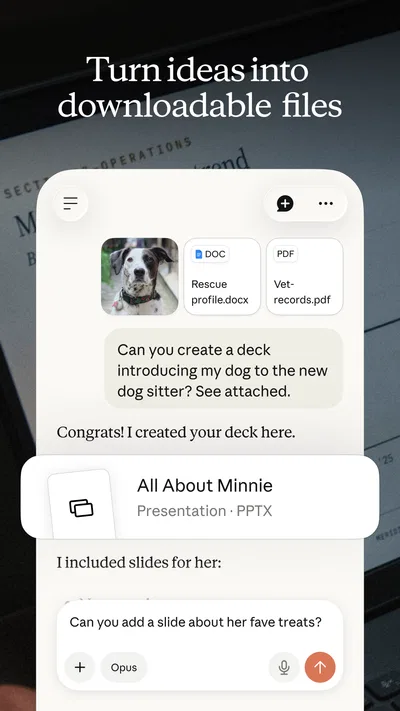
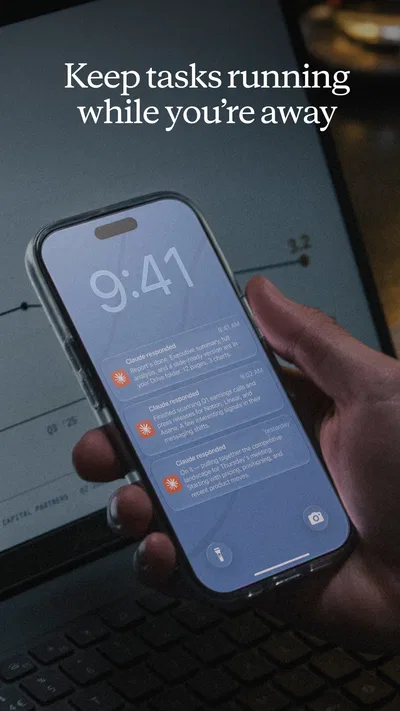
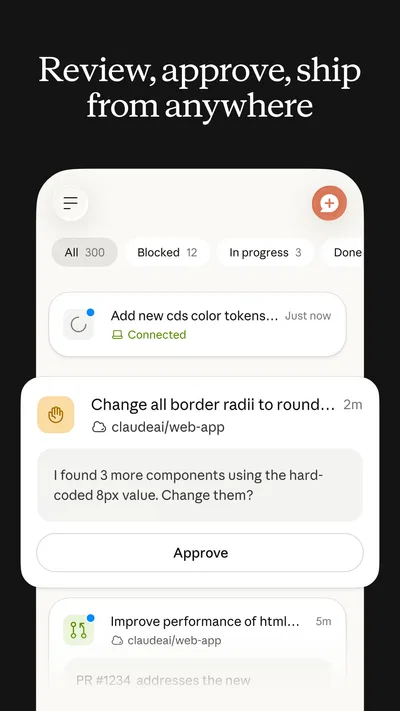
 Analysis byAppsAward
Our review of Claude by Anthropic
I judge an AI assistant not just by what it can write, but by how comfortably different people can get a useful answer from it. Claude feels most at home as a conversational workspace: I can ask a question in ordinary language, refine the response, and move between writing, research-style tasks, and coding without learning a complicated command system. That flexibility can help people who find blank pages, dense interfaces, or technical wording difficult. It does not, by itself, make every task accessible, though. The quality of the experience still depends on how someone reads, types, interprets, and checks the answers.
Reading and finding your way through a conversation
Claude is a productivity app from Anthropic PBC. Its central interaction is a chat, which makes getting started less intimidating than opening a tool full of menus and settings. I can describe what I need in a sentence, then ask for a shorter version, a clearer explanation, or a different tone. That conversational approach is especially helpful when I know the outcome I want but do not know the right technical term for it.
In practice, the most readable answers are not always the first ones. A broad request can produce a long response with several ideas competing for attention. I get better results when I ask for one deliverable at a time—for example, a brief summary followed by a separate list of actions. If a response is difficult to scan, asking Claude to use short paragraphs, plain language, or numbered steps can make it more manageable. Those follow-up instructions are useful, but they still require the user to recognize what is making the answer hard to use.
That distinction matters for people with reading differences, limited attention, or fatigue. Claude can rephrase material and explain unfamiliar concepts, which gives me a practical way to adjust the content to suit the moment. But it is not a substitute for a dedicated reading or communication tool when someone needs a particular text presentation, a stable interface, or assistive support built around their specific needs. I would treat its ability to adapt wording as a helpful option, not a guarantee that every answer will be easy to read.
The app’s broad use is reflected in its reach: it has more than 50 million installs and an average rating of 4.5 from roughly 828,000 ratings. That signals that it is widely used, but popularity cannot tell me whether its conversation style will suit a particular reader. I would try it with the kinds of prompts I actually need, rather than assuming a high average rating means the interface or responses will work equally well for everyone.
Useful ways to make answers easier to follow
One small workflow I find valuable is to ask for a “first pass” that is deliberately short, then request details only for the parts that matter. This reduces the effort of sorting through a long answer before I know whether it is relevant. For a complicated topic, I can also ask Claude to define unfamiliar terms before it explains the main idea. That is more useful than asking for a general simplification, because it targets the point where comprehension often breaks down.
Another good habit is to specify the audience and purpose. “Explain this for someone new to the subject who needs to decide what to do next” gives the conversation a clearer direction than “explain this.” I still check important claims, especially when the answer could affect a decision. A polished explanation can sound certain even when it needs independent verification, so fluent wording should not be mistaken for proof.
Comfort, control, and different ways of interacting
A chat interface can lower the physical effort involved in learning a complicated tool: there is no need to build a document structure or locate a specialized command before starting. I can send a rough instruction and improve it through conversation. That is a genuine advantage for someone who prefers natural language over navigating a dense set of controls, and it also makes the app approachable for occasional use.
There is a trade-off. Chat still asks the user to compose prompts, read replies, and decide what to do with them. Someone who has difficulty typing may find that repeated corrections are tiring; someone who finds large amounts of text uncomfortable may have to spend extra effort steering the response. I would keep requests focused and reuse a successful wording pattern when possible. For instance, a prompt that asks for “three short steps, with unfamiliar terms explained” can be adapted to different tasks instead of reinvented each time.
Claude’s strength is not that it removes every interaction barrier, but that it lets a user express many different needs in the same general way. A person can ask for a draft, then ask for a simpler version, a more neutral tone, or a breakdown of the reasoning. That can be useful when communication needs vary from one task to another. Still, the app should not be treated as a replacement for a purpose-built assistive technology, and I would test it alongside any tools a user already relies on rather than expecting one chat app to cover everything.
For sensory comfort, the most practical control available within the conversation is the content itself: I can ask for less detail, fewer flourishes, or a more direct structure. This can reduce verbal clutter in a reply. It does not mean every answer will automatically arrive in the right form, so a user who needs predictable presentation may have to make those preferences explicit and repeat them when a new task calls for a different approach.
A realistic everyday example
Imagine I have a long set of notes before a busy appointment and need to turn them into a concise list of questions. I can ask Claude to group the points by topic, use plain wording, and keep each question to one line. Then I can review the result against my notes and correct anything it misunderstood. This kind of preparation can reduce the work of organizing thoughts, particularly when time or concentration is limited.
The important step is the review. Claude can reorganize what I provide, but I should not assume that a neat list preserves every detail or captures the priority I had in mind. A useful prompt can ask it not to add new facts and to flag points that seem ambiguous; I would still compare the output with the original notes. That workflow offers assistance without handing over the final judgment.
The app is free to download, with in-app purchases ranging from $20 to $700 per item. That makes trying the basic experience an accessible starting point, but I would check the purchase details in the app store before committing to anything. A person who only needs occasional help may have different needs from someone who expects to depend on an AI assistant throughout the day, so the right choice depends on actual usage rather than the appeal of a broader plan.
Where access can still break down
The biggest limitation is the gap between a flexible conversation and a dependable answer. Claude can misunderstand an instruction, omit an important qualification, or produce wording that is harder to use than the prompt requested. When a user has limited energy for correction, even a small mismatch can turn a seemingly simple task into extra work. I find it sensible to start with low-stakes tasks, learn which prompts produce useful results, and reserve time to check anything that matters.
There is also a practical difference between asking for accessible wording and having a complete accessible workflow. A chat response may be clearer, but the user still needs to get the relevant material into the conversation, understand the output, and transfer it to wherever it is needed. If the task depends on a specialized input method, a specific reading format, or a carefully controlled process, a dedicated tool may be a better fit. Claude is most helpful when it complements that setup rather than being expected to replace it.
Its broad scope can make the experience feel less predictable than a single-purpose productivity app. A writing task, a coding question, and a request to explain a difficult concept all call for different kinds of answers. I get more control by stating the intended format and audience at the outset. For coding, for example, I would ask for a small explanation alongside a suggested change rather than accepting code without context; for writing, I would specify whether I want editing, a fresh draft, or a list of ideas.
People who need a fixed, repeatable interface for one narrow task may be better served by a specialist app. Likewise, anyone who cannot comfortably use a text conversation should test Claude before relying on it for important work. The Teen content rating is another reason to consider the intended user and setting rather than treating the app as suitable for every age or circumstance. It is a general-purpose assistant, not a tailored accessibility service or a guaranteed source of professional guidance.
Claude is currently at version 1.261023.20 and requires Android 8.0 or later. The app first appeared on July 11, 2024. Those details help establish whether an Android device can run it, but a compatible operating system alone does not answer whether the experience is comfortable for an individual. I would make that decision by trying ordinary tasks—reading a reply, correcting a misunderstanding, and turning an answer into something usable—on the device and with the interaction method the person expects to use.
Who is likely to benefit most
I would recommend Claude to people who want a flexible way to turn rough ideas into clearer writing, break down unfamiliar topics, or get a starting point for coding. It is particularly appealing if you prefer explaining a goal in everyday language and refining the result through follow-up questions. For users who benefit from changing the length, tone, and structure of text, that conversational flexibility can make a real difference.
I would be more cautious if you need answers to be consistently brief without prompting, if typing and reading back-and-forth messages is tiring, or if your work requires a specialist tool with a predictable format. In those cases, a dedicated writing, coding, or assistive app may take less effort. Claude can still be useful as a companion for occasional explanations or drafts, but it should not be the only route to completing a task that depends on reliable accessibility or exact output.
My inclusive verdict
For a productivity assistant, Claude’s most inclusive quality is its willingness to work from ordinary instructions and reshape information when I ask. That makes it easier to adapt a response to changing needs without learning a complicated command language. My most practical advice is to begin with focused prompts, request a format that is comfortable to read, and check the answer before using it for anything important.
It is not an effortless experience for everyone: conversation still demands attention, and tailoring an answer can take several rounds. But for someone who can comfortably interact with chat and wants help getting from a vague idea to a clearer draft or plan, I think it is worth trying. Claude works best as a flexible assistant that supports a person’s judgment—not as a replacement for that judgment or for tools designed around specific access needs.
Pros
- Offers clear answers with useful explanations.
- Can help draft and revise written content.
- Supports image analysis in supported versions.
- Handles long documents and extended conversations.
- Provides a polished and easy-to-use interface.
Cons
- Free access may include usage limits.
- Availability of features can vary by region.
- Answers can sound confident while being incorrect.
- Some capabilities require a paid subscription.
- Sensitive information should not be shared in chats.
Best Productivity App 2026
Our verdict
Chat with AI: Your smart writing assistant, AI generator, and coding partner.
Frequently Asked Questions
What is Claude, and what can you use it for?
Claude is Anthropic’s AI assistant, available through its mobile app and other supported platforms. You can use it to ask questions, brainstorm ideas, draft or revise text, summarize information, and work through problems. Depending on the features available in your version, it may also help analyze uploaded documents or images. Its responses can be useful starting points, but they may contain mistakes, so check important information against reliable sources.
Is Claude free to download and use?
Claude’s app can generally be downloaded without an upfront purchase, but access to features and usage limits may depend on your location, account, and the plan currently offered. Free access may have caps or become less available during busy periods, while paid plans can provide higher limits or additional capabilities. Review the current plan details in the app or official store listing before subscribing, since prices, terms, and included features can change.
Do you need an account to use the Claude app?
You may need to sign in or create an account before you can chat with Claude, and the available sign-in methods can vary by region and app version. Check the registration screen for the current requirements. Keep your account credentials secure, and read the service terms and privacy information before sharing personal details. Account availability and access can also be subject to Anthropic’s eligibility rules and local restrictions.
Can Claude access the internet and provide accurate, up-to-date answers?
Claude’s ability to retrieve current information depends on the features enabled for your account and the version of the service. Do not assume that every answer is based on a live web search: ask whether a response uses current sources and check citations or links when they are provided. Like other AI assistants, Claude can misunderstand a question or generate incorrect details, so verify time-sensitive, medical, legal, financial, or safety-related information independently.
Is it safe to share personal or confidential information with Claude?
Avoid entering passwords, payment details, private identification numbers, or confidential work information unless you have checked the applicable privacy terms and have permission to share it. How conversations are stored or used can depend on Anthropic’s policies, your settings, and the type of account you use. Review the app’s privacy controls and official policy before uploading documents or other sensitive material, and remember that AI-generated responses are not a substitute for professional advice.




