
- Award score
- 4.8Rating
- 100,000,000+installs
- Free
App information
Screenshots
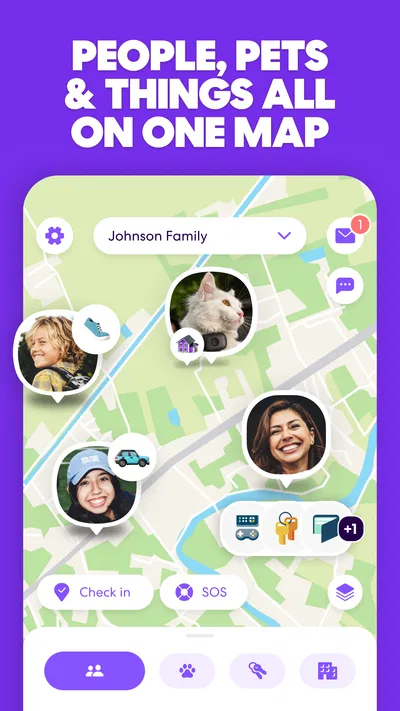
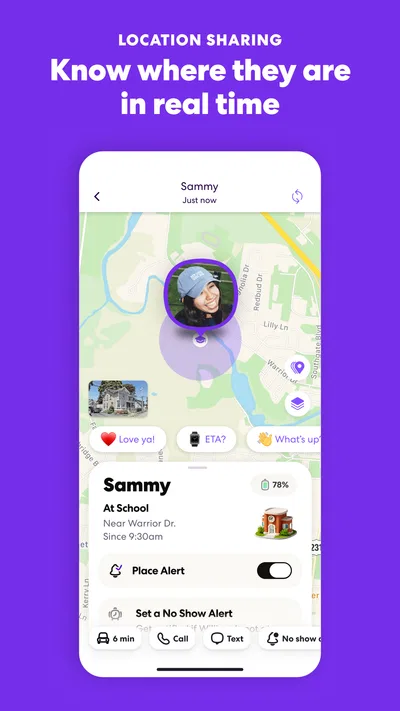
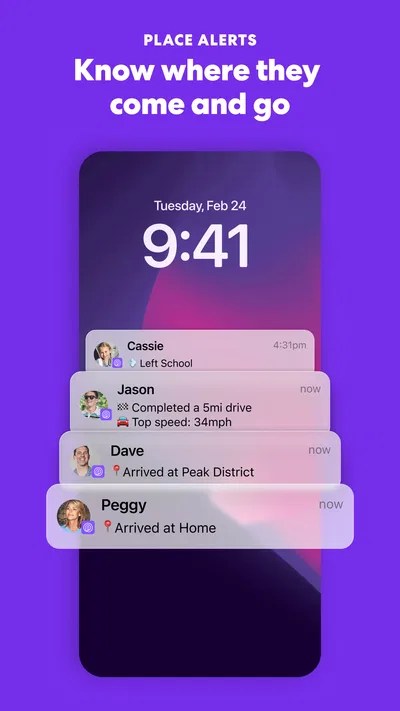
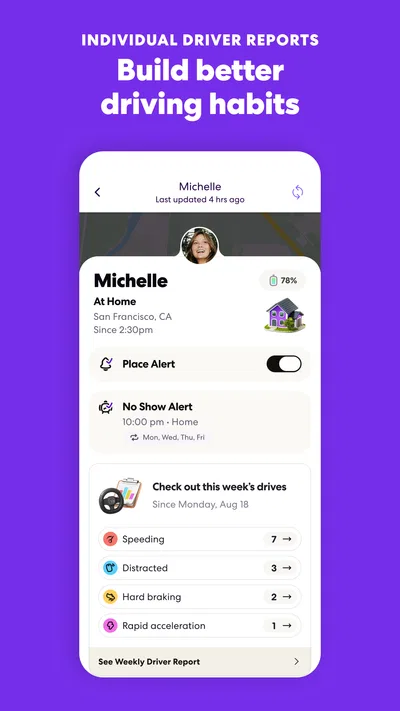
 Analysis byAppsAward
Our review of Life360: Family Safety & GPS
I think of Life360 less as a map app and more as a shared routine: a way for people who already trust one another to check in without sending a string of messages. Its appeal is easy to understand when family members travel separately, but location sharing is personal, so the app works best when everyone agrees on what it is for. I would talk through that expectation before inviting anyone in.
Trust begins with a clear purpose
Life360 is a free lifestyle app from Life360, built around family safety and location awareness. It has been available since April 7, 2010, and its scale is substantial: more than 100 million installs, about 2.5 million ratings, and an average score of 4.8. Those figures suggest a widely used product, but popularity is not a substitute for deciding whether continuous location sharing suits your household.
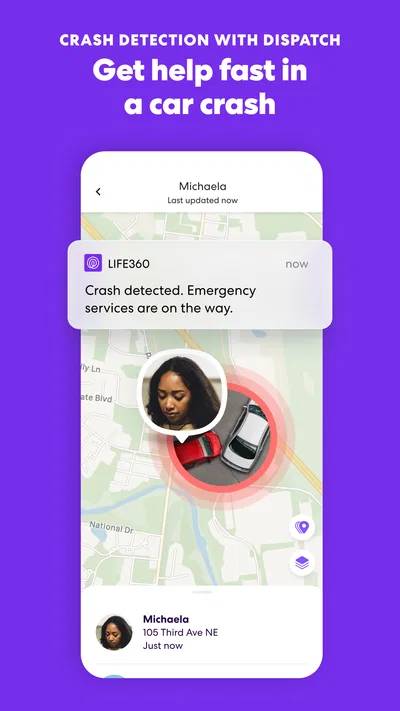
The core idea is practical: people can share their whereabouts, receive crash alerts, and see driver reports and other safety-related information. Those tools can reduce the uncertainty of everyday coordination. They can also make someone feel watched if the group treats the map as a way to demand explanations. I see the app as most useful when it answers a specific question—such as whether someone has arrived—rather than becoming a running commentary on every movement.
That distinction matters because location is sensitive even when sharing is voluntary. Before setting up a group, I would agree on who belongs in it, what the group is meant to help with, and whether anyone can leave or pause participation without having to defend the choice. A shared map is a convenience, not proof of trust, and it should not replace a direct conversation when one is needed.
Where it fits among everyday alternatives
Compared with sending a text or making a call, Life360 can save effort when several people need the same arrival update. A message is often the better choice for a one-off trip, for someone who does not want ongoing location sharing, or when the context matters more than a pin on a map. A phone’s built-in location-sharing tools may also be enough for a small group that only needs basic visibility. Life360 makes more sense when a household wants location sharing alongside driving-related safety features in one place.
I would not choose it simply because a family member is reluctant to answer messages. That can turn a safety tool into a source of pressure rather than reassurance. It is also not a substitute for emergency services or a guarantee that every situation will be detected correctly. The right expectations are modest: it can help people coordinate and may provide useful alerts, but no app can make travel risk-free.
Set up the group around consent
My first practical step would be to make the purpose explicit while inviting people. For example, a household might use it to check whether a teenager has reached school or whether a relative has started a long drive. That is easier to accept than a vague instruction to “stay visible.” If someone only wants to share during particular routines, discuss that upfront and use the choices available in the app rather than assuming everyone wants the same arrangement.
It is also worth treating group membership as a real decision. A family circle should not automatically include acquaintances, former household members, or anyone added just because they are nearby. Review who can see the shared information whenever the group changes. This is a simple but often overlooked habit: the trust boundary is determined not only by the app’s design, but by the people who have access to the circle.
Controls and choices deserve a close look
Life360’s usefulness depends on people having a meaningful say in participation. I would take time during setup to inspect the account and sharing controls shown in the current app, then explain them to other members in plain language. Menus can change between releases, so it is better to check the choices on the device than rely on an old set of instructions. If someone cannot comfortably describe what they are sharing and with whom, the setup is not ready.
For parents and caregivers, the balance is especially delicate. A younger family member may benefit from being able to signal that a trip is underway, while an older teen may reasonably expect more privacy. I would agree on a narrow use case—such as arrival checks for school or a late journey—and revisit it as circumstances change. The app should support an agreed safety plan, not silently expand it.
Crash alerts and driver reports may be useful to people who drive regularly, but they should be understood as supporting information, not a verdict on a person’s abilities or intentions. I would avoid using a report as the opening move in an argument. Ask what happened first, and consider that an alert or summary is only one part of the story. This keeps a safety feature from becoming a tool for blame.
Think through the moments when location is sensitive
Everyday location data can reveal more than a destination. A recurring route may expose work hours or school routines, and a map check can feel intrusive even when nobody means harm. Before sharing, consider whether the group actually needs continuous visibility or whether a message at departure and arrival would do the job. For occasional coordination, less sharing can be the more comfortable choice.
A realistic example is a parent waiting for a child to get home after an evening activity. A quick look can answer whether the trip appears to be underway, and an arrival update may spare both people repeated texts. But if the child is meeting friends or taking an unexpected route, the map alone cannot explain the reason. I would use it to decide whether a check-in is needed, then ask directly rather than treating location as a complete account of someone’s plans.
Driving information deserves a similar pause. If a driver is already anxious about being monitored, frequent checking could distract from the purpose of the feature and strain the relationship. Agree that reports will be discussed calmly and only when they help with a concrete safety concern. In my view, the strongest use is quiet reassurance; the weakest is turning every trip into a performance review.
Cost, compatibility, and ongoing upkeep
The app is free to download, with in-app purchases ranging from $1.49 to $249.99 per item. I would look carefully at what an optional purchase includes before paying, and compare it with the specific need behind it. If the free experience already covers a household’s routine, there is little reason to buy something just because it is offered. The listed age rating is Everyone, but that does not remove the need for an adult to consider how location sharing should work for each person.
The current version is 26.40.0, and the minimum operating-system requirement is version 10. Before building a family routine around the app, check that each intended participant’s device can run it and that everyone can keep it updated. If one person cannot install or use it reliably, a shared chat or ordinary calls may be a more dependable plan for that group.
Location-based apps also depend on device settings and day-to-day conditions. I would not promise another person that the map will always update at exactly the right moment, and I would not make it the only way to coordinate a time-sensitive pickup. Keep a backup method—usually a call or message—and agree what to do if the app does not show the expected information. That small bit of planning prevents a delayed update from becoming a needless alarm.
Who is likely to appreciate it
I can see Life360 working well for families with regular commutes, caregivers coordinating with relatives, or households where several people travel at different times and want a common place for safety-related updates. Its combination of location sharing, crash alerts, and driver reports is more relevant to those routines than to someone who only needs to find a friend once in a while.
I would skip it if continuous visibility feels uncomfortable, if the group cannot agree on boundaries, or if the main need is simply occasional contact. A messaging app is less intrusive for a quick “I’m here,” while built-in phone sharing can be a simpler fit when basic location sharing is enough. The best choice is the least involved tool that reliably solves the problem without making anyone feel obliged to account for every movement.
A cautious recommendation
My overall view is positive, with an important condition: Life360 is most valuable when the people using it share a clear purpose and respect one another’s choices. It can make routine coordination easier and bring driving-related information together, but its benefits depend on how the group behaves as much as on the features themselves. I would set it up together, review membership and controls, and keep a non-app way to check in.
If your household wants shared location for practical safety reasons and everyone is comfortable with the arrangement, I think it is worth trying. If the app would be used to monitor, pressure, or settle arguments, I would choose a less intrusive alternative instead. Trust should set the boundaries; the map should not set them for you.
Pros
- Location sharing helps family members coordinate meetups.
- Place alerts can notify you when someone arrives or leaves.
- Location history can help retrace recent trips.
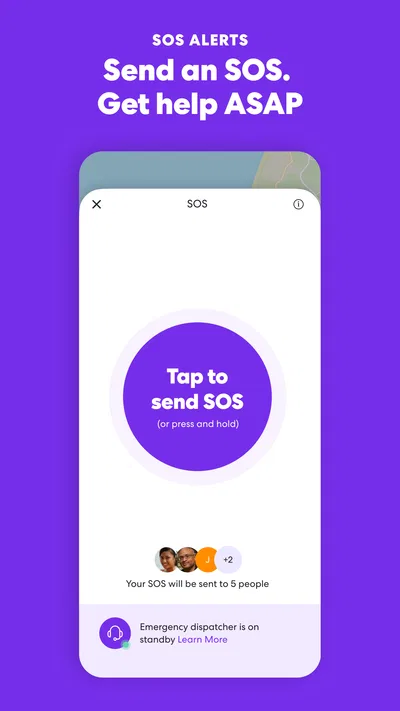
- The SOS feature offers a way to alert family during an emergency.
- Driving reports can help families discuss safer habits.
Cons
- Some useful features require a paid subscription.
- Continuous location tracking can affect battery life.
- Reliable updates depend on each phone having a data connection.
- Location sharing may raise privacy concerns for some users.
- Alerts can be delayed when location services are restricted.
Best Lifestyle App 2026
Our verdict
All-in-one family safety: location sharing, crash alerts, driver reports & more
Frequently Asked Questions
What is Life360: Family Safety & GPS used for?
Life360 is a family location-sharing and safety app. Members of a private group, called a Circle, can share their locations on a map, check when someone arrives at or leaves selected places, and communicate through the app. Depending on the plan, it may also offer features such as driving reports, crash detection, emergency assistance, and location history. Everyone should understand what is being shared before joining.
Does Life360 track someone without their knowledge?
Life360 is designed for location sharing among people who join a Circle and grant the required permissions; it should not be treated as a way to secretly track someone. Circle members can see relevant sharing and status information in the app, and location updates depend on settings, device permissions, connectivity, and battery conditions. Talk openly about expectations, especially with teenagers, and review each member’s privacy settings together.
Is Life360 free, and what do paid plans add?
Life360 offers a free option, while paid subscriptions may unlock additional safety and history features. Exact benefits, limits, pricing, and plan names can vary by country and change over time, so check the current details in the app or the official store listing before subscribing. Review the renewal terms carefully, and remember that deleting the app may not cancel a subscription purchased through Apple or Google.
Does Life360 work on both Android and iPhone?
Life360 is available for Android and iOS, and people using different phone platforms can generally join the same Circle. For location sharing to work reliably, members need an internet connection and must allow the app’s requested location access; background activity, battery-saving settings, or disabled permissions can delay updates. Check the current minimum operating-system requirements in the relevant app store, since compatibility can change with updates.
What privacy and battery considerations should I know before installing Life360?
Because Life360 uses location information, review its privacy policy and the permissions requested during setup, and decide who should belong to your Circle. Location sharing and background updates can use mobile data and may affect battery life, although the impact varies by phone, settings, and usage. You can adjust sharing and device permissions, but doing so may limit features or make a member’s location appear unavailable or outdated.




