
- Award score
- 4.2Rating
- 1,000,000,000+installs
- Free
App information
- Version
- VARY
- Updated
- Requires
- Varies with device
- Price
- Free, in-app purchases
- Developer
- Content rating
- Teen
Screenshots


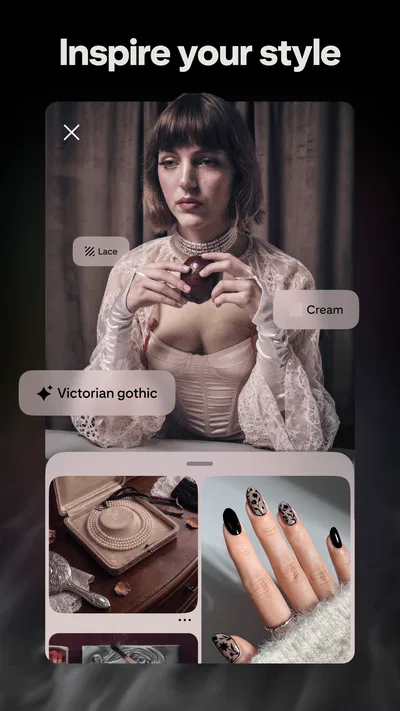
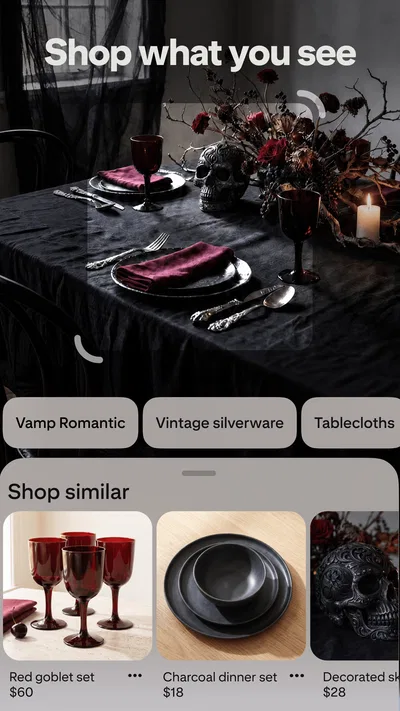
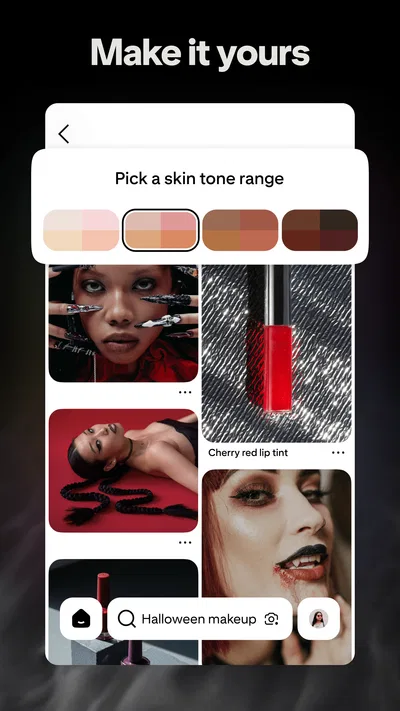

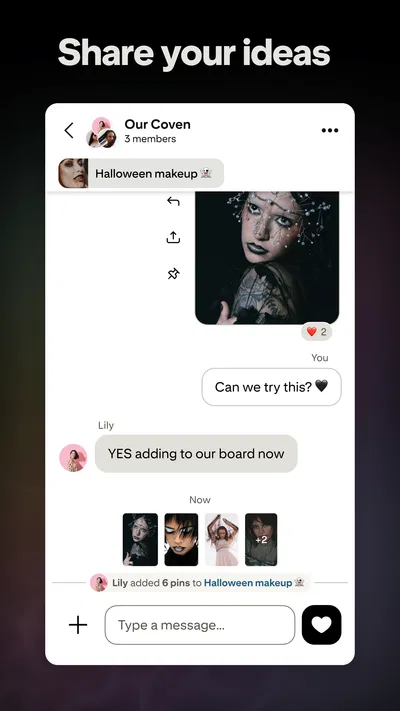
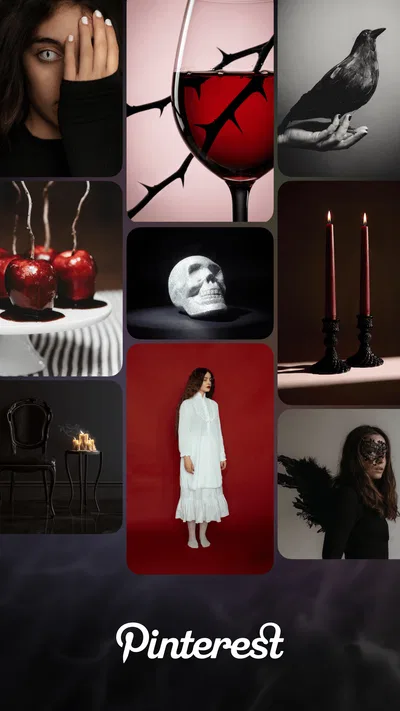
 Analysis byAppsAward
Our review of Pinterest
I use Pinterest as a visual notebook for ideas I’m not ready to act on yet: room layouts, recipes, outfits, garden plans, and small details I want to remember. Its appeal is less about following a fast-moving conversation and more about collecting images, sorting them into useful groups, and returning when I need a starting point. That makes it a distinctive lifestyle app, but it also means the experience depends on how thoughtfully I search, save, and manage what I see.
Finding inspiration without losing track of it
Pinterest is developed by Pinterest and has been available since August 14, 2012. It is free to install, rated Teen, and includes in-app purchases priced from $5.88 to $329.41 per item. The app has a 4.2 average from around 12 million ratings, with roughly 706,000 reviews, and has passed one billion installs. Those figures point to a well-established service, though popularity alone does not tell me whether its recommendations or social environment will suit a particular person.
In practical use, the central habit is straightforward: search for an idea, save appealing results to a board, and revisit that board later. Boards can turn a vague goal into a visual reference collection. I find that more useful than saving everything into one undifferentiated folder, especially when projects have different needs: a board for a small kitchen refresh can stay separate from one for weeknight meals or travel packing.
The app works best when I treat a saved image as a prompt rather than a complete instruction. A picture of a neatly organized pantry may be attractive, but it does not automatically show the dimensions, materials, or effort involved. I check the source and details before spending money or copying a plan. That extra step matters because a polished image can make an idea look simpler or more universally suitable than it is.
Trust starts with what I can actually judge
For a visual discovery app, trust is not only about whether the app opens reliably. It is also about whether I understand what I am choosing to save, what I am willing to share, and how much confidence I place in recommendations. I can judge the visible content and my own choices inside the app; I should not treat those as proof of anything about practices that are not apparent in ordinary use.
That distinction is useful because Pinterest can feel personal even when I am browsing casually. A board about a home project, a meal plan, or a hobby may reveal interests I would rather keep private. I recommend thinking about board names and audiences before adding sensitive material. If a collection is purely for personal planning, I would look for the relevant audience choice when creating or managing it rather than assume every saved collection is private by default.
I also avoid using a saved image as a substitute for checking the original context. Images can circulate apart from the page or creator that first explained them. When the topic involves health, finances, safety, or a product purchase, I look for a reliable source beyond the image itself. Pinterest is a strong place to discover possibilities; it is not, by itself, a guarantee that every claim attached to a picture is dependable.
Use visible choices deliberately
When setting up an account or adjusting it later, I would review the choices the app presents instead of tapping through automatically. The most valuable habit is modest but practical: check the audience setting for a board, consider what profile details you want visible, and revisit account controls when your use changes. These are user decisions, not assurances about how every item of information is handled.
I find board organization to be a kind of control in its own right. Naming boards narrowly makes it easier to keep a project focused and to notice when a recommendation no longer fits. For example, “balcony herbs for shade” is more actionable than a broad “garden ideas” collection if the available light is the real constraint. A specific board also makes it easier to distinguish inspiration from a plan I have checked and intend to follow.
There is a trade-off: the more precisely I organize, the more effort I spend maintaining the collection. For a quick one-off idea, a broad board may be enough. For a longer project, I prefer separate boards or clear sections, and I periodically remove saved images that no longer match the goal. Otherwise, a large board becomes another place to scroll rather than a useful reference.
Personal topics call for a little extra care
Some searches are more revealing than others. Looking up a craft technique is usually low-stakes; collecting ideas around a private life change may feel different. In those moments, I pause before saving or sharing, check the available audience controls, and avoid putting identifying details into a board title or description unless I have a reason. The app’s visual format makes collecting easy, so it is worth being intentional about what that collection communicates.
Recommendations can also shift as browsing habits change. If I spend time exploring one theme for a project, I may see more of that kind of material afterward. That can be helpful when I am researching a narrow topic, but less welcome when I was only browsing out of curiosity. I deal with this by searching for the specific thing I need, saving selectively, and moving on rather than treating every suggested image as a request to keep exploring.
For a shared household project, I would decide in advance what belongs in a shared collection and what should remain personal. A board of paint colors or dinner ideas can be easy to discuss together, while a private gift plan or personal reference may not belong in the same place. The useful question is not simply whether an app has controls, but whether I have chosen settings and habits that fit the audience I intend.
Where Pinterest beats other ways of collecting ideas
Compared with a notes app, Pinterest is more visual and makes it easier to scan for color, composition, and style. Compared with a camera roll, boards provide a more deliberate way to group discoveries from beyond my own photos. Compared with a general social feed, its strongest use is returning to an organized collection rather than keeping up with every new post. Those differences make it particularly handy for planning where appearance and reference images matter.
The same strengths create limits. If I need a checklist, exact measurements, a reliable step-by-step process, or a conversation with a small group, a notes app, specialist guide, or direct messaging tool may be better. Pinterest can help me discover a recipe, for instance, but I still want the original instructions when I cook. For a renovation decision, I would use images to establish a look and then verify dimensions, costs, and suitability elsewhere.
It is also not ideal for someone who wants a tightly curated feed with little effort. The quality and relevance of discovery depend on what I search for and choose to save, and image-heavy browsing can become a time sink. I set a concrete purpose before opening it—such as gathering three lighting ideas or finding a lunch recipe—then stop once I have enough. That simple boundary keeps browsing from replacing the task I meant to plan.
A practical routine that makes it more useful
For an everyday example, imagine I want to make a rented apartment feel less bare without buying furniture. I search for a few narrow ideas, such as removable wall decor or compact lighting, and save only images that suit the room’s actual size and restrictions. I keep the collection separate from broader home inspiration, then revisit it before shopping. Before acting, I check the source and confirm that a suggested product or method works for a rental rather than assuming the picture tells the whole story.
For cooking, I might save several meal ideas during the week, but I would sort them by the decision I need to make: quick dinners, packed lunches, or recipes using ingredients already at home. This is more useful than collecting attractive dishes indiscriminately. I still consult the recipe source for quantities, substitutions, and cooking directions; the board helps me choose what to make, not safely execute every recipe on its own.
My other practical tip is to review a board before sharing it. A collection that makes sense to me may include unfinished ideas, personal references, or images I saved without checking their source. A quick pass lets me remove items that no longer belong and confirm the audience choice before someone else sees it. That small pause is especially helpful when a board has grown over time.
Who should use it, and who may prefer something else
I would recommend Pinterest to people who think visually and want a reusable place for inspiration: home planners, cooks, crafters, event organizers, and anyone collecting references for a personal project. It is also useful when the goal is still fuzzy. Browsing examples can help me discover a style or approach before I know the exact words to search for.
I would be more cautious if I wanted only authoritative instructions, a private journal, or a streamlined task manager. The app’s image-first discovery is not a replacement for expert advice or careful research, and a collection can become noisy if I save too freely. People who find recommendation feeds distracting may prefer a static folder or a notes app where they choose every item and see less unsolicited discovery.
Overall, I see Pinterest as a capable visual planning companion, provided I use it with a clear purpose and keep my own checks in the loop. Its strongest feature is the path from discovery to an organized reference I can return to; its main weakness is that attractive images can outshine context and invite endless browsing. I would install it for projects where examples help me think, review visible account and audience choices when needed, and use other sources for facts that need to be accurate. That balance is what makes it useful without asking it to be more than an inspiration tool.
Pros
- Visual search makes it easy to find ideas from images.
- Boards keep saved ideas organized by topic.
- Personalized recommendations improve as you use the app.
- Pins can link directly to useful websites and products.
- Collaborative boards let people plan projects together.
Cons
- The home feed can feel repetitive over time.
- Promoted Pins may interrupt browsing.
- Some links lead to outdated or unavailable pages.
- Finding original creators can take extra steps.
- The app may use significant storage for cached images.
Best Lifestyle App 2026
Our verdict
One destination for a world of inspiration.
Frequently Asked Questions
What is Pinterest, and what can you use it for?
Pinterest is a visual discovery and bookmarking platform where you can find ideas, save them as Pins, and organize them into boards. People use it to explore topics such as recipes, home décor, fashion, travel, crafts, and fitness. You can also create Pins from your own images or links. Its recommendations adapt to your activity, so browsing and saving content can shape what appears in your feed.
Do you need an account to use Pinterest?
Pinterest may let you browse some content before signing in, but an account is generally needed to save Pins, create boards, follow topics, and personalize your recommendations. You can typically register using an email address or an available sign-in option. Before creating an account, review the privacy settings and information requested during registration. Account features and sign-in options may vary by region and app version.
Is Pinterest free to download and use?
Pinterest is generally free to download and use, including its core browsing, saving, and board-creation features. You may see sponsored Pins and other advertising while exploring the app. Some Pins lead to third-party shops or websites, where products, subscriptions, or services may cost money. Check the seller and the destination site before making a purchase, since Pinterest does not control every offer shown by other businesses.
Can you shop or buy products directly through Pinterest?
Pinterest can help you discover products through shopping-related Pins, product tags, and links to retailers. Depending on the item and your location, a Pin may send you to an external website or offer a purchase flow within the platform. Availability and checkout options can differ, so check where the transaction takes place, review the seller’s return and shipping policies, and avoid assuming that Pinterest itself is the retailer.
Can other people see your Pinterest boards and saved Pins?
The visibility of your Pinterest activity depends on your settings and the type of board you create. Public boards and Pins may be visible to other users, while secret boards are intended for private planning and can be shared selectively with collaborators. Review board settings before saving sensitive ideas or personal images, and check your account’s privacy options if you want to limit how your profile and activity are discovered.




