
- Award score
- 4.0Rating
- 50,000,000+installs
- Free
App information
Screenshots
 Analysis byAppsAward
Our review of McDonald's
I find the McDonald’s app most useful when I want to make a meal decision before I reach the counter. Its central convenience is bringing ordering, deals, and rewards together in one place, so I can check what is available and decide how I want to buy without treating the app as just a digital menu. That makes it a practical companion to a McDonald’s visit, though not a reason on its own to choose the restaurant.
Developed by McDonalds USA, LLC, this free Food & Drink app is aimed at everyone. It has a 4.0 average from around 2.2 million ratings and has been installed over 50 million times. Those figures suggest it is a familiar part of many customers’ routines, but the useful question is whether its ordering flow suits yours. In my experience, it is strongest when I already know I want McDonald’s and would rather sort out the order and available offers before I arrive.
Ordering is the app’s most useful capability
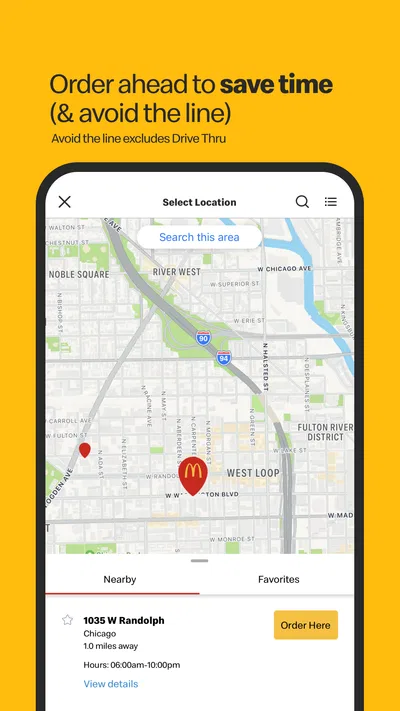
The biggest benefit is the chance to handle the decision-making on screen instead of trying to do it while a line is moving behind me. I can look through the menu, consider a deal, and shape an order before committing to the trip. That shift matters most when I am short on time or buying for more than one person: it gives me room to check choices at my own pace rather than relying on a quick glance at a counter menu.
The ordering experience also changes how I think about a stop. A visit can begin with browsing on the couch, during a commute break, or while I am waiting for someone, then continue when I am ready to collect the food. The app’s value is not simply that a phone can display menu items; it is that I can separate choosing from the bustle of ordering in person.
Planning first is the real convenience, especially when a familiar order is involved. If I already have a usual meal in mind, checking the menu and any available deal beforehand helps me make a quicker choice. For a first-time visitor or someone who wants to compare every option carefully, the app can be a useful starting point, but it does not remove the need to make a personal call about what sounds good.
Make the ordering flow work for you
I would use the app in two stages rather than rushing through everything at the restaurant. First, browse and settle on the meal while there is no pressure. Then, when the trip is actually happening, review the order and the available choices before placing it. This simple separation reduces the chance of adding something impulsively just because I am trying to keep a queue moving.
When ordering for a group, I find it sensible to collect everyone’s choices before opening the final order. People often change their minds after seeing the menu, and handling those changes before checkout is easier than trying to coordinate them at the counter. It is also a useful moment to check whether a deal fits the order rather than assuming that every offer will be relevant to every combination of items.
One trade-off is that an app order asks me to pay attention to the details on the screen. In-person ordering gives me a direct opportunity to ask a question as I decide; a digital flow puts more responsibility on me to review what I selected. I would take a moment to check the items and any custom choices before submitting, particularly when ordering for someone else. That small pause is more reliable than assuming the final order will match what I meant.
A useful fit for a familiar, time-pressed stop
A realistic use case is a lunch break with limited time: I decide what I want before leaving, check whether a deal suits that meal, and place the order when I am ready to head over. The app makes the choice less hurried and gives me a way to plan the stop around my break. It is also handy when I am already on the way and want to avoid making every decision at the counter.
That does not mean the app can guarantee a faster visit. The restaurant still determines how the order is handled, and the app cannot make a busy moment disappear. I treat it as a way to prepare and reduce ordering friction, not as a promise that food will be ready immediately. If timing is critical, I would avoid building a schedule around an assumption that the digital route always beats ordering in person.
For a family or small group, the benefit is less about speed than clarity. I can gather requests, inspect the available menu choices, and make one considered order rather than trying to remember several preferences while everyone is waiting. The weakness is that the person placing the order becomes the coordinator. If the group is still undecided, looking at the menu together in person may be simpler than passing a phone around.
Deals and rewards need a little judgment
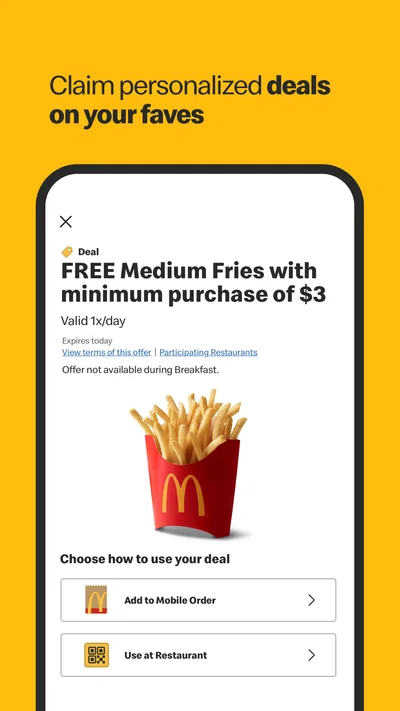
Deals and rewards add a reason to open the app before ordering, but I would treat them as a prompt to compare rather than an automatic saving. A deal is only useful if it matches what I intended to eat. If it nudges me toward extra items I would not otherwise choose, the convenience can turn into unnecessary spending. I get the most from checking offers after I have a rough meal in mind, not letting the offers dictate the whole order.
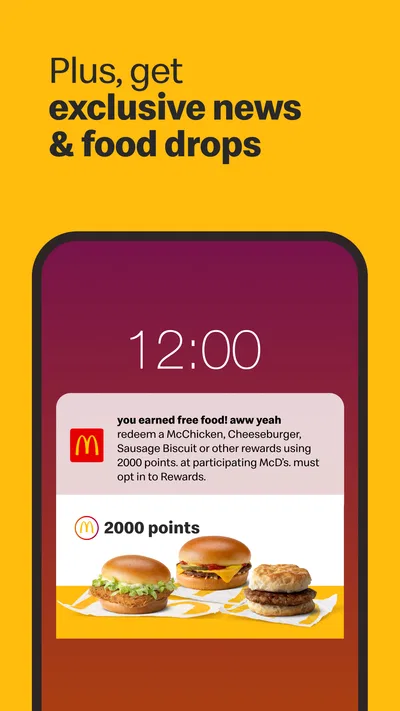
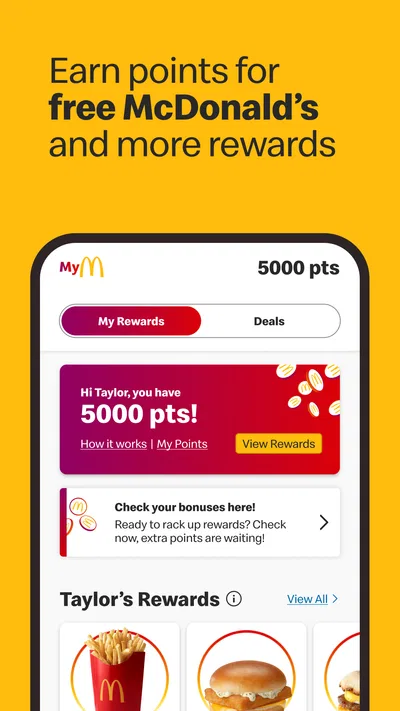
Rewards are most appealing to someone who already visits McDonald’s regularly and is willing to use the app as part of that routine. For an occasional customer, rewards may be a secondary benefit, while a straightforward menu check or order is the more immediate reason to install it. I would not choose a restaurant solely because an app offers deals; I would compare the meal, location, and convenience first.
Compared with ordering directly at the counter, the app gives me more private time to browse and plan, while the counter is better when I want to ask a question or make a decision with staff in the moment. Compared with a general restaurant-discovery or delivery app, this is a more focused tool for McDonald’s itself. That focus is helpful if the restaurant is already my destination, but it is a limitation if I am still deciding among different places or want one app to compare multiple restaurants.
Where the convenience has limits
The app works best when I have a clear idea of what I want and can take a moment to review the order. It is less compelling when I am only curious about nearby food, when I want a broad comparison of restaurants, or when I prefer to speak through a special request rather than select options on a screen. In those situations, a general food service or an in-person conversation may suit me better.
There is also a practical screen-versus-counter trade-off. Browsing on a phone can be calmer, but it means I need to keep track of the device and make sure I am comfortable navigating the order before I submit it. Someone who dislikes app-based checkout may find that the traditional counter is simply more direct. I would not call the app essential for every customer; it is useful when its planning and rewards features fit an existing habit.
The app has been available since October 24, 2014, and its current version is 26.72.5. It requires Android 9 or later, so owners of older Android devices should check compatibility before relying on it. For an eligible device, the free download lowers the barrier to trying it, but I would still install it only if I expect to use mobile ordering, offers, or rewards often enough to justify another app in my routine.
Who benefits most from keeping it installed
I would recommend it to regular McDonald’s customers who like to decide before they arrive, check deals, or coordinate a simple order for others. It is particularly useful when a visit is planned rather than spontaneous: I can browse without a queue behind me, check the meal I have in mind, and then use the app as part of the purchase. For someone who visits only rarely, its appeal depends on whether that preparation feels worthwhile.
I would suggest skipping it if you want one place to compare a wide range of restaurants, if you prefer to handle every order face to face, or if you rarely eat at McDonald’s. The app is focused, and that is both its strength and its boundary. It does not need to replace the counter to be useful; it just needs to make a familiar visit more considered and convenient.
Overall, I see McDonald’s as a practical ordering companion rather than a must-have food app. Its best feature is the breathing room it gives me to plan a McDonald’s order before the moment of purchase, with deals and rewards adding value when they genuinely match what I want. If that sounds like your routine, it is worth trying. If you prefer spontaneous counter orders or are still choosing between restaurants, the usual alternatives may fit you better.
Pros
- The app makes it easy to find nearby McDonald's locations.
- Mobile ordering can help reduce time spent waiting at the counter.
- Menu details make it easier to check ingredients and nutrition.
- The app offers deals that may lower the cost of an order.
- Saved favorites make it quicker to reorder familiar meals.
Cons
- Deals and menu options can vary by location.
- Some offers require a minimum purchase to redeem.
- Mobile order availability depends on the restaurant.
- The app may request location access to show nearby restaurants.
- Promotional prices can change or expire without notice.
Best Food & Drink App 2026
Our verdict
Order, Deals & Rewards
Frequently Asked Questions
What can you do with the McDonald’s app?
The McDonald’s app is designed to make ordering and finding restaurant services more convenient. Depending on your location, you can browse the menu, customize eligible items, place an order for pickup or delivery, and access digital deals or rewards. Available features vary by country and restaurant, so check the app’s local listings before relying on a particular ordering option or promotion.
Is the McDonald’s app free to download and use?
The app is generally free to download, and browsing its menu or restaurant information does not normally require a purchase. You may still pay for food, delivery, service charges, or other costs shown during checkout. Some offers also have eligibility rules, minimum purchase requirements, or expiration dates. Review the terms displayed in the app before placing an order or redeeming a deal.
Does the McDonald’s app offer rewards and deals?
Many versions of the app include coupons, limited-time deals, or a rewards program that lets eligible customers earn points on qualifying purchases. What is available depends on your country, account, restaurant, and current promotion. Offers may require activation in the app and can have restrictions, such as qualifying items or purchase thresholds. Check the displayed terms and confirm the deal applies before paying.
Can you order McDonald’s for pickup or delivery through the app?
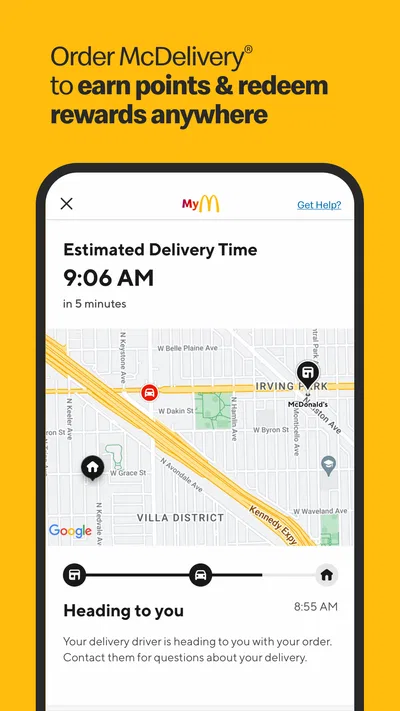
In participating areas, the app may let you select a nearby restaurant, build an order, and choose an available pickup method or delivery. Not every location supports every option, and delivery availability can depend on your address, operating hours, and local service coverage. Before confirming, check the selected restaurant, estimated timing, order details, and total cost, including any delivery or service fees.
What information or permissions might the McDonald’s app need?
You may be asked to create or sign in to an account to use features such as saving preferences, tracking rewards, or viewing order history. Location access can help identify nearby restaurants, but you can often search for a location manually instead. Payment details may be requested for in-app checkout. Review the app’s permission prompts and privacy information, and share only the details needed for the features you choose.

Download McDonald's
Similar apps
View all 9.3
Uber Eats: Food and Grocery
Food & Drink
 9.3
DoorDash: Food, Grocery, More
Food & Drink
 9.2
Domino's Pizza USA
Food & Drink


