- Award score
- 4.7Rating
- 50,000,000+installs
- Free
App information
Screenshots
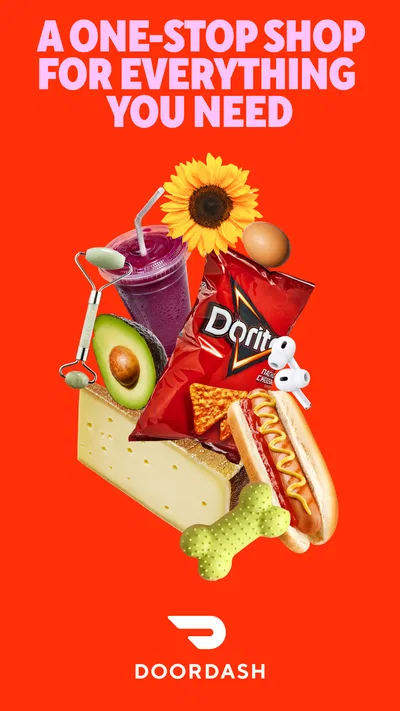
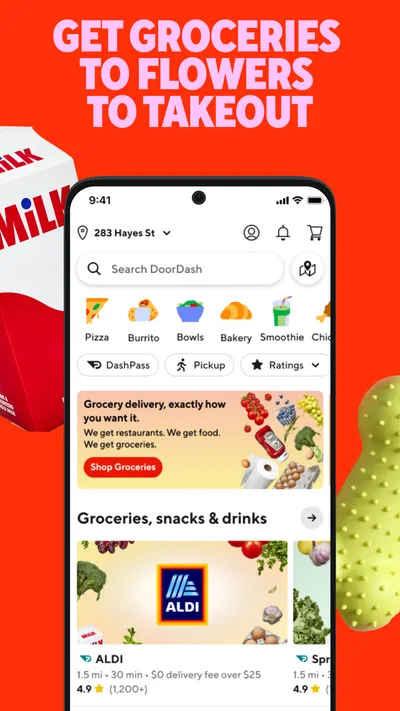
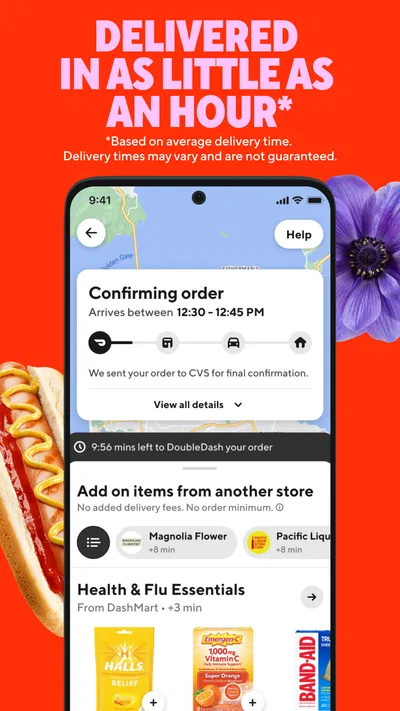
 Analysis byAppsAward
Our review of DoorDash: Food, Grocery, More
When I’m short on time, the most useful thing about DoorDash is that it puts restaurant meals, groceries, and everyday retail shopping in one place. That breadth changes how I think about delivery: I can start with a dinner plan and check whether the same app can handle a missing ingredient or household essential, rather than switching between several services. In my experience, that convenience is the app’s strongest idea—and also the reason it deserves a little planning before you rely on it.
One app for more than dinner
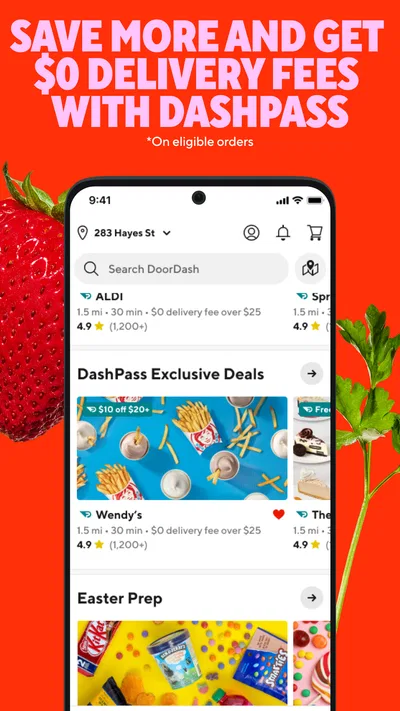
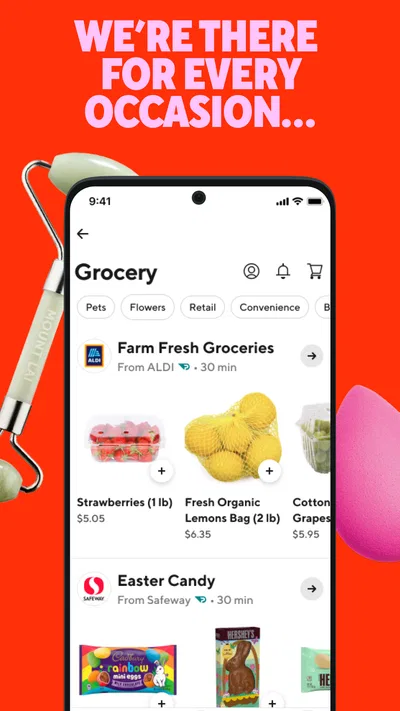
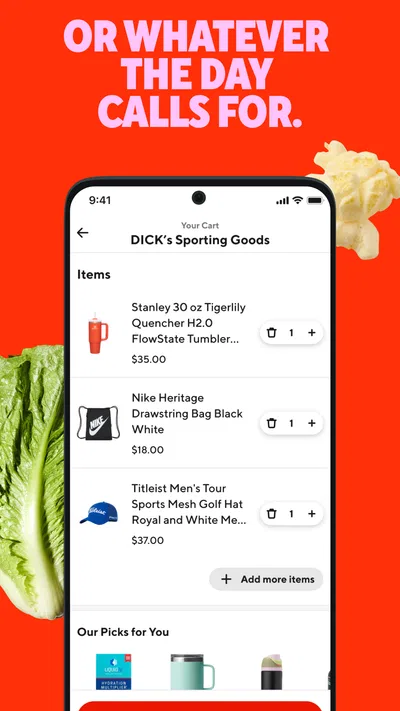
DoorDash is a free Food & Drink app from DoorDash, available to users of all ages. Its central capability is letting you browse local options across food, groceries, and retail essentials in a single app. That does not mean every nearby business or product will always be available; the useful starting point is entering your delivery location and seeing what can actually serve it.
The app has a 4.7 average from around 6.3 million ratings, and it has passed 50 million installs. Those figures suggest broad use, but they are not a guarantee that the selection or delivery experience will be equally good in every neighborhood. I’d treat the app as a convenient way to check local availability, not as proof that every category is well covered where you live.
Articles related to DoorDash: Food, Grocery, More
For restaurant orders, the appeal is familiar: compare places, decide what sounds good, and place an order without making a call or traveling. The larger difference is being able to look beyond a meal. If I realize I’m out of a basic cooking item or need a small household essential, I can check the grocery and retail choices available through the same service instead of beginning a separate search elsewhere.
That makes the app especially practical for solving a specific problem rather than browsing endlessly. I find it most persuasive when I already know what I need and want to see whether delivery is a sensible option. If I’m simply looking for the cheapest way to buy a routine item, a nearby shop or a dedicated grocery service may be a better fit.
Why the combined selection matters
Food and household shopping have different rhythms. A restaurant order is usually about choosing a meal; grocery and retail orders are more often about filling a gap. Keeping both in the same app can save effort when plans change, but it does not make those needs identical. I’d use the restaurant side for a meal decision and the other categories for a short, practical list rather than assuming one shopping approach works equally well for everything.
A useful, slightly non-obvious habit is to check the available categories before deciding how to handle an errand. Suppose I’m planning dinner at home but discover that I’m missing an ingredient. I can compare the local grocery options with the easier alternative of ordering prepared food. The point is not that delivery is always the better answer; it is that seeing both possibilities can help me choose based on the evening I actually have.
From browsing to a useful order
In practice, I’d begin with the delivery location, then browse the relevant category and narrow the decision to what will solve the immediate need. For restaurant food, that means settling on the place and meal before getting distracted by unrelated choices. For groceries or retail essentials, it helps to make a short list first. A defined task makes the broad catalog more manageable and reduces the chance of treating the app like an open-ended shopping trip.
One workflow I recommend is checking availability early, before building an entire plan around a particular item or business. Local selection is the deciding factor in a delivery app, and a familiar restaurant or product may not appear for every location. Starting with what the app can serve keeps the process grounded; if the right choice is missing, I can switch plans before spending time assembling an order.
Another useful trade-off is to compare convenience against the effort of going out, not just against the item itself. If I’m already home and need one thing to finish dinner, delivery may save a trip. If I’m passing a grocery store anyway, picking it up myself may be simpler. The app is most valuable when it removes a real interruption, rather than when I use it automatically for every small purchase.
DoorDash’s current version is 15.298.4, and the app requires Android 8.0 or later. I’d keep the app updated if I use it regularly, but the version number by itself says little about the selection in my area. The practical test is whether the businesses and essentials I want are available at my location when I need them.
A realistic evening use case
Imagine getting home late with no time to shop and only a rough idea for dinner. I might first look at nearby restaurant meals, then check whether grocery delivery offers a workable alternative for cooking. If I also need a basic household item, I can see whether retail choices are available without switching apps. That sequence helps me make a decision based on time and need, rather than committing to a restaurant simply because ordering food was my first thought.
There is a practical limit to that flexibility: the app’s range is only useful when the specific option is available to the address I’m using. A plan that depends on one particular meal or item can still fall through if local availability differs. I’d keep a backup in mind when the need is urgent, especially if the item is something I cannot easily substitute.
For group meals, the same breadth can be useful in a different way. One person may want prepared food while another needs something for home, so it can be convenient to compare those directions in one place. I would still keep the order focused and confirm that each choice fits the occasion. A single app does not necessarily make a mixed set of errands faster if it leads to more browsing than the situation warrants.
Where the convenience has limits
The main friction is choice. Restaurant menus, groceries, and retail essentials together create a broad starting point, but a large selection can take longer to sort through than a direct trip to a known shop. When I already know exactly where I want to go, opening another app to compare options may add a step instead of removing one.
Delivery also asks you to accept a different kind of control than shopping in person. I cannot inspect groceries on a shelf before choosing them, and I may prefer to select substitutes or brands myself. For a flexible pantry restock, ordering can be handy; for produce or a product where details matter to me, I may rather shop directly. That is a preference, not a problem unique to this app, but it matters when deciding what to put in an order.
Price-conscious users should also compare the full convenience of delivery with their usual alternative, rather than focusing only on the displayed item. A quick pickup or a planned supermarket visit may suit a tight budget or a large weekly shop better. DoorDash makes the most sense to me when saving time or avoiding an extra trip has meaningful value, not when I expect every order to be the lowest-cost route.
It is also not the right tool for someone who wants to browse a single store’s full inventory or manage a detailed weekly grocery plan. A dedicated retailer may be easier for that purpose. Likewise, if I have a reliable neighborhood restaurant and prefer ordering directly, that familiar route can be simpler. DoorDash’s advantage is comparison and convenience across categories, not that it must replace every local habit.
Who gets the most from it
I’d recommend trying the app if you often need to make last-minute choices between eating out, getting groceries delivered, or finding a small retail essential. It is particularly useful for busy households, people working from home, and anyone who sometimes wants to avoid a separate errand. The strongest payoff comes from checking several practical options in one place and choosing the one that fits that day.
It may be less appealing if you prefer to inspect groceries yourself, routinely shop in bulk, or have a favorite direct ordering method that already works well. In those cases, I’d use DoorDash selectively—perhaps for a meal on a busy evening or an essential you need without making a trip—rather than expecting it to become the center of every shopping routine.
The app is free to download, and its release date is March 26, 2015. For me, the important question is not how long it has been around but whether its local selection solves a real problem. I’d try it by checking the categories available near me and using it for one clear task, then judge whether the saved time outweighs the browsing and delivery trade-offs.
Overall, DoorDash is most convincing as a flexible delivery option, not as a universal replacement for restaurants, grocery stores, or direct shopping. Its combination of meals, groceries, and retail essentials can turn a rushed evening into a simpler decision, especially when plans change. My advice is to use it with a specific need in mind, compare the available choices before committing, and keep a familiar alternative for occasions when in-person selection or a direct order is the better fit.
Pros
- Order food from a broad range of local restaurants.
- Schedule deliveries for a more convenient time.
- Track your order progress in the app.
- Browse grocery and convenience store items.
- Save favorite restaurants for quicker reordering.
Cons
- Delivery fees can make small orders expensive.
- Availability varies by location and time.
- Estimated delivery times may change during busy periods.
- Some restaurants charge higher prices in the app.
- DashPass benefits require a paid subscription.
Best Food & Drink App 2026
Our verdict
Get food, grocery, and retail essentials delivered fast with DoorDash.
Frequently Asked Questions
What can I order through DoorDash: Food, Grocery, More?
DoorDash lets you browse participating restaurants and, depending on your location, order groceries, convenience-store items, and other local goods. Available categories and merchants vary by address, so the selection you see after entering a delivery location may differ from what is offered elsewhere. Check each listing for its menu, item availability, prices, and estimated delivery time before placing an order.
How much does DoorDash delivery cost?
The total can include the cost of your items, delivery and service fees, applicable taxes, and an optional Dasher tip. Fees and minimum-order requirements can vary by merchant, distance, demand, and location, and some offers may change the amount shown. Review the checkout screen carefully before confirming, since it displays the order total and any eligible promotions or discounts.
Do I need a DashPass subscription to use DoorDash?
No. You can place eligible orders without a DashPass membership, although a subscription may offer benefits such as reduced delivery fees on qualifying orders. The exact benefits, eligibility rules, price, and trial availability can change and may differ by region. Compare the membership terms with your usual ordering habits, and check the renewal details before starting a paid plan or free trial.
Can I track my DoorDash order and contact the delivery driver?
The app generally provides order-status updates and, once an order is being delivered, may show live delivery progress and options to contact your Dasher. Tracking features and timing can depend on the order and local availability. If an item is missing, delayed, or incorrect, use the order’s help or support options in the app and keep your receipt details available.
What should I check before downloading and using DoorDash?
DoorDash requires an internet connection and typically needs location information to show nearby merchants and provide delivery estimates; you can review app permissions in your device settings. Restaurant coverage, payment options, and features vary by location. Before ordering, check the merchant’s availability, item details, estimated timing, full checkout total, and any account or subscription terms that apply.

Download DoorDash: Food, Grocery, More
Similar apps
View all 9.3
Uber Eats: Food and Grocery
Food & Drink
 7.9
McDonald's
Food & Drink
 9.2
Domino's Pizza USA
Food & Drink