
- Award score
- 3.9Rating
- 100,000,000+installs
- Free
App information
- Version
- VARY
- Updated
- Requires
- Varies with device
- Price
- Free, in-app purchases
- Developer
- Pandora
- Content rating
- Teen
Screenshots
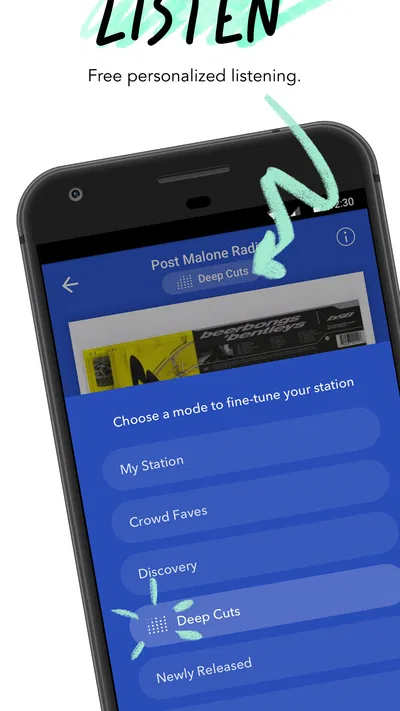
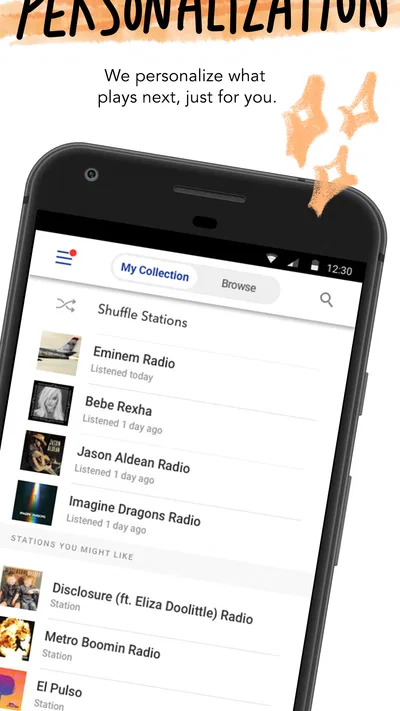
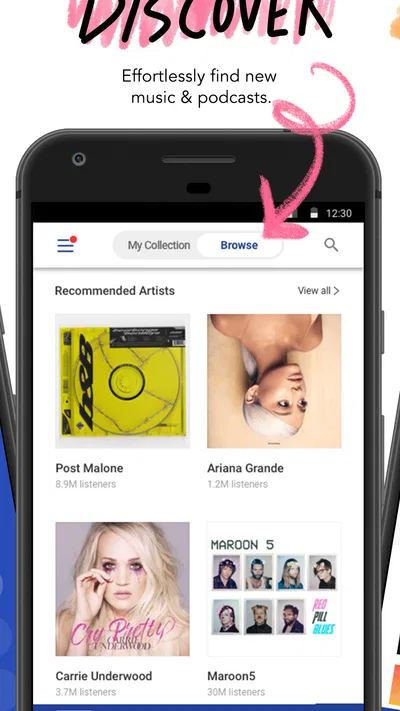
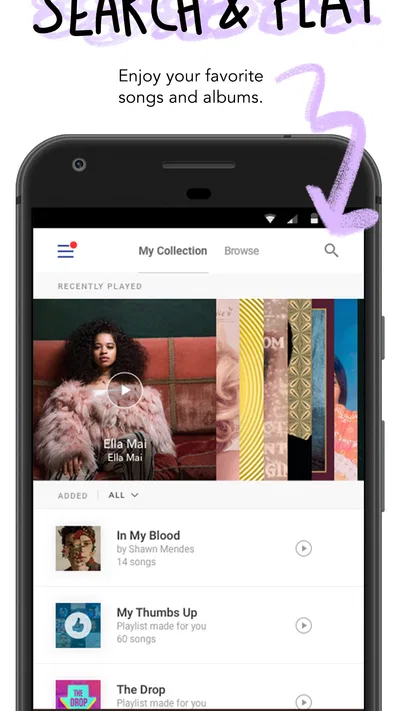
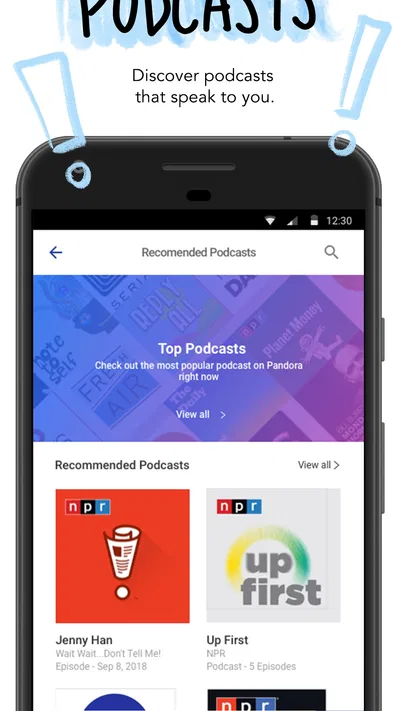
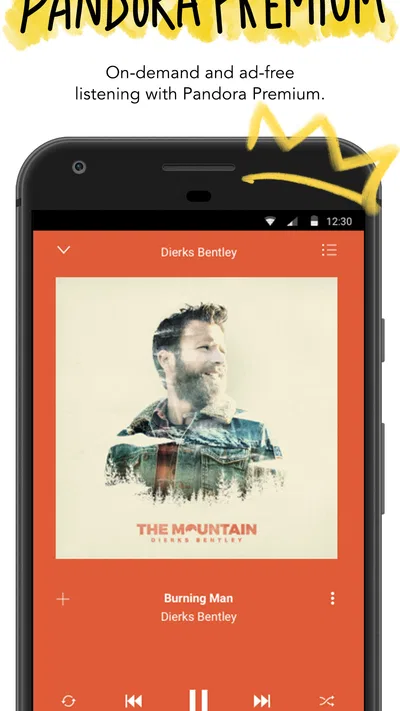
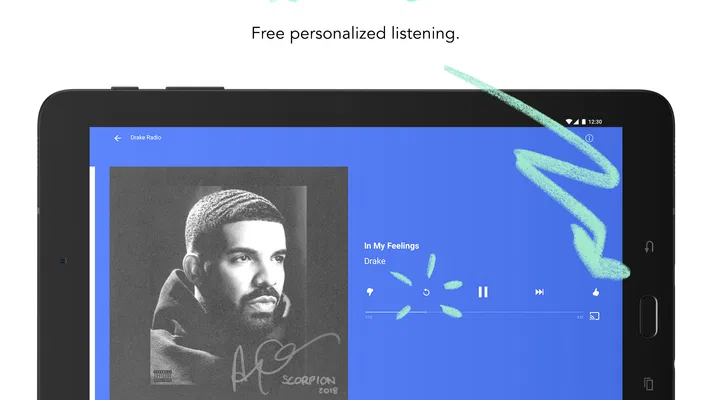
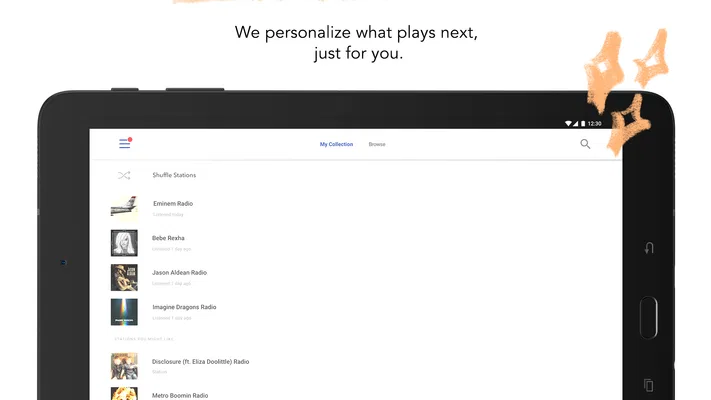
 Analysis byAppsAward
Our review of Pandora - Music & Podcasts
I notice Pandora most when I’m moving between places: a familiar station can keep a commute or a stretch of chores from feeling like a queue of decisions. The experience is built around getting to music and spoken audio quickly, but it depends on a steady connection for the listening flow to feel effortless. That makes it useful in some everyday routines and less dependable in others.
Listening when the connection is part of the experience
Pandora is a free music and audio app from Pandora, with podcasts alongside music. I think of it less as a digital shelf for carefully managing every album and more as a way to get something playing without spending the first few minutes choosing. That distinction matters most when I have a reliable network and want the app to help steer the mood.
For example, if I’m making breakfast and checking messages at the same time, I can start with an artist or a playlist and let the listening session run while I get on with the morning. The app’s appeal is immediacy: it can put familiar listening within reach without requiring me to build a new queue from scratch every time. The trade-off is that this kind of convenience is tied to a connection; a weak signal can interrupt the very thing that makes the app feel low-effort.
The catalog-oriented promise is broad in spirit, covering artists, albums, playlists, and podcasts, but I wouldn’t treat that as a guarantee that every exact track or episode will suit my needs. If I’m preparing a particular album for a focused listening session, I prefer a service and setup that make deliberate selection and queue control the center of the experience. Pandora makes more sense when I want a useful starting point and am happy to let listening unfold from there.
That makes it a different proposition from services that feel like large personal libraries. Those can be better for someone who wants to assemble exact sequences, maintain a collection, or move between specific releases with minimal ambiguity. Pandora is more appealing when I want a quick route into music or podcasts and don’t mind that discovery and convenience are part of the draw.
Where a solid signal helps most
In a good-connection setting, the app fits naturally into short, interrupted listening sessions. I can start something while getting ready, pause my attention to handle another task, and return without turning the session into a project. It also suits a shared household routine where someone wants background sound in the kitchen and doesn’t want to spend time choosing each next item.
Podcasts make the connectivity question more noticeable. Music can often work as flexible background sound, but spoken audio is easier to lose track of if playback stalls during a key explanation or story. When I’m listening to a podcast I care about, I’m more likely to choose a place with dependable service and to avoid assuming that a brief interruption won’t matter.
A useful habit is to start a session before leaving a strong-signal location rather than waiting until I’m already in a basement, elevator, or crowded transit spot. That doesn’t remove the possibility of a later interruption, but it avoids making the first playback attempt in the least favorable place. I also keep in mind that a phone switching between networks can feel less predictable than listening while stationary.
Commutes, chores, and other mobile routines
On a routine drive or walk through areas with consistent coverage, Pandora can be a good companion because it reduces the pressure to look at the screen and select every next track. I’d set up the listening choice before setting off, then leave the phone alone as much as possible. That is both more convenient and safer than trying to browse while moving.
Transit is a more mixed case. A route with reliable coverage may be perfectly comfortable, while a tunnel or underground station can create dead spots at exactly the moment I want uninterrupted audio. If I’m taking a long trip where the signal is likely to vary, I would not make a connection-dependent session my only plan for the journey. A service or listening arrangement with confirmed offline access would be a better fit if avoiding network reliance is essential.
For exercise, it depends on the route and the listening goal. A familiar playlist or station can be a simple way to keep moving, but a podcast that needs concentration is less forgiving when playback drops or the surroundings are noisy. I’d choose music for a run where I’m likely to move through changing coverage, and reserve detailed spoken content for a more stable environment.
There is also a practical distinction between a quick session and a long one. A few songs while making lunch is a modest commitment to the network. A lengthy podcast during a day of travel is not. I find it useful to decide in advance whether I need uninterrupted listening, rather than discovering midway through a trip that a fragile connection is shaping the whole experience.
What to do when playback falters
When audio stops, I first check whether the problem is local to the connection rather than assuming the app itself has failed. Moving out of a weak-signal area or switching to a more stable network can be more useful than repeatedly tapping play. If other online services are also struggling, the cause is probably broader than Pandora.
If the connection looks sound but playback still doesn’t resume, I would stop and restart the listening session, then reopen the app if needed. I avoid making several changes at once, because it becomes harder to tell whether the issue was a temporary network dip or something in the session. This is a small troubleshooting habit, but it can save time when I’m trying to get audio going quickly.
In a car, I’d handle any troubleshooting while parked. On a walk or commute, I’d wait until I’m safely stopped before checking settings or choosing another item. Pandora is most useful when it fades into the background; troubleshooting while moving turns a simple listening app into a distraction.
Recovery is also about expectations. If the signal keeps dropping, there may be no satisfying in-app adjustment that makes an unstable network behave like a stable one. I would switch to downloaded audio from another source if I needed guaranteed continuity, rather than repeatedly retrying the same stream. That is a genuine limitation for anyone who often travels through coverage gaps.
Keeping an eye on mobile data
Streaming over mobile service can use data, so I would be thoughtful about long sessions if my plan is limited. A short burst of music while waiting for an appointment is different from leaving audio on for hours every day. Since the experience is designed for easy listening, it can be easy to forget how much time has passed once a session is underway.
A practical approach is to use a trusted Wi-Fi connection for listening at home, then reserve mobile data for the situations where Pandora is genuinely useful. I’d also check my phone’s data-usage controls if I’m unsure how much audio is contributing to my monthly use. That gives me a clearer picture without relying on guesswork or assuming that all listening has the same impact.
For a long commute, it can help to decide whether the convenience is worth the data before starting. If I’m near a data limit, I might choose another option that I know works with locally stored audio. If my plan is comfortable, Pandora’s quick access may be worth the trade-off, especially for shorter trips where I don’t want to prepare a listening queue in advance.
The app is free to download, while in-app purchases range from $0.99 to $12.99 per item. I’d treat that as a reason to check the purchase details in the app store before choosing anything paid, rather than assuming every listening option is included at no cost. The important point for a new user is that free access and paid choices can coexist, so I’d pay attention to what a particular purchase offers before confirming it.
Who will get the most from it
Pandora is a strong fit for listeners who want music or podcasts readily available and are comfortable relying on a connection. It also suits people who prefer an easy listening habit over careful library management. If I’m often doing something else while audio plays, the low-friction approach is more valuable than a deep set of controls I may rarely use.
I’d be less likely to recommend it as a sole travel companion to someone who regularly loses coverage, has a strict data allowance, or needs a specific sequence to play without interruption. Those listeners should prioritize a service with offline listening they have verified, or use audio already stored on their device. Likewise, someone focused on collecting albums and controlling every transition may be happier with an app organized more clearly around a personal library.
There is a sensible middle ground for people unsure which camp they fall into: try it for ordinary listening at home or on a familiar route, then judge whether its convenience outweighs the network dependence. That test reveals more than a quick glance at features because it shows how the app fits into the actual places and routines where audio matters.
Reputation, audience, and final take
Pandora has an average rating of 3.9 from around 3.3 million ratings, with roughly 853,000 written reviews and over 100 million installs. I take that as evidence of a widely used service with a substantial range of user experiences, not proof that it will fit every listener. The app is rated for teens, so families should consider that audience guidance when deciding whether it suits a younger user.
My overall view is that Pandora is most rewarding when I want to start listening quickly and have a reliable connection. It is less compelling when uninterrupted playback, exact sequencing, or minimal mobile-data use is the priority. I would recommend giving it a try if music and podcasts are part of your everyday routine and you value easy access over meticulous control.
The clearest way to decide is to match Pandora to your real listening conditions. If your usual home, commute, or work setting has dependable service, it can make casual listening feel effortless. If you spend much of your day offline or in patchy coverage, choose a different option for those situations and keep Pandora for the places where its convenience has room to work.
Pros
- Personalized stations adapt to your listening habits.
- Thumbs-up and thumbs-down controls help refine recommendations.
- Offline listening is available with eligible subscriptions.
- Podcast playback and music streaming share one app.
- A sleep timer can stop playback automatically.
Cons
- Some features require a paid subscription.
- Free listening includes advertisements.
- Offline downloads may be limited to paid plans.
- Song selection can be restricted on the free tier.
- Availability of tracks and podcasts varies by region.
Best Music & Audio App 2026
Our verdict
Get instant access to your favorite artists, albums, playlists, and podcasts
Frequently Asked Questions
What is Pandora - Music & Podcasts, and what can I listen to on it?
Pandora is an audio-streaming app for discovering and listening to music, podcasts, and other spoken-word content. You can start with an artist, song, genre, or podcast and use Pandora’s recommendations to find related listening. The exact catalog and available features can vary by location and subscription plan, so check the app’s current listing and in-app details if a particular artist, show, or feature is important to you.
Is Pandora free to use, or do I need a subscription?
Pandora offers a free, ad-supported listening option, as well as paid subscription plans that provide additional features. Depending on the plan, these may include fewer or no ads, more control over playback, and offline listening. Plan names, prices, trial offers, and feature limits can change and may differ by country. Review the subscription details in the app or your app store before starting a trial or purchase.
Can I listen to Pandora offline?
Offline listening may be available with eligible paid plans, but it is not generally part of the free ad-supported experience. Where supported, you may need to save content in the app while connected to the internet, and not every station, song, or podcast is necessarily available for offline playback. Downloads are typically managed within Pandora rather than as ordinary audio files, so check your plan and the app’s download settings before relying on offline access.
Does Pandora work outside the United States?
Pandora’s availability and catalog are limited by country, and the service has historically been primarily available in the United States. Access to the app, listening features, and particular content may depend on your location and licensing arrangements. Before downloading, confirm that Pandora is offered in your region through your device’s app store. If you travel, availability may change, so do not assume your account will work everywhere.
What permissions and account details might Pandora require?
You can generally create or access an account using the sign-in options offered in the app, and some features may work differently depending on whether you are signed in. Pandora may request permissions for functions such as notifications, Bluetooth or connected-device playback, and microphone access when a relevant feature requires it; permissions can usually be reviewed in your device settings. Read the current privacy policy and subscription terms to understand how account information and listening data are handled.

Download Pandora - Music & Podcasts
Similar apps
View all 8.7
Spotify: Music and Podcasts
Music & Audio
 8.8
Pocket FM: Audio Series
Music & Audio
 9.6
Suno - AI Music & Songs Maker
Music & Audio
 8.7
Volume Control Home
Music & Audio


