
- Award score
- 4.8Rating
- 10,000,000+installs
- Free
App information
Screenshots
 Analysis byAppsAward
Our review of Suno - AI Music & Songs Maker
I like the idea of making a song from a prompt, but I’m more cautious about AI music than a quick demo might suggest. A generated track can be fun, useful, or surprisingly moving; it can also feel generic, and making one involves choices about what to enter and what to do with the result. Suno is best approached as a creative sketchbook rather than a replacement for a musician, producer, or carefully curated music library. That distinction matters if you’re deciding whether to try it—or what material you’re comfortable bringing into it.
Making music by describing an idea
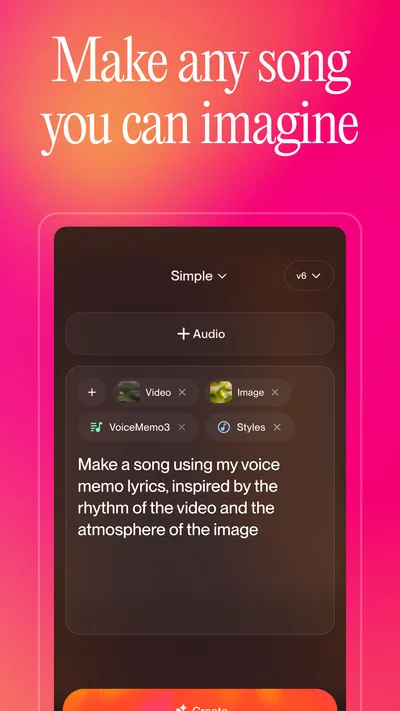
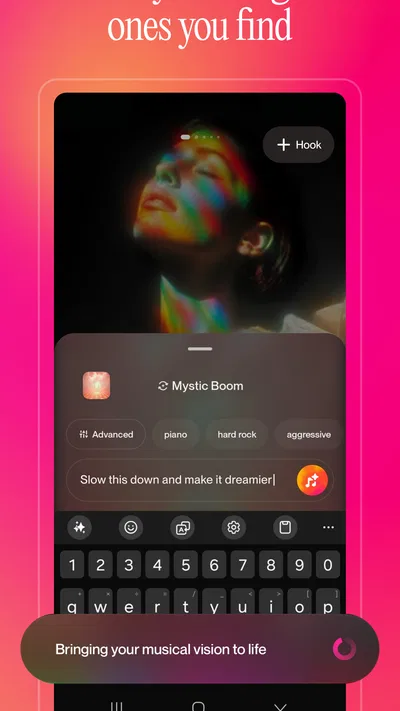
In the music and audio category, Suno turns a written direction into a song, making it different from the usual streaming app or a conventional audio workstation. Instead of beginning with instruments, a recording, or a detailed arrangement, you start with an idea in words. Suno, Inc. develops the app, and its central appeal is how quickly that idea can become something you can listen to and judge.
In my view, that makes it especially approachable for people who have musical ideas but no instrument skills, and for musicians who want a fast starting point. A person might ask for a mellow tune for a personal video, a playful song about a family in-joke, or a rough musical direction to discuss with collaborators. The point is not that every result will be ready to publish; it is that a vague thought becomes easier to hear, revise, or discard.
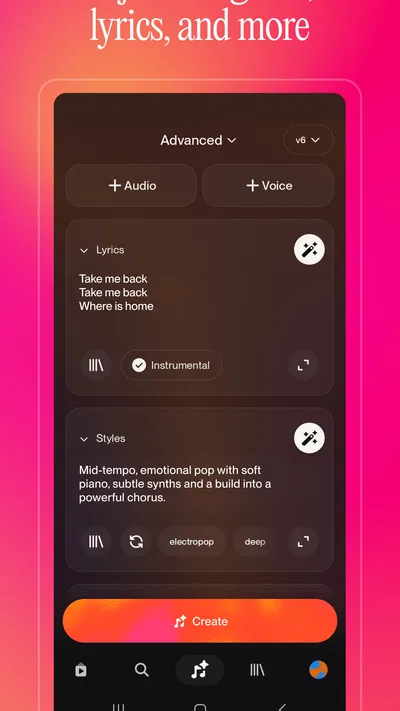
The first useful habit is to treat a prompt like a brief, not a magic phrase. Give it a clear mood, a subject, and a broad musical direction, then listen for what it actually produced. If the result is too dramatic or too busy, change one element at a time rather than rewriting everything. That makes it easier to tell whether the wording is steering the output or whether the underlying idea simply needs a different approach.
Where it fits in an ordinary creative routine
Imagine you’re putting together a small birthday slideshow and want a light, personal backing song. You could describe the atmosphere and subject, generate a draft, and decide whether it suits the photos. If it doesn’t, the attempt can still help: perhaps it reveals that you want something quieter, shorter-feeling, or less sentimental. For a private, low-stakes project, that kind of quick exploration is a real strength.
It also works as a way to break creative inertia. I can see a songwriter using it to test whether a lyric idea feels better as a ballad-like concept or something more energetic, without treating the generated version as the final composition. A teacher or hobbyist might use it to make a topic feel more memorable. In both cases, the best use is as a prompt for human decisions, not as proof that the first output is the best one.
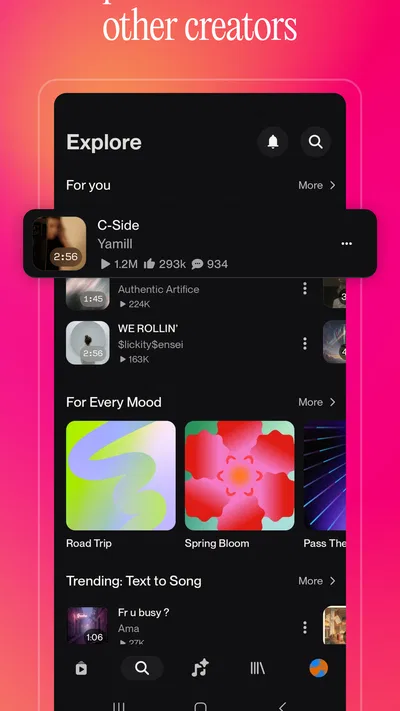
Compared with a streaming service, Suno is about making material rather than browsing a catalog of finished recordings. Compared with a digital audio workstation, it asks for less technical setup but offers less direct control over each musical decision. And compared with writing or recording a song yourself, it can get to an audible draft faster, while giving you fewer guarantees that the result will match your exact intention. Which alternative is better depends on whether you value speed, precision, or authorship most.
Trust starts with the choices you make
For a creative app, I think trust is not only a question of what the tool produces. It also depends on what the user chooses to put into the process and how deliberately they handle the result. A broad prompt about mood and subject is different from entering private details about another person or material you do not have permission to use. I would keep prompts focused on the creative brief and avoid treating a generation box as a private diary.
That is a practical boundary, not a claim about how the service handles information. I don’t assume a particular privacy outcome merely because an app is designed for creative work. If a prompt contains sensitive details, the sensible move is to pause and decide whether those details are necessary. Most song ideas can be described without names, contact information, personal stories that are not yours to share, or other identifying specifics.
The same care applies to lyrics and references. If you are developing an original idea, describe the qualities you want—such as a reflective mood, a brisk pace, or a conversational feel—instead of relying on someone else’s private material or copying text you do not have rights to use. That tends to produce a more useful creative brief anyway: it explains the direction rather than asking the app to imitate a particular source.
Check the controls before sharing anything
When I try a creative service, I look for the controls that let me understand my account, manage what I have made, and decide what I want to share. I would take the same approach here: before building a routine around generated songs, explore the visible account and creation choices in the app and read the current terms that apply to your use. I would not assume that a song is private, public, reusable, or cleared for commercial use without checking the relevant options and rules directly.
That caution matters most when a casual experiment starts turning into a real project. A track made for a personal laugh has different stakes from one intended for a client, a public channel, or a paid release. Before using a generated result outside the app, check what the current usage terms permit and whether your intended use meets them. If your project depends on precise ownership or licensing assurances, a tool with terms that clearly fit that purpose—or a human-made commission—may be a better choice.
I also recommend separating experimentation from sensitive work. For instance, if you are making a song for a friend, you can keep the prompt to a harmless shared theme rather than supplying a detailed account of their life. If you’re testing a commercial concept, use a fictional placeholder while you decide whether the workflow suits the job. These small choices preserve room to explore without making the first draft carry information it does not need.
How to get more useful results
My most practical tip is to make each generation answer one question. If you want to test whether a song should feel wistful or cheerful, keep the subject and other direction steady while changing that mood. If every prompt changes several things at once, it becomes hard to learn from the results. This method also reduces the temptation to keep generating simply because the last attempt was almost right.
A second useful habit is to listen for the parts that are working, not just the parts that are wrong. Maybe the overall arrangement misses the brief, but the energy or a phrase gives you a direction for your own writing. Keep a short note about what you liked and what you would change before making another attempt. That turns an entertaining surprise into a repeatable creative process.
Third, decide on a stopping point before you start. AI generation makes it easy to chase a perfect match to an idea that may be difficult to express in a few words. For an informal video or a personal joke, one good-enough result may be plenty. For a serious release, the time spent checking rights, refining the brief, and reviewing the finished work may outweigh the speed of the initial draft. Suno is most satisfying when the task is scoped to match the tool.
What the cost and audience details mean in practice
The app is free to install, though it includes in-app purchases, with listed items ranging from $2.99 to $699.99. I would not interpret the free entry point as a promise that every level of use is free. Before paying, check the purchase details shown in the app and make sure the available plan or item fits how often you expect to create. Casual users may be content to explore; anyone who plans to rely on it regularly should understand the cost before building a workflow around it.
Suno has a 4.8 average from around 2.6 million ratings, and it has been installed over 10 million times. Those figures indicate broad interest, but they cannot tell you whether its musical choices will match your taste or whether its controls suit your comfort level. The app is rated Teen, so it is not presented as a little-child product; families should still make their own decision about creative content and purchases.
It was released on December 3, 2024, and version 1.94.0 is listed as the current version. The minimum operating system is 8.0. Those details are useful when checking whether an older device can run it, but compatibility alone does not answer the more personal question: whether you want an AI tool involved in your music-making.
Who should try it—and who may prefer something else
I’d recommend giving Suno a try if you enjoy experimenting, want a quick musical sketch, or need an unusual starting point for a personal project. It is especially appealing if you are curious about how a description can translate into sound and are comfortable judging the result rather than accepting it as finished work. If you make music already, the app can be a source of prompts and contrasts; if you don’t, it can offer a low-barrier way to explore an idea.
I would skip it, or keep it firmly in the experimentation category, if you need exact control over every note, want a dependable substitute for licensed background music, or cannot use a service without clear assurances for a particular commercial purpose. A traditional audio workstation is better when arrangement and editing precision matter. A licensed music library is a safer fit when you need a clearly defined track for a project. Working with a human musician is preferable when collaboration, personal interpretation, or carefully negotiated rights are central.
A cautious recommendation
My verdict is curious but deliberate: Suno is an engaging way to turn a thought into an audible draft, and that can be genuinely useful when you treat the output as material to evaluate rather than a finished answer. Its speed is a creative advantage, but it does not remove the need to think about prompts, purchases, sharing, or the intended use of a song.
I’d start with a harmless idea, keep the prompt focused, and inspect the app’s visible choices before sharing anything or spending money. If the result helps you discover a direction, it has done something worthwhile even if you never use the track as-is. If you need fine control or firm commercial certainty, choose a more suitable tool instead. That balance is why I’d recommend trying Suno as an experiment, not handing it responsibility for the whole creative process.
Pros
- Turns text prompts into original songs with vocals and instrumentals.
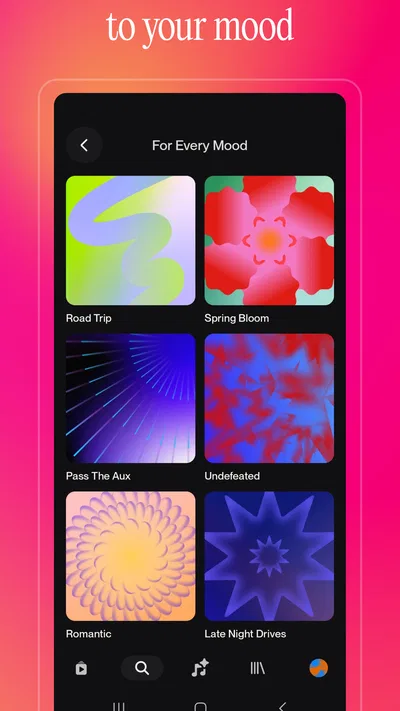
- Offers multiple genres and moods for flexible music creation.
- Makes it easy to share finished tracks with others.
- Can generate song ideas without requiring musical training.
- Includes options for extending or refining generated tracks.
Cons
- Generated lyrics or vocals may sound unnatural at times.
- Free usage is limited by credits or generation allowances.
- Some results may not closely match the prompt.
- Downloading or using tracks commercially may have restrictions.
- Creating polished songs can take several attempts.
Best Music & Audio App 2026
Our verdict
AI music maker & song generator
Frequently Asked Questions
What is Suno - AI Music & Songs Maker?
Suno is an AI music creation app that turns text prompts and lyrics into songs. You can describe a style, mood, subject, or genre and let the app generate a musical track, often with vocals. It is designed for experimenting and making shareable music rather than replacing a full recording studio, so the level of control and results can vary from one generation to another.
Do I need musical experience to create a song with Suno?
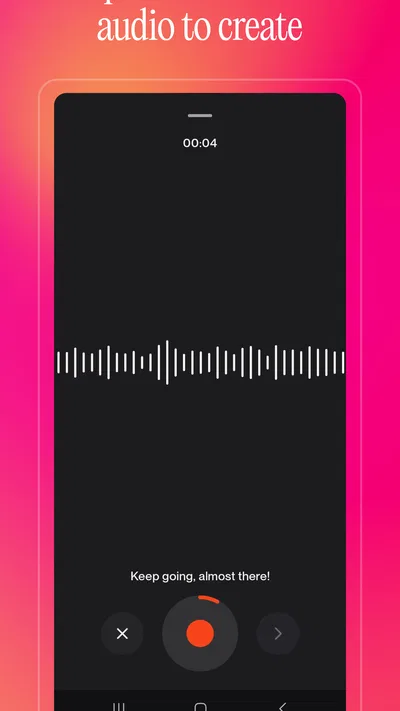
No musical training is required to get started. You can enter a plain-language idea, such as a genre, mood, or story, and Suno uses it to guide the generation. Users who already write lyrics or understand musical styles may be able to give more precise instructions, but beginners can also explore the app by trying different prompts and refining them when the first result is not quite right.
Is Suno free to use, and are there limits?
Suno may offer access to free song generation, but availability, generation allowances, and paid-plan benefits can change over time and may differ by region or account. Check the current plan details shown in the app or on Suno’s official website before creating many tracks. Also review any usage limits and subscription terms carefully, especially if you plan to use the service regularly.
Can I use songs made with Suno commercially?
Commercial-use rights depend on the plan under which a track was created and the terms that apply at the time. Do not assume that every song generated through a free account can be used in advertising, released for sale, or monetized on social platforms. Review Suno’s current terms and licensing guidance, and consider whether your prompt or lyrics include material you have permission to use.
What should I know about privacy and the content I submit to Suno?
Creating music may involve sending prompts, lyrics, or other information to Suno’s online service, so it is sensible to avoid including private or sensitive details. Before uploading personal lyrics or sharing a generated track publicly, review the app’s privacy policy and sharing controls. AI outputs can also be unpredictable, and generated vocals or lyrics may not always match your instructions exactly, so listen through before sharing.

Download Suno - AI Music & Songs Maker
Similar apps
View all 8.7
Spotify: Music and Podcasts
Music & Audio
 7.8
Pandora - Music & Podcasts
Music & Audio
 8.8
Pocket FM: Audio Series
Music & Audio
 8.7
Volume Control Home
Music & Audio


