
- Award score
- 4.7Rating
- 100,000,000+installs
- Free
App information
- Version
- 5.20.98.0
- Updated
- Requires
- 8.0
- Price
- Free, in-app purchases
- Developer
- Proton AG
- Content rating
- Everyone
Screenshots
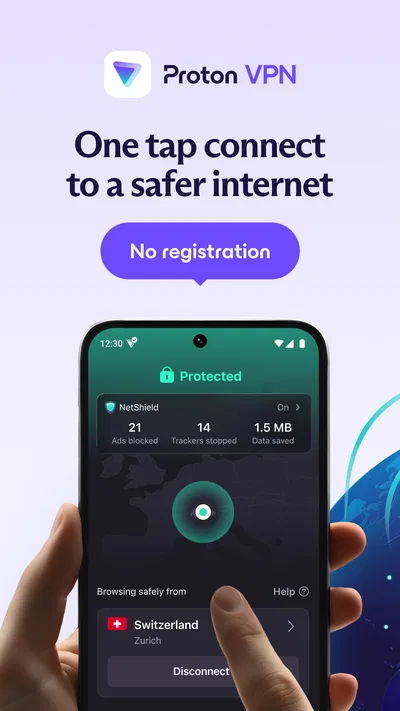
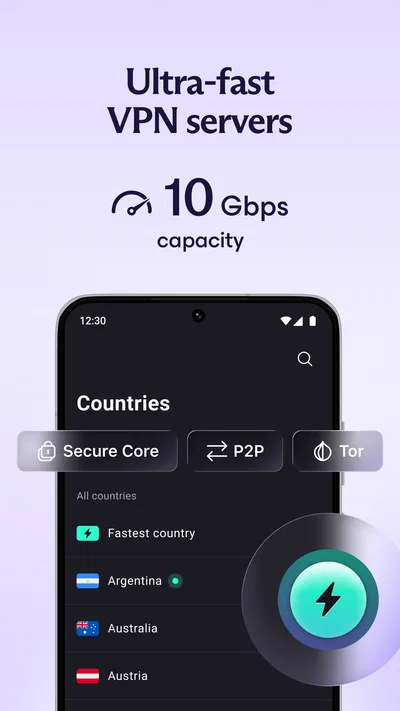

 Analysis byAppsAward
Our review of Proton VPN: Secure & Fast VPN
I tend to notice a VPN most when it gets in the way: a site refuses to load, a video service changes its catalog, or someone in the household has to ask which device is connected. Proton VPN is easier to judge in those everyday moments than by its headline promises. It is a privacy tool from Proton AG, and I see its strongest fit as a straightforward way for one person to protect a connection across ordinary routines, with a little thought needed when devices are shared.
When one connection serves several people
Picture a household member checking messages on a shared tablet while another person uses a laptop for work and someone else streams a show. A VPN can add a layer of protection to network traffic, particularly when a device is using public Wi-Fi, but it does not turn a shared device into separate personal spaces. The person who connects or disconnects the VPN affects the device’s connection, not just their own browsing session.
That distinction is important with Proton VPN. It is a tools app rather than a family-management product, so I would not treat it as a way to supervise other users, divide browsing histories, or set household rules. Instead, I would decide which devices should have the VPN available and agree on who handles connection changes. On a personal phone or laptop, that is simple; on a tablet passed between people, clear expectations matter more.
In my view, the most useful shared-device habit is to settle the VPN state before someone begins a task that depends on a particular network location. A person joining a video call or accessing a work service may want a stable connection, while someone else may be trying to use a site that behaves differently through a VPN. A quick check before switching users can prevent confusion without pretending that the app coordinates people for you.
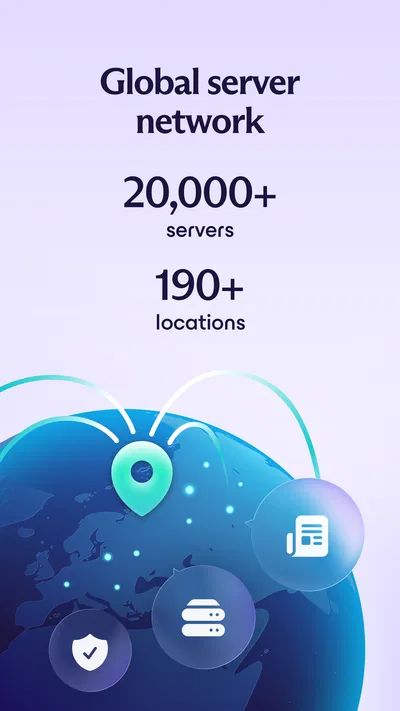
The app’s central appeal is that it gives users access to VPN connections through a phone or tablet, rather than requiring them to understand every networking detail. Its store description highlights servers across more than 190 locations, which gives people a broad choice of connection locations. That range can be useful when a nearby option is unavailable or when a user has a legitimate reason to connect through another region, though location choice alone cannot guarantee that every website or service will work as expected.
Setup works best with clear device boundaries
I would start by installing the app on each person’s own device where possible. That keeps everyday decisions—whether to connect, when to pause, and which location to choose—under the control of the device’s user. On a shared tablet, I would explain that the VPN applies to the device’s network connection, not to a private profile belonging to whoever has opened the app. This is a small distinction, but it prevents the mistaken expectation that each household member automatically gets an independent VPN session.
The app is free to download, and it also offers in-app purchases ranging from $9.99 to $119.88 per item. That makes it reasonable to try the basic app before deciding whether a paid option suits a household’s needs. I would first identify the actual problem to solve—protecting a connection on public Wi-Fi, for instance—rather than paying simply because more choices sound reassuring. A VPN is not automatically better for every activity, and a subscription should match how often people will use it.
One practical trade-off is that a VPN can change how a website sees a connection. A banking or workplace service may ask for extra verification, while a streaming service may behave differently or block access. If an important task suddenly fails, I would check whether the VPN is the cause before changing account settings or repeatedly retrying. Disconnecting temporarily may be the sensible choice for a service that requires a familiar connection, then reconnecting afterward for general browsing.
That workflow is more useful than treating the VPN as a switch that must always stay on. A household can agree on a simple rule: use it on unfamiliar public networks, but pause and troubleshoot when a trusted service breaks. This is not a special household control in the app; it is a practical way to avoid blaming the wrong part of the setup.
Coordination matters more than a shared password
For a family or group sharing devices, I would keep account boundaries in mind. The app is not a substitute for separate device profiles, separate app accounts, or good screen locks. If several people use one device, the VPN’s connection can be shared in effect because they are using the same network path, but that does not mean they should share personal credentials or assume their activity is separated from other activity on that device.
A useful routine is to name the device’s purpose rather than make the VPN responsible for every privacy need. For example, a household laptop used for schoolwork might have one person responsible for checking the connection before a class session. A shared phone used for travel could be set up by its primary owner, with other users told how to recognize whether the VPN is connected and when to ask before changing it. These small habits reduce accidental interruptions without requiring technical expertise.
There is also a trade-off between convenience and control. If each person installs a VPN on their own phone, they can make their own choices, but they may need help understanding why a particular site behaves differently. If everyone relies on one shared device, setup is simpler but troubleshooting becomes a coordination problem. I would choose personal installations for adults who use their devices independently, and a clearly managed shared device only where the group is comfortable agreeing on basic rules.
Compared with the usual alternatives in the VPN category, Proton VPN’s broad server selection and free entry point make it a plausible first option for someone who wants to try a dedicated VPN app without committing at the outset. A browser’s private or incognito mode is not an equivalent replacement: it can limit what is retained locally in some situations, but it does not provide the same kind of VPN connection for the device’s network traffic. Conversely, someone who only wants to stop a browser from saving local history may not need a VPN at all.
Age, trust, and what a VPN does not do
The app carries an Everyone content rating, which makes its age classification broad, but that should not be confused with a recommendation that every child manage a VPN independently. A VPN does not replace parental guidance, safe browsing settings, account protections, or conversations about what a child should share online. For a younger user, I would have an adult handle setup and explain that the tool changes the network connection; it does not make every website safe or make a person anonymous in every sense.
Trust also depends on keeping expectations grounded. A VPN is one part of a privacy routine, not a magic shield against phishing, weak passwords, unsafe downloads, or someone looking over a user’s shoulder on a shared device. If the concern is that one household member might inspect another person’s browsing on the same tablet, the more direct fix is separate accounts or devices and appropriate privacy settings. A VPN alone does not create those boundaries.
Proton AG is the developer, and the app has a 4.7 average from around 1.4 million ratings, with about 33,000 written reviews. It has passed 100 million installs, which suggests that many people have tried it, but popularity is not a substitute for deciding whether its behavior suits your own devices. The app is free, rated for Everyone, and its current version is 5.20.98.0; it runs on Android 8.0 or later. Those details make it accessible to many Android users, though an older device still needs enough room and a stable connection for a comfortable experience.
Small checks that make everyday use smoother
When I use a VPN, I avoid changing several things at once. If a site fails, I check the connection state first, then try a different server location if that makes sense, and only then consider whether the site itself is having trouble. This order keeps troubleshooting manageable. It is especially helpful for a household member who is less comfortable with network settings: they can report whether the VPN is on and what they were trying to do, rather than making a string of unrelated changes.
For travel, I would install and test the app before relying on it away from home. That gives the user time to understand the basic connection flow while they still have another way to get online. It is also worth remembering that a VPN cannot fix weak mobile reception or an unstable Wi-Fi network. If a connection is poor, changing VPN locations may help in some cases, but the underlying network can still be the limiting factor.
Location selection is another point where a little restraint helps. The nearest or most convenient server is often a sensible first attempt for ordinary browsing, while choosing a distant location may add delay or make a service behave unexpectedly. If a user needs a specific region for a legitimate task, they can select accordingly, but I would not assume that a location choice guarantees access to region-restricted content. Services decide how they treat VPN traffic, and that can change independently of the app.
People who need a VPN only for occasional public Wi-Fi use may find a free option sufficient, while frequent users should compare the paid choices with their actual needs before purchasing. The in-app purchase range is wide, so it is worth checking the term and plan details shown in the app store rather than assuming every purchase represents the same commitment. If a household needs centralized administration, detailed family controls, or a single dashboard for managing everyone’s devices, this app should not be chosen on the assumption that it provides those functions.
Who I would recommend it to
I would recommend Proton VPN to someone who wants a dedicated VPN app with a free starting point, a substantial choice of server locations, and a clear role in their everyday privacy toolkit. It is a good match for a person who often uses public Wi-Fi, travels with a phone or tablet, or wants to understand VPN use without beginning with a complicated network setup. Its popularity and strong average rating are reassuring context, but the right test is still whether it fits the user’s own routine.
I would be less likely to recommend it as the answer to a household’s broader digital-safety problems. It does not replace parental controls, separate profiles, secure passwords, or careful account sharing. It may also be inconvenient for someone whose essential services routinely reject VPN connections, or for a user who expects every location to work with every website. In those cases, a different privacy measure—or simply using the service without a VPN when needed—may be more practical.
Overall, I see it as a useful, approachable VPN for individual users and households willing to coordinate rather than expecting the app to coordinate for them. Keep personal accounts and shared-device habits separate, test important services before depending on the VPN, and treat connection changes as a normal troubleshooting step. With those expectations, it can be a sensible addition to daily phone use; without them, even a capable VPN can become one more source of confusion around a shared screen.
Pros
- The free plan has no data limit.
- The apps are open source and independently audited.
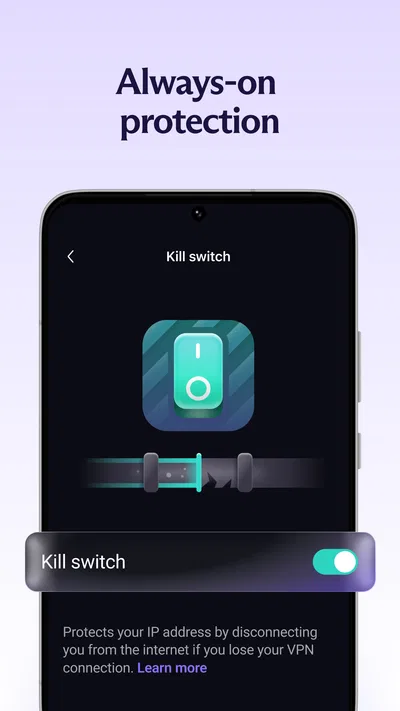
- A kill switch can block traffic if the VPN disconnects.
- Servers support WireGuard and OpenVPN protocols.
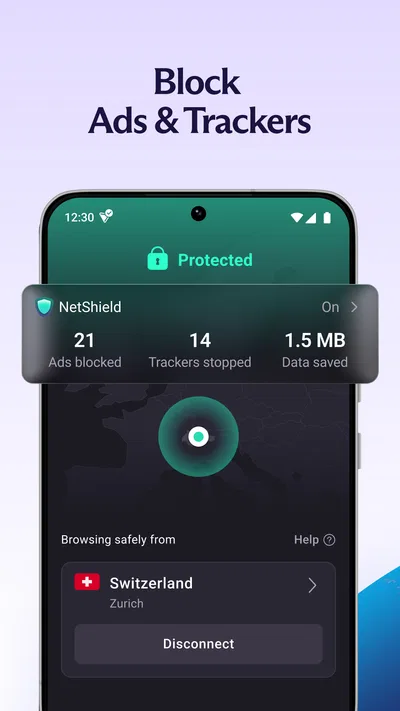
- NetShield can block ads and known malicious domains.
Cons
- Free users cannot choose a specific server location.
- The free plan does not support streaming services.
- Secure Core routing is limited to paid plans.
- Some advanced settings may feel complex to beginners.
- VPN speeds can vary depending on server load and distance.
Best Tools App 2026
Our verdict
Fast VPN proxy, no ads, secure VPN connection & VPN servers in 190+ locations
Frequently Asked Questions
What is Proton VPN, and what can I use it for?
Proton VPN is a virtual private network app that routes your internet connection through a VPN server and encrypts traffic between your device and that server. People commonly use it to improve privacy on public Wi-Fi, reduce exposure of their browsing activity to the local network, or connect through servers in other regions. A VPN does not make you completely anonymous or protect you from every online threat, and websites may still identify you through accounts, cookies, or other data.
Does Proton VPN offer a free plan, and what are its limitations?
Proton VPN offers a free tier, but its availability, server selection, connection options, and other features may differ from paid plans and can change over time. Check the current plan details in the app or on Proton VPN’s official website before deciding. A free VPN can be useful for basic privacy, but it may not provide the range of locations or advanced features you want. Avoid assuming that free access includes every premium feature.
Will Proton VPN make my internet connection faster?
Not necessarily. A VPN adds an extra step to your connection, so speed can depend on the server’s distance, current load, your original internet service, and the protocol or settings in use. Some users may notice little change, while others may experience slower browsing, downloads, or streaming. Choosing a nearby server can help, but results vary. If speed matters, test the connection in your usual locations and review the app’s available server and connection options.
Can I use Proton VPN for streaming and accessing content from other countries?
Proton VPN may let you connect through servers in different countries, but access to a particular streaming service or catalog is not guaranteed. Services regularly change how they detect VPN connections, and availability can also depend on your subscription plan, server, region, and the service’s own terms. Before subscribing for streaming, check Proton VPN’s current feature information and the streaming provider’s rules. A VPN also does not change your account’s eligibility or remove other geographic restrictions.
What should I know about privacy, permissions, and device compatibility before installing Proton VPN?
Proton VPN is available for major mobile platforms, but supported operating-system versions and features can change, so check the app store listing for your device. Like other VPN apps, it needs permission to configure a VPN connection; this is required to route network traffic through the service. Read Proton’s current privacy policy and the app’s permission details to understand how data is handled. A VPN protects the connection to its server, but it does not replace secure passwords, careful browsing, or device updates.

Download Proton VPN: Secure & Fast VPN
Similar apps
View all 8.8
 9.7
 7.7


