
- Award score
- 4.3Rating
- 1,000,000+installs
- Free
App information
- Version
- 3.4.7.8
- Updated
- Requires
- 6.0
- Price
- Free, in-app purchases
- Developer
- AppClose, Inc
- Content rating
- Everyone
Screenshots
 Analysis byAppsAward
Our review of AppClose: Co-Parent Essentials
I think a co-parenting app is most useful when it makes routine coordination less dependent on memory, long text threads, and who happens to be available at the right moment. AppClose: Co-Parent Essentials is built for that kind of shared family logistics. It is a free parenting app from AppClose, Inc., intended to put co-parenting tasks in one place rather than leave parents to piece them together across ordinary messaging and calendar tools. The idea is practical, though how helpful it feels depends on whether both adults are willing and able to use the same system.
Making everyday information easier to follow
When co-parents communicate through a mix of texts, emails, and verbal reminders, important details can be hard to locate later. A child’s pickup time may be buried between unrelated messages, while a change to a school-day plan might never make it into the calendar. AppClose’s appeal is the effort to bring those exchanges and the broader parenting plan into a shared routine. For a family managing recurring handoffs, that can reduce the mental work of remembering where a detail was discussed.
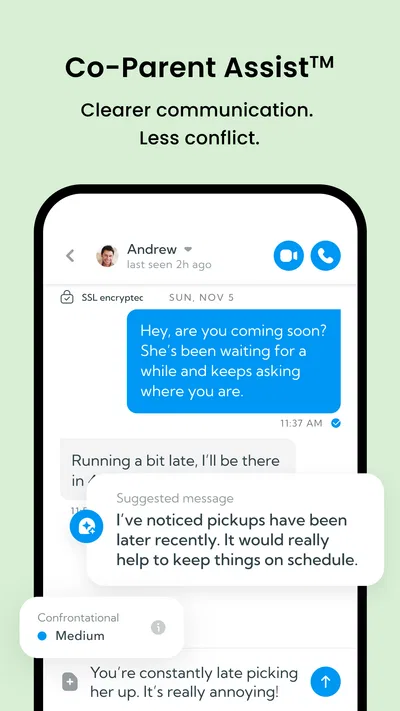
I would approach it as a coordination space, not simply another chat app. The useful habit is to put a practical update where both parents will expect to find it, and to keep messages focused on the child’s needs. That structure can also make communication easier to revisit when there is disagreement about what was agreed. It does not make a tense exchange comfortable, but a shared record is often easier to work from than two people’s recollections of a phone call.
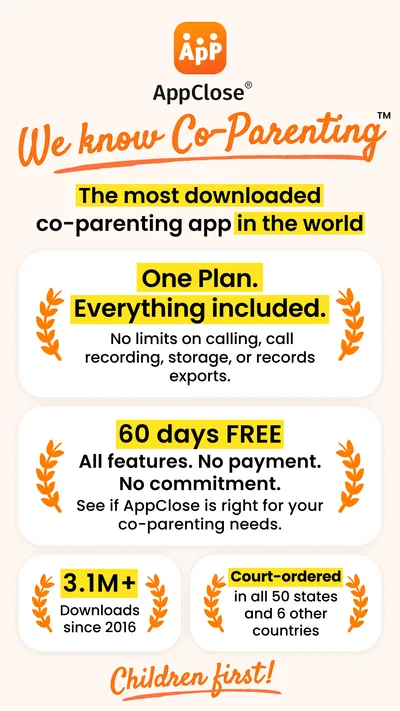
The app’s store description says the plan includes everything and notes a free period of sixty days. In practical terms, I would still check the current terms inside the app before relying on a particular feature or assuming that every part of the service stays free indefinitely. The listed in-app purchase range runs from $8.99 to $98.99 per item, so “free” should not be read as a promise that every optional purchase is irrelevant to every household.
AppClose has a 4.3 average from around thirty thousand ratings, and it has passed one million installs. Those figures suggest that it is an established option, but they cannot tell me whether its layout will work for a particular family or whether both co-parents will participate consistently. I would judge it by a small trial of real tasks: sharing a schedule change, confirming a handoff, and finding that information again later.
Navigation that benefits from a shared routine
A dedicated co-parenting tool can be clearer than a general-purpose messenger because its purpose is narrower: help adults coordinate around a child. The biggest usability gain is not a clever screen; it is having a predictable place to look. I recommend agreeing at the outset which kinds of information belong in the app. For example, use it for changes to plans and child-related logistics, while keeping urgent calls or immediate safety concerns on a direct channel that both adults already monitor.
That boundary matters because an app only improves clarity when people use it consistently. If one parent sends updates in AppClose and the other continues to rely on texts, the family ends up with two records rather than one. A simple shared convention—such as posting schedule changes in the app and acknowledging them there—can do more for readability than trying to keep every conversation in a single long thread.
I would also keep entries brief and concrete. “Pickup moved to the school entrance after practice” is easier to scan later than a paragraph mixing the change with older disagreements. This is a workflow tip rather than a special feature: the app can hold the information, but the adults still determine whether that information is easy to understand. For parents who prefer a clear written trail, that discipline may be a real benefit.
Motor, sensory, and communication needs
Parents do not all interact with a phone in the same way. One may be reading on a small screen between appointments; another may need larger system text, extra time to type, or reduced visual distraction. I would test AppClose using the phone’s own display and accessibility settings before making it the family’s only channel. Check whether the text remains comfortable to read, whether controls are manageable with your usual input method, and whether you can complete common tasks without rushing.
I would not assume that a co-parenting app automatically suits every motor or sensory need just because it is designed for daily communication. If typing is tiring, a concise message and a predictable routine can reduce effort, but neither removes the work of entering information. If notifications interrupt concentration or create stress, review the device’s notification controls and decide which updates need attention immediately. The right setup is the one that keeps important child-related information visible without making the phone feel constantly demanding.
For people who process written information more easily than fast conversation, written coordination can be useful: a parent can read a message at a suitable pace and return to it when making plans. It can also help someone who finds spontaneous calls difficult. The trade-off is that text loses tone. I try to keep messages specific, neutral, and limited to one issue at a time, especially when a misunderstanding could affect a child’s handoff or routine.
Families with different language, literacy, or communication preferences should consider that shared understanding is as important as the app itself. Before relying on it, both adults should be comfortable reading and responding to the kinds of messages they expect to exchange. If one person cannot reliably use the app, a familiar phone call or another agreed method may be more inclusive than insisting on a single digital channel.
Using it when schedules and settings change
A realistic use case is a school pickup that changes because an appointment runs late. One parent can put the new arrangement in the shared channel, and the other can check the written detail instead of trying to reconstruct it from a rushed call. For this to work well, I would include the key facts in the message—who is collecting the child, where the handoff will happen, and whether the usual plan resumes afterward. Short, complete updates reduce the need for follow-up questions.
Another useful case is a recurring schedule that needs occasional adjustments. Rather than treating every change as a fresh negotiation, parents can use the app as the common place to communicate the exception and preserve the ordinary plan as a shared reference point. I would still avoid assuming that a message alone settles a formal custody or legal matter. The app can help adults coordinate; it is not a replacement for a court order, professional advice, or an urgent conversation when the child’s welfare requires one.
Situational access is also about where and when someone can safely use a phone. A parent driving, caring for a child, or working in a setting where phone use is restricted may not be able to read an update immediately. Agreeing on what counts as urgent and what can wait prevents the app from becoming an unrealistic expectation of constant availability. For a time-sensitive change, use the fastest method both adults can access, then record the settled details in the shared system when it is practical.
Where the approach can still fall short
The main limitation is social rather than technical: both co-parents must be willing to participate. If one refuses to install or check the app, its central advantage disappears. A shared calendar or ordinary messaging may then be more workable, even if it means accepting less structure. I would not introduce AppClose as a way to force cooperation; I would propose it as a neutral place for child-related logistics and see whether both people can agree on a basic routine.
There is also a learning cost when moving from familiar tools. Parents may need to change where they send updates, remember to check another app, and decide what belongs in it. During the transition, I would keep the old communication method available and clearly tell the other adult which channel is being used for which purpose. Otherwise, a parent may miss a message simply because the family has not agreed on the new habit.
AppClose is not necessarily the right choice for a household that already coordinates smoothly through a shared calendar and has no difficulty finding old messages. Nor is it ideal as the only route for urgent information if either parent has unreliable access to a phone at certain times. In those situations, adding another place to check may create more friction than it removes. The best comparison is not “specialized app versus no organization,” but whether this shared setup is easier for both people than the tools they already use.
The app is rated for Everyone, and its current version is 3.4.7.8, with Android support beginning at version 6.0. AppClose, Inc. has positioned it specifically around co-parenting rather than general family planning. That focus is useful for separated parents who need a common coordination space, but a parent should check that their device and personal setup work comfortably before depending on it. The listed price is free, while in-app purchases range from $8.99 to $98.99 per item.
A practical choice when both parents can use it
My overall view is that AppClose is worth considering when co-parents need more structure than a stream of texts provides and both are prepared to build a shared habit. Its strongest potential is not replacing judgment or resolving conflict; it is making everyday arrangements easier to state, find, and revisit. A useful test is to agree on one week of ordinary coordination and see whether the same information becomes easier for each parent to locate.
I would recommend trying it for families dealing with repeated handoffs, schedule adjustments, or a need to keep child-related conversations distinct from other messages. I would hesitate if one parent cannot use the app reliably, if sensory or motor needs make phone interaction uncomfortable, or if the family already has a simpler system that everyone follows. In those cases, a shared calendar, direct calls, or a combination of familiar tools may be more inclusive and dependable.
For a family that does adopt it, the most helpful starting point is a short agreement: what goes into AppClose, how quickly each person is expected to check it, and what to do when a matter is urgent. That small conversation makes the technology easier to use and less likely to become another source of frustration. If both adults can follow the same routine, it can be a sensible way to keep parenting logistics clearer and more accessible to revisit.
Pros
- Keeps co-parenting messages organized in one place.
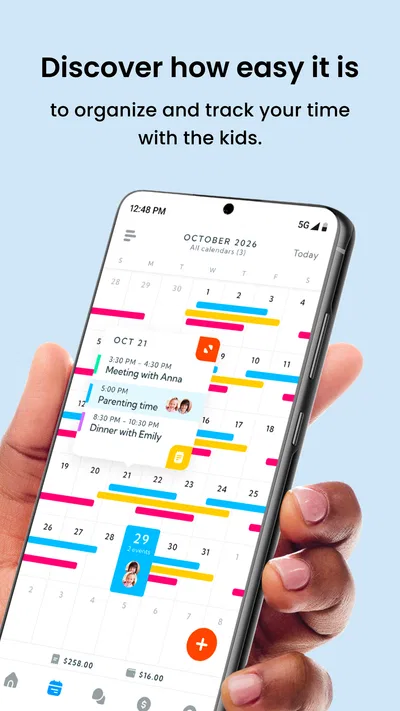
- Shared calendars help coordinate parenting schedules.
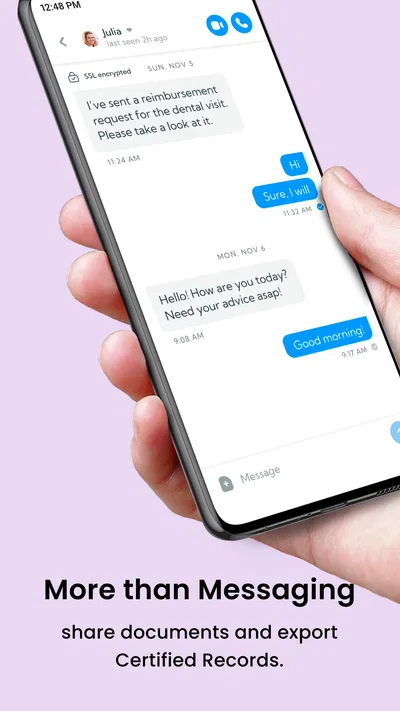
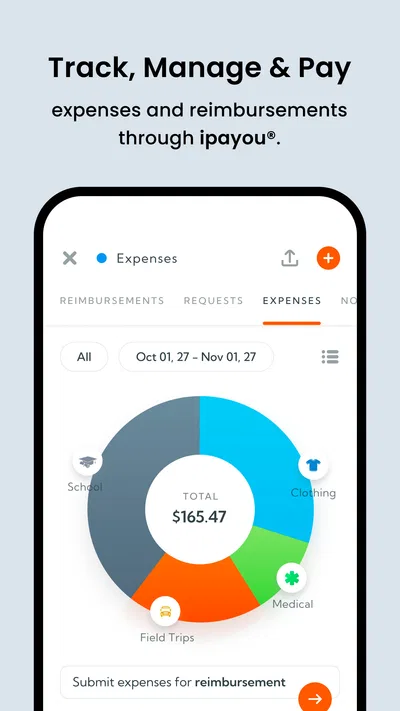
- Expense tracking makes reimbursements easier to follow.
- Records can help document important co-parenting discussions.
- Offers tools designed specifically for separated parents.
Cons
- Both parents may need to adopt the app for its full value.
- Some features may require a paid subscription.
- Notifications can be easy to miss if settings are restricted.
- Entering schedules and expenses takes ongoing effort.
- The app is not a substitute for legal or professional advice.
Best Parenting App 2026
Our verdict
We Know Co-Parenting. One plan, everything included. No upsells. 60 days free.
Frequently Asked Questions
What is AppClose: Co-Parent Essentials used for?
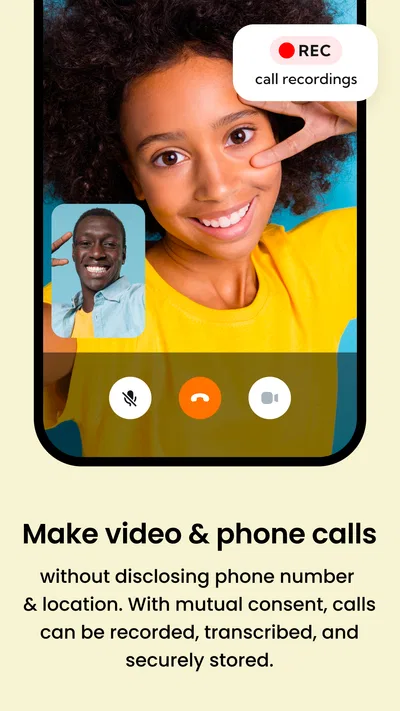
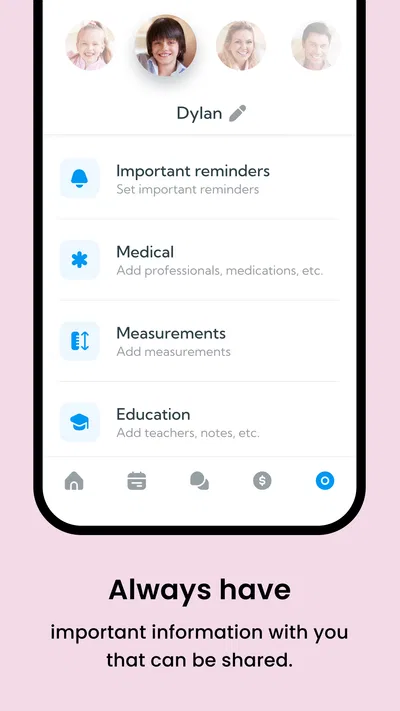
AppClose is a co-parenting app designed to help separated or divorced parents manage the practical details of raising children together. It brings tools such as messaging, shared calendars, expense tracking, and information storage into one place. Parents can use it to coordinate schedules, discuss child-related matters, and keep a record of important exchanges, though its features and suitability may depend on their family’s needs and local requirements.
Can both parents use AppClose for free?
AppClose is generally presented as a free co-parenting service, allowing parents to communicate and organize essential family information without a standard subscription fee. However, availability, included features, and any optional services can change, so check the current app listing and terms before downloading. Both parents typically need access to the app to use shared tools, and each should review the privacy policy before entering sensitive family information.
Does AppClose include messaging, calendars, and expense tracking?
The app brings together several tools commonly needed for co-parenting, including in-app messaging, shared scheduling, and the ability to record or manage child-related expenses. Depending on the version and configuration, users may also find options for sharing documents or important information. These features can reduce the need to switch between separate apps, but they do not replace formal legal or financial advice when parents disagree about obligations.
Are AppClose messages and records legally admissible in court?
AppClose may help parents keep organized records of conversations, schedules, and expenses, but using the app does not guarantee that a court will accept those records as evidence. Rules vary by location, case, and the way information was created or preserved. If documentation may be relevant to a legal matter, consult a qualified local attorney and confirm how records should be retained rather than relying on an app alone.
Is AppClose safe for sharing sensitive family information?
Because co-parenting can involve private messages, children’s schedules, and financial details, review AppClose’s current privacy policy, permissions, and security information before adding sensitive data. Use a strong, unique password and keep your device protected, especially if another person can access it. No app can remove every privacy risk, and parents should avoid sharing information that is not necessary for coordinating their child’s care.

Download AppClose: Co-Parent Essentials
Similar apps
View all 9.7
FamilyAlbum - Photo Sharing
Parenting
 9.7
Pregnancy App & Baby Tracker
Parenting
 9.2
Speech Blubs: Language Therapy
Parenting
 8.1
Findio: GPS phone tracker
Parenting


