- Award score
- 3.0Rating
- 100,000+installs
- Free
App information
Screenshots
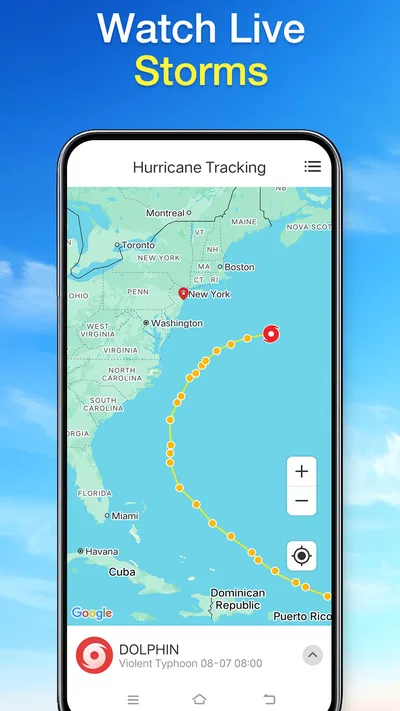
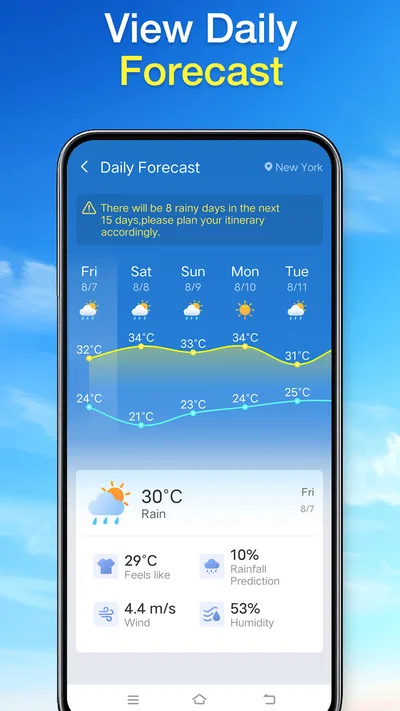
 Analysis byAppsAward
Our review of Daily Weather Alarm - Radar
Daily Weather Alarm - Radar is best approached as a straightforward way to check the day’s weather, not as a full forecasting toolkit. I like that modest role: a weather app is most useful when it helps me make an ordinary decision quickly, such as whether to take a coat or plan a walk for later. Its appeal depends on wanting a simple daily check rather than a deep dive into maps, forecast models, or severe-weather analysis.
A practical daily check, with a modest scope
In the weather category, this app keeps its promise deliberately broad. Its short description is “Daily Weather,” and the store summary presents it as a daily assistant. Those phrases set expectations for a quick routine: open the app, look at the conditions, and use that information to plan the next part of the day. They do not suggest a specialist tool for storm tracking or detailed meteorological research, and I would not judge it by those standards.
The app is free, carries an Everyone age rating, and is developed by X5 Network Area. It has a 3.0 average from around 300 ratings, with over 100,000 installs. Those figures make me cautious rather than dismissive: there is meaningful uptake, but the average rating suggests that the experience may not satisfy everyone. I would try it for a simple daily routine, while keeping a familiar alternative available if the information or presentation does not suit me.
The current version is 1.4.0, and it requires Android 8.0 or later. That makes the practical decision easy for many Android users: check compatibility, install it, and see whether its approach fits your habits. It is not a paid commitment, so the main cost is the time spent deciding whether it earns a place on your home screen.
Where a simple weather routine helps
The strongest case for Daily Weather Alarm - Radar is convenience. Weather checks usually happen in small gaps—before leaving home, while getting dressed, or when deciding whether to move an outdoor errand. A focused app can serve those moments better than a complicated interface if it brings the relevant daily information into view without asking me to interpret layers of charts.
A realistic example is planning a commute and a lunch break on a changeable day. I would check the app before leaving, then check again before committing to an outdoor plan. The useful habit is not treating one morning glance as a guarantee for the whole day; it is using a quick check near the decision that matters. That approach reduces the chance of relying on stale information, whatever weather app I choose.
For someone who wants a glanceable daily reference, the name’s emphasis on weather and radar may be appealing. Still, I would separate the app’s identity from assumptions about particular tools: a name alone is not enough reason to expect specific map layers, alerts, widgets, or forecast controls. My recommendation is to judge the actual screen and available options after installation, rather than choosing it on the promise of a feature implied by its title.
How I would use it without over-relying on it
I would make a quick check part of a decision-based routine rather than opening it out of habit every hour. For example, I would look once when planning the day and again before a weather-sensitive outing. This is a useful distinction: repeated checking can become noise, while a timely check can change what I pack or when I leave.
If the app offers a view that is easy to scan, I would use that as the first pass and then consult a more detailed source when the stakes are higher. That is a practical two-step workflow, not a claim that this app includes every level of detail. A casual walk and a long drive do not require the same confidence. For a routine trip, a quick overview may be enough; for an outdoor event where conditions could disrupt plans, I would compare another forecast and pay attention to more detailed local guidance.
Another useful habit is to compare forecasts only when the choice genuinely matters. Weather services can disagree, especially when conditions are changing, and switching between several apps for every small decision can make a simple task harder. I would let this app handle ordinary checks if it proves convenient, then use a second source selectively for an important plan. That keeps the everyday workflow light without pretending that one forecast is infallible.
The trade-off: simplicity versus confidence
The main limitation is the uncertainty around how much depth a user will find in practice. The app’s broad daily-weather positioning gives a clear basic purpose, but it does not, by itself, establish how detailed its forecasts are or how its radar presentation works. That matters because people use “weather app” to mean very different things: one person wants the day’s general outlook, while another expects precise hourly planning, map controls, or timely alerts.
There is also a real confidence question behind the 3.0 average rating. A rating is not a diagnosis, and it does not tell me exactly what another user encountered. It is enough, however, to keep my expectations measured. I would install it with the intention of testing whether the key information is easy to find and whether it is useful for my location and routine. If either point disappoints, there is little reason to force it into daily use simply because it is free.
For serious weather monitoring, I would choose a more established or more specialized service if I needed extensive radar controls, dependable alert configuration, or a clear explanation of forecast uncertainty. Those needs call for more than a quick daily glance. Likewise, someone who already has a weather app they trust and can check in one tap may gain very little from switching unless this one offers a noticeably easier routine for them.
Who is likely to get the most from it
I see the best fit as an Android user who wants a basic, low-friction weather check and is comfortable evaluating an app by using it for ordinary plans. It may suit someone who is tired of cluttered interfaces and only needs enough context to make small daily choices. Since it is free and rated for Everyone, the barrier to trying it is low, though that should not be confused with a guarantee that it will match every user’s expectations.
I would be less likely to recommend it to someone who depends on weather information for work, travel, outdoor safety, or tightly scheduled events. In those situations, the right choice is the service that offers the level of detail and reliability the decision requires, even if it takes longer to learn. People who want a customizable home-screen setup or specific notification behavior should also verify those options directly before making this their main weather tool.
For families, the Everyone rating means the app is classified as suitable for a general audience, but the useful question is still whether its information is clear to the person making the plans. I would show a less experienced user how I use the app and remind them that a forecast is guidance, not certainty. That small bit of context is more valuable than expecting any app to remove the need for judgment.
My verdict after weighing the fit
Daily Weather Alarm - Radar makes sense as a free, everyday weather option for people who value a quick check over a feature-heavy control panel. Its clearest strength is the uncomplicated role it sets for itself: helping users consult the weather as part of daily planning. Its clearest drawback is that this broad promise may not be enough for anyone who wants dependable detail or specialized monitoring, and the average rating gives me a reason to test before relying on it.
I would recommend giving it a try if you use Android 8.0 or later and want a simple companion for routine choices such as what to wear or whether to take an outdoor break. I would not make it my only source for consequential plans until I had personally found its information useful and easy to interpret. It is a reasonable everyday trial, not an automatic replacement for a weather service you already trust.
Pros
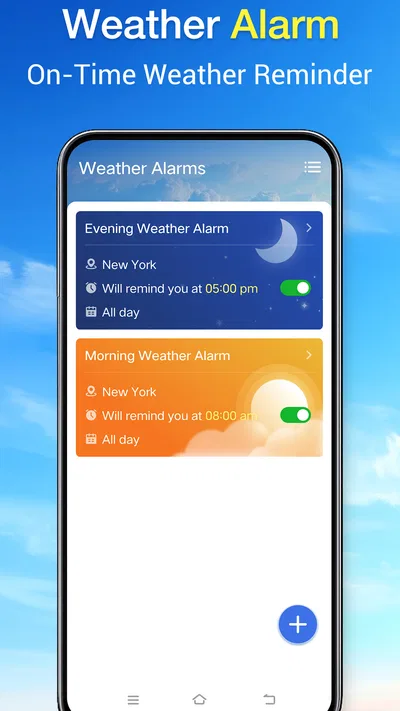
- Combines weather checks with alarm scheduling in one app.
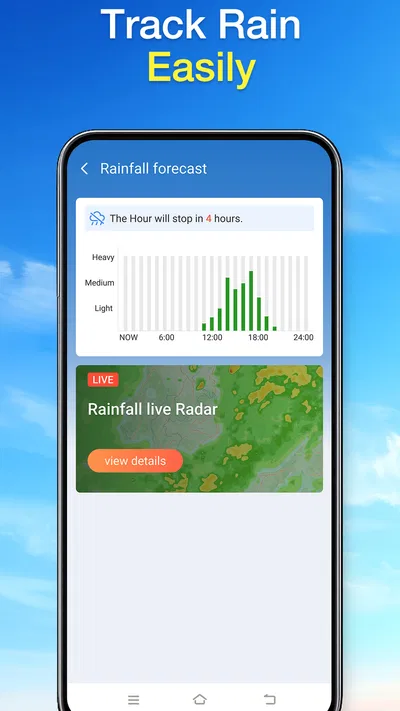
- Radar maps make approaching weather systems easier to track.
- Daily forecasts can help with planning outdoor activities.
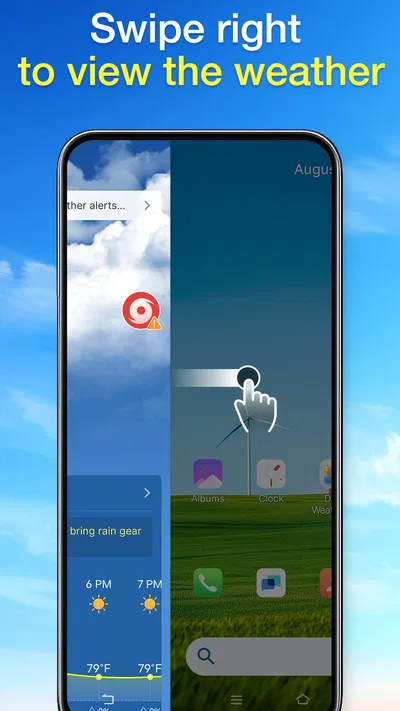
- Weather alerts can provide advance notice of changing conditions.
- A useful option for people who check the forecast each morning.
Cons
- Weather accuracy can vary by location and forecast provider.
- Radar data may not update instantly in every area.
- Weather alerts require notification permissions to be useful.
- Frequent alerts may become distracting for some users.
- Some features may depend on a stable internet connection.
Best Weather App 2026
Our verdict
Your daily weather assistant
Frequently Asked Questions
What is Daily Weather Alarm - Radar used for?
Daily Weather Alarm - Radar is designed to combine weather information with an alarm-style morning routine. Depending on the features available in your version, it may let you check current conditions, forecasts, or radar imagery while setting an alarm to help plan the day. Check the app listing and on-screen details to confirm which weather sources, forecast periods, and radar tools are included in your region.
Does Daily Weather Alarm - Radar provide accurate weather forecasts and live radar?
Weather accuracy depends on the data provider, your location, and how often the app refreshes its information. Radar imagery can also have a delay and may not show rapidly changing local conditions in real time. Use the app as a convenient planning aid rather than a guarantee, and consult official local weather alerts or emergency services when severe weather could affect your safety.
Can I rely on its alarm to wake me up every morning?
Before relying on the alarm, test it at a time when missing it would not cause a problem. Alarm behavior can be affected by notification permissions, battery optimization, sound settings, Do Not Disturb, or the way your phone handles background apps. Confirm that the alarm is enabled, choose an audible sound and suitable volume, and keep a backup alarm if waking on time is important.
Does Daily Weather Alarm - Radar require location access?
Location access may help the app show weather conditions and radar for your current area, but the exact permissions depend on the version and settings. You may be able to enter a city manually instead, though that can be less convenient when you travel. Review the requested permissions before granting them, and check the app’s privacy information to understand how location data is used.
Is Daily Weather Alarm - Radar free, and does it work on both Android and iOS?
Availability, pricing, and included features can vary by platform, country, and app version. Check the Google Play or Apple App Store listing for your device to see whether the app is free, offers in-app purchases or subscriptions, and supports your operating-system version. The listing is also the best place to confirm current ratings, developer details, permissions, and recent update information before downloading.




