- Award score
- 4.2Rating
- 500,000+installs
- Free
App information
Screenshots
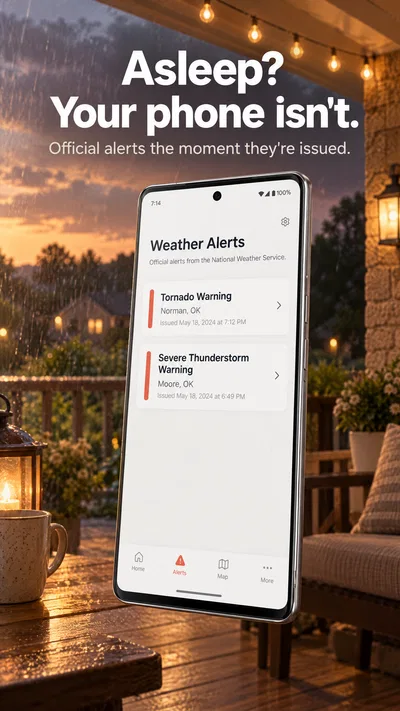
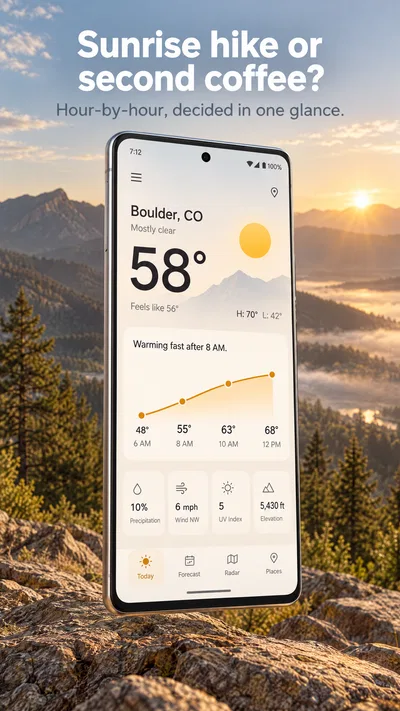
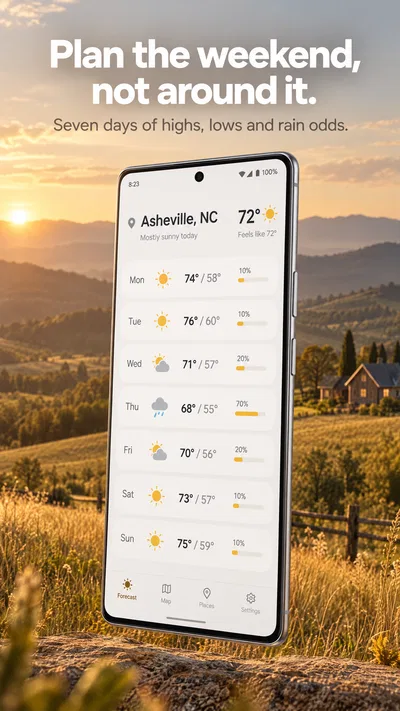
 Analysis byAppsAward
Our review of Weather Radar Home
Weather apps are easy to overlook until the forecast affects a commute, an outdoor plan, or the decision to carry an umbrella. I like a home-screen weather tool best when it helps me check conditions quickly without turning a simple glance into a search through menus. Weather Radar Home is built around that idea: it brings storm radar, alerts, and live weather forecasts to the home screen, making quick access its main appeal.
What to look for in a home-screen weather app
Before choosing a weather app, I’d think about how I actually check the weather. Some people want a detailed forecast they can explore at length; others mainly want a fast update before heading out. If storms are what concern you most, radar and alerts may matter more than an elaborate collection of general weather information. A useful home-screen option should make that routine feel straightforward.
Weather Radar Home puts storm radar, alerts, and live forecasts at the center of its pitch. That makes it a natural candidate for someone who wants weather information close at hand rather than treating the app as a place to visit only when plans are already changing. The home-screen focus is also a practical distinction: it is designed to make checking conditions part of the everyday phone experience.
I’d also consider how much I want from a weather app. A focused tool can be appealing when I need a glanceable update, while a more comprehensive weather service may suit someone who prefers to investigate forecasts in depth. Neither approach is automatically better. The right choice depends on whether you value quick access, a particular kind of weather information, or a broader set of tools.
A quick look at the app’s profile
The app is free and is made by OmniHome Apps. It has an average rating of 4.2 from around 2,900 ratings, with 706 written reviews, and has been installed over 500,000 times. Those figures suggest it has found an audience among people looking for a weather option centered on the home screen, though popularity alone can’t tell you whether its approach matches your routine.
Weather Radar Home is rated for Everyone. It was released on August 17, 2024, and its current version is 4.0.46, with Android 8.1 listed as the minimum operating system. That gives prospective users a straightforward compatibility detail to check against their device before deciding whether to try it.
Where the home-screen approach stands out
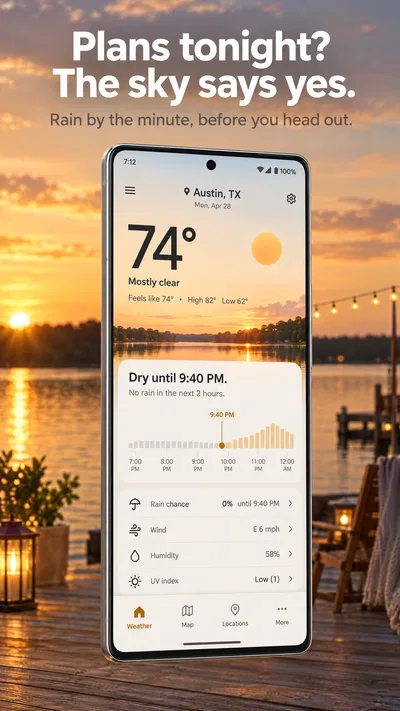
The strongest reason to consider Weather Radar Home is the combination of its stated focus and its placement. Storm radar, alerts, and live weather forecasts are intended to be right on the home screen. I find that appealing for a familiar, practical reason: the less friction there is between wondering about the weather and checking it, the easier it is to build a quick forecast check into the day.
That emphasis can be especially useful when the weather is changeable. If I’m planning a walk, deciding when to leave, or keeping an eye on a storm, having the relevant kind of weather information readily available sounds more convenient than opening a general-purpose app and searching for a specific section. The key benefit here is the home-screen-first concept, not a promise that every person will need the same information.
The app may also suit people who prefer weather tools to stay focused. Some users don’t want a wide assortment of extra topics competing for attention; they simply want a dependable place to start when checking the forecast. A weather app with a clear central purpose can feel easier to approach, particularly for a quick check between other tasks.
There’s a difference between convenience and depth, though. I’d think of the home-screen emphasis as a shortcut to the information the app highlights, not as proof that every forecast detail is available at a glance. If your ideal weather experience involves studying extensive forecast data, compare that expectation with the app’s presentation after installing it. For a faster, more immediate routine, its central idea makes sense.
Good fit for quick weather checks
For me, the best use case is someone who checks conditions several times during an ordinary day and wants that task to feel simple. The storm-radar and alert focus gives the app a clear identity, while live forecasts speak to the everyday need to know what conditions might be like. It is a combination that makes the most sense when a quick check is more important than turning weather into a hobby.
I’d also consider it if you are actively looking for a home-screen weather option rather than just another general forecast app. That distinction matters because the home screen is where many people already go to orient themselves. A weather tool that is designed around that habit may feel like a better match than one whose main appeal is browsing through detailed information inside the app.
At the same time, personal preference plays a big role. Some people enjoy opening a dedicated weather app and exploring its forecast views; others want a small, direct reminder of current conditions and potential changes. Weather Radar Home’s central promise points toward the second kind of routine. If that sounds like you, its focus is easier to appreciate.
When another kind of weather app may suit you better
Weather Radar Home is not the only reasonable approach to checking the forecast. A general-purpose weather app may be a better fit if you want to compare multiple kinds of forecast information in one place. Someone who likes to study conditions before a trip or plan outdoor activities well in advance may prefer a service whose main experience is exploring forecast details rather than checking the home screen.
There are also users who choose weather apps based on how familiar their layout feels. If you already have a routine that works, a different interface may not offer enough practical benefit to justify changing. I wouldn’t switch merely because an app has a focused concept; I’d switch if that concept improves how I personally check the weather.
Some people may prefer a weather tool that serves a broader role on their phone, while others want a dedicated, at-a-glance experience. These are categories of preference, not claims that one app has particular features the other lacks. The useful comparison is between your habits: do you want a quick home-screen check, a more exploratory forecast experience, or simply to keep using the option you know?
If you need a very specific kind of weather information, take time to see whether the app’s actual interface supports that need before making it your main option. Weather Radar Home highlights storm radar, alerts, and live forecasts, so those are the areas that make it worth considering. People whose priorities lie elsewhere should compare apps based on their own requirements rather than assuming a single weather tool is ideal for every situation.
Switching without disrupting your routine
Changing weather apps can be a small decision, but it still affects a habit you may rely on every day. Before making a replacement permanent, I’d try the new option alongside the one I already use. That lets me judge whether checking the home screen feels more convenient and whether the app’s focus suits my normal questions about the forecast.
I’d pay attention to the moments when I reach for weather information: before leaving home, while planning an outdoor activity, or when I’m concerned about a storm. If the app makes those checks feel more natural, that’s a meaningful benefit. If I find myself returning to another weather service because it better matches how I like to explore forecasts, that’s useful feedback too.
It’s also worth checking the operating-system requirement before installing. Weather Radar Home lists Android 8.1 as its minimum, so users can compare that with their device’s software before making the change. For anyone already using another weather app, the practical cost of switching is mostly the time needed to get familiar with a different way of checking conditions.
Because the app is free, trying it doesn’t require a purchase. I’d still treat installation as a chance to assess whether the experience fits, rather than assuming that a no-cost option is automatically the right one. The best weather app is the one you can understand quickly and feel comfortable consulting when the forecast matters.
My recommendation
Weather Radar Home is worth considering if your priority is a home-screen-centered way to check storm radar, alerts, and live weather forecasts. Its purpose is easy to understand, and that focus makes it a plausible match for people who want weather information close at hand instead of a more involved browsing routine. The free price also makes it approachable for anyone curious about trying a different style of weather app.
I’d be less inclined to recommend it as a default choice for someone who mainly wants a broad, exploratory forecast experience. That doesn’t make the app a poor option; it simply means its most obvious appeal is quick access and a defined weather focus. If you’re satisfied with your current app and it already supports your routine, there may be little reason to move.
My advice is simple: choose based on how you check the weather, not on the assumption that one app must suit everyone. If you often want a fast home-screen check and care about storm-related information, Weather Radar Home is a sensible app to try. If you prefer to spend more time comparing forecast details, look at alternatives in that broader category and choose the experience that feels most useful day to day.
Pros
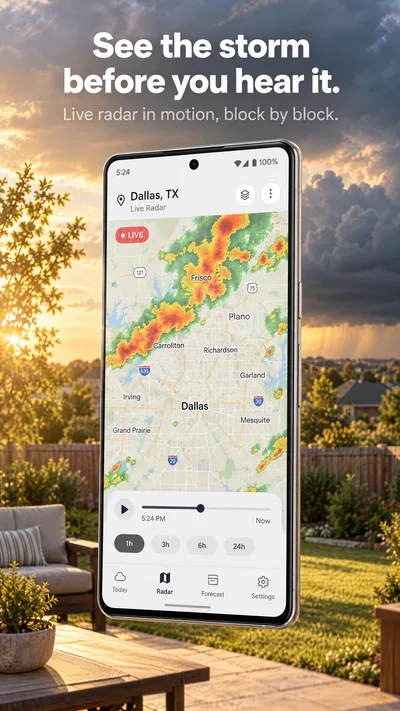
- Radar maps make approaching rain easier to spot.
- Home screen widgets show weather without opening the app.
- Location-based forecasts help you check conditions nearby.
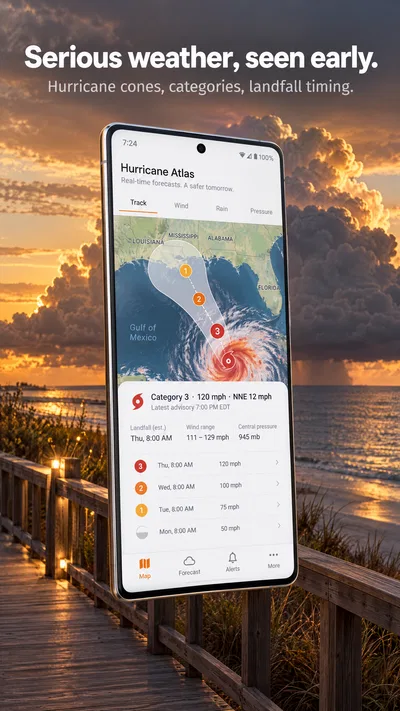
- Custom alerts can warn you about severe weather.
- The interface makes key weather details easy to find.
Cons
- Radar coverage and detail may vary by location.
- Some features may require a paid subscription.
- Weather data can lag behind rapidly changing conditions.
- Frequent alerts may become distracting.
- Accurate location access may be needed for local forecasts.
Best Weather App 2026
Our verdict
Storm Radar, Alerts & Live Weather Forecasts Right on Your Home Screen
Frequently Asked Questions
What is Weather Radar Home used for?
Weather Radar Home is designed to help you check current weather conditions and follow forecasts for locations you care about. Its radar-focused presentation can make it easier to see precipitation and changing weather patterns, while forecast details help with everyday planning. The exact information and tools available may depend on your device, location settings, app version, and the data sources used in your region.
Does Weather Radar Home provide live radar and accurate forecasts?
Weather radar and forecasts rely on information supplied by weather-data providers, so updates may not appear instantly and accuracy can vary by location and conditions. Radar imagery is useful for tracking precipitation, but it should not be treated as a guarantee of what will happen at a precise place or time. For severe weather, check official alerts from your local weather service or emergency authorities.
Does Weather Radar Home need location access to work?
Location permission can let Weather Radar Home show conditions and forecasts for where you are, which is convenient when you travel or want a local outlook. You may be able to enter a city or other location manually instead, depending on the app’s available features. Review the permission prompt and privacy information before enabling location access, and choose the option that best suits your needs.
Is Weather Radar Home free, and does it include ads or in-app purchases?
Pricing, advertising, and optional purchases can differ between app versions, platforms, and regions. Check the app’s store listing before downloading to confirm whether it is free to install, whether it offers subscriptions or paid features, and what restrictions may apply. If you consider an in-app purchase, review its price, billing period, renewal terms, and cancellation instructions in the relevant app store.
What should I check before downloading Weather Radar Home?
Confirm that the store listing identifies the correct app and supports your Android or iOS version, then review its latest update date, permissions, privacy disclosures, and user feedback. Weather features can depend on an internet connection, and some information may not be available equally in every region. Download only from an official app store, and avoid relying on the app alone for emergency decisions.




