- Award score
- 4.6Rating
- 100,000,000+installs
- Free
App information
- Version
- 16.26.0
- Updated
- Requires
- 9
- Price
- Free, in-app purchases
- Developer
- The Weather Channel
- Content rating
- Everyone
Screenshots
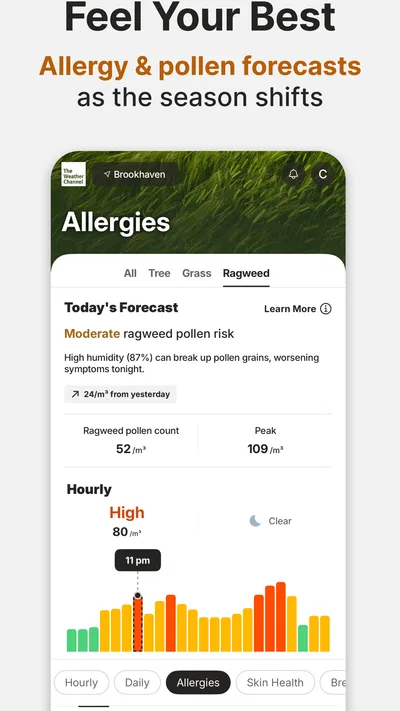
 Analysis byAppsAward
Our review of The Weather Channel - Radar
I judge a weather app not just by whether it shows a temperature, but by whether I can understand what is changing and act on it without extra effort. The Weather Channel – Radar is built around that practical job: it is a free weather app from The Weather Channel, with forecasts, radar views, and alerts for changing or severe conditions. I find it most useful when I want a quick sense of what is coming, then need enough detail to decide whether to change plans.
The app has a 4.6 average from around 3.6 million ratings, and it has been installed over 100 million times. That reach makes sense for a familiar kind of tool, though popularity alone does not tell me whether its presentation will suit every person or situation. My overall impression is that it offers a lot of weather context, but that abundance can ask more of the reader than a bare-bones forecast does.
Finding the forecast without getting lost
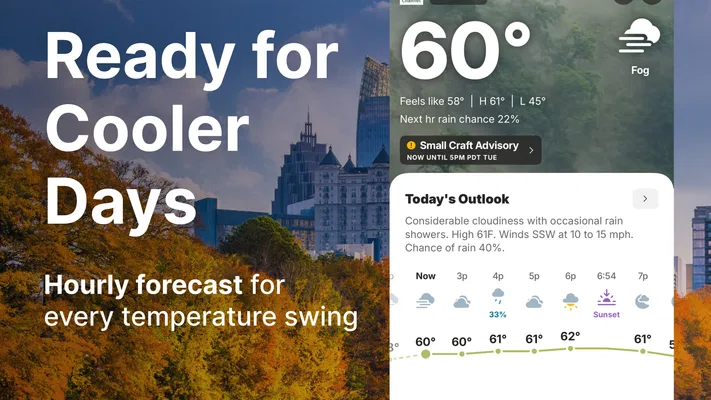
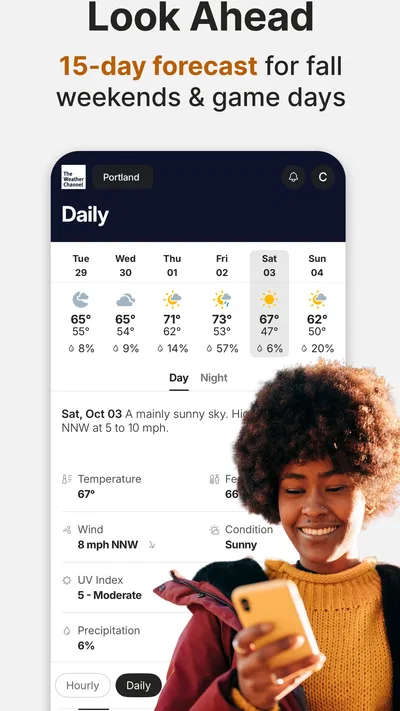
The home experience is designed to answer the immediate question first: what is the weather like here, and what might happen next? I appreciate having a broad forecast alongside more visual information. When I am deciding whether to walk, commute, or postpone an outdoor task, the radar view can make approaching conditions easier to grasp than a row of hourly figures alone.
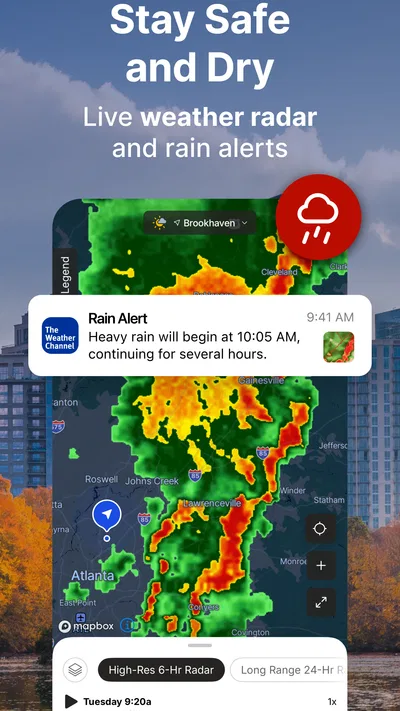
That visual approach has a trade-off. A radar map is useful when I can interpret it, but it is not automatically clearer than text. Colors, motion, and map detail may take a moment to understand, especially if I only want a simple answer such as whether rain is likely during a particular errand. I would use the forecast summary for a quick check and open the map when the timing or movement of a weather system matters.
The Weather Channel is a mature weather app, and its broad feature set can make navigation feel busier than that of a minimalist forecast tool. If you are new to it, I suggest starting with your current location and the forecast you check most often before exploring every available screen. That small habit helps keep the app useful rather than turning a routine weather check into a search through multiple layers of information.
Its current version is 16.26.0, and the app is rated for Everyone. It is free to download, with optional in-app purchases listed from $0.99 to $29.99 per item. I would treat the free experience as the place to begin and consider any paid option only if you have identified a specific need; the existence of purchases does not mean every user needs to spend money to check the weather.
Reading across different needs
For someone who prefers words and numbers, forecast details can be more comfortable than a map. For someone who thinks spatially, radar may communicate the shape and direction of a weather system more quickly. I like having both kinds of information available because neither is universally easiest to process. The useful question is not whether one display is superior, but which one lets you make a decision with less uncertainty.
There is also a difference between seeing a forecast and interpreting it. A dense screen can put several useful details within reach, yet it may take longer to scan than a stripped-down app. If you find yourself opening the app only to check one thing, make that check your default routine: look at the current conditions, then consult radar only when the weather pattern could change your plans. This keeps the information load manageable.
Touch, motion, and sensory comfort
Radar is inherently visual, so it is not the best route for every user. People who have difficulty distinguishing colors, following animation, or reading a crowded display may find a map less comfortable than a concise forecast. I would not rely on color alone to judge a situation; compare the map with the written forecast and any alert shown in the app. That is a practical way to avoid making a decision from one visual cue.
On a small phone screen, detailed maps and layered forecast information can also require careful tapping and scrolling. If precise touch is difficult, the simplest path through the app matters more than exploring every panel. I would keep the routine focused on the information that answers a real question, rather than repeatedly opening and closing sections. This is not a claim that the app is designed for every motor or sensory need; it is a reminder that the way you use it can reduce avoidable friction.
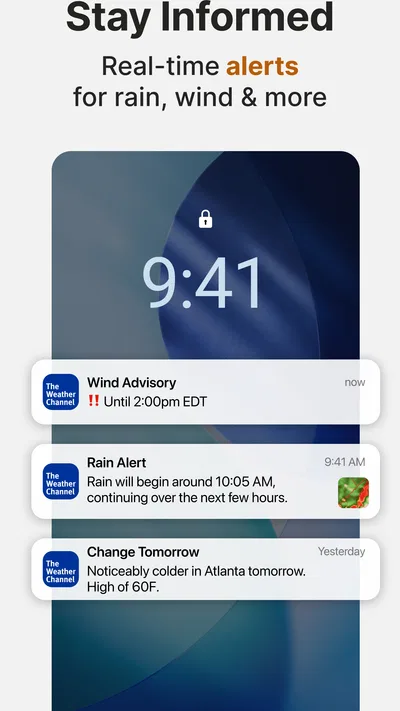
Notifications can help when looking at the screen is inconvenient, but alerts are only useful if they arrive at a moment when you can notice and act on them. I would choose notification settings thoughtfully and avoid treating an alert as a substitute for checking conditions when the stakes are high. A phone may be muted, out of reach, or busy with other interruptions, so a second way of staying informed can matter during serious weather.
When weather information has to fit real life
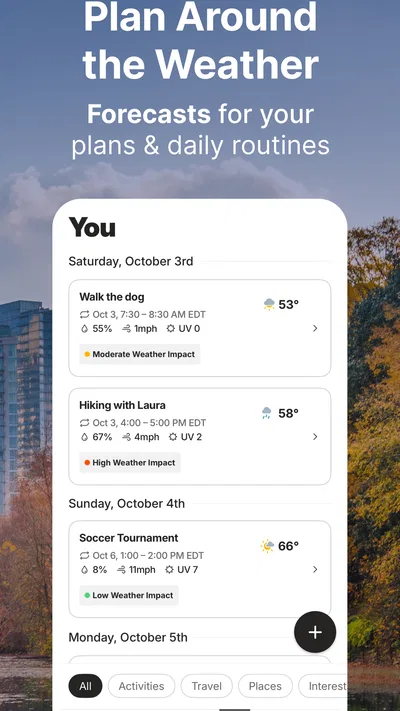
Imagine leaving home for work while rain is nearby. I would first check the forecast, then use radar to see whether the weather appears to be approaching the route or is likely to pass before I leave. If conditions look concerning, I would check again closer to departure rather than assuming an earlier view will remain accurate. That workflow is more useful than staring at a map without connecting it to a decision.
For a caregiver planning a trip, the same combination can help with timing: a readable forecast provides the broad picture, while radar can add context about nearby precipitation. For someone who cannot comfortably study a screen while moving, the better choice is to check before setting out and use alerts as a prompt to reassess, not to navigate the app on the go. In either case, the app works best as a planning aid rather than as a guarantee about what will happen at a precise place and moment.
Severe-weather notifications and live alerts are among the app’s most consequential tools. I value alerts most when they translate changing conditions into a reason to pay attention, but I still recommend checking the full forecast when deciding what to do. A notification can interrupt a busy day; the follow-up view is where I would look for context. If you depend on alerts for safety, keep your device in a position where you can notice them and use other trusted sources when circumstances demand it.
Where it compares well—and where it does not
Compared with a very simple weather app, The Weather Channel gives me more ways to examine conditions, especially through radar and alert-focused information. That is an advantage when I want to understand how weather may affect a plan rather than merely know the current temperature. The cost is added visual and navigational complexity. If you value a single uncluttered forecast above detail, a minimalist alternative may suit you better.
Compared with relying on a built-in phone forecast, this app is more appealing when you want to move beyond a quick glance and inspect the weather visually. But a built-in app can be the more comfortable choice for someone who wants fewer decisions and already finds its basic forecast easy to read. I would not switch simply because one app has more screens; I would switch if radar, notifications, or the broader forecast actually help me make better plans.
There is a useful middle ground for people who find the map difficult: use the app for written forecast information and alerts, and open radar only for a concrete question such as whether precipitation is moving toward an outdoor event. This avoids treating the most visually prominent feature as the only valuable one. It also makes the app easier to evaluate: if its extra detail does not improve your decisions, a simpler option may be a better fit.
Barriers worth considering before relying on it
The main friction I notice is the amount of information a weather-focused app can present. More detail can support careful planning, but it can also make a quick check feel less direct. Radar may be hard to interpret for readers who find color-coded maps confusing, and a phone screen is not an ideal place to study changing weather while walking or driving. I would check conditions while stationary and avoid making the map do a job that a short text summary can do more safely.
Another limitation is that alerts cannot remove the need for judgement. Weather changes, and a notification is a cue to pay attention rather than a promise that the app has captured every local nuance. When conditions could affect health, travel, or safety, I would use the app as one part of my preparation, not the sole basis for a high-stakes choice. That caution applies especially when you have difficulty hearing or noticing phone notifications, or when you may not be able to access the screen promptly.
The app’s age rating is Everyone, but that label does not mean every screen will be equally easy for every reader. A child, an older adult, or someone with sensory or motor constraints may need a simpler routine and help choosing which information to follow. I would set up the app around a few dependable checks and explain the difference between a forecast and an alert, rather than expecting a new user to interpret every display independently.
Who I would recommend it to
I would recommend The Weather Channel to people who want more than a current-condition glance, especially commuters, outdoor planners, and anyone who likes checking a map to understand nearby weather. Its combination of forecasts, radar, and alerts gives a practical range of ways to prepare. The strongest fit is someone willing to spend a little time learning which views they find clear and which details actually affect their decisions.
I would steer away from it if your priority is the least busy interface possible, if maps are uncomfortable for you, or if you want a weather check that takes almost no navigation. In those cases, a basic built-in forecast or another simpler option may be easier to use. You can still try the free app before deciding whether its extra context is worth keeping, and its Everyone rating makes it broadly suitable in age terms.
My inclusive verdict is that this is a capable, flexible weather tool, but flexibility is not the same as effortless access. I like that I can choose between a quick forecast, a visual radar check, and alerts, then match the method to the situation. I would use it with a focused routine, keep alerts in perspective, and rely on text as well as maps when visual interpretation is difficult. The most useful feature is the choice of ways to understand changing weather; the main drawback is that a reader must decide which of those ways works best for them.
Pros
- Hourly forecasts help with planning throughout the day.
- Radar maps make approaching rain easier to track.
- Severe weather alerts can provide timely warnings.
- Location-based forecasts keep local conditions easy to check.
- Widgets provide a quick glance at current weather.
Cons
- Frequent alerts may feel excessive without careful settings.
- Radar information can lag behind rapidly changing conditions.
- Some features require a paid subscription.
- Advertisements can interrupt browsing in the free version.
- Forecast accuracy may vary by location and weather conditions.
Best Weather App 2026
Our verdict
Prepare for severe weather with notifications, future radar, and live alerts.
Frequently Asked Questions
What can I do with The Weather Channel - Radar app?
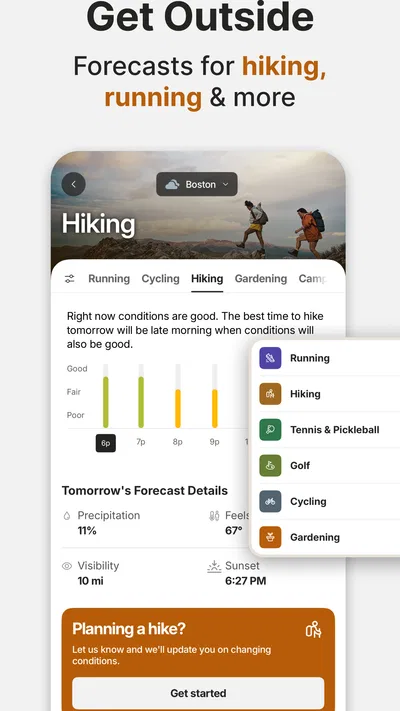
The Weather Channel app provides local forecasts, current conditions, weather maps, and radar views to help you follow changing conditions. Depending on your location and the app version, you may also find hourly and extended forecasts, severe-weather alerts, precipitation information, and video or news coverage. Features and forecast detail can vary by region, so check the app’s available options for your area.
Does The Weather Channel - Radar show live radar and severe-weather alerts?
The app includes radar maps that can help you track precipitation and view weather activity around a selected location. It may also provide notifications for severe weather, such as storms or other official warnings, where those services are available. Radar displays and alert timing are not a substitute for official emergency guidance, and availability can depend on your location, device settings, and notification permissions.
Is The Weather Channel - Radar free to download?
The app is generally available to download without an upfront charge, but the experience may include advertisements, optional purchases, or subscription features depending on the version and platform. Before installing, review the listing in Google Play or the App Store for current pricing and in-app purchase details. Features, promotions, and subscription terms can change, so confirm the information shown for your device.
Does The Weather Channel - Radar need location access to work?
Location access can help the app show weather conditions and forecasts for where you are, but you can typically search for or select locations manually if you prefer not to share your device’s location. Exact permission choices depend on your operating system and app version. Review the permission prompt and privacy information, and choose the access level that suits your needs.
Can I rely on The Weather Channel - Radar for travel and outdoor plans?
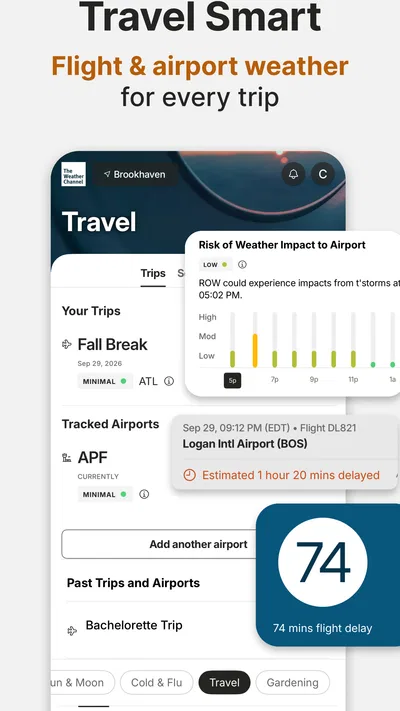
The app can be useful for checking forecasts, radar, and alerts before or during travel and outdoor activities, but weather predictions can change and may be less certain further into the future. Refresh the forecast when conditions are developing, and compare important updates with local meteorological or emergency authorities. For hazardous weather, follow official instructions rather than relying on any single app.




