- Award score
- 4.0Rating
- 5,000,000+installs
- Free
App information
Screenshots
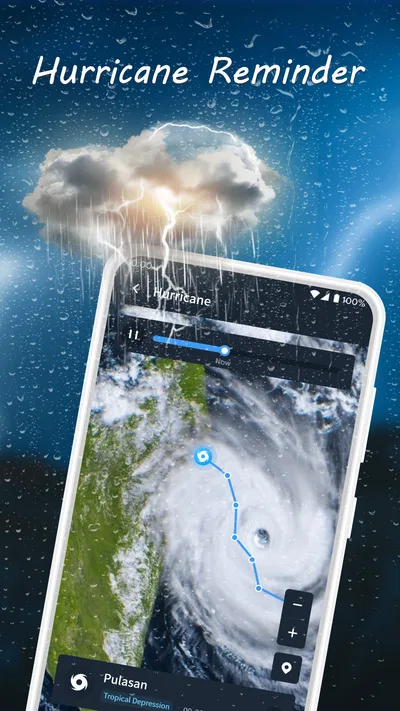
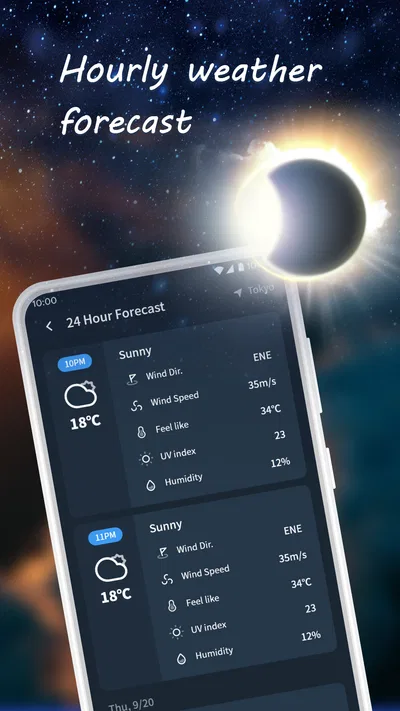
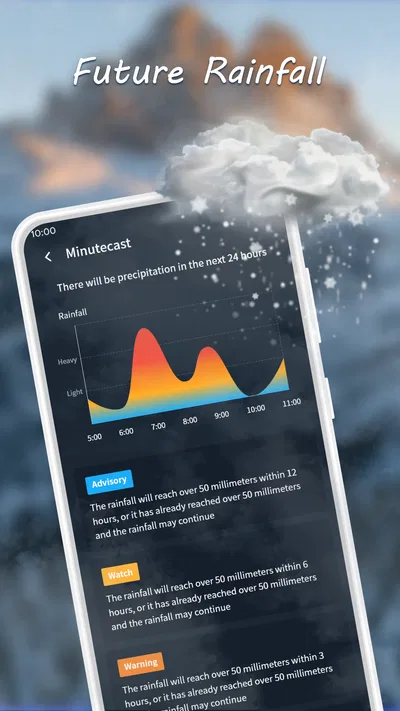
 Analysis byAppsAward
Our review of Nice Weather
I judge a weather app less by how polished its forecast looks than by whether it helps me make a decision before I leave home. Nice Weather, from Znd Digital, is a free weather app for Android, and its appeal is easy to understand: it puts everyday weather information within quick reach without asking for a purchase. My impression is that it is best approached as a convenient check-in tool, not as a substitute for specialist forecasting when the stakes are high.
Quick checks depend on a working connection
Weather is a naturally network-dependent category. A forecast is useful because conditions change, so I would treat Nice Weather as something to check when the phone can reach the internet rather than assume it will always have current information. That matters most when plans are tight: checking before walking to a bus stop, choosing whether to carry a raincoat, or deciding if an outdoor errand can wait.
The app’s store summary promises precision at your fingertips, while its short description simply calls it “Nice Weather.” Those phrases set a broad expectation, not a detailed forecast specification. In practical terms, I would use it to get oriented, then look for more specialized sources if a decision depends on a precise local alert or a detailed forecast window. A tidy glance is valuable, but it is not the same thing as certainty.
For an everyday routine, the most useful habit is to check at the moment a decision is still changeable. If I am leaving for work, I would open the app while getting ready rather than wait until I am already outside. If the network is slow or unavailable, I would avoid treating an old screen as confirmation of current conditions. That small distinction is important with any connected weather service: convenience depends partly on when the information was last refreshed.
What a quick forecast is good for
Nice Weather makes the most sense for low-friction questions: should I take a layer, is an umbrella sensible, or might an outdoor plan need a backup? It can become part of a morning routine precisely because weather checks are usually brief. I do not need a long session to decide whether to dress differently, and a simple app can be a better fit than a sprawling weather dashboard for that kind of task.
There is a trade-off, though. People who want to compare several forecast models, study radar, or build plans around severe-weather warnings should choose a service whose specialist tools and alert coverage are clearly suited to those needs. I would not infer those capabilities from the app’s name or its promise of precision. For a casual decision, a straightforward check is enough; for a high-consequence one, I want more context and a dependable second source.
Phone use, routines, and practical choices
On a phone, the best weather experience is one that fits into short gaps: at breakfast, in a lift, or just before heading out. Nice Weather is positioned for that kind of use, and I would keep the workflow simple: open it, check the relevant conditions, and make a practical choice. If I am planning a long walk or a day outside, I would check again closer to departure rather than rely on one early glance.
A useful, easily overlooked habit is to connect the forecast to a specific decision instead of browsing it repeatedly. For example, if I have a lunchtime appointment across town, I can check before leaving and decide whether to bring rain protection. If the plan is flexible, I can check again before committing. This avoids giving a forecast more authority than it deserves while still making it genuinely helpful.
Nice Weather is an Android app, with a minimum operating-system requirement of version 7.0. That makes the compatibility question straightforward for people using Android devices on that version or later; it is not an iOS option. The app is rated for Everyone, so its stated age classification is broad, although that does not by itself say anything about the quality or detail of its forecasts.
Some people will prefer a weather tile or a widget that keeps information visible without opening an app. I would compare that convenience with the habit Nice Weather encourages: launching the app for a deliberate check. If you want weather to appear automatically on your home screen, make sure the app’s available interface suits that workflow before adopting it as your only source. If you are comfortable opening an app when needed, the extra step is minor.
When the connection falters
Connectivity is most noticeable when you need the forecast in a hurry. In a basement, on a train, or in an area with a weak signal, a request for current information may take longer or fail. I would not plan around the assumption that a weather app can refresh everywhere. Before travelling through areas with unreliable service, check conditions while you have a stable connection and keep a suitable backup plan for important outdoor activities.
If the app does not show what I expect, my first response would be to distinguish a network problem from a forecast disagreement. I would try again when the connection improves, then compare with another trusted weather source if the decision matters. Repeatedly reopening the same screen is unlikely to make uncertain information more reliable. This is a sensible recovery approach for a connected forecast, even when the immediate cause of a delay is unclear.
There is also a judgement call around conflicting forecasts. Weather services can differ, especially when conditions are changing or the location is near a boundary between patterns. For a routine trip, I would use the forecast as guidance and dress with a little flexibility. For travel, outdoor work, or severe conditions, I would check an official local warning service as well. Nice Weather can help with the everyday question; it should not be the only voice in a safety-critical decision.
I also recommend checking at the location that matters, rather than assuming conditions at home represent a destination several miles away. That is particularly useful when planning a visit to another neighbourhood or a day trip. A small change in location can make a practical difference, and a forecast only helps when it is relevant to where you are actually going.
Keeping data use sensible
Weather checks are usually brief, but any connected app may need data to retrieve changing information. If you are managing a limited mobile plan, the sensible approach is to check when you have a reliable connection and avoid repeatedly refreshing out of habit. I would also consider whether I need a second check at all: for a routine commute, one close-to-departure look may be enough, while a long outdoor plan deserves more attention.
When travelling, it can help to make the decision before leaving dependable Wi-Fi or mobile coverage. Check the forecast, note whether the plan needs a rain or temperature backup, and then avoid expecting a fresh update in a dead zone. That is not a claim that Nice Weather works offline; it is simply a way to avoid depending on a live connection at the least convenient moment.
Battery-conscious users can apply the same restraint. Opening a weather app briefly is different from keeping any app active and checking it continuously. I would use Nice Weather as a point-in-time tool and let the decision determine when I need another look. That keeps the experience focused and avoids turning a simple forecast check into a constant stream of monitoring.
How it fits among weather apps
The usual alternatives range from the phone’s built-in weather experience to detailed services aimed at enthusiasts. A built-in option may win when speed and integration matter most. A specialist app may be a better choice when you need radar, layered maps, alerts, or more ways to inspect forecast changes. Nice Weather sits most naturally in the middle ground of an easy, dedicated check, but I would compare the actual screens and tools available on your device before deciding it replaces anything you already rely on.
Its current version is 1.4.3, and the app was released on November 26, 2024. It has an average rating of 4.0 from around 19,000 ratings, with 671 written reviews, and more than 5 million installs. Those figures suggest that people have adopted it, but they do not tell me whether its forecasts match a particular region or whether its interface fits my habits. I would treat popularity as context, not proof that it is the right forecast source for every use case.
Developer Znd Digital keeps the app’s identity simple, and that is part of its appeal for people who do not want weather to become a hobby. Still, simplicity should not be confused with a guarantee of accuracy in every location. Weather is local and uncertain; even a well-designed display cannot remove that uncertainty. I would judge the app by whether it answers my ordinary questions clearly and whether I know when to consult a more authoritative source.
Who I would recommend it to
I would recommend Nice Weather to Android users who want a free, straightforward place to check conditions before routine errands, commuting, or casual plans. It is especially suitable if you value a quick decision over a deep dive into charts. Its Everyone content rating and broad Android compatibility also make it easy to consider for a general household, though each person should still decide whether the app’s workflow meets their needs.
I would skip it as my sole weather tool if I regularly make safety-sensitive decisions outdoors, need advanced forecast analysis, or depend on timely alerts in places with poor coverage. In those cases, a specialist weather service or official local source is a better companion. I would also look elsewhere if my main requirement is weather information that stays visible without opening an app, unless Nice Weather’s available options on my device support that preference.
My connectivity verdict
My recommendation is measured but positive: Nice Weather is worth trying if your weather needs are ordinary and you are happy to make a short, connected check before acting. Its value is less about replacing every other forecast source and more about making small daily choices easier. I would check before leaving, refresh when conditions or plans have changed, and use another source when precision or safety matters.
That approach gives the app a clear role without asking it to do more than a general weather tool should. The free price lowers the barrier to trying it, while the main trade-off is the familiar one for mobile forecasts: fresh information depends on connectivity, and a forecast remains guidance rather than a promise. If that matches how you use weather apps, Nice Weather is a reasonable addition to your Android routine.
Pros
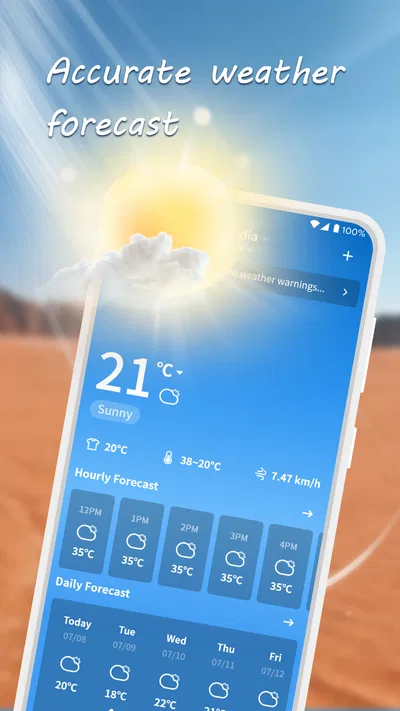
- Clean interface makes current conditions easy to check.
- Hourly forecasts help with planning the day.
- Weather details are presented in a compact layout.
- Location support makes it useful while traveling.
- Quick access to forecasts keeps routine checks simple.
Cons
- Forecast accuracy can vary by location.
- Some features may require an internet connection.
- Weather updates may use mobile data.
- Location access may be needed for local forecasts.
- Available information may differ between regions.
Best Weather App 2026
Our verdict
Precision Weather, Right at Your Fingertips
Frequently Asked Questions
What is Nice Weather, and what can you do with it?
Nice Weather is a weather app designed to help you check current conditions and forecasts at a glance. Depending on the version available for your device, it may also provide details such as temperature, precipitation, wind, or weather alerts. Features and presentation can differ between releases, so review the app’s store listing and screenshots to confirm what is included before installing.
Does Nice Weather provide accurate forecasts for my location?
Forecast accuracy depends on factors such as your location, the weather data provider, and how frequently the app updates its information. Nice Weather may use your device’s location to show local conditions, or let you search for a place manually. Weather predictions can change, especially further into the future, so check the displayed update time and consult official local alerts for safety-critical decisions.
Does Nice Weather require location access?
Location access can make it easier for Nice Weather to show weather for where you are, but whether it is required depends on the app’s current design. If you prefer not to share your location, check whether you can enter a city or use another location manually. You can review or change permissions in your Android or iOS settings after installation.
Is Nice Weather free to download, and does it include ads or in-app purchases?
Pricing and monetization can vary by platform, region, and app version. Check the Google Play Store or Apple App Store listing for the current price, whether the app contains advertising, and whether it offers in-app purchases or subscriptions. If a paid feature is important to you, read its description carefully before paying, since availability and terms may change over time.
What should I check before downloading Nice Weather?
Confirm that the app is available for your device and operating-system version, and review its publisher, recent update history, and user feedback in the official store. It is also sensible to read the privacy information and permission requests, particularly those involving location. Download from Google Play or the Apple App Store rather than an unfamiliar third-party site to reduce the risk of installing an unsafe or modified copy.

Download Nice Weather
Similar apps
View all 9.2
The Weather Channel - Radar
Weather
 9.4
 8.4
Weather Radar Home
Weather
 6.1
Daily Weather Alarm - Radar
Weather


