
- Award score
- 4.8Rating
- 1,000,000+installs
- Free
App information
Screenshots


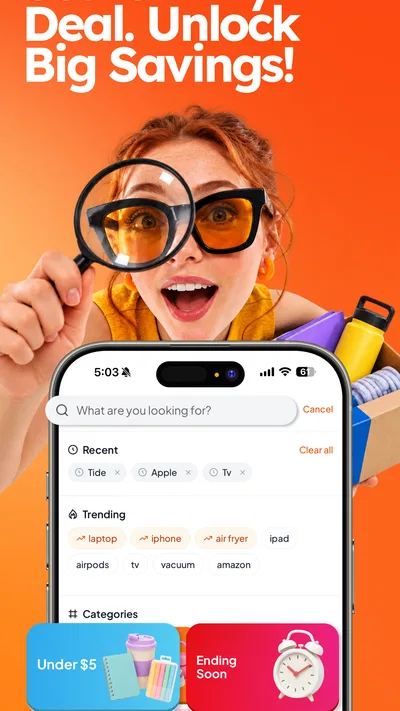
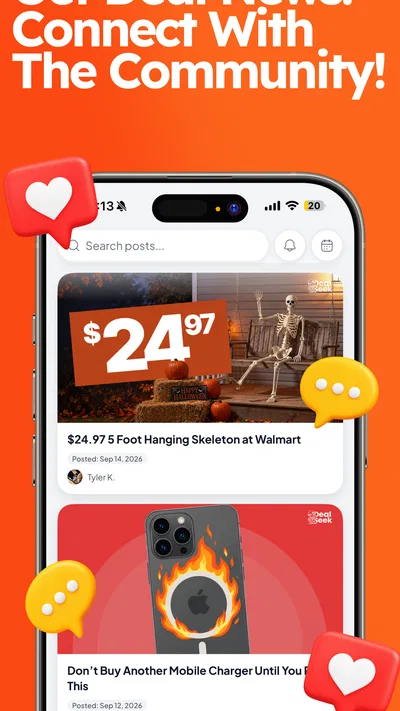
 Analysis byAppsAward
Our review of DealSeek: Coupons & Discounts
Finding a coupon is only useful if it’s easy to read, understand, and use at the right moment. That’s the lens I brought to DealSeek: Coupons & Discounts, a shopping app focused on daily promo codes and savings. Its pitch is straightforward: make deals easier to find, then help shoppers decide whether a discount is worth acting on. In practice, that simplicity is appealing, though the value of the experience depends on how comfortably you can browse and how well a particular offer fits your needs.
A savings app built around everyday browsing
DealSeek is a free shopping app from DealSeek LLC. It has an average rating of 4.8 from around 19,000 ratings, and its reach—more than a million installs—suggests that shoppers are interested in a dedicated place to look for promo codes. The app is rated for everyone, and its current version is 1.63.29. Those details make it easy to understand the basic proposition: this is a general-audience tool for people who want to explore savings without paying to install it.
The app’s central appeal is practical rather than complicated. Instead of treating shopping as a game or asking users to learn an elaborate system, DealSeek focuses on daily offers. That makes it approachable for someone who just wants to check for a code before completing a purchase, as well as for a more regular bargain hunter who likes to make deal browsing part of a routine. I appreciate that clear purpose; an app is easier to evaluate when its main job is apparent from the start.
For searchers looking for a coupon and discount app, DealSeek is best understood as a place to browse savings opportunities, not as a guarantee that every purchase will become cheaper. A promo code still needs to suit the item, retailer, and timing of a shopper’s plans. Keeping that distinction in mind helps set sensible expectations: the app can support deal discovery, while the shopper remains responsible for checking whether a particular offer makes sense.
Readability and navigation
Readability is more than a visual detail in a shopping app. A deal needs to be understood before it can be useful: shoppers have to notice what an offer is for, interpret its terms, and decide whether it applies to what they want. DealSeek’s focused savings purpose gives the experience a clear conceptual starting point. There is less to explain than in a broad marketplace with many unrelated activities, which can make the overall idea easier to grasp, especially for people who are new to coupon apps.
At the same time, clarity depends on how the app presents each individual offer. A discount can look attractive at a glance but still require careful reading to determine its conditions. I’d encourage shoppers to pause over the details rather than treating a promotional headline as the whole story. This is a useful habit in any deal-finding app: the final decision should come from the offer’s actual terms and how they match a planned purchase.
Navigation also has an inclusive dimension. A straightforward purpose can reduce the mental effort needed to figure out why an app exists, but it does not automatically make every screen equally easy for everyone to use. People vary in reading speed, attention, familiarity with shopping terminology, and comfort with scanning promotional content. DealSeek’s daily-savings focus feels approachable as a concept, while individual users will still have their own preferences for how much information they want to review at once.
I find the most useful way to approach DealSeek is with a specific shopping goal in mind. If I’m already considering a purchase, browsing for a relevant promo code gives the search a natural endpoint. If I open the app without a plan, deal discovery may still be entertaining, but it can also encourage extra browsing. A deliberate starting point makes it easier to stay focused and judge whether the time spent looking is worthwhile.
Different ways of interacting
Shopping apps are often used through repeated, small actions: opening an offer, reading its information, comparing it with a need, and moving on. That rhythm can work well for people who prefer short browsing sessions. It can also be more comfortable than a long, uninterrupted search, since users can pause when they need to and return when they are ready. DealSeek’s purpose fits this kind of casual, self-paced use, without requiring shoppers to treat deal hunting as a major project.
Motor access is another part of the experience to consider, even though the app’s general purpose alone cannot establish how every interaction feels for every person. Some users navigate a phone with precise taps; others may rely on different input habits or need more time to interact. For those shoppers, the usefulness of a coupon app depends on whether the controls and offer flow are manageable in their own setup. I wouldn’t assume that a simple shopping concept automatically removes the effort involved in operating a mobile interface.
Sensory preferences matter, too. Promotional shopping can involve visually dense information, and different people have different comfort levels with contrast, motion, brightness, and competing content. A person who finds a screen busy may prefer to browse briefly and focus on one offer at a time. Someone who enjoys scanning many deals may have the opposite preference. The sensible approach is to use the app at a pace and in a setting that feels comfortable, rather than letting the urgency of a promotion dictate how quickly to read.
There is also a cognitive side to evaluating discounts. A code is not automatically a good deal simply because it is presented as one. Shoppers may need to compare the offer with their intended purchase and consider whether they would have bought the item anyway. I like to keep that decision grounded in personal needs: savings are most helpful when they support a purchase I already value, not when they create pressure to spend just because a promotion is visible.
Using DealSeek in different situations
DealSeek can fit naturally into a planned shopping routine. Checking for a promo code before buying something can be a small, purposeful step, and the app’s daily-savings focus gives users a reason to return when they have a purchase in mind. It may also suit a casual browse during spare time. Those are different contexts, and the best one depends on the person: a goal-led visit is likely to feel more efficient, while open-ended browsing may be more enjoyable for someone who likes discovering offers.
Timing can shape accessibility just as much as the interface. A shopper might be at home with time to read carefully, or might be trying to make a quick decision while distracted. In the second situation, it is especially important not to rush through terms or assume that a promo code will apply. I’d treat a deal as something to verify when I have enough attention for it, rather than something that must be used immediately simply because I have seen it.
Different users may also have different reasons for looking for savings. Some are managing a tight household budget; others simply enjoy comparing promotions before they buy. A free app makes it possible to explore that style of shopping without an upfront app price, but it does not change the need to assess the total cost of a purchase. A discount is only meaningful in context, and spending less on something unnecessary is still spending.
DealSeek is suitable for a broad audience, with an everyone age rating. That makes the app’s general shopping focus easy to place, but age suitability is not the same thing as a promise that every person will find every screen comfortable or every offer relevant. Families and individual shoppers can still make their own choices about what to browse and how to approach promotional content. I’d recommend treating deal discovery as a tool for informed shopping, not a reason to buy on impulse.
Where shoppers may still encounter friction
The main limitation of any coupon-finding experience is that discovering an offer and benefiting from it are separate steps. A promotion might not align with a shopper’s current needs, and a user still has to understand whether the terms suit the purchase. That means DealSeek is most useful when paired with careful reading and a clear shopping intention. If someone expects every visit to produce an applicable discount, the experience may feel less satisfying than its simple premise suggests.
Browsing can also demand attention. Deal-focused content naturally asks users to compare possibilities, and that may be tiring for people who find promotional material visually or mentally demanding. Short sessions can help: I’d rather inspect a small number of relevant offers carefully than skim a large amount of content and miss a condition that matters. This is not a special rule for DealSeek; it is a practical way to make any savings search more manageable.
Another potential barrier is the gap between a user’s preferred way of interacting and the demands of a phone app. A person may need more time, a less distracting setting, or a different device setup to browse comfortably. Those needs are personal, so I wouldn’t make a blanket claim about how accessible the interface will feel. Instead, I’d suggest trying a focused task—such as looking for an offer connected to a planned purchase—and judging the experience based on whether the steps feel workable for you.
It is also worth guarding against promotional urgency. Daily deals can make browsing feel time-sensitive, but a shopper does not need to turn every offer into an immediate decision. Taking a moment to check relevance, terms, and personal budget is part of using a savings app well. For me, that pause is a strength in the habit, not a drawback: the best bargain is one that genuinely serves the shopper.
An inclusive take on everyday savings
DealSeek is an approachable option for shoppers who want a focused place to look for daily promo codes and savings. Its clearest strength is the uncomplicated idea behind it: browse deals with a purchase in mind, then decide whether an offer is useful. The app is free, designed for a general audience, and has attracted a substantial community of shoppers. Those qualities give it an easy-to-understand role in a broader shopping routine.
Its inclusive value is more nuanced than a simple label. A clear purpose can help reduce confusion, and self-paced browsing can suit different schedules. But meaningful access also depends on how each person experiences reading promotional information, navigating a phone, and deciding among offers. I see DealSeek as a tool that may fit a range of shopping habits, while recognizing that comfort with any mobile interface is individual. A calm pace and a specific goal can make the experience more manageable.
My recommendation is to try DealSeek when you already have something in mind to buy and want to check whether a promo code could help. Read the offer carefully, keep your budget in view, and don’t let the presence of a discount make the decision for you. For people who enjoy discovering savings and are comfortable browsing on a phone, it has a clear, practical appeal. For anyone who finds promotional screens tiring, a brief, goal-focused visit is a sensible way to see whether the app suits their needs.
Overall, DealSeek makes sense as a straightforward shopping app for promo codes, with an inclusive verdict that depends on the individual rather than on assumptions. I like its focused role and the possibility of fitting it into an existing shopping routine. The most rewarding experience is likely to come from using it deliberately: search with a purpose, take the time you need, and count a deal as a win only when it genuinely works for you.
Pros
- Browse deals from multiple retailers in one place
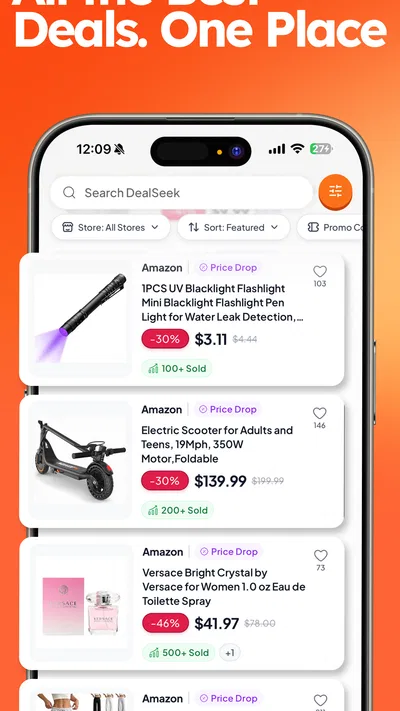
- Search for offers by store or product
- Save time compared with checking store sites individually
- Useful for shoppers looking for discounts across categories
- Free to download and explore available offers
Cons
- Some coupons may have expired or reached their usage limit
- Deal availability can vary by location
- Savings depend on the stores and products you choose
- You may need to visit a retailer site to complete a purchase
- Frequent deal browsing can encourage unplanned spending
Best Shopping App 2026
Our verdict
Daily Promo Codes & Savings
Frequently Asked Questions
What is DealSeek: Coupons & Discounts?
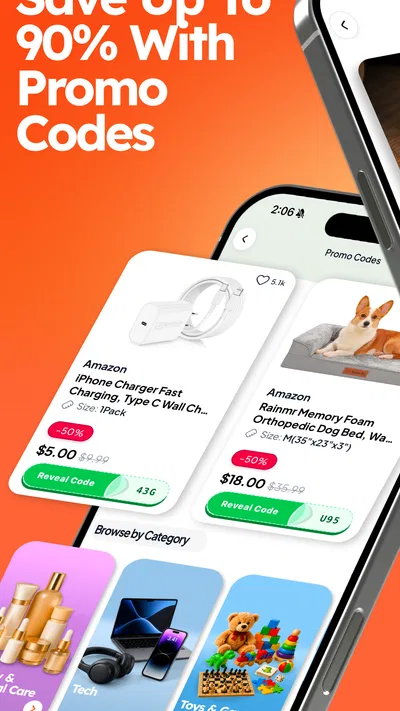
DealSeek: Coupons & Discounts is designed to help shoppers find promotions and save money on purchases. Depending on the offers available, you may be able to browse deals by retailer or category and check the terms before visiting a store or shopping online. Availability can change, so confirm that a coupon is current and applies to the product, location, and checkout method you plan to use.
How do I use a coupon in DealSeek?
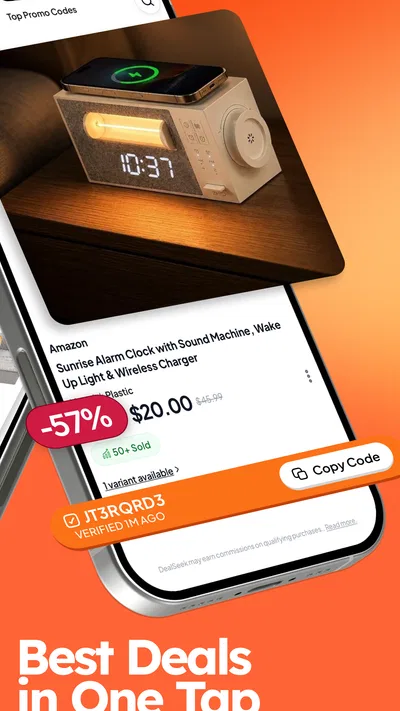
Open an offer and review its details, including its expiration date and any exclusions. Some coupons may provide a code to enter at an online checkout, while others may require you to show a barcode or offer screen in a participating store. Follow the instructions shown for that specific deal, and check the retailer’s checkout page or staff confirmation to make sure the discount has been applied.
Are the coupons and discounts in DealSeek free to use?
Coupons listed in a deal app are generally intended to help users access retailer promotions, but the exact terms depend on the individual offer. Check whether a deal requires a minimum spend, a qualifying purchase, or membership with the retailer. Do not assume that every discount is available to every shopper, and verify the final price and any delivery, service, or other charges before completing a purchase.
Does DealSeek require an account or personal information?
Account requirements and permissions can vary by app version and platform. Review the sign-in options and permission requests during setup, and check the app’s privacy information to understand what data may be collected and how it is used. If an account is optional, you may be able to browse without registering; avoid sharing information that is not necessary for the features you want to use.
How can I check whether a DealSeek offer is current and available in my area?
Before relying on a coupon, check its displayed expiration date, retailer, location restrictions, and redemption instructions. Offers may be updated or withdrawn, and some are limited by stock, region, or a retailer’s own terms. If the listing does not clearly confirm availability, visit the retailer’s website or contact the store. The retailer’s final checkout total is the best confirmation that a discount is valid.

Download DealSeek: Coupons & Discounts
Similar apps
View all 8.9
Temu: Shop Like a Billionaire
Shopping
 9.4
Walmart: Shopping & Savings
Shopping
 9.0
Vinted: Shop & sell pre-loved
Shopping
 9.5
Whatnot: Shop, Sell, Connect
Shopping
 9.2
Walgreens
Shopping


