
- Award score
- 4.7Rating
- 10,000,000+installs
- Free
App information
Screenshots





 Analysis byAppsAward
Our review of Whatnot: Shop, Sell, Connect
I can see why a live auction app makes a strong first impression: it turns browsing into something closer to joining a busy sale than scrolling a standard shopping grid. Whatnot is a shopping app from Whatnot Inc., built around sellers presenting items live while viewers watch and bid. In my view, that format is its main attraction—and the reason it will not suit every kind of shopper. It can make discovering collectibles and specialist goods feel lively, but it asks you to pay attention in a way ordinary online shopping does not.
From first-week excitement to a useful routine
During the first few sessions, the appeal is easy to understand. A seller can show an item on camera, discuss it as the sale unfolds, and respond to the room’s interest. That gives browsing a sense of occasion: instead of comparing static listings alone, I can watch an item being presented and decide whether I want to join the bidding. Whatnot is at its best when the live presentation helps me judge something I would otherwise struggle to assess from a picture.
The experience is especially suited to shoppers who already enjoy a particular collecting niche. A focused sale can be more engaging than a large general marketplace because the seller and audience are there for related items. I would use it to explore a category, learn the vocabulary collectors use, or see what kinds of pieces attract attention. The live format also makes casual discovery entertaining, even when I do not arrive with a precise item in mind.
Articles related to Whatnot: Shop, Sell, Connect
That entertainment can blur the line between watching and shopping. A quick bid may feel low-commitment in the moment, but it is still a purchase decision. I recommend deciding what an item is worth to you before the bidding gets lively, then treating that limit as firm. This simple habit is more useful here than in a conventional shop, where you can usually pause and compare a listing without the same sense of a sale moving on.
A realistic use case is a collector checking in after dinner to look for a specific kind of item. Rather than spending the whole evening watching, I would search or browse with that goal, inspect relevant live sales, and leave when the right opportunity does not appear. Keeping the session bounded helps preserve the fun without letting a stream become a substitute for deliberate shopping.
What changes after the novelty wears off
The bigger question is whether the app remains useful once the novelty of live selling fades. For me, its lasting value depends on whether I can return for a particular interest, not simply whether a seller can keep a room entertaining. If the categories I care about are active and the live format adds helpful context, Whatnot can become a recurring place to browse. If I mostly want a quick, predictable purchase, a conventional marketplace is likely to be more efficient.
That distinction matters because live shopping is not automatically better shopping. A standard listing is easier to review at my own pace: I can compare options, revisit details, and leave a decision for later. Whatnot’s advantage is immediacy and presentation, while its trade-off is that an opportunity may pass before I have finished thinking. I would choose it for discovery and seller-led demonstrations, but use ordinary listings when exact specifications, calm comparison, or a specific purchase deadline matter more.
The app has a substantial audience: it has over 10 million installs, an average rating of 4.7, and around 329,000 ratings. Those figures suggest that the format has found a broad following, though they cannot tell me whether a particular live sale will match my interests. I would judge its value by the quality and relevance of the sellers and items I encounter, rather than assuming that popularity guarantees a good fit for my own collecting habits.
One practical approach is to make browsing purposeful. Before opening a live sale, I would decide whether I am there to watch, learn, or buy. If I am only watching, I can enjoy the show without treating every item as an opportunity. If I am shopping, I can set a budget and make sure I have enough time to consider the item. Separating those intentions is a small but important way to avoid impulse bids.
Keeping the experience manageable
Whatnot is free to download, but that does not make every purchase cost-free or make browsing effortless. The time commitment is the more easily overlooked expense. A live sale rewards being present, so checking in repeatedly can start to feel like a habit that demands attention. I would keep notifications and viewing routines aligned with genuine interests rather than letting the app dictate when I browse.
There is also a difference between an item looking appealing on camera and having enough information to make a confident purchase. Live presentation can add useful context, but it is not a replacement for carefully checking the details shown for an item and understanding what is being offered. When a description or demonstration leaves me uncertain, I would rather pass than let the pace of the room make the decision for me. That restraint is especially important for buyers who are new to a collecting niche.
To make the app easier to maintain month after month, I would follow a narrow set of interests instead of treating every live room as something to sample. A focused routine makes it easier to notice relevant sales and less tempting to spend time in streams that are entertaining but unrelated. I would also review what I actually bought and watched after a few weeks. If most sessions end in browsing without useful discoveries, that is a signal to reduce how often I open it.
For sellers, the same live-first design is a distinctive way to present items, but it is a more active format than simply posting a listing and waiting. A seller needs to be comfortable presenting goods in real time and holding an audience’s attention. That can make Whatnot appealing to people who enjoy direct, lively selling; someone who prefers a quiet, low-maintenance listing workflow may be better served by a more conventional marketplace.
Where fatigue can set in
The central source of fatigue is the pace. A live sale can be fun precisely because it is happening now, but that pressure can also make browsing feel demanding. I may not want to watch a stream long enough to find one item, and I may not be ready to decide while a sale is moving. If I find myself opening the app out of fear of missing something rather than genuine interest, the entertainment has stopped being a benefit.
Another limitation is that the format favors people who enjoy sellers’ personalities and audience interaction. That can make a sale feel warmer and more informative than a static page, but it also means the presentation is part of the experience. If I want neutral, side-by-side comparisons without commentary or a live audience, this is not the most comfortable way to shop. For everyday essentials, a conventional store or marketplace will usually be quicker and less distracting.
Whatnot is rated Mature 17+, so it is intended for an older audience rather than children. I would keep that in mind when choosing whether it is appropriate for a household, particularly if a younger person might use a shared device. It is a shopping environment, not simply a video feed, and the live format can encourage spontaneous decisions that benefit from adult judgment.
There is a useful distinction between a poor session and a poor fit. A live room that does not have the item I want does not mean the whole app has no value; it may simply be the wrong moment or category. But if I repeatedly prefer browsing at my own pace, or if I need a product immediately and know exactly what I want, the underlying format is probably the mismatch. Recognizing that early prevents the novelty from turning into frustration.
Who should keep it installed
I would recommend Whatnot to collectors, curious browsers, and shoppers who like seeing items presented in real time. It can be a worthwhile app when discovery is part of the pleasure and when seller interaction helps me understand what I am considering. Whatnot has received around 24,000 written reviews, and its overall reception is strong, but the right question for an individual user is whether live shopping fits their routine and interests.
I would be more cautious about recommending it to someone who dislikes auctions, feels pressure to make fast decisions, or wants a quiet catalog of products to compare. It is also not the first place I would turn for a routine household purchase. A standard shopping app is better when speed, predictable browsing, and easy comparison are the priorities. Whatnot’s appeal is specific: it brings the seller and the sale into the browsing experience.
Whatnot was released on December 6, 2019, and it has had time to establish itself beyond a new-format experiment. That longevity does not mean every user will keep returning, but it does make the app more than a novelty for people whose interests align with its live marketplace approach. I would give it a try with a clear category in mind, then decide based on whether the streams genuinely help me discover or evaluate items.
My long-term verdict is that Whatnot earns lasting space when live selling adds real context to a hobby, not simply because the interface is lively. Use it in focused sessions, set a spending limit before bidding, and be willing to leave a sale when the information or item is not right. If that sounds enjoyable, it can make collecting more social and entertaining. If you want shopping to be fast, calm, and fully on your schedule, I would choose a conventional marketplace instead.
Pros
- Live auctions make browsing feel lively and interactive.
- Buyers can ask sellers questions during live shows.
- The app supports niche collectibles and hard-to-find items.
- Sellers can host live shows directly from the app.
- Following sellers helps users keep up with upcoming streams.
Cons
- Live auctions can encourage rushed buying decisions.
- Item availability depends on sellers and scheduled shows.
- Shipping costs can make small purchases less appealing.
- Product quality may vary between individual sellers.
- The busy interface may feel overwhelming to new users.
Best Shopping App 2026
Our verdict
The Live Shopping Marketplace
Frequently Asked Questions
What is Whatnot: Shop, Sell, Connect?
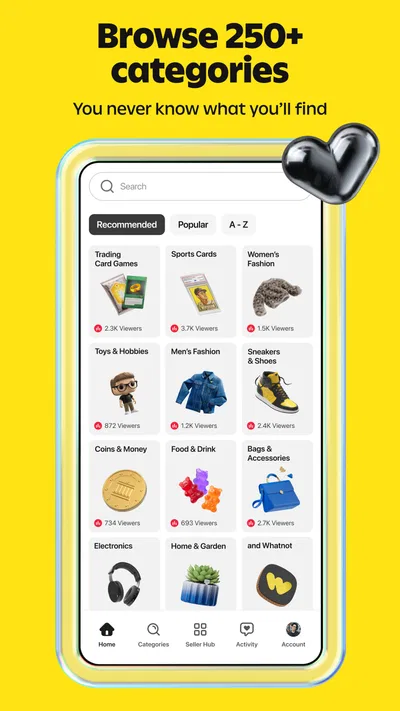
Whatnot is a shopping app built around live video shows and community interaction. Sellers present products on camera, answer questions, and may offer items through auctions or fixed-price listings. Buyers can browse categories, follow sellers, and join live events, while sellers can list merchandise and host shows. The exact products, selling formats, and features available can vary by region and account.
How do purchases and live auctions work on Whatnot?
You can explore live shows or listings, then follow the on-screen instructions to buy an item or place a bid. Before bidding, check the item description, condition, shipping details, and the seller’s information; winning a bid can create a purchase obligation. Prices, shipping charges, taxes, and payment options may differ. Review the checkout total and Whatnot’s current buyer policies before completing an order.
Is Whatnot safe to use for buying and selling?
Whatnot provides a platform for transactions between buyers and sellers, but users should still make informed decisions. Read listing details, examine available photos or live demonstrations, and review seller ratings and policies. Use the app’s official checkout and communication tools, and be cautious about requests to pay or communicate elsewhere. For problems with an order, consult the app’s current support and buyer-protection policies, which may have eligibility requirements.
Can anyone sell on Whatnot, and what does selling involve?
Selling may require creating an account, completing identity or business verification, and meeting Whatnot’s current eligibility and category rules. Sellers typically prepare listings, manage inventory, host or participate in shows, and fulfill orders according to platform requirements. Fees, payout timing, shipping responsibilities, and available seller features can change, so review the latest seller terms in the app before listing products or scheduling a live sale.
Is Whatnot free, and is it available on Android and iOS?
You can generally download Whatnot without paying an upfront app purchase price, but purchases, shipping, taxes, and seller-related fees may apply. Availability and supported features can vary by country, device, and account. Check the Google Play Store or Apple App Store listing for current device requirements and regional availability, and review the final order total or applicable seller fees before committing to a transaction.

Download Whatnot: Shop, Sell, Connect
Similar apps
View all 8.9
Temu: Shop Like a Billionaire
Shopping
 9.4
Walmart: Shopping & Savings
Shopping
 9.0
Vinted: Shop & sell pre-loved
Shopping
 9.2
Walgreens
Shopping
 9.6
DealSeek: Coupons & Discounts
Shopping