
- Award score
- 4.6Rating
- 10,000,000+installs
- Free
App information
Screenshots
 Analysis byAppsAward
Our review of Walgreens
When an app brings pharmacy tasks and everyday shopping together, convenience matters—but so does knowing what you are choosing to share and where you are making decisions. I see Walgreens as most useful for people who already shop at Walgreens or handle prescriptions there, rather than as a general-purpose shopping app. Its combination of pharmacy, coupons, photo services, and retail browsing can reduce the number of separate tasks on a busy day. The trade-off is that the app asks you to manage several different kinds of activity in one place, so it pays to slow down around health information, account settings, and checkout choices.
Convenience is strongest when Walgreens is already part of your routine
Walgreens Co developed this free shopping app, which has been available since June 3, 2010. It has a 4.6 average from about 1.6 million ratings, and more than 10 million installs. Those figures suggest broad use, but they do not tell me whether its pharmacy or shopping tools will suit a particular person. The practical question is simpler: do you want one app for Walgreens-related errands, or would you rather keep health tasks separate from retail shopping?
The app is aimed at Everyone, and version 117.1 requires operating system version 10 or later. It is not just a catalogue for browsing products: prescriptions, coupons, photo services, and shopping sit alongside one another. That range is its main strength, but also explains why the experience may feel less focused than a dedicated pharmacy app or a single-purpose retailer’s app.
Articles related to Walgreens
In my view, the most natural audience is someone who already uses Walgreens for prescriptions and occasionally buys household or personal-care items there. If you only want to compare prices across several stores, a broader shopping comparison tool may be a better starting point. If your sole concern is prescription management, you may prefer a pharmacy-first service that keeps shopping distractions out of the way.
One app, several different kinds of decisions
A useful way to approach the app is to treat its areas as separate errands rather than trying to explore everything at once. I would open it with a particular goal in mind—checking a pharmacy task, looking for a coupon, arranging a photo order, or shopping for a specific item. That keeps the experience practical and makes it easier to notice when I am moving from a health-related task into ordinary retail browsing.
That distinction matters because the stakes are not the same. A coupon choice is usually a routine shopping decision; prescription information is more personal. Keeping those contexts mentally separate is a simple habit that helps me use a multipurpose app without treating every screen as equally sensitive.
A realistic example is a weekday when I need to take care of a prescription-related task and also pick up a few household basics. I can begin with the pharmacy need, then switch to shopping only if I actually need something. The convenience is not that every errand becomes effortless; it is that I can handle several Walgreens-related intentions in one place, without opening separate apps for each category.
Trust starts with choices you can actually see
For an app that touches both shopping and pharmacy activity, I would not judge trust by a general feeling or by a star average alone. I would look at the choices presented in the app: what information a task asks me to enter, whether a screen explains why it is needed, and what account or device controls are available at the point of use. Those are more useful checks than assuming that a familiar retail name automatically settles every privacy question.
I also avoid treating the presence of prescriptions as proof of any particular data practice. The app’s pharmacy role tells me what kind of activity it supports, not exactly how each piece of information is handled. When a task involves health details, I recommend reading the relevant in-app prompts and checking the account controls rather than entering information on autopilot.
One practical habit is to pause before granting a device permission or saving information. Ask whether the current task needs it, and whether you are comfortable with the choice. If the app directs you to system settings for a permission, review that setting there. I would not enable access simply because it seems convenient in the moment, especially when I am only browsing products or coupons.
Keep sensitive tasks deliberate
Pharmacy work is the area where I would be most methodical. Before entering or reviewing personal details, I would make sure I am signed into the account I intend to use, check that I am on the right task, and avoid doing it while someone else can casually see my screen. These are ordinary precautions, but they help prevent a hurried shopping session from turning into an unclear account interaction.
For a shared phone, I would be particularly careful about whether the device remains signed in and whether notifications show information on the lock screen. Those are settings to inspect on the device and within the account where available; I would not assume the app has a particular privacy switch without seeing it. If you share a device with family, consider whether a separate account or a different device is the more comfortable option for pharmacy tasks.
Shopping and coupon use have their own small friction points. A coupon is only useful if it applies to what you intend to buy and you can use it under the relevant conditions. I would check the details before building a basket around a discount. This is a better approach than assuming every offer works for every item or that the lowest displayed price automatically reflects the final purchase.
Use the app in a way that preserves your agency
Because several services share the same app, I find it helpful to decide what I want before opening it. That might mean writing down the product I need, finishing a pharmacy task first, or setting a clear limit on browsing. A small plan reduces the temptation to drift between coupons and retail items simply because they are nearby in the interface.
I would also review account and device controls from time to time, particularly after changing phones or sharing access with someone else. Look for the controls the app actually offers, and use the operating system’s permission settings for device access. If a control is unclear, do not guess at its effect; consult the explanation presented in the app or the app store’s support information before making a choice.
For people who value a clean separation between health and shopping, the best workflow may be to use Walgreens only for the task that benefits from it and rely on a separate retailer or pharmacy service for everything else. That is not a failure of the app. It is a reasonable boundary, especially if you do not want promotional browsing next to sensitive errands or simply prefer fewer accounts and notifications.
Where it compares well—and where another option may fit better
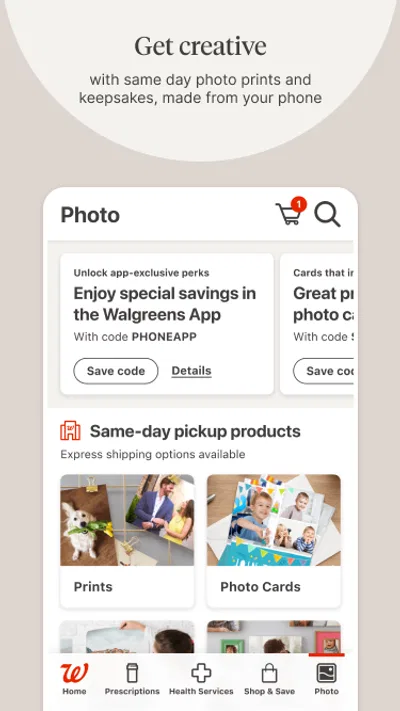
Compared with a typical retailer app, Walgreens has a more unusual mix because pharmacy and photo-related tasks sit alongside ordinary shopping and coupons. That can be genuinely handy if you already visit Walgreens for more than one reason. A general marketplace may offer a broader assortment, while a specialist pharmacy service may provide a more focused experience for someone who rarely shops at Walgreens. The better choice depends on the job you need done, not on which app has the widest menu.
The all-in-one approach can also make the app feel busy. People who only want to check a single retail item may find the additional categories unnecessary. Likewise, someone who wants to keep medical errands away from commercial browsing may prefer separate services. I would not install it solely because it has many tools; I would install it if at least two of its functions match errands I already make.
Another limitation is that convenience does not remove the need to verify details. Before relying on a prescription-related action, a coupon, or a photo order, read the screen carefully and confirm that the task is complete in the way you intended. This is especially important when moving quickly between sections. A broad app can save time, but it also makes it easier to assume that a tap in one area has the same meaning as a tap in another.
My cautious recommendation
I would recommend Walgreens to someone who already uses the retailer and wants a single place to handle a mix of pharmacy, coupon, photo, and shopping needs. The strongest case is a person with recurring Walgreens errands who appreciates being able to begin with a specific task and then move to another only when needed. Its long-running presence and substantial user base may provide context, but I would still make my own judgment based on the screens, controls, and workflow I encounter.
I would skip it if you need only a broad product-search tool, strongly prefer a pharmacy-only experience, or do not want health-related tasks and shopping in the same app. In those cases, a focused alternative can be clearer and easier to manage. If you do try it, start with a low-stakes task, review any permission prompts rather than accepting them by habit, and inspect account controls before using it for sensitive activity.
Overall, my opinion is positive but measured: Walgreens is most compelling as a practical companion for existing Walgreens customers, not as an essential app for everyone. Its convenience comes from bringing distinct errands together, while responsible use depends on paying attention to context and making deliberate choices. If that balance suits your routine, it is worth considering; if separation and simplicity matter more, using different apps may feel better.
Pros
- Refill prescriptions directly from the app.
- Use store pickup to collect eligible orders.
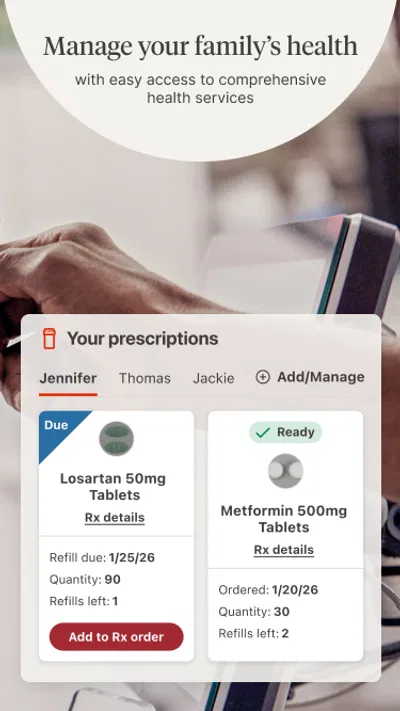
- Manage family prescriptions with linked profiles.
- Check Walgreens Balance Rewards and deals in one place.
- Find nearby stores and review their opening hours.
Cons
- Some app features require a Walgreens account.
- Prescription updates may take time to appear.
- Deals can have exclusions and eligibility rules.
- Store pickup availability varies by location.
- The app may request access to sensitive health information.
Best Shopping App 2026
Our verdict
Prescriptions, coupons, photos and shopping - it's all in the Walgreens app.
Frequently Asked Questions
What can I do with the Walgreens app?
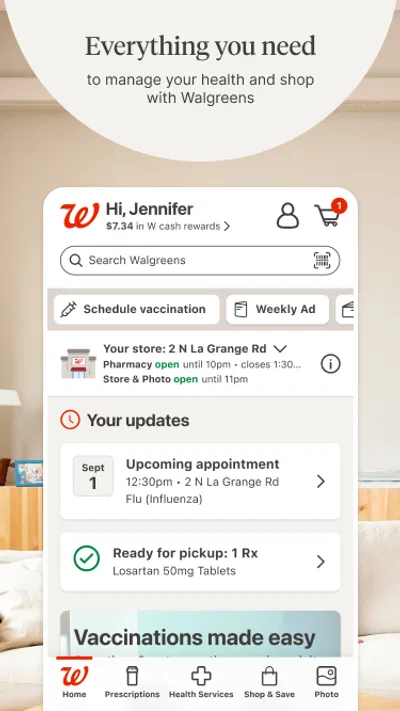
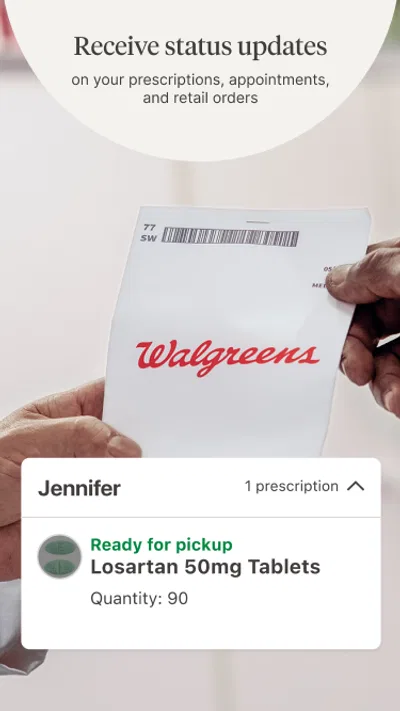
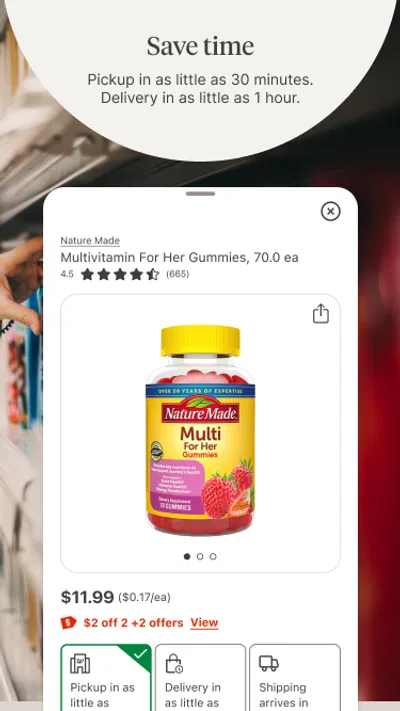
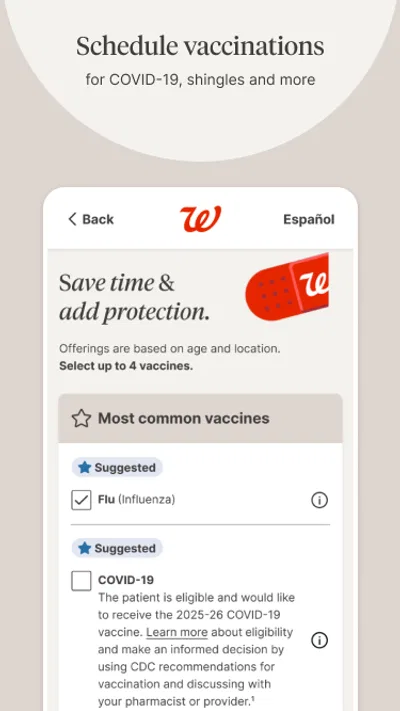
The Walgreens app lets you manage common pharmacy and store tasks from your phone. Depending on your location and the services available, you can refill or manage prescriptions, check prescription status, view vaccination information, browse products, access coupons, and arrange eligible pickup or delivery orders. Available features can vary by store, account, prescription, and local regulations, so check the app for options offered in your area.
Can I refill prescriptions through the Walgreens app?
Yes, the app can help you request refills for eligible prescriptions associated with your Walgreens pharmacy account. You can review prescription details, submit a refill request, and check its status without calling the pharmacy. Some prescriptions may not be refillable through the app, such as those requiring a new authorization or pharmacist review. Allow time for processing, and contact your pharmacy directly if a medication is urgent or the app shows a problem.
Does the Walgreens app offer coupons and rewards?
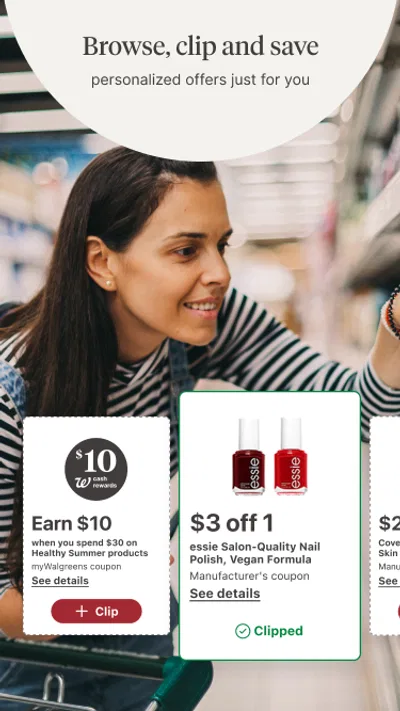
The app provides access to Walgreens offers and, where available, account-linked rewards or savings features. You can browse eligible coupons and deals, then follow the instructions to apply them to a qualifying purchase in store or online. Offers may have expiration dates, product restrictions, or minimum purchase requirements, and not every promotion can be combined with another. Review the terms in the app before checking out, since availability can change.
Can I order products for pickup or delivery with the Walgreens app?
The app supports shopping for eligible products and may offer same-day pickup or delivery, depending on the item, store inventory, delivery coverage, and local availability. Check the options and estimated timing shown during checkout rather than assuming every service is available at your nearest location. Product substitutions, fees, order minimums, and restrictions may apply. Prescription delivery is subject to separate eligibility and pharmacy requirements.
Is the Walgreens app free, and what do I need to use it?
The Walgreens app is generally free to download, though purchases, prescription charges, delivery fees, and other services may cost money. You can browse some information without signing in, but prescription management, personalized offers, and order history typically require a Walgreens account. The app needs a compatible Android or iOS device and an internet connection. Review its current privacy information and permissions, especially before sharing health or location details.

Download Walgreens
Similar apps
View all 8.9
Temu: Shop Like a Billionaire
Shopping
 9.4
Walmart: Shopping & Savings
Shopping
 9.0
Vinted: Shop & sell pre-loved
Shopping
 9.5
Whatnot: Shop, Sell, Connect
Shopping
 9.6
DealSeek: Coupons & Discounts
Shopping