
Best Personalization App 2026
Emoji Battery & Shimeji Pet
Tools for Everyday - AI Tasks· Personalization
Award score
- Award score
- 4.2Rating
- 1,000,000+installs
- Free
App information
- Version
- 1.0.7
- Updated
- Requires
- 8.0
- Price
- Free, in-app purchases
- Developer
- Tools for Everyday - AI Tasks
- Content rating
- Everyone
Screenshots
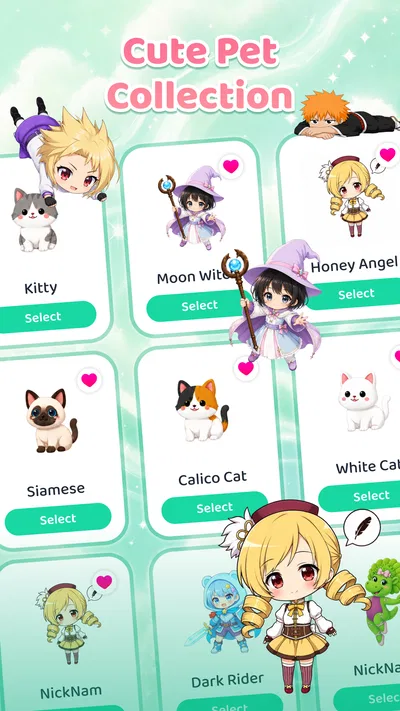
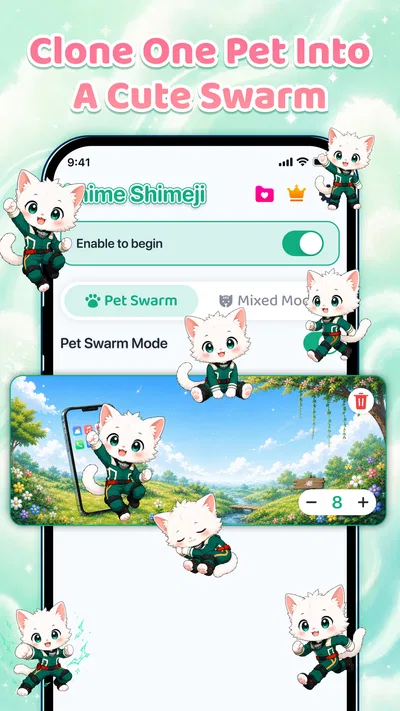
 Analysis byAppsAward
Our review of Emoji Battery & Shimeji Pet
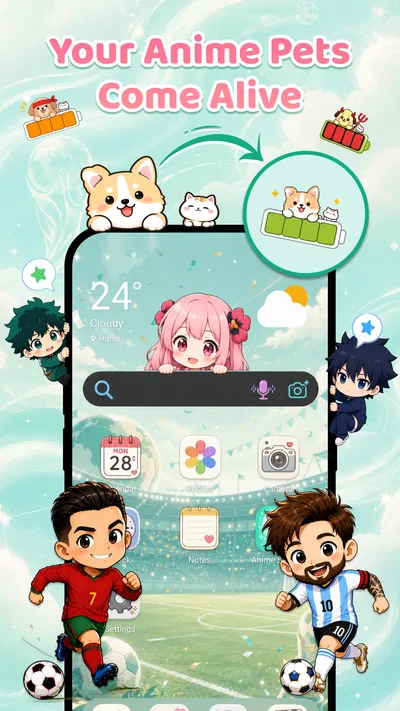
I like phone-customization apps best when they change the feel of a screen without turning everyday use into a project. Emoji Battery & Shimeji Pet is aimed at that small, cheerful kind of change: it pairs an animated screen pet with a custom emoji-style battery icon. The appeal is personal rather than practical, but the two touches give you something more distinctive than swapping a wallpaper and forgetting about it.
This is an Android personalization app from Tools for Everyday - AI Tasks. It is free to install, with optional in-app purchases priced from $2.99 to $19.99 per item. Its current version is 1.0.7, and it requires Android 8.0 or later. The app is rated for Everyone, so its lighthearted theme is suitable for a broad audience.
What the two customization ideas feel like in daily use
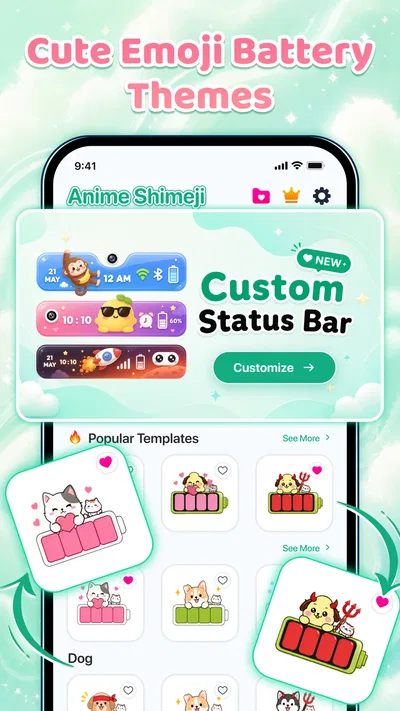
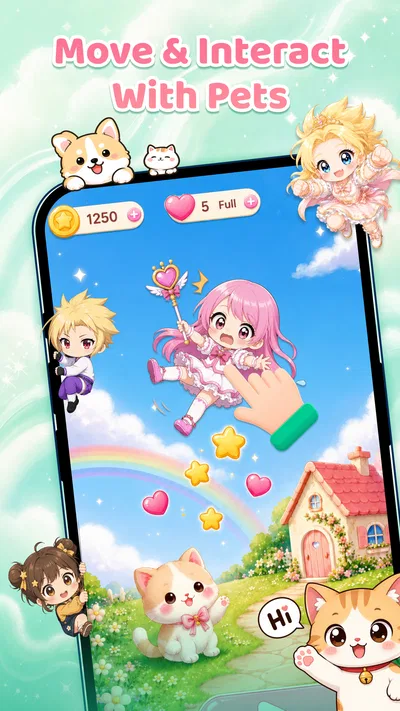
The Shimeji pet and the battery icon serve different moods. A small character can make the screen feel lively, while the emoji battery treatment gives a commonly checked status indicator a more playful look. I see the combination as a way to make a phone feel more personal at a glance, not as a tool that changes how the phone manages power or improves its performance.
That distinction matters if you are deciding whether to try it. The battery element is about appearance, not extending battery life, and a screen pet is decoration rather than an assistant. If you want a practical battery dashboard, detailed device controls, or a full theme that coordinates every icon and menu, this is not the same sort of product. Its value is in adding a couple of visible personality touches.
The app has a 4.2 average from around 67,000 ratings, and it has been installed over a million times. Those figures suggest that the concept has found a sizable audience, though they do not tell me whether its specific visual style will suit your home screen. I would judge it by whether you enjoy seeing a character and emoji treatment during ordinary phone use, rather than by expecting a deep customization suite.
Speed expectations: keep the setup simple
For this kind of app, I would expect the main experience to be visual setup rather than a long sequence of tasks. The useful test is not whether every screen loads instantly, but whether you can make the two elements look right and then get on with your day. I would start with one pet and one battery style, live with them briefly, and only add more decoration if the result still feels comfortable.
That approach also helps separate a setup issue from a performance issue. If a visual element does not appear as expected, first check whether the relevant customization is enabled and whether the phone’s own display settings are affecting what you see. I would avoid changing several appearance choices at once: doing them one by one makes it easier to identify which choice looks good and which one is causing clutter.
A practical first-use routine is to try the app while the phone is idle, then check the screen again after opening a few everyday apps. This gives you a better sense of whether the decoration feels pleasant or distracting in real use. A home-screen treatment that looks charming in isolation can feel busy beside notifications, widgets, and app icons, so I would make the decision based on your actual layout.
Heavy-use moments: charm can compete with attention
The most likely friction is not a complicated workflow; it is visual competition. If you keep your screen minimal, a moving pet may become the first thing you notice even when you only meant to check the time or battery. That can be fun for a while, but it is worth considering whether you want a character visible throughout ordinary phone use or only when you are showing the phone to someone.
I would be especially selective if your home screen is already crowded. Widgets, notification badges, and a pet all ask for attention in the same small area. A useful compromise is to simplify the surrounding layout before adding the character, rather than layering it onto an already busy screen. The battery emoji can provide a smaller visual change if you like the idea but do not want the pet to dominate.
There is also a useful social use case: a parent or friend can make a phone feel more playful without needing to redesign every icon or background. For someone who likes cute visual details, the pairing is an easy conversation starter. On the other hand, if you rely on a highly restrained screen for work, accessibility, or quick glances, the more understated option—or no decoration at all—may be easier to live with.
Reliability: judge it by repeat use, not one glance
With screen customization, reliability means more than seeing an effect once. I would check whether the pet and battery appearance remain the way I chose after leaving the app, returning to the home screen, and using the phone through a normal day. This is a sensible check for any visual overlay or customized indicator, because the phone’s own settings and the app’s presentation both shape what you eventually see.
If something looks inconsistent, I would take a calm troubleshooting route: reopen the customization app, confirm the selected appearance, and check the phone after a restart only if the issue continues. I would not immediately assume the device is failing or that the app has damaged anything. For an app centered on appearance, a mismatch is more likely to be an annoyance than a reason to depend on it for essential information.
That last point is important for the battery display. I would continue using the phone’s standard battery status when I need a dependable reading, and treat the emoji version as a decorative alternative. The standard indicator is the better choice if you need a precise, quickly readable status or if you cannot afford to miss a change. The visual customization should complement your phone, not replace a function you rely on.
Device constraints and the cost of extra decoration
The minimum requirement is Android 8.0, which gives older supported Android devices a chance to use the app. Still, meeting the operating-system requirement does not guarantee that every phone will present custom visuals in precisely the same way. Screen size, interface settings, and the way a device handles background activity can all influence the experience, so I would test the look on your own phone before investing time in a detailed setup.
I would also be cautious about assuming that an animated character has no effect on resource use. The available product details do not establish battery drain, memory use, or speed measurements, so I would not promise that it is invisible to the device. A sensible way to assess it is to compare your usual phone use with the pet enabled and then disabled, under similar conditions. If you notice an unwanted change, removing the extra animation is a straightforward trade-off.
For older or lower-powered phones, restraint is the practical strategy. Use only the visual elements you genuinely enjoy, and avoid treating a screen decoration as something that must remain active at all times. People who prioritize the longest possible battery life or a clean, distraction-free interface may prefer a static wallpaper or the phone’s built-in customization options. Those alternatives usually involve fewer moving parts and less visual activity.
The purchase model is another device-side consideration. The app is free to install, while optional items cost between $2.99 and $19.99. I would explore the free experience first and decide whether the visual style earns a place on your screen before spending anything. Because the paid range is broad, it makes sense to check the individual item and its price in the app store before confirming a purchase, rather than assuming every customization is included.
Who will enjoy it, and who should choose something else
I can see this working well for someone who already likes cute phone themes and wants a visible detail that feels more lively than a static background. It is also a reasonable choice for a person who enjoys changing their screen occasionally and is happy to spend a few minutes checking how a pet and battery style fit around their icons. The appeal is strongest when customization itself is part of the fun.
I would skip it if you want a comprehensive launcher, a serious battery-monitoring utility, or a productivity feature. It is also not the best match if you dislike animated screen elements, need every status symbol to stay conventional, or want an interface that stays visually quiet. In those cases, the built-in Android appearance options or a static theme are more predictable alternatives.
One small but useful decision is to think about where you look most often. If you mainly glance at the lock screen, a home-screen pet may not add much value to your routine. If you spend more time on the home screen and enjoy a bit of motion, it may feel more worthwhile. I would make that choice before customizing, because the best setup is the one that fits how you actually use your phone, not the one with the most decoration.
Performance verdict: a playful extra, not a necessity
Emoji Battery & Shimeji Pet is a focused personalization app rather than a tool I would install for speed, utility, or system control. Its strongest idea is the pairing of a character with an emoji-styled battery display, which offers more personality than changing only a wallpaper. The trade-off is that extra visual activity can make a busy screen feel busier, and the battery treatment should not be confused with a more capable battery tool.
The developer is Tools for Everyday - AI Tasks, and the app was released on June 17, 2026. Its age rating is Everyone, and its free entry point makes it easy to try before deciding whether optional purchases are worthwhile. I would begin with a restrained setup, observe how it behaves during ordinary use, and remove any element that distracts or seems unnecessary.
My recommendation is conditional but positive: try it if you want a cute, visibly customized phone and are comfortable treating the result as decoration. Choose a simpler built-in theme if you care more about clarity, minimal background activity, or conventional status indicators. With that expectation, this can be a pleasant personal touch rather than an app you need to keep tweaking.
Pros
- A playful battery display makes checking charge levels more entertaining.
- Shimeji pets add a decorative touch to the phone screen.
- Emoji artwork offers a cheerful alternative to standard battery icons.
- The pet theme can make routine battery checks feel more personal.
- The concept combines battery monitoring with lighthearted customization.
Cons
- Decorative features may use extra battery power.
- Screen overlays may require permissions that some users prefer to avoid.
- Shimeji animations can distract during everyday phone use.
- The visual style may not suit users who prefer a minimalist interface.
- Battery graphics may be less clear than a standard system indicator.
Best Personalization App 2026
Our verdict
Make your phone adorable with Shimeji screen pet and custom emoji battery icon
Frequently Asked Questions
What does Emoji Battery & Shimeji Pet do?
Emoji Battery & Shimeji Pet combines a battery display with decorative emoji and Shimeji-style pet characters. Depending on the features available in your version, it can show battery information alongside animated or customizable characters on your screen. It is primarily a personalization app, rather than a tool that improves battery capacity or charging speed. Check the app listing and settings to confirm which options your device supports.
Does Emoji Battery & Shimeji Pet drain battery or affect phone performance?
Any app that keeps animated characters visible or updates battery information may use some system resources, although the impact varies by device, settings, and how often the app runs. If you notice faster battery drain, heat, or reduced responsiveness, try disabling animations, limiting background activity, or removing the app. The app cannot increase your phone’s actual battery life; its battery-related features are for display and personalization.
What permissions might Emoji Battery & Shimeji Pet request?
The permissions depend on the app version and the features you choose. An overlay or display-over-other-apps permission may be needed to show a pet on top of other screens, while notification or background access may support certain alerts or updates. Review each permission prompt and the privacy information on the download page before agreeing. If a requested permission seems unrelated to the feature you want, you can deny it or leave that feature off.
Can I customize the emoji, Shimeji pets, and battery display?
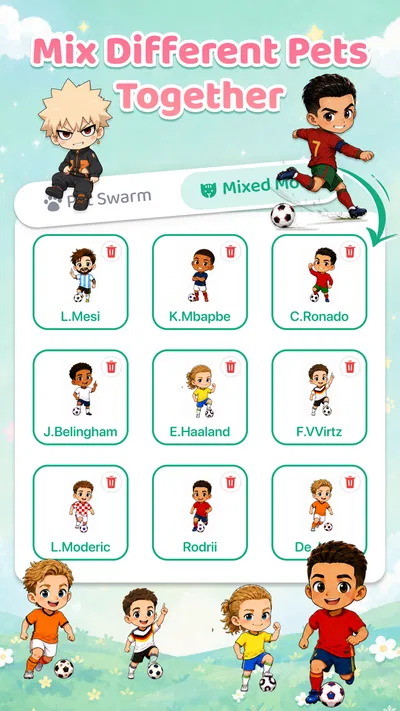
Customization options can vary by release, but apps of this kind commonly let users choose characters, adjust their appearance or behavior, and select how battery information is displayed. Open the app’s settings after installation to see the choices available on your device. Some designs or options may be limited, require an in-app purchase, or depend on Android or iOS capabilities, so check the current store listing for details.
Is Emoji Battery & Shimeji Pet free, and where should I download it?
The price and available features may differ by platform, region, or app version. The store listing will show whether the app is free to install, includes advertising or in-app purchases, and supports your device. Download it through the official Google Play Store or Apple App Store listing when available, rather than an unfamiliar third-party site. Before installing, review the developer information, recent reviews, compatibility details, and privacy disclosures.

Download Emoji Battery & Shimeji Pet
Similar apps
View all 9.3
Zedge™ Wallpapers & Ringtones
Personalization
 8.0
Easy Homescreen
Personalization
 8.0
Super HomeScreen
Personalization
 8.4
Easy Mail - Email Launcher
Personalization


