
- Award score
- 4.7Rating
- 500,000,000+installs
- Free
App information
Screenshots
 Analysis byAppsAward
Our review of Zedge™ Wallpapers & Ringtones
Changing a phone’s look is easy; finding a background that feels like yours can take more time than expected. Zedge™ Wallpapers & Ringtones focuses on making that discovery process the main event, bringing wallpaper and ringtone browsing together in one personalization app. Its headline promise is a large collection of backgrounds and sounds, plus the option to make your own with AI. I find that mix appealing because personalizing a phone is not only about what appears on the screen: a carefully chosen alert can make the device feel more individual, too.
A personalization app built around discovery
Zedge™ is a free personalization app from Zedge, with a Teen content rating. It has an average rating of 4.7 from around 18 million ratings, and has passed 500 million installs. Those figures suggest that it has become a familiar destination for people who want to refresh their phones without turning customization into a project. The app’s central appeal is straightforward: browse wallpapers and ringtones, find something that suits your taste, and use it to give your device a more personal feel.
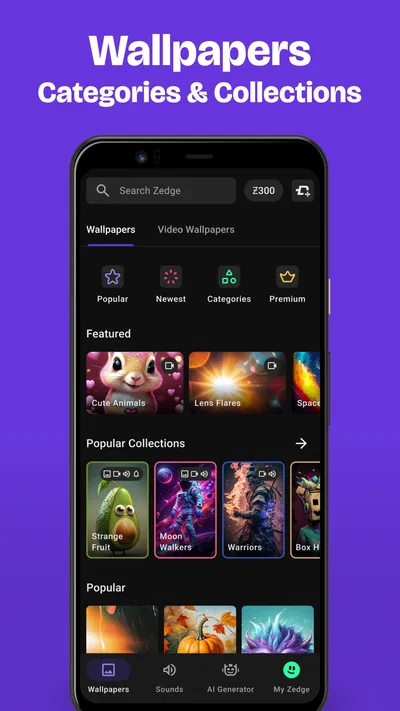
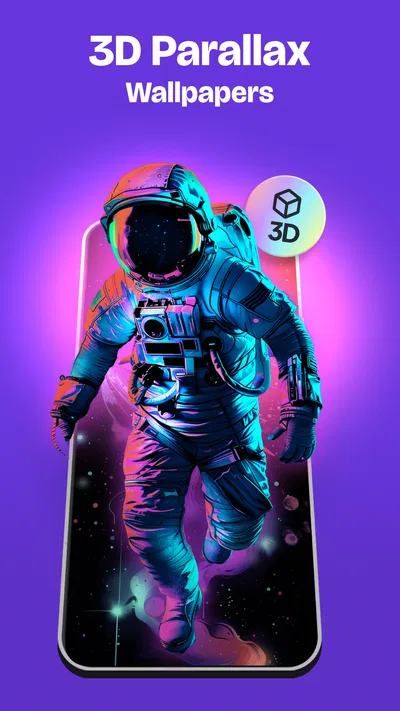
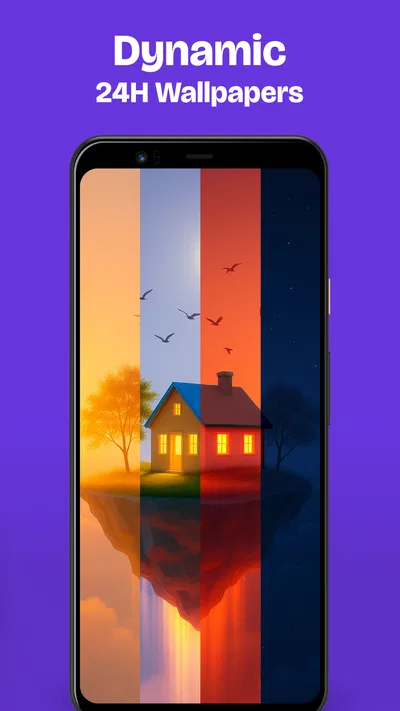
The key capability is the breadth of its wallpaper and ringtone collection. Instead of limiting customization to a static background, the app puts visual and audio choices under one roof. That matters in everyday use. A wallpaper is the part of a phone you see repeatedly, while a ringtone or notification sound is something you notice at particular moments. Having both kinds of personalization in the same app makes it easier to think about the phone’s overall character rather than treating every setting as a separate hunt.
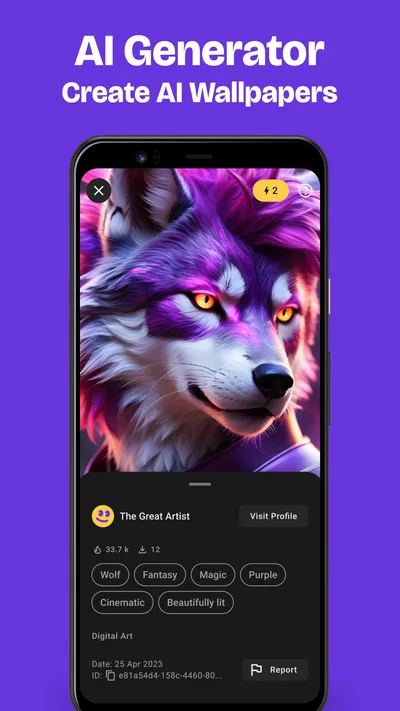
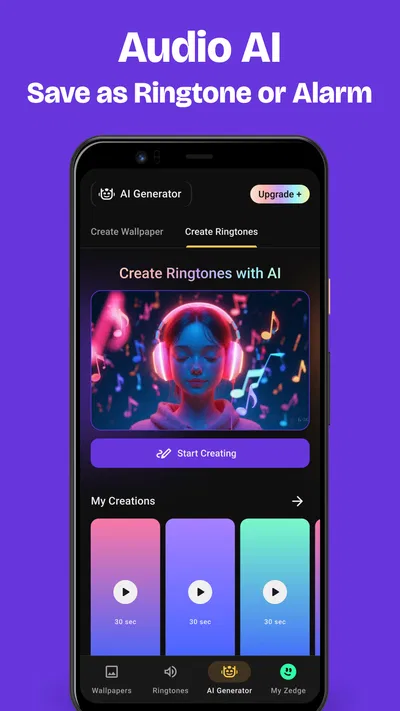
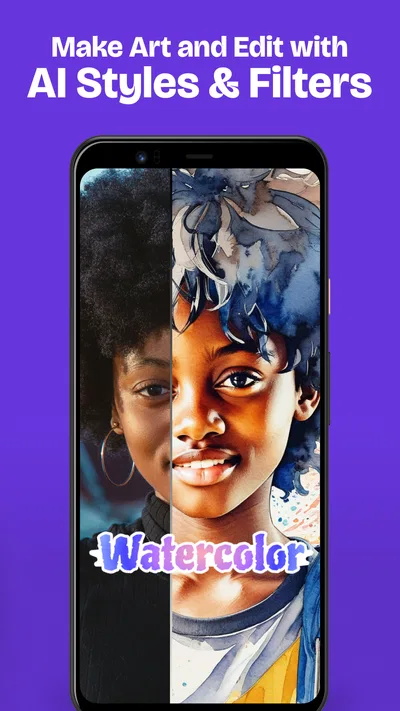
The other notable part of the pitch is the ability to make your own backgrounds with AI. That gives the experience a creative angle alongside browsing: you can look through existing choices, or use the creation option when you want something that feels less like a standard catalog pick. I see this as a useful complement to discovery, not a replacement for it. Sometimes I want to find an image quickly; other times, the fun is exploring a more personal direction.
What the central feature changes
A large collection is most valuable when it gives you room to match a background to your mood, interests, or preferred look. Rather than settling for whatever image came with the phone, you can browse for a design that feels more expressive. That small change can make a device feel less generic, particularly if you keep the same phone for a long time. The app’s appeal is therefore less about technical complexity and more about making personal choice accessible.
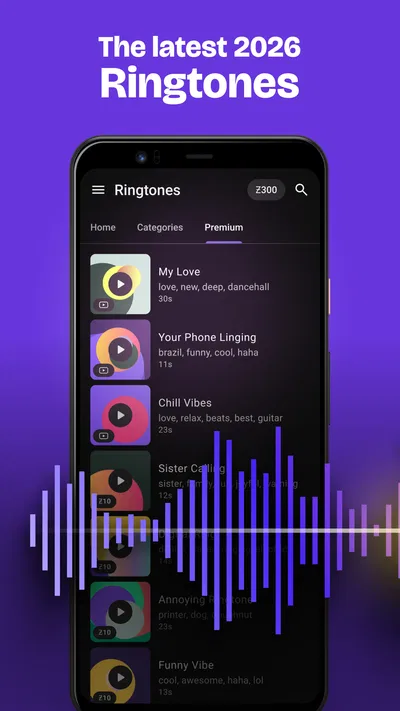
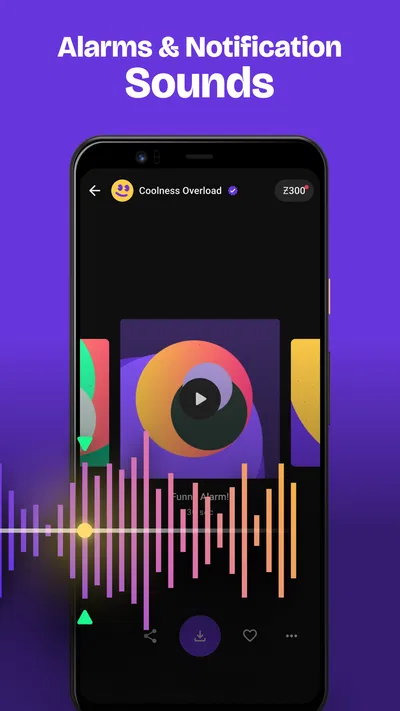
Sound selection adds another dimension. A phone’s alerts are easy to overlook as a customization opportunity, yet they are part of the device’s identity. Pairing a background with a ringtone or notification sound can make the result feel more considered. I like that the app’s concept encourages this broader approach: choose something for the screen, then think about how the phone sounds when it gets your attention.
Browsing and creating in practice
In practical terms, the experience begins with a simple question: do you want to find something ready-made, or start creating? Browsing is the natural route when you already have a general idea of what you like. You can explore the available wallpapers and ringtones, compare options, and settle on a style that suits your phone. This is the part I would expect to use most often, because it turns a vague intention to “change things up” into a concrete choice.
The app’s AI creation option offers a different path. If none of the backgrounds you have in mind quite fit, making your own gives you another way to approach personalization. It can be especially attractive when you want a visual result that feels more individual than a familiar, widely used image. The value here is the possibility of moving beyond selection alone; instead of only choosing from what is already there, you can explore making a background of your own.
Wallpaper and ringtone discovery also suit different moments. A background change is a visible refresh, while a sound change can be more subtle and practical. You might want a new look for everyday use, or simply prefer a different sound when the phone rings. Keeping both kinds of content in one place makes the app’s purpose easy to understand and gives you more than one reason to return when you feel like adjusting your setup.
That said, a big library can be enjoyable without guaranteeing that every user will immediately find a perfect match. Personal taste is personal, and browsing is part of the process. I would approach the app as a place to explore rather than expect it to know exactly what I want from the start. The AI creation capability may help when browsing does not produce the right feeling, but the best result still depends on having a sense of the style you are after.
When the app makes the most sense
The strongest scenario is a phone that feels overdue for a refresh. Maybe the current background has been there for months, or the default sound no longer suits you. In that situation, a combined wallpaper and ringtone app offers a low-effort way to make the device feel different without changing the hardware or rebuilding the home screen. A few personal choices can provide a noticeable change in how the phone looks and sounds.
It also fits people who enjoy browsing for inspiration. You do not need to arrive with a fully formed idea; exploring wallpapers and sounds can help you discover a style you had not considered. The collection-first approach is useful when you know you want something new but have not decided what. If you prefer to shape the visual result yourself, the AI option adds a creative alternative to picking from existing backgrounds.
For someone who cares about a consistent feel, the pairing of visuals and audio is a particular strength. A background can set the tone at a glance, and a ringtone can carry that tone into moments when the screen is not in view. You do not have to coordinate them, of course, but having both kinds of choices in the same personalization app makes it easier to treat them as parts of one setup.
Tradeoffs worth keeping in mind
The main tradeoff is that discovery takes attention. A wide selection can be a benefit, but it can also mean spending time comparing options before you find one that feels right. If you only want a single, specific image and already know exactly what it is, browsing a personalization app may feel like more exploration than you need. The experience is better suited to people who enjoy seeing alternatives and making a choice.
Creation with AI has a similar give-and-take. It offers a way to pursue something more personal, but it is most useful when you are willing to experiment with the idea of what you want. For users who simply want a quick, familiar background, selecting an existing wallpaper may be the more direct route. I see the two paths as complementary: browsing is the convenient starting point, while creation is there for when you want a more individual direction.
There is also a distinction between free access and optional spending. The app is free to download, while in-app purchases range from $0.49 to $399.99 per item. That range is broad, so I would pay attention to any purchase details shown in the app before deciding to spend. You can start with the free app and explore its personalization concept without treating optional purchases as a necessary part of the experience.
The current version is 9.40.1, and the minimum operating system is 9. The app’s content rating is Teen, which is useful context for families and anyone checking whether it fits their household. These practical details do not change the core appeal, but they help set expectations before installing. The app has also received around 952 thousand written reviews, giving prospective users a substantial pool of public feedback to consult alongside their own experience.
Who is likely to enjoy it most?
Zedge™ is a natural fit for people who like making their phone feel personal through small, visible choices. It is especially appealing if you want wallpaper and ringtone options together, rather than searching for each kind of content separately. The combination makes the app easy to understand: browse, choose, and refresh the look or sound of your device.
It is also a good match for curious users who enjoy trying different styles. If you like exploring visual ideas, comparing backgrounds, and occasionally creating something with AI, the app gives you more than a one-and-done setting. It can become a place to return to whenever your tastes change or you simply want the phone to feel less familiar.
Users who want the quickest possible change may prefer to keep their expectations simple: choose a wallpaper or sound, make the change, and move on. Those who enjoy spending time on customization may get more from browsing the collection and trying the creation option. Either way, the app’s focus remains clear, and that clarity is one of its strengths.
A simple way to make a phone feel more like yours
Overall, Zedge™ Wallpapers & Ringtones works best as a discovery-focused personalization app. Its defining idea is not complicated: bring together a large selection of backgrounds and sounds, then offer AI-assisted creation for people who want to make their own wallpaper. In daily use, that means more room to refresh the phone’s appearance and audio without making customization feel like a technical chore.
I would recommend it to anyone who enjoys updating a phone’s look, wants more choice than the default options, or likes the idea of pairing a new background with a different ringtone. The broad collection may ask for some browsing, and optional purchases deserve a careful look, but the basic appeal is easy to grasp. If you want a straightforward way to explore wallpapers, ringtones, and AI-created backgrounds, this app offers a flexible place to start.
Pros
- Large library of wallpapers and ringtones to browse.
- Daily updates help keep the catalog fresh.
- Favorites make it easy to revisit saved items.
- Wallpaper previews help you check how images look.
- Search filters make specific content easier to find.
Cons
- Some content requires payment or premium access.
- Ads can interrupt browsing in the free version.
- Wallpaper quality varies across the catalog.
- Ringtone setup steps may differ between devices.
- Some downloads may use substantial mobile data.
Best Personalization App 2026
Our verdict
Discover millions of background wallpapers & ringtones or make your own with AI.
Frequently Asked Questions
What can you do with Zedge™ Wallpapers & Ringtones?
Zedge is a customization app for finding wallpapers, ringtones, notification sounds, and alarm tones. You can browse categories, search for a particular style or sound, preview available items, and save or set selections on your device. The exact options you see can vary by device and operating system, since Android and iOS handle wallpaper and sound customization differently.
Is Zedge™ Wallpapers & Ringtones free to use?
Zedge can be downloaded and used to browse and access some content without paying, but availability and access may depend on the item, your region, and the app’s current plan and pricing. The app may also offer optional purchases or subscriptions and display advertising. Check the price, renewal terms, and any trial details shown in the app store or at checkout before subscribing.
How do you set a Zedge wallpaper or ringtone on your phone?
Choose an item in Zedge and follow the on-screen instructions to save or apply it. Wallpapers may need to be selected through your phone’s wallpaper settings, while setting a ringtone or notification sound can require downloading the audio and choosing it in system settings. The steps differ between Android and iOS, and some options may be limited by your device, software version, or permissions.
Does Zedge™ Wallpapers & Ringtones require any special permissions?
Some features may request permission to access photos or media, download files, or apply settings, depending on your device and what you want to do. Grant only permissions that make sense for the feature you are using, and review the current permission and privacy information in your device settings and the app store listing. Permission names and requirements can differ between Android and iOS.
Can you use Zedge content offline, and is every item available on every device?
You generally need an internet connection to browse and download content, though saved files may remain available offline if they are stored on your device. Not every item or customization method works on every phone: formats, licensing, regional availability, and operating-system restrictions can affect what you can download or set. Preview and check an item’s details before relying on it for a specific device.

Download Zedge™ Wallpapers & Ringtones
Similar apps
View all 8.0
Easy Homescreen
Personalization
 8.3
Emoji Battery & Shimeji Pet
Personalization
 8.0
Super HomeScreen
Personalization
 8.4
Easy Mail - Email Launcher
Personalization


